






PlayStation Repair in The Fix in South County Center
Is your PlayStation not working properly? At The Fix in St. Louis, MO, we provide quick and reliable PlayStation repairs. From overheating consoles to controller issues, our technicians offer free diagnostics and use high-quality parts to get you back to gaming fast.

Professional PlayStation Repair Services
- HDMI Port Repair & Replacement
- Overheating & Fan Repair
- Controller & Stick Drift Repair
- Disc Drive Repair
- Power Supply Repair
- Software Troubleshooting & Updates
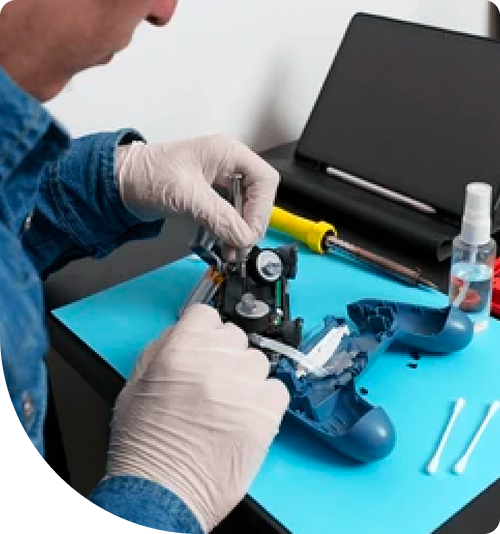
Professional PlayStation Repair Services In The Fix in South County Center
The 48-Hour Warning: Saving Your Console Before Critical Failure in St. Louis
There is a specific audible frequency that every PlayStation owner eventually learns to dread. It starts as a low hum and escalates into the sound of a jet engine taking off. For gamers in South County, this noise is not merely a nuisance; it is a systemic distress signal. It indicates that the console's thermal management system has reached its limit and catastrophic failure is imminent.
When seeking PlayStation Repair in St. Louis, MO, speed is often the deciding factor between a routine maintenance cleaning and a motherboard replacement. The timeline from "loud fan" to "Blue Light of Death" is often shorter than users realize, especially given the environmental variables of the 63129 area. Ignoring these auditory and visual warnings accelerates the degradation of the Accelerated Processing Unit (APU), the heart of the console.
The Thermal Paste Countdown
The factory thermal interface material used in consoles is designed for general shelf life, not for the humidity extremes of St. Louis. Over time, the constant expansion and contraction caused by heating up (gaming) and cooling down (rest mode) causes the paste to "pump out" or dry into a chalky, non-conductive substance.
Once this barrier fails, the heat transfer from the APU to the heatsink stops. The fan ramps up to 100% speed in a desperate attempt to cool a chip it can no longer effectively reach. If you continue to play heavy graphical titles while the fan is screaming, you are subjecting the silicon to temperatures that warp the motherboard itself. This warping breaks the microscopic solder balls connecting the APU to the board, leading to the dreaded "Blue Light of Death" (BLOD) where the console pulses blue but never displays an image.
St. Louis Thunderstorms and the HDMI Encoder
Our region is prone to sudden, violent electrical storms. While most residents protect their TVs with surge protectors, the HDMI cable itself often becomes a backdoor for voltage spikes. A lightning strike miles away can send a surge through the cable lines, into your modem, through the ethernet, or even up through the HDMI cable from the TV.
The first casualty of this "backdoor" surge is usually the Panasonic HDMI encoder chip (often the MN864729 or similar). This tiny chip controls video output. When it fails, the console turns on (white light), but the TV displays "No Signal." We see a spike in these specific repairs at South County Center immediately following heavy storm fronts. If your console powers on but shows no image after a storm, it is rarely the port itself—it is likely this fried control chip requiring microsoldering replacement.
The "Vertical" Liquid Metal Risk (PS5 Specific)
For PlayStation 5 owners, a new risk factor has emerged involving the liquid metal cooling solution. Unlike traditional paste, liquid metal is conductive and fluid. While the seal around the APU is robust, physical trauma or long-term vertical orientation in high-vibration environments (like near subwoofers or busy entertainment centers) can lead to pooling.
If this liquid metal shifts, it creates a "hot spot" on the die. The sensor detects this single point of extreme heat and shuts the console down instantly to save the processor. This often manifests as the console cutting power completely after 30-40 minutes of gameplay. This is not a power supply failure; it is a thermal safety trip. Opening the console without knowing how to handle liquid metal can cause it to spill onto components, instantly shorting the motherboard.
The Optical Drive Drift
For editions with disc drives, the mechanical rollers are susceptible to the dust and pet dander common in St. Louis homes. When these rollers become coated in debris, they lose their grip. You might hear the motor spinning, but the disc refuses to ingest or eject.
Forcing a disc in manually desynchronizes the delicate gear mechanism. Once the gears jump their track, the drive believes a disc is constantly inside (or never inside), rendering the physical game library useless. Professional realignment involves dismantling the entire drive assembly, cleaning the laser lens with isopropyl alcohol, and re-lubricating the worm gear to restore smooth operation.
Why "Safe Mode" Loops Are Hardware Flags
A console stuck in a Safe Mode loop (asking for an update file repeatedly) is frequently misdiagnosed as a software corruption. In reality, this is often the system failing a hardware check. The PlayStation performs a "handshake" with the hard drive or SSD and the Blu-ray drive upon booting.
If the internal hard drive has developed bad sectors—common after years of writing and rewriting game data—the update will fail at the same percentage every time. Replacing the mechanical hard drive with a solid-state drive (SSD) not only resolves the loop but significantly improves load times and texture streaming, effectively upgrading the console beyond its factory specifications.
Critical Console Q&A
Q: Why does my PS5 turn off randomly only when playing PS5 games, but works fine with PS4 games? A: PS5 games draw significantly more power and generate more heat than backward-compatible PS4 titles. This symptom almost always points to a clogged power supply unit (PSU) or a dry spot on the APU's liquid metal. When the system demands peak power for next-gen graphics, the thermal buildup spikes faster than the cooling system can handle, triggering a safety shutdown. It requires a deep internal cleaning and liquid metal redistribution.
Q: Can a broken HDMI port be fixed by bending the pins back? A: Never attempt this. The pins inside an HDMI 2.1 port are hair-thin and carry massive amounts of data at high speeds. Bending them back weakens the metal, causing them to snap off inside the cable or short against the ground shield. A shorted pin can send 5 volts directly into the processor's data line, killing the main graphics chip. The only safe repair is the complete removal of the damaged port and the soldering of a brand-new, high-quality port.
Q: Is the "beep and shut off" symptom fixable? A: This is known as the "BLOD" (Blue Light of Death) or "WLOD" (White Light of Death) depending on the phase. If it beeps once and shuts off immediately, it is usually a power supply issue or a short on the 12V rail. If it pulses blue for a minute and then shuts off, it is likely an APU disconnection (solder fracture). Both are repairable, but they require board-level diagnostics to identify the exact failed component.
Other Locations Near By You
The Fix in Walmart St. Louis
3270 Telegraph Rd, St. Louis, MO 63125, United States
The Fix in St. Louis Galleria
1155 Galleria Pkwy #1081, St. Louis, MO 63117, United States
The Fix in Walmart Manchester
201 Highlands Blvd Dr, Manchester, MO 63011, United States
The Fix in Walmart Kansas City
8301 N Church Rd, Kansas City, MO 64158, United States
The Fix in Walmart Lee's Summit
1000 NE Sam Walton Ln, Lee's Summit, MO 64086, United States
The Fix in Walmart Lake St. Louis
6100 Ronald Reagan Dr, Lake St Louis, MO 63367, United States
The Fix in Walmart Raytown
10300 E State Rte 350, Raytown, MO 64138, United States
The Fix in Walmart Wentzville
1971 Wentzville Pkwy, Wentzville, MO 63385, United States
The Fix in Walmart Maplewood
1900 Maplewood Commons Dr, Maplewood, MO 63143, United States
The Fix in West County
80 W County Center Dr Store #2187 Des Peres Missouri 63131
Your local repair experts for every device
From iPhones to gaming laptops, The Fix in St. Louis, MO is your one-stop shop for device repair. Quick turnarounds, affordable prices, and local experts you can trust

Phone Cases
Protect your device in style! At The Fix in St. Louis, MO, we offer a wide selection of durable phone cases for all major brands—sleek designs that keep your phone safe and looking great.

Nintendo Switch Repair
Cracked Nintendo Switch screen? We repair Switch devices in St. Louis, MO quickly and affordably. Fast, easy, and always with high-quality parts.

MacBook Repair
For broken screens, battery replacements, or other issues, The Fix in St. Louis, MO provides quick MacBook repairs with premium parts.

Google Repair
Need your Google Pixel fixed? At The Fix in St. Louis, MO, we repair cracked screens, charging issues, and more—always using high-quality parts for lasting results.

Tablet Repair
Whether your tablet screen is cracked or the battery won’t hold a charge, The Fix in St. Louis, MO provides fast, affordable tablet repairs with free diagnostics.

Computer Repair
Need PC or desktop service in St. Louis, MO? We provide free diagnostics and affordable repairs, always with high-quality parts.

Game Console Repair
From Nintendo Switch® to PlayStation and Xbox, The Fix in St. Louis, MO repairs all major game consoles. Fast service and dependable results.

Laptop Repair
Got a broken laptop? The Fix In St. Louis, MO, our team repairs most laptop brands and models using high-quality replacement parts.

iPad Repair
Need your iPad fixed? At The Fix in St. Louis, MO, we repair cracked screens, charging issues, and more—always using high-quality parts for lasting results.

Cell Phone Repair
We repair all major phone brands in St. Louis, MO. iPhone, Samsung, Google, and more—get your phone fixed fast.

iPhone Repair
Cracked screen? Battery draining too fast? Our team in St. Louis, MO repairs iPhones with precision and high-quality parts to make your device feel new again.

Samsung Repair
Whether it’s a Galaxy screen replacement or a charging issue, The Fix in St. Louis, MO offers fast and reliable Samsung repairs.

Xbox Repair
Xbox not working properly? Our team in St. Louis, MO offers quick, reliable Xbox repairs with free diagnostics and high-quality replacement parts.


Trusted repair solution for mobile phones, tablets, gaming consoles, and computer systems. We provide fast, reliable, and affordable repair services to get your devices back in perfect working condition.
The Fix is an independent repair service provider and is not affiliated with, sponsored by, or endorsed by Apple Inc., Samsung Electronics, Google LLC, or any other device manufacturer. We use high-quality compatible replacement parts unless explicitly stated. All trademarks are property of their respective owners.


© Copyright The Fix Solutions All rights reserved 2026.
Design by Deepcoder