






Laptop Repair in The Fix in South County Center
Broken laptop slowing you down? At The Fix in St. Louis, MO, we repair all major laptop brands and models. From cracked screens to battery issues, our technicians provide fast, affordable service with free diagnostics and high-quality parts.

Professional Laptop Repair Services
- Screen Repair & Replacement
- Battery Replacement
- Water Damage Repair
- Keyboard & Trackpad Repair
- Charging Port Repair
- Overheating & Fan Repair
- Hard Drive / SSD Replacement & Data Recovery
- Software Troubleshooting & Recovery
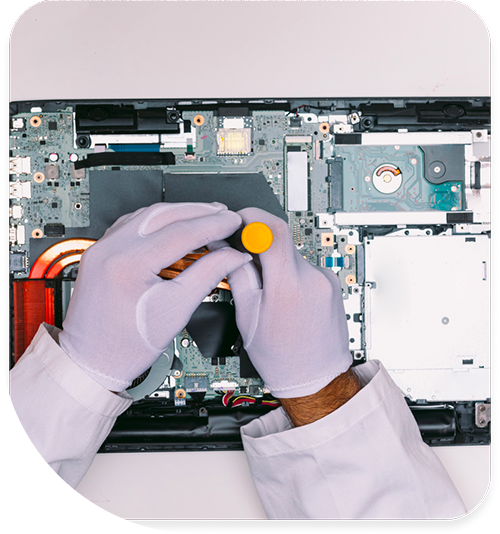
Professional Laptop Repair Services In The Fix in South County Center
The Impact of St. Louis Seasons on Mobile Hardware: Laptop Repair in South County
A laptop in St. Louis leads a difficult life. It must function flawlessly in the dry, static-charged air of a heated winter office and survive the oppressive humidity of a Missouri summer. For residents of the 63129 zip code, these atmospheric extremes are not just weather notes; they are active participants in hardware degradation. When analyzing Laptop Repair in St. Louis, MO, we find that environmental stress factors often accelerate component failure long before the device’s expected expiration date.
The failure points are predictable. We see a distinct rhythm to the repairs at South County Center that mirrors the calendar. Understanding how local barometric and thermal conditions interact with plastic chassis, lithium batteries, and silicon chips helps users distinguish between a terminal failure and a repairable environmental reaction.
Winter: The Static Electricity Hazard
As winter settles over St. Louis and heating systems run constantly, indoor humidity drops significantly. This dry air creates the perfect conditions for Electrostatic Discharge (ESD). While a small shock when touching a doorknob is annoying, that same discharge hitting the chassis of a laptop can be lethal to the motherboard.
Modern laptops, especially those with metal bodies, are designed to ground this energy. However, frequent shocks can overwhelm the protection diodes on the USB and charging ports. We frequently diagnose "dead" USB ports in January and February. The user plugged in a flash drive, a spark jumped, and the southbridge chip on the motherboard—which controls external peripherals—was instantly fried. This is not a defect; it is a voltage event. Using anti-static mats or simply touching a grounded object before plugging in devices during dry months can prevent these microscopic lightning strikes.
Summer: The Condensation Threat
Conversely, the transition from an air-conditioned car to the humid outdoor air of a St. Louis summer creates a "dew point" issue. If a laptop has been sitting in a cold room (68°F) and is carried outside into 90°F heat with 80% humidity, condensation forms.
It happens on sunglasses, and it happens on motherboards. Micro-droplets of water form on the cold metal surfaces inside the laptop. If the device is powered on immediately while this moisture is present, it causes "trace corrosion." This green oxidation eats away at the copper pathways connecting components. We advise local users to let their devices "acclimate" for 15 minutes when moving between extreme temperature zones to allow this invisible moisture to evaporate safely.
The Hinge Failure: Plastic vs. Metal
The most common structural failure we encounter is the "broken hinge." However, it is rarely the metal hinge itself that breaks. The failure occurs in the plastic mounting points. Laptops rely on brass inserts (nuts) melted into the plastic back cover to hold the screws.
In regions with wide temperature variances like ours, the plastic expands and contracts at a different rate than the brass metal. Over time, this differential stress causes the plastic around the nut to crack. One day, the user opens the laptop, and the leverage tears the brass nut completely out of the chassis, splitting the case open. This is a material science failure. Repairing this requires a process called "plastic welding" or a complete chassis replacement, as simply gluing the screw back in will not withstand the 15-20 pounds of torque generated by opening the lid.
Battery Chemistry in a Commuter City
St. Louis is a driving city. Laptops spend significant time in trunks and backseats. The chemistry of a Lithium-Ion battery is volatile when exposed to heat. A laptop left in a car at South County Center during July can reach internal temperatures of 140°F or higher.
At these temperatures, the liquid electrolyte inside the battery begins to vaporize, causing the cells to "puff" or swell. A swollen battery is dangerous. It pushes upwards against the trackpad and keyboard, often rendering them unusable. If you notice your trackpad clicking on its own or the casing bulging, the battery has been compromised by heat exposure. It requires immediate professional removal to prevent the risk of puncture and fire.
Keyboard Membrane Degradation
The "sticky key" is a common complaint, often attributed to spilled soda. However, we also see "dry stick" caused by particulate accumulation. The membranes under laptop keys are silicone. St. Louis dust, combined with natural finger oils, forms a paste that hardens over time.
This paste acts like glue, causing keys to feel mushy or fail to rebound. Blasting compressed air often packs this debris tighter under the scissor mechanism. The correct intervention involves removing the keycap and the scissor clip to chemically clean the silicone dome. This restores the tactile "click" without requiring a full keyboard replacement, which on many modern laptops involves drilling out 50+ rivets from the palm rest.
Technical Q&A: Mobile Computing
Q: Can I upgrade the graphics card in my laptop? A: In 99% of modern laptops, the answer is no. The Graphics Processing Unit (GPU) and the Central Processing Unit (CPU) are soldered directly to the motherboard using a Ball Grid Array (BGA). They are not slotted cards like in a desktop. To "upgrade" the graphics, you would effectively need to replace the entire motherboard with a higher-spec model, which is usually cost-prohibitive compared to selling the unit and buying a more powerful one.
Q: Why does my laptop screen flicker when I move the lid? A: This is a definitive sign of a damaged LVDS or eDP video cable. This cable runs through the hinge mechanism. After thousands of open/close cycles, the wires inside the cable fray and break. The flicker happens because the connection is being physically made and broken as the cable twists. If ignored, the cable will eventually sever completely, resulting in a black screen. Replacing the video cable resolves the issue permanently.
Q: Is it safe to use my laptop on a bed or couch? A: We strongly advise against it. Laptops rely on "intake" vents, usually located on the bottom of the chassis, to pull in cool air. Soft surfaces like blankets or cushions conform to the bottom of the laptop, completely sealing these vents. This suffocates the cooling system. The fans will scream, but no air will move. This leads to thermal throttling (slow performance) and can cook the thermal paste, leading to long-term overheating issues even when moved back to a desk.
Other Locations Near By You
The Fix in Walmart St. Louis
3270 Telegraph Rd, St. Louis, MO 63125, United States
The Fix in St. Louis Galleria
1155 Galleria Pkwy #1081, St. Louis, MO 63117, United States
The Fix in Walmart Manchester
201 Highlands Blvd Dr, Manchester, MO 63011, United States
The Fix in Walmart Kansas City
8301 N Church Rd, Kansas City, MO 64158, United States
The Fix in Walmart Lee's Summit
1000 NE Sam Walton Ln, Lee's Summit, MO 64086, United States
The Fix in Walmart Lake St. Louis
6100 Ronald Reagan Dr, Lake St Louis, MO 63367, United States
The Fix in Walmart Raytown
10300 E State Rte 350, Raytown, MO 64138, United States
The Fix in Walmart Wentzville
1971 Wentzville Pkwy, Wentzville, MO 63385, United States
The Fix in Walmart Maplewood
1900 Maplewood Commons Dr, Maplewood, MO 63143, United States
The Fix in West County
80 W County Center Dr Store #2187 Des Peres Missouri 63131
Your local repair experts for every device
From iPhones to gaming laptops, The Fix in St. Louis, MO is your one-stop shop for device repair. Quick turnarounds, affordable prices, and local experts you can trust

Phone Cases
Protect your device in style! At The Fix in St. Louis, MO, we offer a wide selection of durable phone cases for all major brands—sleek designs that keep your phone safe and looking great.

Nintendo Switch Repair
Cracked Nintendo Switch screen? We repair Switch devices in St. Louis, MO quickly and affordably. Fast, easy, and always with high-quality parts.

MacBook Repair
For broken screens, battery replacements, or other issues, The Fix in St. Louis, MO provides quick MacBook repairs with premium parts.

PlayStation Repair
Is your PlayStation giving you trouble? At The Fix in St. Louis, MO, we handle PlayStation repairs with care and quality parts—no long waits, no hassle.

Google Repair
Need your Google Pixel fixed? At The Fix in St. Louis, MO, we repair cracked screens, charging issues, and more—always using high-quality parts for lasting results.

Tablet Repair
Whether your tablet screen is cracked or the battery won’t hold a charge, The Fix in St. Louis, MO provides fast, affordable tablet repairs with free diagnostics.

Computer Repair
Need PC or desktop service in St. Louis, MO? We provide free diagnostics and affordable repairs, always with high-quality parts.

Game Console Repair
From Nintendo Switch® to PlayStation and Xbox, The Fix in St. Louis, MO repairs all major game consoles. Fast service and dependable results.

iPad Repair
Need your iPad fixed? At The Fix in St. Louis, MO, we repair cracked screens, charging issues, and more—always using high-quality parts for lasting results.

Cell Phone Repair
We repair all major phone brands in St. Louis, MO. iPhone, Samsung, Google, and more—get your phone fixed fast.

iPhone Repair
Cracked screen? Battery draining too fast? Our team in St. Louis, MO repairs iPhones with precision and high-quality parts to make your device feel new again.

Samsung Repair
Whether it’s a Galaxy screen replacement or a charging issue, The Fix in St. Louis, MO offers fast and reliable Samsung repairs.

Xbox Repair
Xbox not working properly? Our team in St. Louis, MO offers quick, reliable Xbox repairs with free diagnostics and high-quality replacement parts.


Trusted repair solution for mobile phones, tablets, gaming consoles, and computer systems. We provide fast, reliable, and affordable repair services to get your devices back in perfect working condition.
The Fix is an independent repair service provider and is not affiliated with, sponsored by, or endorsed by Apple Inc., Samsung Electronics, Google LLC, or any other device manufacturer. We use high-quality compatible replacement parts unless explicitly stated. All trademarks are property of their respective owners.


© Copyright The Fix Solutions All rights reserved 2026.
Design by Deepcoder