






Xbox Repair in The Fix in South County Center
Is your Xbox giving you trouble? At The Fix in St. Louis, MO, we provide quick and reliable Xbox repairs. From HDMI port damage to overheating consoles, our technicians offer free diagnostics and use high-quality parts to get you back in the game fast.

Professional Xbox Repair Services
- HDMI Port Repair & Replacement
- Overheating & Fan Repair
- Controller & Stick Drift Repair
- Disc Drive Repair
- Power Supply Repair
- Software Troubleshooting & Updates
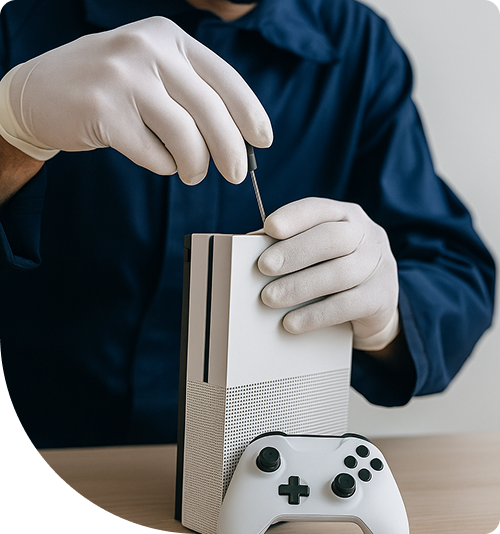
Professional Xbox Repair Services In The Fix in South County Center
The Chimney Effect and Dust: Xbox Repair in St. Louis, MO
The Xbox Series X introduced a revolutionary "split motherboard" design cooled by a central "chimney" airflow system. While efficient in sterile labs, this design faces a formidable adversary in the 63129 zip code: the St. Louis atmosphere. The vertical airflow draws cool air from the bottom and exhausts heat out the top. In many local homes, this effectively turns the console into a high-performance vacuum cleaner for floor-level particulate matter.
When performing Xbox Repair in St. Louis, MO, we consistently find that thermal throttling and "random" shutdowns are not random at all. They are the direct result of local environmental debris clogging the intricate vapor chamber fins, disrupting the thermodynamics required to keep the custom AMD Zen 2 processor functioning.
The HDMI Retimer Chip Failure
A specific symptom plaguing Xbox owners in South County involves the "Black Screen of Death." The console powers on, the light is solid white, but the TV reports "No Signal." While often misdiagnosed as a broken HDMI port, the culprit is frequently deeper: the HDMI Retimer chip (specifically the TDP158 or similar control ICs).
St. Louis is prone to frequent electrical storms and grid fluctuations. While the HDMI port physically connects the cable, the Retimer chip boosts and synchronizes the signal for 4K/120Hz output. This chip is incredibly sensitive to voltage spikes that travel up the HDMI cable from the TV during a storm. We see a surge in these chip failures after heavy thunderstorms in the region. The port looks perfect physically, but the control logic has been fried by an electrical transient, requiring microsoldering replacement of the IC to restore video output.
The "Green Screen" and SSD Corruption
The "Green Screen of Death" (hanging on the Xbox boot animation) is a sign of data storage failure. Unlike previous generations that used spinning hard drives, modern Xbox consoles use high-speed NVMe Solid State Drives (SSDs).
However, the file system on these drives is susceptible to corruption if power is cut unexpectedly—a common occurrence during the brief power outages or "brownouts" seen in older St. Louis neighborhoods. When the power cuts during a write cycle, the partition table can become unreadable. In many cases, the hardware is intact, but the partition needs a low-level format and a specialized offline system update (OSU) to rebuild the operating system file structure. This recovery process salvages the console without the need for expensive hardware replacement.
The Southbridge Connection
Another critical failure point is the Southbridge chip. This component manages communication between the processor and peripherals, including the USB ports, Wi-Fi module, and the controller wireless protocol.
We encounter local gamers who report that their controllers constantly disconnect or that the console refuses to sync, even with fresh batteries. This is rarely a controller issue. It is a logic board failure where the Southbridge has developed a cold solder joint or has shorted internally. This disconnect creates a frustrating experience where the console is playable but uncontrollable. Reflowing or replacing the Southbridge restores the wireless "handshake" protocol that keeps the controller connected.
Power Supply Vulnerabilities
The internal Power Supply Unit (PSU) in the Xbox is a compact, high-wattage component. In the humid summers of South County, we see a specific failure mode involving the electrolytic capacitors inside the PSU.
High humidity combined with the heat of the console can cause these capacitors to swell and leak electrolyte fluid. A failing PSU might provide enough power to turn the system on (light comes on/beeps) but fails when a game launches and the power draw spikes. The system detects the voltage instability and instantly cuts power to protect the motherboard. Replacing the internal PSU is a targeted repair that revives the system, avoiding the need to replace the entire console.
Optical Drive Mechanical Jams
For Xbox editions with disc drives, the "roller mechanism" is a frequent failure point in households with pets. St. Louis homes often have high levels of pet dander, which settles on the rubber rollers at the entrance of the disc drive.
Over time, these rollers lose their tackiness or become coated in hair. When a user tries to insert a game disc, the rollers spin but fail to grip the disc, or worse, they pull it in halfway and jam. Force-pulling the disc out often knocks the timing gears out of alignment. Professional repair involves disassembling the drive, chemically cleaning the rollers to restore their grip, and realigning the gear tracks to ensure smooth ingestion and ejection.
Technical Q&A: Xbox Engineering
Q: Can I use a standard PC SSD to upgrade my Xbox internal storage? A: No. The internal NVMe SSD in an Xbox Series X/S requires a specific partition format and security key unique to the console's motherboard. You cannot simply plug in an off-the-shelf PC drive. However, the external "Storage Expansion Card" slot on the back is designed for user expansion using proprietary cards. If the internal drive fails, it requires a technician to partition a compatible drive correctly to match the system's security requirements.
Q: Why does my Xbox fan stay on after I turn the console off? A: This is likely the "Instant-On" or "Standby" power mode functioning correctly. The console keeps the fan spinning at a low RPM to cool the system down after a gaming session or to download updates in the background. However, if the fan runs at high speed while the console is off, it indicates a thermal sensor malfunction or a motherboard short that is sending incorrect voltage to the fan header.
Q: Is it safe to vacuum the vents of my Xbox? A: We advise caution. Using a high-powered vacuum directly on the vents can spin the internal fan blades faster than their bearing rating, potentially generating a back-voltage that can damage the fan controller on the motherboard. It is safer to use compressed air to blow dust out (while holding the fan still with a non-conductive probe if possible) or to have the console professionally opened and cleaned to remove the internal dust mats safely.
Other Locations Near By You
The Fix in Walmart St. Louis
3270 Telegraph Rd, St. Louis, MO 63125, United States
The Fix in St. Louis Galleria
1155 Galleria Pkwy #1081, St. Louis, MO 63117, United States
The Fix in Walmart Manchester
201 Highlands Blvd Dr, Manchester, MO 63011, United States
The Fix in Walmart Kansas City
8301 N Church Rd, Kansas City, MO 64158, United States
The Fix in Walmart Lee's Summit
1000 NE Sam Walton Ln, Lee's Summit, MO 64086, United States
The Fix in Walmart Lake St. Louis
6100 Ronald Reagan Dr, Lake St Louis, MO 63367, United States
The Fix in Walmart Raytown
10300 E State Rte 350, Raytown, MO 64138, United States
The Fix in Walmart Wentzville
1971 Wentzville Pkwy, Wentzville, MO 63385, United States
The Fix in Walmart Maplewood
1900 Maplewood Commons Dr, Maplewood, MO 63143, United States
The Fix in West County
80 W County Center Dr Store #2187 Des Peres Missouri 63131
Your local repair experts for every device
From iPhones to gaming laptops, The Fix in St. Louis, MO is your one-stop shop for device repair. Quick turnarounds, affordable prices, and local experts you can trust

Phone Cases
Protect your device in style! At The Fix in St. Louis, MO, we offer a wide selection of durable phone cases for all major brands—sleek designs that keep your phone safe and looking great.

Nintendo Switch Repair
Cracked Nintendo Switch screen? We repair Switch devices in St. Louis, MO quickly and affordably. Fast, easy, and always with high-quality parts.

MacBook Repair
For broken screens, battery replacements, or other issues, The Fix in St. Louis, MO provides quick MacBook repairs with premium parts.

PlayStation Repair
Is your PlayStation giving you trouble? At The Fix in St. Louis, MO, we handle PlayStation repairs with care and quality parts—no long waits, no hassle.

Google Repair
Need your Google Pixel fixed? At The Fix in St. Louis, MO, we repair cracked screens, charging issues, and more—always using high-quality parts for lasting results.

Tablet Repair
Whether your tablet screen is cracked or the battery won’t hold a charge, The Fix in St. Louis, MO provides fast, affordable tablet repairs with free diagnostics.

Computer Repair
Need PC or desktop service in St. Louis, MO? We provide free diagnostics and affordable repairs, always with high-quality parts.

Game Console Repair
From Nintendo Switch® to PlayStation and Xbox, The Fix in St. Louis, MO repairs all major game consoles. Fast service and dependable results.

Laptop Repair
Got a broken laptop? The Fix In St. Louis, MO, our team repairs most laptop brands and models using high-quality replacement parts.

iPad Repair
Need your iPad fixed? At The Fix in St. Louis, MO, we repair cracked screens, charging issues, and more—always using high-quality parts for lasting results.

Cell Phone Repair
We repair all major phone brands in St. Louis, MO. iPhone, Samsung, Google, and more—get your phone fixed fast.

iPhone Repair
Cracked screen? Battery draining too fast? Our team in St. Louis, MO repairs iPhones with precision and high-quality parts to make your device feel new again.

Samsung Repair
Whether it’s a Galaxy screen replacement or a charging issue, The Fix in St. Louis, MO offers fast and reliable Samsung repairs.


Trusted repair solution for mobile phones, tablets, gaming consoles, and computer systems. We provide fast, reliable, and affordable repair services to get your devices back in perfect working condition.
The Fix is an independent repair service provider and is not affiliated with, sponsored by, or endorsed by Apple Inc., Samsung Electronics, Google LLC, or any other device manufacturer. We use high-quality compatible replacement parts unless explicitly stated. All trademarks are property of their respective owners.


© Copyright The Fix Solutions All rights reserved 2026.
Design by Deepcoder