






Game Console Repair in The Fix in South County Center
Having trouble with your game console? At The Fix in St. Louis, MO, we repair all major consoles—including Nintendo Switch, PlayStation, and Xbox. Whether it’s a broken screen, overheating console, or controller drift, our technicians provide fast repairs with free diagnostics and high-quality parts.

Professional Game Console Repair Services
- Nintendo Switch Repair
- PlayStation Repair
- Xbox Repair
- Controller & Stick Drift Repair
- HDMI Port Repair & Replacement
- Overheating & Fan Repair
- Disc Drive Repair
- Power Supply Repair
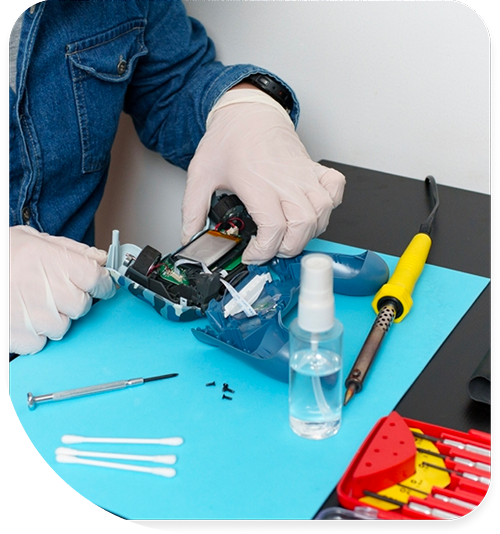
Professional Game Console Repair Services In The Fix in South County Center
Diagnosing The "Beep of Death": Game Console Repair in St. Louis, MO
When a gaming system shuts down unexpectedly during a ranked match, the user's immediate assumption is often a software glitch or a server error. However, for residents in the 63129 area, the hardware reality is often more physical. Through our diagnostic intake process for Game Console Repair in St. Louis, MO, we have identified specific failure patterns that plague systems in this region—patterns that go beyond simple electronics and enter the realm of biology and physics.
A console is a finely tuned ecosystem of airflow and thermal management. When that ecosystem is disrupted by local environmental factors, the symptoms are distinct: jet-engine fan noise, graphical artifacts, or the refusal to power on. Identifying the root cause requires looking past the error code and examining the physical environment where the device lives.
The "Biological Intrusion" Factor
It is an uncomfortable truth, but one that every technician in Missouri knows well: power supply units are magnets for local pests. The German Cockroach, prevalent in St. Louis due to our humid climate, is naturally drawn to the electromagnetic field and the warmth generated by internal power bricks.
We frequently encounter consoles that have "shorted out" not because of a component failure, but because of biological bridging. Insects crawl into the rear vents seeking heat. When they touch two high-voltage points on the power supply simultaneously, they create a bridge that instantly blows the main fuse or fries the power management IC. This damage is catastrophic and distinct; it leaves a tell-tale scorch mark on the PCB. Prevention involves not just cleaning the console, but elevating it off carpeted floors and ensuring the surrounding area is treated, as a single intruder can render a high-performance machine useless.
The Thermal Cycling Fracture
St. Louis experiences extreme temperature shifts. While homes are climate-controlled, the fluctuation affects electronics. A console heats up to 70°C+ during gaming and cools down rapidly when turned off. This constant expansion and contraction stresses the "Ball Grid Array" (BGA)—the grid of hundreds of tiny solder balls that connect the main processor (APU) to the motherboard.
Over thousands of these cycles, the solder balls can develop "micro-fractures" or cold solder joints. The symptom is deceptive: the console might work for 10 minutes and then freeze, or display checkerboard patterns on the screen. This is the hardware losing contact with the processor as it heats up and warps slightly. Professional repair involves a "reflow" or "reballing" process, where the chip is heated to the melting point of solder under a controlled curve to reform these connections, restoring the electrical path.
The "Disc Read Error" & Laser Haze
When a disc drive fails to read a game, users often blame the disc. However, in South County homes, the issue is often "laser haze." The optical lens inside the drive is made of precision plastic or glass. Air filled with particulate matter—be it smoke, vape residue, or fine household dust—circulates through the drive.
Over time, this residue builds up a cloudy film on the lens. The laser beam disperses instead of focusing, leading to "Unrecognized Disc" errors. This is not a broken drive; it is a dirty one. Using a standard cleaning disc often fails because the brushes cannot remove the chemical film. The solution involves disassembling the drive mechanics to manually clean the lens with high-purity isopropyl alcohol, restoring the laser's ability to focus on the data track.
Hard Drive Sector Rot
Many consoles still utilize mechanical Hard Disk Drives (HDD) with spinning platters. These drives are mechanical devices with a finite lifespan. In our workshop, we see a high correlation between "laggy" menus, texture popping in games, and aging hard drives.
As the magnetic sectors on the platter degrade, the read/write head struggles to access data. The console tries repeatedly (retries), which the user experiences as freezing or stuttering audio. This is the drive screaming for help. Cloning the data to a solid-state drive (SSD) before the drive fails completely is the only way to preserve user settings and installed data. An SSD has no moving parts and is immune to the mechanical wear that kills traditional drives.
HDMI Port Stress Tests
A console that turns on (white/blue light) but shows "No Signal" has likely suffered from the "blind insertion" failures common in entertainment centers. Users reaching behind the console to plug in an HDMI cable often miss the port, jamming the connector against the plastic or the metal shield.
This pressure pushes the port inward, snapping the anchor legs that hold it to the motherboard. Once the anchors are broken, the data pins are next. We diagnose this by checking for "wobble." A healthy port should be rigid. If the plug wiggles, the traces are likely severed. This requires microsoldering to install a reinforced port, often using leaded solder which is more flexible and resistant to cracking than the brittle factory-standard alloy.
Console Troubleshooting Q&A
Q: My controller disconnects randomly even when fully charged. Is it the Bluetooth antenna? A: While possible, it is more often interference from the Wi-Fi card. On many consoles, the Bluetooth and Wi-Fi modules share the same board or antenna array. If the Wi-Fi module is failing or overheating, it drops the Bluetooth connection. Additionally, external interference from routers placed directly on top of the console can "drown out" the controller signal. Testing the controller with a USB cable (wired mode) helps isolate the issue.
Q: Can a loud fan be fixed without opening the console? A: No. The loud noise is the system's desperate attempt to move air through a blocked heatsink. Blowing compressed air into the vents from the outside often makes the problem worse by pushing the dust "carpet" deeper into the fan blades, jamming them. The only effective way to silence the console is to open it, physically remove the dust blockage from the heatsink fins, and replace the dried thermal compound.
Q: Why does my console update stop at a specific percentage every time? A: This "update loop" is a hardware failure disguised as software. During an update, the system runs a health check on the internal components (Bluetooth module, Disc Drive, Hard Drive). If one of these components is unresponsive or disconnected, the update aborts to prevent a "brick." The specific error code usually points to which component failed the check, allowing us to repair that part and let the update complete.
Other Locations Near By You
The Fix in Walmart St. Louis
3270 Telegraph Rd, St. Louis, MO 63125, United States
The Fix in St. Louis Galleria
1155 Galleria Pkwy #1081, St. Louis, MO 63117, United States
The Fix in Walmart Manchester
201 Highlands Blvd Dr, Manchester, MO 63011, United States
The Fix in Walmart Kansas City
8301 N Church Rd, Kansas City, MO 64158, United States
The Fix in Walmart Lee's Summit
1000 NE Sam Walton Ln, Lee's Summit, MO 64086, United States
The Fix in Walmart Lake St. Louis
6100 Ronald Reagan Dr, Lake St Louis, MO 63367, United States
The Fix in Walmart Raytown
10300 E State Rte 350, Raytown, MO 64138, United States
The Fix in Walmart Wentzville
1971 Wentzville Pkwy, Wentzville, MO 63385, United States
The Fix in Walmart Maplewood
1900 Maplewood Commons Dr, Maplewood, MO 63143, United States
The Fix in West County
80 W County Center Dr Store #2187 Des Peres Missouri 63131
Your local repair experts for every device
From iPhones to gaming laptops, The Fix in St. Louis, MO is your one-stop shop for device repair. Quick turnarounds, affordable prices, and local experts you can trust

Phone Cases
Protect your device in style! At The Fix in St. Louis, MO, we offer a wide selection of durable phone cases for all major brands—sleek designs that keep your phone safe and looking great.

Nintendo Switch Repair
Cracked Nintendo Switch screen? We repair Switch devices in St. Louis, MO quickly and affordably. Fast, easy, and always with high-quality parts.

MacBook Repair
For broken screens, battery replacements, or other issues, The Fix in St. Louis, MO provides quick MacBook repairs with premium parts.

PlayStation Repair
Is your PlayStation giving you trouble? At The Fix in St. Louis, MO, we handle PlayStation repairs with care and quality parts—no long waits, no hassle.

Google Repair
Need your Google Pixel fixed? At The Fix in St. Louis, MO, we repair cracked screens, charging issues, and more—always using high-quality parts for lasting results.

Tablet Repair
Whether your tablet screen is cracked or the battery won’t hold a charge, The Fix in St. Louis, MO provides fast, affordable tablet repairs with free diagnostics.

Computer Repair
Need PC or desktop service in St. Louis, MO? We provide free diagnostics and affordable repairs, always with high-quality parts.

Laptop Repair
Got a broken laptop? The Fix In St. Louis, MO, our team repairs most laptop brands and models using high-quality replacement parts.

iPad Repair
Need your iPad fixed? At The Fix in St. Louis, MO, we repair cracked screens, charging issues, and more—always using high-quality parts for lasting results.

Cell Phone Repair
We repair all major phone brands in St. Louis, MO. iPhone, Samsung, Google, and more—get your phone fixed fast.

iPhone Repair
Cracked screen? Battery draining too fast? Our team in St. Louis, MO repairs iPhones with precision and high-quality parts to make your device feel new again.

Samsung Repair
Whether it’s a Galaxy screen replacement or a charging issue, The Fix in St. Louis, MO offers fast and reliable Samsung repairs.

Xbox Repair
Xbox not working properly? Our team in St. Louis, MO offers quick, reliable Xbox repairs with free diagnostics and high-quality replacement parts.


Trusted repair solution for mobile phones, tablets, gaming consoles, and computer systems. We provide fast, reliable, and affordable repair services to get your devices back in perfect working condition.
The Fix is an independent repair service provider and is not affiliated with, sponsored by, or endorsed by Apple Inc., Samsung Electronics, Google LLC, or any other device manufacturer. We use high-quality compatible replacement parts unless explicitly stated. All trademarks are property of their respective owners.


© Copyright The Fix Solutions All rights reserved 2026.
Design by Deepcoder