






Tablet Repair in The Fix in Paramus Park
Cracked screen or charging issues slowing you down? At The Fix in Paramus, NJ, we repair all major tablet brands, including Samsung, Lenovo, Huawei, and more. With free diagnostics and high-quality parts, we make it easy to get your tablet working like new.

Professional Tablet Repair Services
- Screen Repair & Replacement
- Battery Replacement
- Water Damage Repair
- Charging Port Repair
- Camera Repair
- Speaker & Microphone Repair
- Software Troubleshooting & Recovery
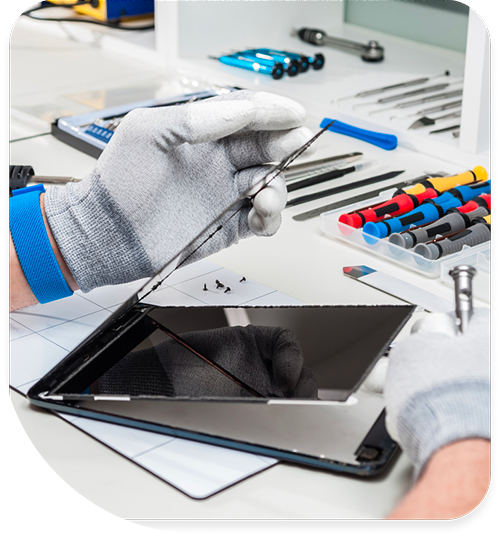
Professional Tablet Repair Services In The Fix in Paramus Park
Need Tablet Repair in Paramus, NJ 07652?
Your tablet freezes during a virtual meeting with colleagues across Bergen County, forcing an awkward restart while clients wait. Or you retrieve your device from your bag near Garden State Plaza only to discover the screen cracked from pressure against your laptop, rendering touch input impossible across half the display. Tablets occupy a precarious position between phones and laptops—larger screens mean greater vulnerability to flexing damage, while thin profiles sacrifice structural reinforcement for portability. When you need professional Tablet Repair in Paramus, NJ, understanding whether you're dealing with digitizer damage, battery swelling, or charging port failure determines the repair approach and whether your data remains accessible throughout the process.
Modern tablets integrate components with ruthless efficiency. iPads fuse displays with adhesive so strong that separation requires precision heating equipment. Samsung Galaxy Tabs embed S Pen digitizers within display assemblies. Surface devices solder SSDs directly to logic boards. This integration delivers sleek industrial design but creates repair scenarios where a single component failure necessitates extensive disassembly. At 700 Paramus Park, Paramus, NJ 07652, we approach tablet service as precision device surgery, using controlled heating, specialized prying tools, and component-level diagnostics to address failures without causing collateral damage to functional systems.
Why does only half the touchscreen respond after impact?
Touch functionality relies on the digitizer—a transparent sensor grid layered over or integrated into the display. This grid consists of microscopic conductive traces arranged in X-Y coordinates. When you touch the screen, your finger creates a capacitance change at specific intersection points, which the touch controller interprets as tap coordinates. Physical impact creates fractures in these traces, severing electrical pathways that carry touch data.
The fracture pattern determines symptom presentation. A crack running vertically creates a "dead zone" where the entire column won't register touches—you tap icons on the left side of the screen with no response, while the right side functions normally. Diagonal cracks affecting multiple traces produce irregular dead zones with unpredictable boundaries. Sometimes the digitizer remains physically intact but develops micro-fractures invisible to the naked eye, causing intermittent touch response or "ghost touches" where the screen registers inputs you never made.
Display architecture determines repair complexity. Non-laminated displays—common in budget tablets and older iPads—feature a digitizer glass layer separate from the LCD panel beneath. If only the digitizer cracked while the LCD shows images correctly, we can theoretically replace just the touch glass. However, this requires working in cleanroom-like conditions to prevent dust infiltration between layers, and mistakes during separation often damage the LCD anyway.
Laminated displays—found in iPad Air, Pro, and premium Android tablets—fuse the digitizer, LCD, and protective glass into one inseparable unit using optically clear adhesive. Any component damage requires complete assembly replacement. We source assemblies matching your tablet's specific model, ensuring compatibility with features like Apple Pencil sensitivity or Samsung S Pen pressure levels. Post-installation, we verify touch responsiveness across all screen zones and test any stylus functionality to confirm the digitizer responds accurately across the whole screen.
What causes tablets to develop visible screen bulging?
If your tablet's screen no longer sits flush with the frame—you notice a gap along the edges or the glass protrudes in the center—a swollen battery is forcing the display outward from inside. Lithium-polymer batteries degrade through normal charge cycles, with internal resistance increasing as the electrochemical reactions slow. In failure scenarios, the electrolyte decomposes and generates gas, inflating the battery pouch like a balloon.
Battery swelling represents a serious safety concern beyond just cosmetic issues. The expanding cell exerts pressure on the display assembly, which can crack the glass from the inside or delaminate the digitizer from the LCD. Continued swelling may eventually rupture the battery's protective pouch, exposing reactive lithium compounds to air and moisture. While catastrophic fires remain rare, swollen batteries demand immediate attention before pressure damage spreads to other components.
Swelling accelerates under specific conditions: storing tablets in hot environments like car interiors during New Jersey summers, using incompatible chargers that deliver incorrect voltage, or simply aging beyond the battery's designed service life of approximately 500 charge cycles. Tablets used for continuous video streaming or professional applications near Route 17 offices accumulate cycles faster than casual users, reaching failure thresholds earlier.
Battery replacement requires complete disassembly. The battery adheres to the tablet's internal frame with strong adhesive strips or glue. We use controlled heat and specialized prying tools to separate the swollen cell without puncturing it—damaged batteries can vent toxic fumes or ignite. After removing the compromised battery, we clean adhesive residue and inspect the frame for pressure-induced warping. If the frame bent from battery expansion, we carefully reshape it so the replacement cell sits flat and secure. We also examine the display assembly for internal cracks that may not be immediately visible but could fail soon after reassembly.
How does charging port damage differ between tablet models?
Charging failures manifest similarly across tablets—slow charging, intermittent connection, or complete inability to charge—but the underlying architecture varies significantly by manufacturer. iPads use Lightning or USB-C ports connected to the logic board via flex cables. Samsung tablets employ modular daughterboards containing the charging port, microphone, and antenna connections. Surface devices integrate charging through proprietary magnetic connectors or USB-C ports soldered directly to the motherboard.
Port damage typically results from mechanical stress: forcing cables at angles, yanking cables while charging, or debris accumulation in the port cavity. Lightning ports contain eight pins arranged in a single row; damage to any pin disrupts charging or data transfer. USB-C ports feature 24 pins in two rows—the complex pin arrangement means partial damage can create confusing symptoms like charging that works but data transfer fails, or vice versa.
For tablets with modular charging assemblies, repair involves replacing the entire daughterboard—a relatively straightforward process requiring careful flex cable routing but no soldering. This approach restores the charging port, primary microphone, and any antenna connections simultaneously. For tablets with soldered ports, repair requires microsoldering expertise. We use hot air rework stations to desolder the damaged port, clean the motherboard pads, and solder a replacement port with proper pin alignment verified under microscope magnification.
Debris-related charging issues require different intervention. Compacted lint in the port cavity prevents cables from fully inserting, reducing electrical contact between charging pins and cable contacts. We use microscope inspection and non-conductive tools to extract debris without damaging the delicate pins. Ultrasonic cleaning removes contamination that manual extraction misses, restoring proper electrical contact without component replacement.
Why do tablets experience more frequent screen damage than phones?
Tablets' larger display dimensions create greater vulnerability to flexing forces. A phone's 6-inch screen flexes minimally when pressure applies to the center, but a tablet's 10-inch or larger display acts as a lever arm, magnifying stress at the edges where the glass meets the frame. This explains why tablet screens often crack from the corners inward—the long lever arm concentrates stress at the mounting points.
The thin profile modern tablets demand exacerbates this vulnerability. Reducing thickness from 8mm to 6mm significantly weakens the device's structural rigidity. When you place a tablet face-down on a table near Van Saun Park and accidentally press on the back, the aluminum chassis flexes slightly. This flexion transmits to the glass, which tolerates compression poorly and fractures under the induced bending moment.
Storage practices contribute to damage patterns. Tablets carried in bags alongside laptops, books, or other rigid objects experience point-load pressure on the screen. Unlike phones protected in pockets, tablets endure pressure from multiple angles as bag contents shift during transport through Paramus or along Route 4. The glass breaks when localized pressure exceeds its fracture strength, often without the owner realizing the damage occurred until retrieving the device later.
We assess frame integrity during screen repair. If the aluminum or magnesium chassis bent from impact, installing a new display into a warped frame guarantees premature failure—the glass will crack again from frame-induced stress. We use precision straightening tools to restore frame geometry within factory tolerances before display installation. We also apply proper adhesive gaskets that distribute stress evenly around the screen perimeter, preventing stress concentration at specific mounting points.
What happens when software updates cause persistent crashes?
Tablets stuck in boot loops, displaying "Support" URLs, or crashing to recovery mode present scenarios where hardware and software faults overlap. While many assume software updates caused the failure, the underlying issue often involves failing storage media that software updates simply exposed. NAND flash memory degrades through write cycles—tablets used extensively for content creation, photography, or professional applications accumulate writes faster than casual usage patterns.
As NAND cells wear out, the storage controller marks them as bad blocks and reallocates data to reserve cells. When the reserve pool depletes, the tablet enters read-only mode or develops file system corruption. A software update attempting to write new system files encounters these bad blocks and fails mid-installation, leaving the operating system in an inconsistent state that prevents successful boot.
We distinguish between software and hardware failures through diagnostic testing. For iPads, we use specialized adapters to access DFU (Device Firmware Update) mode and attempt complete system restoration. If restoration succeeds, the issue was purely software-related. If restoration fails with specific error codes referencing storage hardware, the NAND flash or storage controller failed physically. For Android tablets, we boot into recovery mode and examine system logs for I/O errors that indicate hardware faults versus software conflicts.
Storage hardware failures require component-level repair or complete logic board replacement. On tablets with soldered storage, we can sometimes reflow the NAND chips to restore failing connections, though success depends on whether the chips themselves degraded or just the solder joints. If NAND cells failed, data recovery becomes extremely complex, requiring chip-off techniques and specialized equipment to read memory directly—an expensive process justified only for critical data.
Accessing Expert Tablet Diagnostics
Tablet failures demand precise identification of the actual damaged component. Touch problems might stem from digitizer damage, display controller failures, or logic board faults—each requiring different repair approaches. Battery swelling needs immediate attention before pressure damage spreads. Charging issues could involve the port, flex cable, or power management chips on the logic board. Bring your tablet to 700 Paramus Park, Paramus, NJ 07652, where we'll diagnose the specific failure point and explain repair options based on component testing rather than symptom guessing.
Frequently Asked Questions
Q: My iPad screen is cracked but still displays images—can I continue using it near Paramus Park?
A: While the LCD may function, cracked glass poses multiple risks. Glass shards can cut your fingers during use. More critically, the cracks allow moisture and debris infiltration that will corrode internal components over time. Continued pressure on cracked glass can propagate fractures into the LCD layer, causing complete display failure. We recommend repair before crack progression causes additional damage requiring more extensive component replacement.
Q: Will I lose my data during a tablet screen replacement in Bergen County?
A: Screen replacement involves no data manipulation—we disconnect the battery, remove the damaged display, and install the replacement without accessing storage. Your files, photos, and settings remain completely intact. However, if your tablet also suffers from failing storage or logic board damage, data accessibility depends on those separate hardware issues. We always attempt to preserve data during any repair scenario.
Q: Can you fix a tablet that bent slightly from sitting on it?
A: Minor chassis bending is often repairable. We use precision straightening tools and measuring equipment to restore the frame to factory geometry. However, severe bending that cracked the logic board or damaged internal components may render the tablet beyond economical repair. We assess structural damage during diagnostic inspection and provide honest evaluation of whether straightening will restore functionality or if internal damage makes repair impractical.
Other Locations Near By You
The Fix in American Dream in East Rutherford
1 American Dream Wy, East Rutherford, NJ 07073
The Fix in Bridgewater Commons
400 Commons Way, Bridgewater Township, NJ 08807, United States
The Fix in The Mills at Jersey Gardens
651 Kapkowski Rd Elizabeth, NJ 07201
The Fix in Walmart Vineland
1070 W Landis Ave, Vineland, NJ 08360, United States
The Fix in Walmart Riverdale
48 NJ-23, Riverdale, NJ 07457
The Fix Kiosk in Bridgewater Commons
400 Commons Way Suite 7504, Bridgewater, NJ 08807, USA
The Fix in Deptford Mall
1750 Depford Center Road, Deptford, NJ
The Fix in Hoboken
131 Washington St, Hoboken NJ 07030
Your local repair experts for every device
From iPhones to gaming laptops, The Fix in Paramus, NJ is your one-stop shop for device repair. Quick turnarounds, affordable prices, and local experts you can trust

Phone Cases
Protect your device in style! At The Fix in Paramus, NJ, we offer a wide selection of durable phone cases for all major brands—sleek designs that keep your phone safe and looking great.

Nintendo Switch Repair
Cracked Nintendo Switch screen? We repair Switch devices in Paramus, NJ quickly and affordably. Fast, easy, and always with high-quality parts.

MacBook Repair
For broken screens, battery replacements, or other issues, The Fix in Paramus, NJ provides quick MacBook repairs with premium parts.

PlayStation Repair
Is your PlayStation giving you trouble? At The Fix in Paramus, NJ, we handle PlayStation repairs with care and quality parts—no long waits, no hassle.

Google Repair
Need your Google Pixel fixed? At The Fix in Paramus, NJ, we repair cracked screens, charging issues, and more—always using high-quality parts for lasting results.

Computer Repair
Need PC or desktop service in Paramus, NJ? We provide free diagnostics and affordable repairs, always with high-quality parts.

Game Console Repair
From Nintendo Switch® to PlayStation and Xbox, The Fix in Paramus, NJ repairs all major game consoles. Fast service and dependable results.

Laptop Repair
Got a broken laptop? The Fix In Paramus, NJ, our team repairs most laptop brands and models using high-quality replacement parts.

iPad Repair
Need your iPad fixed? At The Fix in Paramus, NJ, we repair cracked screens, charging issues, and more—always using high-quality parts for lasting results.

Cell Phone Repair
We repair all major phone brands in Paramus, NJ. iPhone, Samsung, Google, and more—get your phone fixed fast.

iPhone Repair
Cracked screen? Battery draining too fast? Our team in Paramus, NJ repairs iPhones with precision and high-quality parts to make your device feel new again.

Samsung Repair
Whether it’s a Galaxy screen replacement or a charging issue, The Fix in Paramus, NJ offers fast and reliable Samsung repairs.

Xbox Repair
Xbox not working properly? Our team in Paramus, NJ offers quick, reliable Xbox repairs with free diagnostics and high-quality replacement parts.


Trusted repair solution for mobile phones, tablets, gaming consoles, and computer systems. We provide fast, reliable, and affordable repair services to get your devices back in perfect working condition.
The Fix is an independent repair service provider and is not affiliated with, sponsored by, or endorsed by Apple Inc., Samsung Electronics, Google LLC, or any other device manufacturer. We use high-quality compatible replacement parts unless explicitly stated. All trademarks are property of their respective owners.


© Copyright The Fix Solutions All rights reserved 2026.
Design by Deepcoder