






Laptop Repair in The Fix in Paramus Park
Broken laptop slowing you down? At The Fix in Paramus, NJ, we repair all major laptop brands and models. From cracked screens to battery issues, our technicians provide fast, affordable service with free diagnostics and high-quality parts.

Professional Laptop Repair Services
- Screen Repair & Replacement
- Battery Replacement
- Water Damage Repair
- Keyboard & Trackpad Repair
- Charging Port Repair
- Overheating & Fan Repair
- Hard Drive / SSD Replacement & Data Recovery
- Software Troubleshooting & Recovery
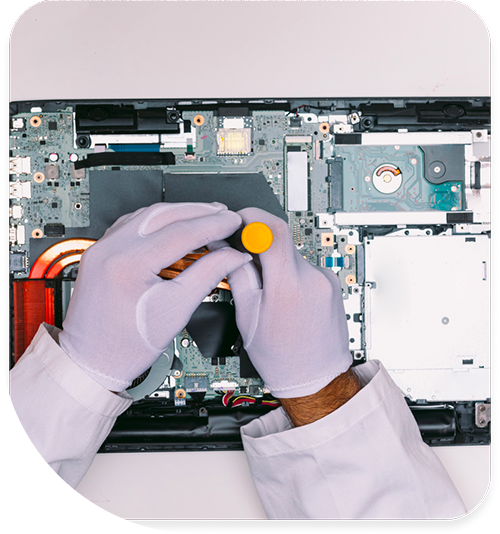
Professional Laptop Repair Services In The Fix in Paramus Park
Need Laptop Repair in Paramus, NJ 07652?
Your laptop's screen suddenly goes dark mid-presentation to a client near New Bridge Medical Center, forcing an awkward pause while you struggle to revive the display. Or perhaps you notice the keyboard responding erratically—certain keys require multiple presses while others produce double characters—disrupting work on critical documents during your commute via Route 17. Laptops endure unique stresses that desktop computers avoid: constant opening and closing stresses hinge mechanisms, transport in bags subjects components to shock and vibration, and compact thermal designs struggle to dissipate heat in confined spaces. When you need professional Laptop Repair in Paramus, NJ, distinguishing between hinge damage, keyboard failures, battery degradation, or motherboard faults determines repair complexity and whether your device requires component replacement or precision mechanical work.
Modern laptops sacrifice repairability for portability. Manufacturers solder RAM and storage directly to motherboards, use proprietary screws requiring specialized tools, and design chassis where accessing internal components requires removing dozens of parts in precise sequences. At 700 Paramus Park, Paramus, NJ 07652, we approach laptop repair as structured disassembly and component-level diagnosis, following manufacturer service manuals, documenting screw placement, and testing individual subsystems to identify failures without causing collateral damage to functioning hardware.
Why do laptop hinges crack the chassis over time?
Hinge failures represent one of the most common laptop structural problems. You notice the screen becoming difficult to open, hearing cracking sounds when adjusting the display angle, or discovering visible cracks in the plastic near the hinge mounting points. These symptoms indicate hinge mechanism failure or, more commonly, the mounting points within the chassis fracturing from repeated stress.
The physics work against laptop durability. Each time you open the display—hundreds of times annually for professionals near Garden State Plaza—the hinges exert torque on their mounting points. Manufacturers anchor metal hinges into plastic standoffs within the chassis. This dissimilar material connection creates stress concentration. The plastic gradually fatigues from cyclic loading until it cracks, allowing the hinge to pull away from its anchor point.
The problem compounds once initial cracks form. A partially detached hinge transfers even more stress to the remaining intact mounting points, accelerating crack propagation. Soon the display wobbles loosely, unable to maintain angle. In severe cases, the hinge tears completely free, damaging the display cable routed through the hinge assembly. This cable carries video signals from the motherboard to the screen—damage here causes display flickering, lines, or complete video loss.
We repair hinge damage through structural reinforcement. For cracked plastic standoffs, we drill out damaged material and install metal thread inserts bonded with structural epoxy. These metal inserts distribute hinge stress across wider areas, preventing crack recurrence. If the hinge mechanism itself seized—often from debris infiltration or lack of lubrication—we disassemble and service the hinge assembly, cleaning and lubricating the pivot points. For hinges that damaged the display cable during separation, we replace the cable and route it with proper strain relief to prevent future damage.
The repair includes preventive measures. We assess whether the hinges require tension adjustment—overtightened hinges accelerate chassis stress. We verify the display panel sits properly in its frame without binding that increases hinge resistance. These adjustments extend repair longevity and prevent recurrence of the failure mode.
What causes keyboard keys to fail or respond inconsistently?
Laptop keyboards utilize different mechanisms than desktop keyboards—typically scissor switches or butterfly mechanisms that fit within the laptop's thin profile. These mechanisms wear through repeated keystrokes or fail from liquid infiltration, dust accumulation, or physical trauma. Symptoms include keys requiring excessive force to actuate, keys that don't register presses consistently, or keys producing multiple characters from single presses.
The membrane beneath the keycaps contains conductive traces forming a switch matrix. When you press a key, the scissor mechanism brings two membrane layers together, completing a circuit the keyboard controller detects. Over millions of keystrokes—particularly on frequently used keys like spacebar, Enter, or common letters—the conductive coating on the membrane wears thin. Eventually insufficient conductivity exists to reliably trigger key detection.
Liquid damage accelerates keyboard failure. Spilled coffee or water near Van Saun Park meetings seeps between keys, reaching the membrane layers beneath. The liquid's ionic content creates unwanted conductivity between traces, causing "ghost" key presses where characters appear without touching keys. As the liquid dries, mineral deposits remain, continuing to create electrical bridges between circuits. Sugary drinks leave sticky residue that mechanically impedes key movement while also causing electrical faults.
Keyboard repair depends on laptop design. Some manufacturers use replaceable keyboard modules that disconnect from the motherboard via ribbon cable—straightforward replacement restores function. Other designs integrate keyboards into the top case assembly, requiring replacement of the entire palmrest and keyboard as one unit. This approach increases repair complexity and parts requirements but ensures proper fit and finish.
For keyboards suffering liquid damage, we assess whether contamination affected only the keyboard or spread to the motherboard beneath. If liquid reached the motherboard, we perform complete board cleaning using ultrasonic equipment and isopropyl alcohol to remove residue before corrosion develops. Early intervention after spills dramatically improves recovery chances—dried liquid creates corrosion that permanently damages traces and components.
Why does battery life decrease dramatically over time?
Battery degradation follows predictable patterns based on charge cycle accumulation and age. Lithium-ion cells degrade through normal use—each complete charge cycle slightly reduces maximum capacity. Laptop batteries typically deliver useful service for 500-1000 full cycles before capacity drops to 80% of the design specification. For users near Route 4 offices who keep laptops plugged continuously, calendar aging also degrades batteries through chemical processes independent of charge cycles.
The degradation mechanism involves lithium plating on the anode and electrolyte decomposition. As batteries age, internal resistance increases—the battery cannot deliver full current at rated voltage. The laptop's power management system detects this inadequacy and compensates through several mechanisms. First, the system reports reduced battery capacity—what began as 6 hours of runtime drops to 3 hours, then 90 minutes. Eventually, the laptop shuts down "unexpectedly" despite showing charge remaining, as the battery cannot maintain voltage under processing loads.
Battery swelling represents a dangerous failure mode. As lithium-ion cells degrade, gas generation occurs within the sealed cell pouch. This inflation creates visible bulging—the battery pushes against the touchpad from below or lifts the bottom case away from the frame. Swollen batteries represent fire hazards and must be replaced immediately before pressure ruptures the cell, potentially releasing flammable electrolyte vapors.
Battery replacement complexity varies significantly by laptop model. Some designs feature removable batteries accessible via external latches—users can theoretically replace these themselves. Modern thin laptops integrate batteries internally, secured with screws and adhesive. These require complete disassembly to access, and strong adhesive demands careful removal techniques to avoid puncturing cells. We use plastic prying tools and isopropyl alcohol to dissolve adhesive, safely extracting swollen or degraded batteries without thermal runaway risk.
Post-replacement, we calibrate the power management system by performing complete charge and discharge cycles. This trains the laptop's firmware to accurately report the new battery's capacity, eliminating the "ghost" percentage drops that occurred when the system expected the old battery's degraded characteristics.
What happens when the DC jack loses charging connection?
The DC power jack—where the AC adapter plugs into the laptop—experiences significant mechanical stress. Repeated plugging, accidental cable tugs near Ridgewood workstations, or lateral stress from cables routed at sharp angles gradually damage this connection. You notice the problem as intermittent charging—the battery icon flickers between charging and not charging, or you must hold the plug at specific angles to maintain connection.
The DC jack consists of a cylindrical connector with a spring-loaded center pin that contacts the adapter's positive terminal. This connector solders to the motherboard or mounts on a daughterboard connected via cable. Over time, the solder joints crack from mechanical stress—each time you insert or remove the adapter, forces transfer through the jack to the solder connections. Hairline cracks develop, creating intermittent connections that worsen until complete failure occurs.
Some DC jacks mount on dedicated daughterboards—small PCBs connected to the motherboard via cable. This modular design simplifies repair—we replace the entire daughterboard assembly. Other laptops solder the DC jack directly to the motherboard. These require microsoldering skills to remove the damaged jack, clean the motherboard pads, and install a replacement jack with reinforced connections that resist future stress cracking.
For laptops using USB-C charging, the port experiences similar mechanical stress but contains more fragile components. The 24-pin USB-C connector uses smaller pins than barrel-style DC jacks, making it more susceptible to bent pin damage. We inspect USB-C ports under microscope magnification, identifying bent or broken pins that prevent proper charging negotiation between the laptop and power adapter.
Why do displays develop lines, flickering, or dead zones?
Display problems manifest in several ways: vertical or horizontal lines across the screen, flickering that worsens when adjusting screen angle, dead pixel regions, or complete backlight failure leaving the screen dark. These varied symptoms trace to different failure points within the display assembly—the LCD panel itself, the backlight system, the display cable, or the display controller on the motherboard.
The display cable routes through the hinge mechanism from the motherboard to the screen. This cable flexes thousands of times as you open and close the laptop near Bergen County meetings or Paramus Park coffee shops. Eventually, the repeated bending creates fractures in the copper conductors within the cable. These fractures initially cause intermittent symptoms—lines that appear and disappear when adjusting screen angle—before progressing to permanent display faults as more conductors break.
Backlight failures occur in LCD panels (not OLEDs, which self-illuminate). The backlight—typically LEDs along the panel edges—requires dedicated power circuitry. If backlight inverter circuits fail or the LED strips themselves degrade, the screen remains dark despite the LCD panel still forming images. You can verify this with a flashlight—shining light on the "dark" screen reveals visible images, confirming the backlight failed rather than the LCD.
LCD panel failures present as stuck pixels, pressure marks, or fluid-like spreading dead zones. These indicate damage to the liquid crystal layer or the thin film transistors controlling individual pixels. Physical pressure on the screen—from closing the laptop with objects on the keyboard or impacts during transport—damages the delicate LCD structure. Unlike cable or backlight issues, actual LCD damage requires complete panel replacement.
We diagnose display issues systematically. External monitor testing via HDMI or USB-C determines whether the problem exists in the display assembly or the GPU/motherboard. If external displays work correctly, we know the graphics system functions properly. We flex the display cable while observing the screen—if symptoms change with cable position, cable damage is confirmed. We test backlight circuitry by checking voltage at the panel connector. This methodical approach identifies the specific failed component requiring replacement.
How do cooling system failures cause performance throttling?
Laptop cooling systems combat thermal output within extremely limited space. CPUs and GPUs generating substantial heat must cool through small heatsinks and thin fans. The cooling system includes heat pipes transferring heat from the processors to the heatsink, a compact fan forcing air through the fins, and exhaust vents expelling hot air. Failures anywhere in this chain cause thermal throttling—automatic performance reduction to prevent overheating.
Thermal paste between the CPU/GPU and heat pipes degrades predictably. This paste fills microscopic air gaps ensuring thermal contact. Over years of thermal cycling, the paste dries into chalky residue with poor thermal conductivity. Heat transfer from the chip to the cooling system drops dramatically, causing temperatures to spike during processing loads even though the fan operates normally.
Dust accumulation blocks heatsink fins and exhaust vents. Laptops inhale significant air volumes during operation, carrying environmental dust particles. This dust accumulates on the heatsink fins closest to the fan, forming felted mats that prevent airflow. The fan spins at maximum speed but pushes air against an impermeable barrier. Temperatures rise despite full fan operation.
Fan bearing degradation creates additional problems. Worn bearings increase friction, reducing rotational speed and airflow while increasing noise. Eventually fans fail completely, eliminating active cooling and causing rapid thermal buildup. We've seen laptops reach 100°C processor temperatures within minutes of starting intensive tasks when fans failed.
Comprehensive cooling service involves complete disassembly to access the cooling assembly. We remove the heatsink, clean degraded thermal paste from the CPU and GPU dies, inspect heat pipes for proper contact, and clean dust from heatsink fins. We test fan operation under load, checking for bearing noise or reduced airflow. Fresh thermal paste and cleaned cooling components restore thermal margins, eliminating throttling and extending processor lifespan.
Maintaining Laptop Reliability Through Professional Service
Laptop failures stem from mechanical wear, thermal stress, and component degradation rather than manufacturing defects. Hinges crack from repeated opening, keyboards fail from wear and contamination, batteries degrade through chemistry and cycling, and cooling systems accumulate dust. Each failure demands specific repair approaches—structural reinforcement, component replacement, or cleaning and maintenance. Visit us at 700 Paramus Park, Paramus, NJ 07652, where we'll diagnose your laptop's specific issues through systematic testing and explain repair options based on component assessment.
Frequently Asked Questions
Q: Can you repair a laptop with a cracked screen if the rest works fine in Paramus, NJ?
A: Yes, screen replacement is straightforward when the rest of the laptop functions correctly. We source display assemblies matching your laptop's specific model, resolution, and connector type. The repair involves careful disassembly of the screen bezel, disconnecting the damaged panel, and installing the replacement. We verify backlight function, test all display regions for dead pixels, and confirm proper cable seating before reassembly.
Q: My laptop keyboard has coffee damage—can this be cleaned or does it need replacement?
A: Success depends on how quickly we receive the laptop after the spill. Immediate service allows ultrasonic cleaning to remove liquid before corrosion develops. If the laptop remained powered during contact, electrical shorts may have damaged the keyboard controller or traces. Dried sugary residue requires more aggressive cleaning. We assess damage extent during inspection and recommend either cleaning or keyboard module replacement based on contamination severity.
Q: Will replacing the battery fix unexpected shutdowns near Garden State Parkway?
A: If shutdowns occur when the battery shows charge remaining, degraded battery capacity is likely the cause—the cells cannot deliver peak current under processing loads. However, shutdowns during intense tasks even while plugged in suggest thermal issues causing protective shutdowns, not battery failure. We test both battery health and thermal performance to identify the actual cause before recommending replacement.
Other Locations Near By You
The Fix in American Dream in East Rutherford
1 American Dream Wy, East Rutherford, NJ 07073
The Fix in Bridgewater Commons
400 Commons Way, Bridgewater Township, NJ 08807, United States
The Fix in The Mills at Jersey Gardens
651 Kapkowski Rd Elizabeth, NJ 07201
The Fix in Walmart Vineland
1070 W Landis Ave, Vineland, NJ 08360, United States
The Fix in Walmart Riverdale
48 NJ-23, Riverdale, NJ 07457
The Fix Kiosk in Bridgewater Commons
400 Commons Way Suite 7504, Bridgewater, NJ 08807, USA
The Fix in Deptford Mall
1750 Depford Center Road, Deptford, NJ
The Fix in Hoboken
131 Washington St, Hoboken NJ 07030
Your local repair experts for every device
From iPhones to gaming laptops, The Fix in Paramus, NJ is your one-stop shop for device repair. Quick turnarounds, affordable prices, and local experts you can trust

Phone Cases
Protect your device in style! At The Fix in Paramus, NJ, we offer a wide selection of durable phone cases for all major brands—sleek designs that keep your phone safe and looking great.

Nintendo Switch Repair
Cracked Nintendo Switch screen? We repair Switch devices in Paramus, NJ quickly and affordably. Fast, easy, and always with high-quality parts.

MacBook Repair
For broken screens, battery replacements, or other issues, The Fix in Paramus, NJ provides quick MacBook repairs with premium parts.

PlayStation Repair
Is your PlayStation giving you trouble? At The Fix in Paramus, NJ, we handle PlayStation repairs with care and quality parts—no long waits, no hassle.

Google Repair
Need your Google Pixel fixed? At The Fix in Paramus, NJ, we repair cracked screens, charging issues, and more—always using high-quality parts for lasting results.

Tablet Repair
Whether your tablet screen is cracked or the battery won’t hold a charge, The Fix in Paramus, NJ provides fast, affordable tablet repairs with free diagnostics.

Computer Repair
Need PC or desktop service in Paramus, NJ? We provide free diagnostics and affordable repairs, always with high-quality parts.

Game Console Repair
From Nintendo Switch® to PlayStation and Xbox, The Fix in Paramus, NJ repairs all major game consoles. Fast service and dependable results.

iPad Repair
Need your iPad fixed? At The Fix in Paramus, NJ, we repair cracked screens, charging issues, and more—always using high-quality parts for lasting results.

Cell Phone Repair
We repair all major phone brands in Paramus, NJ. iPhone, Samsung, Google, and more—get your phone fixed fast.

iPhone Repair
Cracked screen? Battery draining too fast? Our team in Paramus, NJ repairs iPhones with precision and high-quality parts to make your device feel new again.

Samsung Repair
Whether it’s a Galaxy screen replacement or a charging issue, The Fix in Paramus, NJ offers fast and reliable Samsung repairs.

Xbox Repair
Xbox not working properly? Our team in Paramus, NJ offers quick, reliable Xbox repairs with free diagnostics and high-quality replacement parts.


Trusted repair solution for mobile phones, tablets, gaming consoles, and computer systems. We provide fast, reliable, and affordable repair services to get your devices back in perfect working condition.
The Fix is an independent repair service provider and is not affiliated with, sponsored by, or endorsed by Apple Inc., Samsung Electronics, Google LLC, or any other device manufacturer. We use high-quality compatible replacement parts unless explicitly stated. All trademarks are property of their respective owners.


© Copyright The Fix Solutions All rights reserved 2026.
Design by Deepcoder