






Cell Phone Repair in The Fix in Paramus Park
Broken phone? No problem. At The Fix in Paramus, NJ, we repair all major cell phone brands—from iPhone and Samsung to Google and more. With free diagnostics and high-quality parts, we make it easy to get your phone working like new.

Professional Cell Phone Repair Services
- Screen Repair & Replacement
- Battery Replacement
- Water Damage Repair
- Camera Repair
- Charging Port Repair
- Speaker & Microphone Repair
- Software Troubleshooting & Recovery
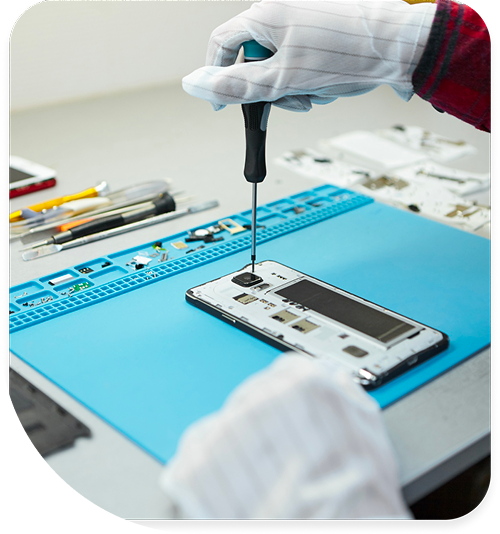
Professional Cell Phone Repair Services In The Fix in Paramus Park
Need Cell Phone Repair in Paramus, NJ 07652?
Your phone drops from your hand while exiting your vehicle near Paramus Park, and you watch helplessly as it skids across the pavement—screen shattering into a web of cracks that make text messages barely readable. Or perhaps your device simply refuses to recognize any cellular network despite showing full signal bars, leaving you unable to make calls during important business hours near Route 17. Cell phones represent our primary communication tools, navigation systems, and connection to work and family throughout Bergen County. When hardware failures compromise these functions and you need professional Cell Phone Repair in Paramus, NJ, identifying whether you're dealing with display damage, antenna issues, charging port failures, or motherboard faults determines repair complexity and whether your contacts, photos, and data remain accessible throughout the service process.
Modern smartphones integrate extraordinary complexity into pocket-sized devices. Manufacturers pack processors rivaling laptop performance, multi-camera arrays with computational photography, biometric sensors, and 5G radio systems into chassis measuring mere millimeters thick. This density creates repair challenges—components solder directly to multilayer motherboards, displays fuse into single assemblies, and opening devices without proper tools risks damaging fragile internal connections. At 700 Paramus Park, Paramus, NJ 07652, we approach cell phone repair as precision electronics work, utilizing microscope inspection, component-level diagnostics, and manufacturer-specific procedures to address failures without causing collateral damage.
Why do cracked screens sometimes affect more than just appearance?
Screen damage ranges from purely cosmetic surface cracks to functional failures affecting touch response, display output, or device operation entirely. Understanding screen architecture explains why seemingly minor cracks can cascade into major problems. Modern smartphones use complex display assemblies consisting of multiple layers: protective glass (Gorilla Glass or sapphire), touch digitizer, OLED or LCD panel, and backlight systems for LCD screens.
Surface-level cracks affecting only the protective glass allow continued operation despite compromised aesthetics. However, impacts strong enough to crack the outer glass often damage underlying layers simultaneously. The digitizer—the capacitive touch sensor layer—contains microscopic transparent conductors in grid patterns. Cracks fracturing these conductors create touch dead zones where the screen ignores input. You might tap icons repeatedly with no response, or find entire screen regions unresponsive to gestures.
OLED panels present additional vulnerability. Unlike LCDs with separate backlights, OLED pixels generate their own light through organic compounds. These materials exist in extremely thin layers susceptible to physical trauma. Impacts crack the OLED substrate, causing pixels to die progressively. Initially you notice small black spots expanding over hours or days as the crack spreads through the organic layers. Eventually, entire screen regions go dark despite the phone remaining powered and functional.
LCD damage manifests differently. The liquid crystal layer between polarizing filters can develop pressure marks—dark spots or discolored regions—from impacts that don't crack the glass. These marks represent areas where the liquid crystal molecules lost their precise alignment, preventing proper light modulation. Backlight failures occur when the LED strip along the screen edge or the light guide plate suffers damage, leaving the display dark despite the LCD still forming images underneath.
We assess screen damage comprehensively before repair. External inspection reveals crack extent, but internal damage requires testing. We verify touch responsiveness across all screen zones, check for dead pixels or expanding dark regions indicating OLED damage, and test backlight uniformity on LCD screens. This diagnosis determines whether screen replacement alone suffices or if additional damage exists requiring motherboard inspection for flex cable or connector damage from the impact.
What causes phones to lose cellular connectivity despite showing signal bars?
Network connectivity failures present confusing symptoms: the phone displays signal bars suggesting network availability, but calls won't connect, data doesn't load, or the device shows "No Service" intermittently. These issues trace to antenna system failures, baseband processor problems, or SIM card connectivity faults rather than carrier network issues. The distinction matters because repair approaches differ dramatically depending on the actual failure point.
Smartphones contain multiple antennas handling different wireless protocols: cellular bands for voice and data, Wi-Fi for local network connectivity, Bluetooth for accessories, GPS for location services, and NFC for contactless payments. These antennas connect to the motherboard via spring contacts, coaxial cables, or flex cable assemblies. Physical impacts from drops near Garden State Plaza or pressure from tight pockets can dislodge antenna connections. A separated antenna connector leaves the phone searching for signals it cannot receive.
The baseband processor—a dedicated chip managing cellular protocols—can fail from electrical stress, overheating, or manufacturing defects. This processor handles the complex signaling required to connect with cell towers, negotiate data rates, and maintain connections during movement. Baseband failures manifest as inability to connect to any network, frequent disconnections, or error messages about SIM card issues despite the SIM being properly seated.
SIM card tray damage prevents proper SIM contact with the phone's reader pins. The SIM card contains a microprocessor storing subscriber information and cryptographic keys for network authentication. If the tray sits misaligned, corrosion develops on reader contacts, or physical damage prevents proper seating, the phone cannot read SIM data. Users see "No SIM" errors or inability to connect to their carrier despite the SIM card being physically present.
We diagnose connectivity issues systematically. Testing with confirmed functional SIM cards in different carriers eliminates SIM-specific problems. Antenna testing with specialized RF equipment measures signal strength at each antenna, identifying physical connection issues. Baseband diagnostics involve attempting network registration through service menus and monitoring registration attempts for specific error codes that pinpoint the failure location within the cellular system.
How does liquid damage progress and why is response time critical?
Liquid exposure represents one of the most time-sensitive phone emergencies. Whether from dropping your device in water near Van Saun Park, spilling coffee during Route 4 commutes, or exposure to rain, liquid infiltration causes corrosion that progresses rapidly when the phone remains powered. The critical factor isn't the water itself—pure water conducts electricity poorly—but the dissolved minerals, salts, and contaminants creating conductive paths between circuits that should remain electrically isolated.
When liquid contacts the motherboard while powered, short circuits occur immediately. Current flows through unintended pathways, generating heat that damages integrated circuits. The power management chip, baseband processor, or CPU can fail within seconds from these shorts. Even if the phone survives initial liquid contact, the real threat comes from electrolysis—electrical current flowing through conductive liquid accelerates corrosion exponentially. Copper traces on the motherboard oxidize within hours, forming green or white corrosion products that destroy circuit pathways.
The worst action users take is attempting to charge or power on liquid-damaged phones. This applies voltage to corroded circuits, causing immediate damage that might have been preventable with proper immediate response. Rice bags represent another ineffective solution—rice doesn't actively remove liquid, and the delay while "drying" in rice allows corrosion to spread unchecked.
Proper liquid damage response involves immediate power-off and professional service within hours, not days. We disassemble the device completely, removing the motherboard for inspection. Ultrasonic cleaning in specialized solutions removes liquid residue and dissolves early-stage corrosion before permanent damage occurs. We clean all affected components—connectors, flex cables, shields—and inspect under microscope magnification for corrosion on SMD (Surface Mount Device) components.
For advanced corrosion, microsoldering repairs replace damaged components or reconstruct broken circuit traces with jumper wires. Success rates depend entirely on response speed—phones brought in within 24 hours of liquid exposure show 80%+ recovery rates. Devices that sat for days or weeks while corrosion progressed often suffer irreparable motherboard damage requiring complete logic board replacement, and data recovery becomes questionable.
Why do charging ports fail progressively over time?
Charging failures follow predictable progression: initially requiring specific cable angles for charging recognition, advancing to intermittent charging where the battery icon flickers between charging and discharging states, eventually reaching complete failure where no cable triggers charging. This gradual decline indicates physical port degradation rather than sudden catastrophic failure, and understanding the mechanisms helps determine repair approach.
Modern smartphones use USB-C ports containing 24 pins arranged in two rows with complex functionality. These pins handle power delivery negotiation (determining charging current and voltage), USB data transfer, video output via DisplayPort alternate mode, and accessory detection. Each pin measures fractions of a millimeter, making them susceptible to mechanical damage from cable insertion force or debris accumulation.
Repeated cable insertion—hundreds of cycles annually for users near New Bridge Medical Center offices or Ridgewood schools—gradually wears the port's internal contacts. The spring tension maintaining electrical contact against cable pins weakens over time. Oxidation develops on pin surfaces from atmospheric exposure, increasing contact resistance. Eventually, insufficient contact pressure or oxidation prevents reliable electrical connection between phone and cable.
Compacted debris represents another common charging failure. Phones carried in pockets or bags accumulate lint, dust, and particulate matter that compresses into the port cavity. This debris prevents cables from fully inserting, reducing pin engagement depth. Partial insertion means power pins don't contact cable terminals properly, causing intermittent or absent charging despite cable connection.
The port itself can suffer physical damage. Forcing cables at sharp angles applies lateral stress to the port housing, eventually breaking the solder joints connecting the port to the motherboard. We've seen ports that visibly wobble when cables insert—the entire port assembly has separated from the board, requiring microsoldering to reinstall or replace.
We diagnose charging issues through systematic testing. Microscope inspection reveals debris, bent pins, or physical damage invisible to naked eye examination. We test with multiple cables and chargers eliminating cable-specific problems. USB ammeter testing measures actual charging current, distinguishing between weak charging (port contact issues) and no charging (complete port failure). For confirmed port damage, replacement involves precision desoldering and installation of reinforced replacement ports designed to withstand stress better than the existing design.
What happens when phone cameras develop focus problems or produce poor images?
Camera issues manifest as blurry photos despite proper focus attempts, lens flare in bright conditions, dark spots in images, or complete camera app failures. These symptoms trace to different failure points within the camera system—optical element damage, autofocus mechanism faults, image sensor problems, or software/firmware issues. Distinguishing hardware from software failures prevents unnecessary component replacement.
Modern smartphone cameras use complex optical assemblies with multiple glass elements, autofocus actuators, and optical image stabilization systems. The lens elements require precise alignment—microns of misalignment causes focus issues or optical aberrations. Drops or impacts near Paramus High School parking lots can jar lens elements out of position within their housing, preventing proper focus across the entire image. You notice this as central sharpness but blurred edges, or complete inability to achieve sharp focus regardless of distance.
Optical Image Stabilization systems use electromagnetic actuators to physically move lens elements, counteracting hand shake during capture. These systems contain delicate coils and magnets—impacts can damage actuators or knock magnets out of position. Damaged OIS manifests as grinding or clicking noises when opening the camera app, inability to focus, or blurry images despite the phone being perfectly still.
The image sensor—the CMOS chip converting light into digital data—can develop dead pixels or noise issues from electrical damage or physical trauma. Dead pixels appear as permanent bright or dark spots in images regardless of scene content. Sensor noise—random colored speckles—increases in low-light conditions if the sensor or its supporting circuitry suffered damage affecting signal quality.
External lens glass damage affects image quality despite internal components functioning correctly. Scratches on the sapphire or glass lens cover create diffraction and lens flare. Cracks introduce internal reflections that wash out images in bright light. Dirt, fingerprints, or moisture between cracked glass layers causes haze or spots in photos.
We test cameras systematically to isolate failures. Capturing test images in controlled lighting reveals focus accuracy, checks for dead pixels or noise, and identifies optical aberrations suggesting lens misalignment. Testing OIS function through camera app logs reveals whether stabilization operates correctly. External lens inspection under magnification identifies scratches or cracks affecting optical path. This diagnosis determines whether lens glass replacement suffices or if complete camera module replacement becomes necessary to restore image quality.
Accessing Comprehensive Mobile Device Diagnostics
Cell phone failures demand accurate component identification before repair attempts. Screen damage might affect only glass or extend to digitizer and display. Network issues could involve antennas, baseband, or SIM connectivity. Charging problems trace to ports, cables, or power management. Camera failures require distinguishing optical damage from electronic faults. Bring your device to 700 Paramus Park, Paramus, NJ 07652, where we'll perform systematic diagnostics identifying exact failure points and explain repair options based on component testing rather than symptom speculation.
Frequently Asked Questions
Q: My phone got wet near Garden State Parkway—should I turn it off immediately?
A: Yes, power off immediately and do not attempt to charge or power on the device. Electricity flowing through liquid-contaminated circuits accelerates corrosion exponentially. Bring the phone to us as quickly as possible—ideally within hours, not days. The faster we can disassemble and clean the device, the higher the recovery success rate before permanent corrosion damage develops.
Q: Can you fix a phone with a cracked back glass in Paramus, NJ?
A: Yes, back glass replacement is possible for most phones. The process involves carefully heating the device to soften adhesive, removing shattered glass fragments, cleaning the frame, and installing replacement glass with proper adhesive sealing. For phones with wireless charging, we ensure the replacement glass doesn't interfere with inductive charging coil functionality. The repair restores structural integrity and prevents moisture infiltration through cracks.
Q: Will I lose my data during a screen replacement near Route 17?
A: Screen replacement doesn't involve accessing or modifying device storage. Your photos, contacts, messages, and apps remain untouched during the repair. However, we always recommend backing up devices before any repair as a precautionary measure. If your phone won't respond to touch due to screen damage, we can sometimes connect external input devices or use accessibility features to enable backup before proceeding with repair.
Other Locations Near By You
The Fix in American Dream in East Rutherford
1 American Dream Wy, East Rutherford, NJ 07073
The Fix in Bridgewater Commons
400 Commons Way, Bridgewater Township, NJ 08807, United States
The Fix in The Mills at Jersey Gardens
651 Kapkowski Rd Elizabeth, NJ 07201
The Fix in Walmart Vineland
1070 W Landis Ave, Vineland, NJ 08360, United States
The Fix in Walmart Riverdale
48 NJ-23, Riverdale, NJ 07457
The Fix Kiosk in Bridgewater Commons
400 Commons Way Suite 7504, Bridgewater, NJ 08807, USA
The Fix in Deptford Mall
1750 Depford Center Road, Deptford, NJ
The Fix in Hoboken
131 Washington St, Hoboken NJ 07030
Your local repair experts for every device
From iPhones to gaming laptops, The Fix in Paramus, NJ is your one-stop shop for device repair. Quick turnarounds, affordable prices, and local experts you can trust

Phone Cases
Protect your device in style! At The Fix in Paramus, NJ, we offer a wide selection of durable phone cases for all major brands—sleek designs that keep your phone safe and looking great.

Nintendo Switch Repair
Cracked Nintendo Switch screen? We repair Switch devices in Paramus, NJ quickly and affordably. Fast, easy, and always with high-quality parts.

MacBook Repair
For broken screens, battery replacements, or other issues, The Fix in Paramus, NJ provides quick MacBook repairs with premium parts.

PlayStation Repair
Is your PlayStation giving you trouble? At The Fix in Paramus, NJ, we handle PlayStation repairs with care and quality parts—no long waits, no hassle.

Google Repair
Need your Google Pixel fixed? At The Fix in Paramus, NJ, we repair cracked screens, charging issues, and more—always using high-quality parts for lasting results.

Tablet Repair
Whether your tablet screen is cracked or the battery won’t hold a charge, The Fix in Paramus, NJ provides fast, affordable tablet repairs with free diagnostics.

Computer Repair
Need PC or desktop service in Paramus, NJ? We provide free diagnostics and affordable repairs, always with high-quality parts.

Game Console Repair
From Nintendo Switch® to PlayStation and Xbox, The Fix in Paramus, NJ repairs all major game consoles. Fast service and dependable results.

Laptop Repair
Got a broken laptop? The Fix In Paramus, NJ, our team repairs most laptop brands and models using high-quality replacement parts.

iPad Repair
Need your iPad fixed? At The Fix in Paramus, NJ, we repair cracked screens, charging issues, and more—always using high-quality parts for lasting results.

iPhone Repair
Cracked screen? Battery draining too fast? Our team in Paramus, NJ repairs iPhones with precision and high-quality parts to make your device feel new again.

Samsung Repair
Whether it’s a Galaxy screen replacement or a charging issue, The Fix in Paramus, NJ offers fast and reliable Samsung repairs.

Xbox Repair
Xbox not working properly? Our team in Paramus, NJ offers quick, reliable Xbox repairs with free diagnostics and high-quality replacement parts.


Trusted repair solution for mobile phones, tablets, gaming consoles, and computer systems. We provide fast, reliable, and affordable repair services to get your devices back in perfect working condition.
The Fix is an independent repair service provider and is not affiliated with, sponsored by, or endorsed by Apple Inc., Samsung Electronics, Google LLC, or any other device manufacturer. We use high-quality compatible replacement parts unless explicitly stated. All trademarks are property of their respective owners.


© Copyright The Fix Solutions All rights reserved 2026.
Design by Deepcoder