






Tablet Repair in The Fix in Moonachie
Cracked screen or charging issues slowing you down? At The Fix in Moonachie, New Jersey, we repair all major tablet brands, including Samsung, Lenovo, Huawei, and more. With free diagnostics and high-quality parts, we make it easy to get your tablet working like new.

Professional Tablet Repair Services
- Screen Repair & Replacement
- Battery Replacement
- Water Damage Repair
- Charging Port Repair
- Camera Repair
- Speaker & Microphone Repair
- Software Troubleshooting & Recovery
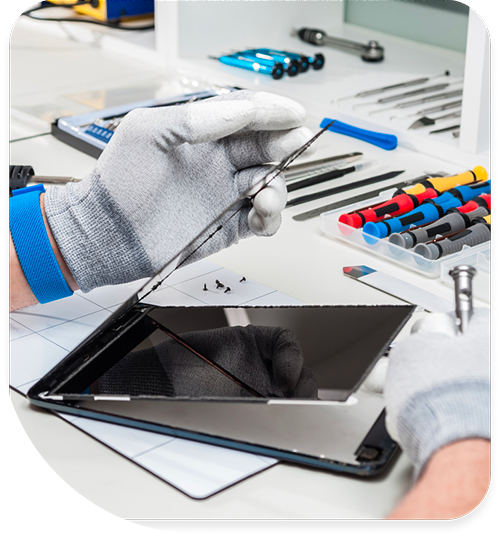
Professional Tablet Repair Services In The Fix in Moonachie
Restoring Digital Workflows: Solutions for Common Tablet Repair in Teterboro, NJ
In Teterboro, the tablet is a versatile tool that bridges the gap between the office and the field. It is the electronic flight bag for pilots at Teterboro Airport, the inventory management scanner in the warehouses along Route 46, and the entertainment hub for families shopping at Teterboro Landing. Because these devices are larger and heavier than smartphones, they face a unique set of physical challenges. When gravity takes over or components wear down, the disruption to professional workflows and personal entertainment is immediate.
Finding professional solutions for Tablet Repair in Teterboro, NJ, requires understanding the specific mechanical failures that plague these large-format devices in an industrial and commercial hub. At The FIX, located at 600 Hollister Rd within Teterboro Landing, the focus is on diagnosing the root cause of the malfunction—whether it is a structural break or an electrical fault—and implementing a durable fix that restores the device’s utility.
The Heavy Device Dilemma: Charging Port Failure
The Problem: One of the most frequent issues specific to tablets is charging port failure. Users often report that the device only charges when the cable is held at a specific, awkward angle, or that it charges intermittently. Eventually, it stops recognizing the charger altogether.
The Cause: The problem stems from physics: tablets are significantly heavier than phones. Users often use them while charging, resting the device on their stomach, a pillow, or a table edge. This places the weight of the device—or the tension of the cable—directly onto the charging port. Over time, this leverage causes the internal solder joints connecting the port to the motherboard to crack. This is not a cable issue; it is a structural failure of the connection points.
The Solution: The remedy involves precision microsoldering. Technicians must carefully open the device, removing the display and logic board, to access the damaged port. The old, cracked solder is removed, and the port is either re-seated or replaced entirely with a new component using high-temperature, lead-free solder. This restores a solid electrical connection, allowing the device to charge reliably in any position without the need for "cable gymnastics."
The Glass vs. LCD Distinction
The Problem: A shattered screen is the most visible failure, but it is often misunderstood. Users frequently experience a "spiderweb" crack where the touch still works, or conversely, a pristine glass surface with a black, bleeding ink blot underneath that obscures the image.
The Cause: Tablet screens are typically constructed in layers. The top layer is the glass digitizer, which protects the display and registers touch inputs. Beneath that is the LCD (Liquid Crystal Display), which actually produces the image. Due to the large surface area of tablet glass, it is more prone to flex and fracture than smaller phone screens, especially if dropped on the hard concrete floors common in Teterboro's commercial spaces.
The Solution: The repair strategy depends on the device architecture. On some models, the glass and LCD are fused and must be replaced as a single, pre-assembled unit to maintain image quality and touch responsiveness. On others, the glass digitizer can be separated and replaced independently. A professional assessment determines which layer is compromised. Replacing the correct component ensures that the touch sensitivity is restored to factory standards and that no "ghost touches" interrupt usage.
Battery Fatigue in High-Consumption Devices
The Problem: Tablets are media consumption beasts. They drive millions of pixels and often stream high-definition video or run complex logistics software for hours. This places a massive strain on the lithium-ion battery. The problem manifests as a device that jumps from 100% to 80% in minutes, or one that shuts down abruptly when launching a processor-intensive app.
The Cause: Over time, the chemical capacity of the battery degrades. In the Teterboro area, where devices may be left in service vehicles exposed to temperature fluctuations, this chemical aging accelerates. The battery's internal resistance increases, preventing it from delivering stable power.
The Solution: Battery replacement is a standard maintenance procedure. However, it requires care. Tablet batteries are often large, multi-cell packs adhered strongly to the chassis. Safe removal requires softening this adhesive without puncturing the soft foil cells. Installing a fresh battery resets the "cycle count" to zero, restoring the all-day battery life that users expect for long flights or shifts.
The "Ghost Touch" Phenomenon
The Problem: A particularly frustrating issue for pilots and artists is "ghost touch"—where the tablet registers inputs that didn't happen, opening apps or typing gibberish on its own.
The Cause: This problem is often caused by a slight bend in the tablet's metal frame. In a busy travel environment, tablets are often jammed into backpacks with heavy books or squeezed into flight bags. This pressure warps the chassis just enough to pinch the digitizer cable or press the screen against internal components.
The Solution: Fixing this involves more than just a screen swap. The technician must inspect the frame for structural deformities. Using specialized tools to gently reshape the aluminum chassis (often called "gooling" or frame straightening) relieves the pressure on the digitizer. Once the frame is true, the new screen assembly can sit flush, eliminating the phantom inputs and restoring precise control.
Button Collapse and Ribbon Cable Wear
The Problem: The power and volume buttons on tablets see thousands of actuations. Eventually, users find that the buttons feel "mushy," providing no tactile click, or failing to register a press unless pushed extremely hard.
The Cause: Internally, these buttons press against small plastic domes on a fragile ribbon cable. Eventually, these domes flatten out or the metal contact points wear down due to mechanical fatigue.
The Solution: This is resolved by replacing the internal flex cable assembly. It is an intricate repair that often involves navigating around the battery and logic board, but the result is a crisp, responsive click that restores the physical interface of the device.
Common Questions About Tablet Maintenance
Q: Can a bent iPad frame be fixed, or do I need a new one? A: In many cases, a bent frame can be corrected. If the bend is mild to moderate, technicians use specialized clamping tools and vices to carefully reshape the aluminum housing back to its original geometry. This is a critical step before installing a new screen, as a new glass panel will not seat correctly—and will likely crack again—if installed into a warped frame. However, if the metal is kinked or cracked, the housing may need full replacement.
Q: Why does my tablet take so long to charge even with a new cable? A: Slow charging is often a sign of a clogged charging port or a failing power management chip (Tristar/Hydra issues on some brands), rather than just the cable. If lint packs into the port, the cable cannot seat fully, restricting the amperage. Alternatively, if the battery is old, its internal resistance increases, causing it to accept a charge much slower to prevent overheating. Diagnostics can pinpoint whether the bottleneck is the port, the chip, or the battery.
Q: Is it worth repairing an older tablet? A: This depends on the use case. For devices used primarily for streaming video, reading, or kids' games, a screen or battery repair is often significantly cheaper than purchasing a new device of equivalent screen size. Additionally, repairing the existing device avoids the hassle of data migration and re-configuring parental controls or work accounts. If the logic board is healthy, extending the life of the hardware is usually the most economical choice.
Your local repair experts for every device
From iPhones to gaming laptops, The Fix in Moonachie, New Jersey is your one-stop shop for device repair. Quick turnarounds, affordable prices, and local experts you can trust

Phone Cases
Protect your device in style! At The Fix in Moonachie, New Jersey, we offer a wide selection of durable phone cases for all major brands—sleek designs that keep your phone safe and looking great.

Nintendo Switch Repair
Cracked Nintendo Switch screen? We repair Switch devices in Moonachie, New Jersey quickly and affordably. Fast, easy, and always with high-quality parts.

MacBook Repair
For broken screens, battery replacements, or other issues, The Fix in Moonachie, New Jersey provides quick MacBook repairs with premium parts.

PlayStation Repair
Is your PlayStation giving you trouble? At The Fix in Moonachie, New Jersey, we handle PlayStation repairs with care and quality parts—no long waits, no hassle.

Google Repair
Need your Google Pixel fixed? At The Fix in Moonachie, New Jersey, we repair cracked screens, charging issues, and more—always using high-quality parts for lasting results.

Computer Repair
Need PC or desktop service in Moonachie, New Jersey? We provide free diagnostics and affordable repairs, always with high-quality parts.

Game Console Repair
From Nintendo Switch® to PlayStation and Xbox, The Fix in Moonachie, New Jersey repairs all major game consoles. Fast service and dependable results.

Laptop Repair
Got a broken laptop? The Fix In Moonachie, New Jersey, our team repairs most laptop brands and models using high-quality replacement parts.

iPad Repair
Need your iPad fixed? At The Fix in Moonachie, New Jersey, we repair cracked screens, charging issues, and more—always using high-quality parts for lasting results.

Cell Phone Repair
We repair all major phone brands in Moonachie, New Jersey. iPhone, Samsung, Google, and more—get your phone fixed fast.

iPhone Repair
Cracked screen? Battery draining too fast? Our team in Moonachie, New Jersey repairs iPhones with precision and high-quality parts to make your device feel new again.

Samsung Repair
Whether it’s a Galaxy screen replacement or a charging issue, The Fix in Moonachie, New Jersey offers fast and reliable Samsung repairs.

Xbox Repair
Xbox not working properly? Our team in Moonachie, New Jersey offers quick, reliable Xbox repairs with free diagnostics and high-quality replacement parts.


Trusted repair solution for mobile phones, tablets, gaming consoles, and computer systems. We provide fast, reliable, and affordable repair services to get your devices back in perfect working condition.
The Fix is an independent repair service provider and is not affiliated with, sponsored by, or endorsed by Apple Inc., Samsung Electronics, Google LLC, or any other device manufacturer. We use high-quality compatible replacement parts unless explicitly stated. All trademarks are property of their respective owners.


© Copyright The Fix Solutions All rights reserved 2026.
Design by Deepcoder