






Xbox Repair in The Fix in Moonachie
Is your Xbox giving you trouble? At The Fix in Moonachie, New Jersey, we provide quick and reliable Xbox repairs. From HDMI port damage to overheating consoles, our technicians offer free diagnostics and use high-quality parts to get you back in the game fast.

Professional Xbox Repair Services
- HDMI Port Repair & Replacement
- Overheating & Fan Repair
- Controller & Stick Drift Repair
- Disc Drive Repair
- Power Supply Repair
- Software Troubleshooting & Updates
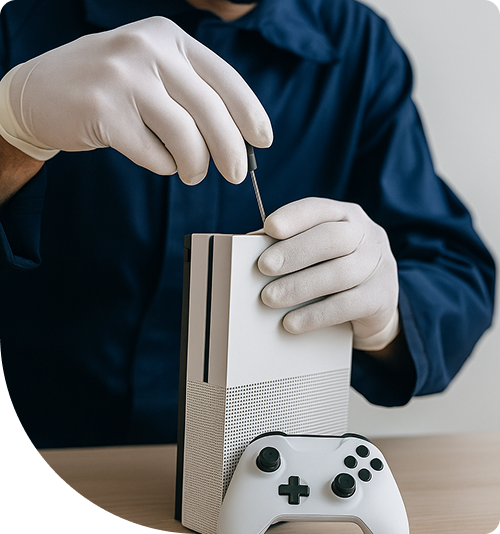
Professional Xbox Repair Services In The Fix in Moonachie
Hardware Myths vs. Engineering Reality: The Truth About Xbox Repair in Teterboro, NJ
In the industrial hub of Teterboro, downtime is a rare luxury. For the workforce supporting the airport, the logistics centers, and the retail complexes along Route 17, gaming is often the primary method of decompression after a long shift. Reliability is paramount. However, when a console begins to falter—dropping frames, shutting down unexpectedly, or losing video signal—the internet offers a flood of "quick fix" advice. From wrapping consoles in towels to using external cooling fans, the myths surrounding console maintenance are persistent and often damaging.
For gamers in the 07608 area, distinguishing between folklore and physics is essential for protecting their investment. Seeking professional Xbox Repair in Teterboro, NJ, is about understanding the actual engineering limitations of the device rather than relying on temporary hacks. At The FIX, located at 600 Hollister Rd in Teterboro Landing, we dismantle these myths daily, replacing them with component-level solutions that restore true performance.
Myth 1: "If the HDMI port is loose, I can just prop the cable up."
The Reality: Structural Solder Fracture
This is the single most common hardware failure on modern tower-style consoles. Users often find that the picture cuts out unless they apply pressure to the cable connector, perhaps by resting a book on it or angling the console against a wall. The myth is that the cable is simply loose or the port needs to be "tightened."
The Educational Truth: The reality is a structural failure of the port's anchor points. The HDMI port is soldered to the motherboard via four large anchor legs and 19 tiny data pins. When the console is dropped on a hard floor or the cable is tripped over—common hazards in busy households—the force shears the anchor legs off the board. "Propping up" the cable forces the broken metal legs to make temporary contact, but it also creates a lever effect. This leverage rips the microscopic copper pads (traces) off the motherboard laminate. Continuing to use a "propped" cable turns a standard port replacement into a complex board reconstruction job requiring jumper wires and UV mask repair to rebuild the missing circuits.
Myth 2: "External intercooler fans help the console run better."
The Reality: Airflow Turbulence and Back-Pressure
Visit any electronics store, and you will see "cooling fan" attachments that clip onto the console's vents. The logic seems sound: more fans equal more cooling.
The Educational Truth: Console engineers spend millions designing the internal airflow channels to create negative pressure, pulling cool air in from the bottom and exhausting hot air out the top. Attaching cheap, high-RPM external fans often disrupts this carefully calibrated flow. They can create turbulence or "back-pressure," causing hot air to recirculate inside the chassis rather than escaping. Furthermore, in the dusty industrial environment of Teterboro, these fans often force more particulate matter into the system at a rate the internal filters cannot handle. The most effective cooling solution is not adding external fans, but performing internal maintenance: cleaning the factory heatsink and replacing the degraded thermal paste.
Myth 3: "Drifting controllers just need to be recalibrated."
The Reality: Mechanical Sensor Wear
"Stick drift"—where the crosshair moves on its own—is frequently attributed to software bugs or calibration errors. Users spend hours in settings menus adjusting deadzones, hoping for a software fix.
The Educational Truth: The analog stick mechanism uses two potentiometers (variable resistors) to track X and Y axis movement. Inside these sensors, a metal wiper rubs against a carbon track. Over hundreds of hours of gameplay (especially in shooters involving sprinting), the carbon track physically wears away, and conductive dust accumulates. This changes the electrical resistance values. Software deadzone adjustments are a band-aid that ignores the root cause: the physical component is disintegrating. The only permanent fix is desoldering the worn joystick module and installing a new unit with fresh potentiometers.
Myth 4: "The 'Green Screen of Death' means my console is bricked."
The Reality: Hard Drive Sector Failure
When a console gets stuck on the startup logo or a green screen during an update, panic sets in. Many believe a "bad update" has destroyed the software or that the console is permanently broken ("bricked").
The Educational Truth: On models using mechanical Hard Disk Drives (HDD), this is almost always a physical drive failure. The hard drive contains spinning platters that store the Operating System. If a "bad sector" develops where a critical boot file is stored, the read head cannot access the data, and the boot sequence hangs. This is a mechanical failure, not a software one. Replacing the failing mechanical drive with a new drive (or an SSD where applicable) and reinstalling the OS via an offline update script resolves the issue.
Myth 5: "Using a vacuum cleaner on the vents cleans the console."
The Reality: Electrostatic Discharge Risks
To combat dust accumulation, many users take a household vacuum cleaner and put the hose directly against the exhaust vents.
The Educational Truth: While this might remove some surface fluff, it is dangerous for two reasons. First, vacuum cleaners generate massive amounts of static electricity (ESD) at the nozzle tip due to the rushing air. An arc of static jumping to a motherboard component can kill the console instantly. Second, spinning the internal fan at high speeds with the vacuum's suction can make the fan act as a generator, sending voltage back into the fan header on the motherboard, potentially blowing the fan control circuit. Compressed air (used in short bursts while holding the fan blades still) is the safer, industry-standard method.
Myth 6: "Expansion cards are just overpriced USB drives."
The Reality: PCIe Gen 4 Architecture
With the newest generation of consoles, storage expansion uses proprietary cards that are significantly more expensive than standard USB drives. Users often wonder if this is just a marketing markup and try to use standard external drives for next-gen games.
The Educational Truth: Standard USB drives are limited by the USB interface speed. They are fine for storing older games, but they are too slow to run next-gen titles that require instant asset streaming. The proprietary expansion cards connect directly to the processor via PCIe Gen 4 lanes, effectively matching the speed of the internal SSD. They are not just storage; they are an extension of the system's memory architecture. When the internal slot fails or a card isn't recognized, it is often a failure of the complex interface lane, not a simple USB handshake issue.
Comparative Q&A
Q: Is it better to keep my console in "Instant On" mode or "Energy Saver"? A: From a hardware longevity perspective, "Energy Saver" (Full Shutdown) is superior. "Instant On" keeps the power supply unit (PSU) active and the standby voltage rails energized 24/7. It also maintains heat within the chassis. Over years, this constant low-level heat dries out capacitors in the power supply and degrades the thermal paste faster. Full shutdown allows the components to cool completely and rest, extending the lifespan of the power supply.
Q: Can I replace the HDMI port myself with a soldering iron? A: This is strongly discouraged. The HDMI port pins are microscopic and sit on a multi-layered motherboard with large ground planes that absorb heat rapidly. A standard handheld soldering iron cannot generate enough consistent heat to melt the lead-free solder without damaging the board or melting the plastic port. Professional repair requires a hot-air rework station, flux, and a microscope to ensure the hidden anchor legs are properly flowed and the data pins are not bridged.
Q: Why does my disc drive make a grinding noise when I insert a game? A: The grinding noise usually indicates dirty or worn rubber rollers in the intake mechanism. As the rollers lose their grip (due to dust or drying out), they slip against the disc surface rather than pulling it in smoothly. Alternatively, a plastic gear within the drive train may have cracked or jumped a tooth. While it sounds catastrophic, it is often a mechanical realignment or cleaning repair rather than a need for a completely new optical drive.
Your local repair experts for every device
From iPhones to gaming laptops, The Fix in Moonachie, New Jersey is your one-stop shop for device repair. Quick turnarounds, affordable prices, and local experts you can trust

Phone Cases
Protect your device in style! At The Fix in Moonachie, New Jersey, we offer a wide selection of durable phone cases for all major brands—sleek designs that keep your phone safe and looking great.

Nintendo Switch Repair
Cracked Nintendo Switch screen? We repair Switch devices in Moonachie, New Jersey quickly and affordably. Fast, easy, and always with high-quality parts.

MacBook Repair
For broken screens, battery replacements, or other issues, The Fix in Moonachie, New Jersey provides quick MacBook repairs with premium parts.

PlayStation Repair
Is your PlayStation giving you trouble? At The Fix in Moonachie, New Jersey, we handle PlayStation repairs with care and quality parts—no long waits, no hassle.

Google Repair
Need your Google Pixel fixed? At The Fix in Moonachie, New Jersey, we repair cracked screens, charging issues, and more—always using high-quality parts for lasting results.

Tablet Repair
Whether your tablet screen is cracked or the battery won’t hold a charge, The Fix in Moonachie, New Jersey provides fast, affordable tablet repairs with free diagnostics.

Computer Repair
Need PC or desktop service in Moonachie, New Jersey? We provide free diagnostics and affordable repairs, always with high-quality parts.

Game Console Repair
From Nintendo Switch® to PlayStation and Xbox, The Fix in Moonachie, New Jersey repairs all major game consoles. Fast service and dependable results.

Laptop Repair
Got a broken laptop? The Fix In Moonachie, New Jersey, our team repairs most laptop brands and models using high-quality replacement parts.

iPad Repair
Need your iPad fixed? At The Fix in Moonachie, New Jersey, we repair cracked screens, charging issues, and more—always using high-quality parts for lasting results.

Cell Phone Repair
We repair all major phone brands in Moonachie, New Jersey. iPhone, Samsung, Google, and more—get your phone fixed fast.

iPhone Repair
Cracked screen? Battery draining too fast? Our team in Moonachie, New Jersey repairs iPhones with precision and high-quality parts to make your device feel new again.

Samsung Repair
Whether it’s a Galaxy screen replacement or a charging issue, The Fix in Moonachie, New Jersey offers fast and reliable Samsung repairs.


Trusted repair solution for mobile phones, tablets, gaming consoles, and computer systems. We provide fast, reliable, and affordable repair services to get your devices back in perfect working condition.
The Fix is an independent repair service provider and is not affiliated with, sponsored by, or endorsed by Apple Inc., Samsung Electronics, Google LLC, or any other device manufacturer. We use high-quality compatible replacement parts unless explicitly stated. All trademarks are property of their respective owners.


© Copyright The Fix Solutions All rights reserved 2026.
Design by Deepcoder