






Xbox Repair in The Fix in Queens Center
Is your Xbox giving you trouble? At The Fix in New York, NY, we provide quick and reliable Xbox repairs. From HDMI port damage to overheating consoles, our technicians offer free diagnostics and use high-quality parts to get you back in the game fast.
Professional Xbox Repair Services
- HDMI Port Repair & Replacement
- Overheating & Fan Repair
- Controller & Stick Drift Repair
- Disc Drive Repair
- Power Supply Repair
- Software Troubleshooting & Updates
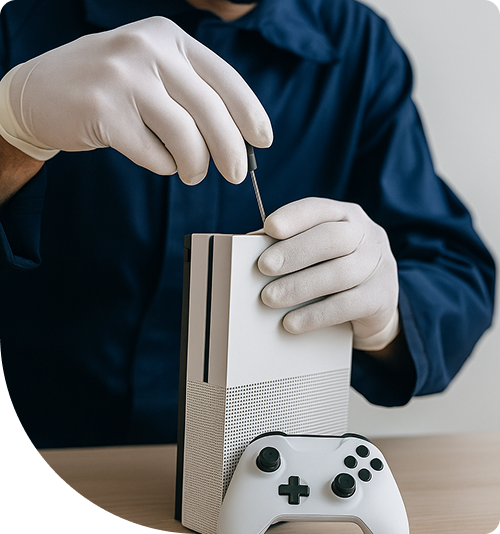
Professional Xbox Repair Services In The Fix in Queens Center
Need Xbox Repair in Queens, NY 11373?
Friday evening gaming sessions with friends across Queens suddenly halt when your Xbox displays a black screen despite powering on—you hear the fan spinning, feel warmth from the console, but your TV shows only "No Signal" regardless of HDMI cable testing near Elmhurst. Or perhaps your console boots successfully but shuts down minutes into gameplay with overheating warnings, making extended sessions impossible at home near Roosevelt Avenue. Xbox consoles pack substantial processing power into compact enclosures designed for entertainment centers, creating thermal challenges, HDMI signal failures, optical drive degradation, and power supply issues. When you need professional Xbox Repair in Queens, NY, understanding whether you're dealing with HDMI port damage, thermal management breakdowns, storage failures, or power delivery issues determines repair approach and whether your game installations remain accessible.
Microsoft's Xbox architecture emphasizes performance density—custom AMD processors handling computation and graphics, sophisticated cooling managing heat dissipation, and integrated storage for fast loading. At 90-15 Queens Blvd, Queens, NY 11373, we approach Xbox repair as platform-specific troubleshooting, utilizing thermal imaging, voltage testing, and component diagnostics across Xbox One, Series S, and Series X architectures.
Why does the console power on but produce no video signal?
The "No Signal" problem represents frustrating failures where consoles clearly power on—LED illuminates, fan operates, startup sounds occur—but TVs receive no video. This indicates problems specifically in HDMI pathways rather than complete system crashes near Jackson Heights. The video chain from APUs to displays involves multiple failure points requiring systematic diagnosis.
The HDMI port experiences significant mechanical stress. Cables get plugged repeatedly, bumped by furniture, or pulled accidentally when moving consoles. These forces gradually fatigue solder joints connecting ports to motherboards. The connector contains 19 pins in precise alignment—physical trauma bends internal pins, cracks solder connections, or completely separates ports from circuit boards.
Beyond physical port damage, HDMI Retimer chips amplify video signals before transmission. These integrated circuits sit between APUs' video output and HDMI ports. Retimer failures stem from electrostatic discharge, power surges, or component degradation. When they fail, video signals never reach port pins despite APUs generating correct output throughout Forest Hills.
We diagnose HDMI issues systematically. Testing with confirmed functional cables and displays removes external variables. Visual inspection identifies bent pins or physical damage. Using specialized signal testers, we verify whether signals exist at port pins—determining if failure exists in port hardware or upstream in Retimer chips. For confirmed port damage, precision microsoldering removes damaged connectors and installs replacements. Retimer failures require component-level motherboard repair replacing failed chips.
What causes the Green Screen of Death and system crashes?
The "Green Screen of Death" represents critical failures where consoles display solid green screens, error codes, or crash during startup before reaching dashboards. Unlike simple game freezes, GSOD indicates hardware-level problems—typically hard drive failures, corrupted system files on failing storage, or APU connection issues from thermal stress near Queens Boulevard.
Hard drive failures manifest as GSOD because consoles cannot access operating system files required for boot. Xbox One systems use mechanical drives prone to failure through physical shock or natural degradation. Damaged areas become unreadable "bad sectors" preventing system file loading.
Series X and S consoles use solid-state storage eliminating mechanical failures but introducing different modes. NAND flash memory endures limited write cycles. As cells wear out, they cannot hold charge, causing data retention failures corrupting system files or preventing boot.
We diagnose GSOD systematically. For suspected hard drive issues, we check for bad sectors and error data. Drives showing significant problems require replacement. For Xbox One systems, we install SSDs dramatically improving performance while eliminating mechanical failure modes. For suspected APU connection problems, thermal imaging during boot attempts reveals temperature variations indicating connection issues requiring advanced repair techniques.
How does thermal throttling affect gaming performance?
Xbox consoles generate substantial heat during gameplay—custom AMD APUs deliver processing power comparable to gaming PCs while fitting entertainment center spaces near Grand Central Parkway. Managing thermal output requires effective cooling systems, and when those degrade, performance suffers through thermal throttling—automatic clock speed reduction preventing overheating.
Thermal paste between APUs and heatsinks degrades over years. The compound filling microscopic air gaps transfers heat from chips to cooling fins. As paste dries into chalky residue, thermal transfer efficiency drops dramatically. Heat cannot escape processors effectively despite fans running at full speed.
Dust accumulation blocks heatsink fins and intake vents. Consoles inhale massive air volumes during operation, carrying dust particles settling internally. This dust forms barriers preventing airflow through cooling systems. Series X's liquid metal thermal interface—gallium compound with exceptional conductivity—can migrate if consoles move during operation, creating bare spots with zero thermal transfer.
We address thermal issues through comprehensive cooling service involving complete disassembly accessing APU cooling assemblies. We remove heatsinks, clean degraded thermal paste, and apply fresh compound. For Series X with liquid metal, we carefully redistribute or replace it ensuring even coverage. Heatsinks receive cleaning removing dust accumulation, and fans get inspection for bearing wear.
Why do optical drives fail to read or eject discs?
Optical drive problems manifest as unrecognized discs, extremely slow loading, grinding noises, or complete failure to accept or eject media. These stem from laser degradation, mechanical misalignment, or electronic control failures. The drive contains precision components—laser focus must align within micrometers, motors must maintain exact speeds, and mechanical sleds must position accurately.
The laser diode represents the primary wear component. Over thousands of read operations, laser output gradually decreases. The drive's automatic gain control increases current attempting to maintain read capability, but eventually maximum current cannot compensate. Read attempts fail, particularly on dual-layer discs requiring higher laser power.
Xbox consoles implement drive pairing—optical drive controllers contain encryption keys matched to specific console motherboards. This prevents drive swapping to bypass authentication. Simply replacing failed drives results in error messages despite functional hardware throughout Long Island Expressway gaming setups.
We diagnose issues by observing behavior during disc insertion and reads. For repairable mechanical issues, we disassemble drives, clean and lubricate moving parts, and realign components. For laser failures, we replace optical pickup assemblies. For complete drive failures, we source replacements and perform chip transfers maintaining cryptographic pairing while using functional mechanical components.
What indicates power supply failure versus motherboard issues?
Consoles showing no response to power presses—no LED, no fan noise, complete silence—could indicate power supply failure or motherboard damage. Distinguishing between these requires systematic testing since symptoms overlap significantly.
Xbox One uses internal power supplies, while Xbox One S, X, and Series models use external power bricks. For external brick models, we test independently. Bricks should output specified DC voltage when connected to AC power. We verify voltage output and test with load banks simulating console requirements, revealing marginal supplies that collapse under actual operation.
Power supplies fail through predictable component degradation. Electrolytic capacitors age through heat and electrical stress, losing capacitance. MOSFETs in switching circuits fail from stress or thermal issues. Internal fuses blow as protective measures.
For consoles with internal supplies, we measure voltage rails at motherboard connections determining if PSUs output correctly. If voltages measure correctly but consoles don't power on, issues likely exist on motherboards—power delivery circuits, Southbridge chips, or APUs themselves requiring component-level diagnosis.
Professional Xbox Hardware Service
Xbox hardware problems demand methodical diagnosis before repairs. HDMI issues need port inspection versus Retimer testing. GSOD requires storage diagnostics versus APU connection checks. Thermal problems need cooling system evaluation. Drive failures require mechanical versus electronic diagnosis. Visit us at 90-15 Queens Blvd, Queens, NY 11373, where we'll systematically identify your console's specific failure and explain repair options.
Frequently Asked Questions
Q: Can you fix HDMI ports if multiple pins are bent in Queens, NY?
A: Yes, we carefully straighten bent pins using precision tools under microscope magnification. However, if pins broke completely or ports' internal structure suffered damage, complete port replacement becomes necessary. This microsoldering procedure removes damaged connectors and installs replacements, restoring video output for gaming throughout Elmhurst neighborhoods.
Q: Will replacing my hard drive with an SSD fix slow loading near Jackson Heights?
A: SSD upgrades dramatically improve load times and eliminate mechanical failure modes. The upgrade involves transferring system software and save data to new drives. However, if your console also suffers thermal throttling or other issues, those require separate repairs. We assess whether SSD upgrade addresses your specific concerns during diagnostics.
Q: My Xbox overheats even in well-ventilated areas—what causes this?
A: Internal dust accumulation and dried thermal paste cause overheating despite external ventilation. Dust blocks heatsink fins internally where external airflow cannot reach. Thermal paste degradation prevents heat transfer from processors to heatsinks. We disassemble for internal cleaning and thermal compound inspection, resolving persistent thermal issues throughout Forest Hills and surrounding areas.
Other Locations Near By You
The Fix in Green Acres Mall
2034 Green Acres Mall Valley Stream, NY 11581
The Fix in Kings Plaza
5100 Kings Plaza Ste 2213, Brooklyn, NY 11234, United States
Your local repair experts for every device
From iPhones to gaming laptops, The Fix in New York, NY is your one-stop shop for device repair. Quick turnarounds, affordable prices, and local experts you can trust

Phone Cases
Protect your device in style! At The Fix in New York, NY, we offer a wide selection of durable phone cases for all major brands—sleek designs that keep your phone safe and looking great.

Nintendo Switch Repair
Cracked Nintendo Switch screen? We repair Switch devices in New York, NY quickly and affordably. Fast, easy, and always with high-quality parts.

MacBook Repair
For broken screens, battery replacements, or other issues, The Fix in New York, NY provides quick MacBook repairs with premium parts.

PlayStation Repair
Is your PlayStation giving you trouble? At The Fix in New York, NY, we handle PlayStation repairs with care and quality parts—no long waits, no hassle.

Google Repair
Need your Google Pixel fixed? At The Fix in New York, NY, we repair cracked screens, charging issues, and more—always using high-quality parts for lasting results.

Tablet Repair
Whether your tablet screen is cracked or the battery won’t hold a charge, The Fix in New York, NY provides fast, affordable tablet repairs with free diagnostics.

Computer Repair
Need PC or desktop service in New York, NY? We provide free diagnostics and affordable repairs, always with high-quality parts.

Game Console Repair
From Nintendo Switch® to PlayStation and Xbox, The Fix in New York, NY repairs all major game consoles. Fast service and dependable results.

Laptop Repair
Got a broken laptop? The Fix In New York, NY, our team repairs most laptop brands and models using high-quality replacement parts.

iPad Repair
Need your iPad fixed? At The Fix in New York, NY, we repair cracked screens, charging issues, and more—always using high-quality parts for lasting results.

Cell Phone Repair
We repair all major phone brands in New York, NY. iPhone, Samsung, Google, and more—get your phone fixed fast.

iPhone Repair
Cracked screen? Battery draining too fast? Our team in New York, NY repairs iPhones with precision and high-quality parts to make your device feel new again.

Samsung Repair
Whether it’s a Galaxy screen replacement or a charging issue, The Fix in New York, NY offers fast and reliable Samsung repairs.


Trusted repair solution for mobile phones, tablets, gaming consoles, and computer systems. We provide fast, reliable, and affordable repair services to get your devices back in perfect working condition.
The Fix is an independent repair service provider and is not affiliated with, sponsored by, or endorsed by Apple Inc., Samsung Electronics, Google LLC, or any other device manufacturer. We use high-quality compatible replacement parts unless explicitly stated. All trademarks are property of their respective owners.


© Copyright The Fix Solutions All rights reserved 2026.
Design by Deepcoder