






Samsung Repair in The Fix in Queens Center
From cracked Galaxy screens to battery problems, The Fix in New York, NY provides fast Samsung repairs with free diagnostics and high-quality parts.

Professional Samsung Repair Services
- Battery Replacement
- Water Damage Repair
- Screen Repair & Replacement
- Camera Repair
- Charging Port Repair
- Speaker & Microphone Repair
- Software Troubleshooting & Recovery
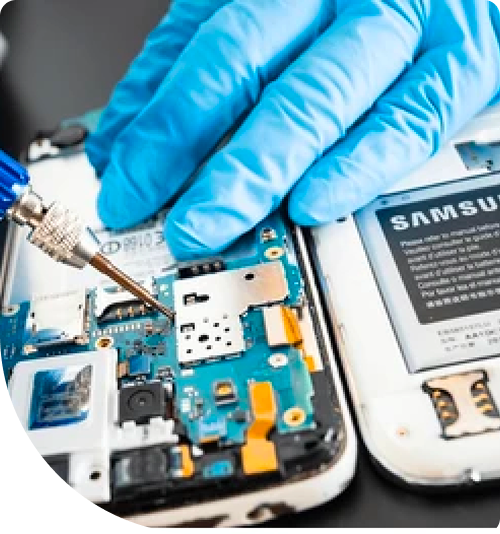
Professional Samsung Repair Services In The Fix in Queens Center
Need Samsung Repair in Queens, NY 11373?
Your Galaxy phone displays a permanent vertical green line down the screen's center during an important video call near Forest Hills, disrupting visibility and forcing you to tilt the device awkwardly. Or perhaps you notice the battery draining from full charge to critical levels within hours despite minimal usage, leaving you tethered to chargers near Jackson Heights throughout your workday. Samsung devices—from Galaxy S flagships to Note productivity powerhouses and foldable innovations—integrate sophisticated hardware requiring specialized repair knowledge. When you need expert Samsung Repair in Queens, NY, understanding whether you're dealing with AMOLED display degradation, Knox security complications, S Pen digitizer issues, or battery management failures determines repair approach and whether your encrypted data, Samsung account, and biometric security remain intact throughout service.
Samsung's Android ecosystem offers exceptional hardware diversity—curved Infinity Displays, ultrasonic fingerprint sensors, advanced camera arrays, and S Pen integration on select models. At 90-15 Queens Blvd, Queens, NY 11373, we approach Samsung repair as platform-specific service, understanding model variations, utilizing proper calibration tools, and following procedures maintaining Knox security status and hardware authentication.
Why does a green or pink line appear on Samsung AMOLED displays?
Vertical colored lines on Galaxy screens—typically green, pink, or white—represent specific AMOLED panel failure modes distinct from simple cracks or general display damage. These lines appear suddenly, persist regardless of content displayed, and often spread or multiply over time near Roosevelt Avenue. Understanding AMOLED architecture explains why this failure pattern occurs and why it requires complete display assembly replacement.
AMOLED panels consist of organic light-emitting diodes arranged in pixel matrices. Each pixel contains red, green, and blue sub-pixels controlled by thin-film transistors. These components connect to display controllers via flex cables carrying row and column signals. Single vertical lines indicate failure in one column driver circuit—either within COF cables bonded to display edges or in display controller chips themselves.
The failure mechanism typically involves electrical overstress or physical trauma. Drops that don't crack glass can still damage internal connections. Alternatively, manufacturing defects in COF bonding processes create weak points failing after months of thermal cycling. Once column drivers fail, every pixel in that vertical line receives incorrect signals—commonly displaying full green intensity regardless of image content, creating characteristic bright green lines.
These lines progress over time as adjacent column drivers experience stress from initial failures. What begins as single lines often multiplies into two, three, or more lines as neighboring circuits degrade. AMOLED panel organic materials continue degrading around failure points, expanding affected areas.
Repair requires complete display assembly replacement. COF cables integrate permanently into displays during manufacturing—separating them destroys AMOLED panel structure. We source display assemblies matching your specific Galaxy model and generation, ensuring compatibility with curved edges on S and Note series devices, high refresh rates on flagship models, and proper integration with ultrasonic fingerprint sensors embedded beneath certain displays.
What causes Samsung phones to display moisture detection warnings?
The persistent "Moisture detected in charging port" notification prevents charging via cable despite phones being completely dry. This frustrating issue affects Galaxy devices across multiple generations, indicating charging ports' humidity sensors triggered false positive detection throughout Queens Boulevard offices. Understanding sensors' purpose and failure modes helps determine whether cleaning, calibration, or component replacement resolves issues.
Samsung implements moisture detection as safety features preventing short circuits when users attempt charging wet devices. USB-C ports contain humidity sensors monitoring for conductive liquid between charging pins. When moisture presence is detected, phones disable charging via cable preventing electrical shorts damaging ports or motherboards.
False moisture detection stems from several causes. Corrosion on ports' internal pins creates conductive paths sensors interpret as moisture. Residue from sugary drinks or contaminated water leaves ionic deposits remaining conductive even after liquid evaporates. High humidity environments or humid summer conditions near Elmhurst can trigger sensitive sensors.
We address false moisture detection through systematic cleaning. Microscope inspection identifies corrosion, debris, or residue within ports. Ultrasonic cleaning removes ionic contamination and compacted debris without damaging delicate pins. For ports showing corrosion beyond cleaning capability, we replace entire USB-C port assemblies—modular components including ports, primary microphones, and cellular antenna connections, restoring all functions simultaneously.
In cases where cleaning and replacement don't resolve persistent warnings, issues may lie in ports' control chips on motherboards. These integrated circuits process sensor data and communicate moisture status to systems. Chip-level failures require microsoldering expertise replacing faulty components.
How does Knox security affect repair procedures and device functionality?
Samsung Knox represents hardware-backed security platforms protecting sensitive data through encryption, secure boot verification, and hardware attestation. Knox creates complications during repair because certain component changes or unauthorized modifications permanently trip Knox counters—irreversible hardware flags indicating devices' security status has been compromised near Grand Central Parkway.
The Knox counter exists as hardware e-fuse on motherboards. Once tripped, it cannot reset—flags remain permanently even if triggering modifications reverse. Tripped Knox counters prevent certain Samsung services from functioning: Samsung Pay, Secure Folder, and some enterprise mobile device management features check Knox status and refuse operating if counters show any trips.
Not all repairs trip Knox. Simple component replacements like screens, batteries, or charging ports done without modifying system software or bootloaders leave Knox intact. However, unauthorized firmware modifications, bootloader unlocking, or installing custom recovery systems trip counters immediately.
We perform Samsung repairs using procedures preserving Knox integrity. Component replacements follow Samsung-approved methods avoiding software modifications or bootloader access. Display assemblies, battery modules, and port assemblies replace as hardware components without system-level changes. This approach maintains Knox status for users requiring Samsung Pay, Secure Folder, or corporate mobile device management compatibility.
Why do Galaxy devices experience rapid battery drain or swelling?
Battery performance degradation manifests in two primary ways: capacity loss causing short runtime between charges, or physical swelling creating visible device distortion. Both conditions stem from lithium-ion battery chemistry degradation but require different urgency levels—capacity loss creates inconvenience, while swelling represents safety hazards demanding immediate attention.
Normal battery aging occurs through charge cycle accumulation. Samsung's lithium-ion cells typically deliver 80% of design capacity after 500-1000 full charge cycles depending on battery quality and usage patterns. Heavy users who charge multiple times daily accumulate cycles faster than casual users, reaching degradation thresholds within two years versus four or more years for light users.
Battery swelling represents more serious failure. As lithium-ion chemistry degrades, gas generation occurs within sealed battery pouches. This decomposition accelerates under thermal stress—phones left in hot vehicles during Queens summers or used extensively for gaming generate heat speeding degradation. Flexible pouches expand from internal gas pressure, creating visible bulging pushing screens outward or separating back glass from frames.
Swollen batteries demand immediate service. Expanding cells exert pressure on surrounding components—potentially cracking displays from behind, damaging flex cables, or stressing motherboards. Continued swelling risks pouch rupture, exposing reactive lithium compounds to air and moisture.
We perform battery replacement through complete device disassembly. Samsung devices use strong adhesive securing batteries to internal frames. We apply controlled heat and isopropyl alcohol softening adhesive, allowing safe extraction without puncturing cells—damaged batteries can vent toxic fumes or ignite. After extracting compromised batteries, we inspect frames for pressure-induced warping before installing replacement batteries.
What happens when S Pen functionality fails on Note devices?
Galaxy Note devices integrate S Pen stylus functionality through specialized digitizer technology embedded within displays. When S Pen stops working—phones don't recognize pen input, Air Command doesn't launch, or pressure sensitivity fails—issues could involve pens themselves, digitizer layers, or display controllers managing pen communication near Long Island Expressway offices.
The S Pen uses Electro-Magnetic Resonance technology rather than capacitive touch. Digitizer layers beneath displays contain grids of coils generating electromagnetic fields. S Pen's internal coils resonate with these fields, allowing phones to detect pen position, pressure, and button states without requiring pen battery power.
S Pen hardware failures occur but remain relatively rare. Pens' internal coils can break from drops or physical stress, or pen tip spring mechanisms can wear out affecting pressure detection. Testing with confirmed functional S Pens from identical device models eliminates pen-specific issues.
Digitizer failure represents more common issues. EMR grids integrating into display assemblies can suffer damage from impacts not cracking screen glass. Physical trauma disrupts coil connections or damages controller chips processing pen signals. For confirmed digitizer or controller failures, display assembly replacement becomes necessary since EMR digitizers integrate permanently into Note series displays during manufacturing.
Professional Samsung Device Service
Samsung device failures—AMOLED lines, moisture detection errors, battery degradation, or S Pen issues—represent specific component faults with proven solutions. Knox security requires careful repair procedures, fingerprint sensors need recalibration after display replacement, and EMR digitizers integrate into screen assemblies. Visit us at 90-15 Queens Blvd, Queens, NY 11373, where we'll diagnose your Galaxy device's exact issue and explain repair options while preserving security features.
Frequently Asked Questions
Q: Will screen replacement disable Samsung Pay on my Galaxy device in Queens, NY?
A: Screen replacement performed without modifying software or bootloaders leaves Knox security intact, preserving Samsung Pay functionality. We replace display assemblies as hardware components without accessing system partitions or security features. However, if Knox counters previously tripped from earlier modifications, Samsung Pay remains non-functional regardless of our hardware repairs.
Q: My Galaxy phone shows moisture detected but it's completely dry—how do I fix this?
A: False moisture detection typically indicates port contamination or corrosion rather than actual liquid presence. We perform microscope inspection identifying residue, corrosion, or debris triggering sensors. Ultrasonic cleaning removes contamination restoring normal detection. For ports with corrosion beyond cleaning capability, port assembly replacement resolves persistent false positives throughout Roosevelt Avenue workplaces.
Q: Can you fix the S Pen if it stopped working after I dropped my Note near Elmhurst?
A: S Pen failures require systematic diagnosis. We first test your pen with confirmed functional Note devices—if it works correctly, your phone's digitizer failed. If your pen doesn't work on any device, pen's internal EMR coil broke. Digitizer failures require display assembly replacement as EMR layers integrate permanently into screens. Broken S Pens need stylus replacement.
Other Locations Near By You
The Fix in Green Acres Mall
2034 Green Acres Mall Valley Stream, NY 11581
The Fix in Kings Plaza
5100 Kings Plaza Ste 2213, Brooklyn, NY 11234, United States
Your local repair experts for every device
From iPhones to gaming laptops, The Fix in New York, NY is your one-stop shop for device repair. Quick turnarounds, affordable prices, and local experts you can trust

Phone Cases
Protect your device in style! At The Fix in New York, NY, we offer a wide selection of durable phone cases for all major brands—sleek designs that keep your phone safe and looking great.

Nintendo Switch Repair
Cracked Nintendo Switch screen? We repair Switch devices in New York, NY quickly and affordably. Fast, easy, and always with high-quality parts.

MacBook Repair
For broken screens, battery replacements, or other issues, The Fix in New York, NY provides quick MacBook repairs with premium parts.

PlayStation Repair
Is your PlayStation giving you trouble? At The Fix in New York, NY, we handle PlayStation repairs with care and quality parts—no long waits, no hassle.

Google Repair
Need your Google Pixel fixed? At The Fix in New York, NY, we repair cracked screens, charging issues, and more—always using high-quality parts for lasting results.

Tablet Repair
Whether your tablet screen is cracked or the battery won’t hold a charge, The Fix in New York, NY provides fast, affordable tablet repairs with free diagnostics.

Computer Repair
Need PC or desktop service in New York, NY? We provide free diagnostics and affordable repairs, always with high-quality parts.

Game Console Repair
From Nintendo Switch® to PlayStation and Xbox, The Fix in New York, NY repairs all major game consoles. Fast service and dependable results.

Laptop Repair
Got a broken laptop? The Fix In New York, NY, our team repairs most laptop brands and models using high-quality replacement parts.

iPad Repair
Need your iPad fixed? At The Fix in New York, NY, we repair cracked screens, charging issues, and more—always using high-quality parts for lasting results.

Cell Phone Repair
We repair all major phone brands in New York, NY. iPhone, Samsung, Google, and more—get your phone fixed fast.

iPhone Repair
Cracked screen? Battery draining too fast? Our team in New York, NY repairs iPhones with precision and high-quality parts to make your device feel new again.

Xbox Repair
Xbox not working properly? Our team in New York, NY offers quick, reliable Xbox repairs with free diagnostics and high-quality replacement parts.


Trusted repair solution for mobile phones, tablets, gaming consoles, and computer systems. We provide fast, reliable, and affordable repair services to get your devices back in perfect working condition.
The Fix is an independent repair service provider and is not affiliated with, sponsored by, or endorsed by Apple Inc., Samsung Electronics, Google LLC, or any other device manufacturer. We use high-quality compatible replacement parts unless explicitly stated. All trademarks are property of their respective owners.


© Copyright The Fix Solutions All rights reserved 2026.
Design by Deepcoder