






Laptop Repair in The Fix in The Woodlands Mall
Broken laptop slowing you down? At The Fix in The Woodlands, TX, we repair all major laptop brands and models. From cracked screens to battery issues, our technicians provide fast, affordable service with free diagnostics and high-quality parts.

Professional Laptop Repair Services
- Screen Repair & Replacement
- Battery Replacement
- Water Damage Repair
- Keyboard & Trackpad Repair
- Charging Port Repair
- Overheating & Fan Repair
- Hard Drive / SSD Replacement & Data Recovery
- Software Troubleshooting & Recovery
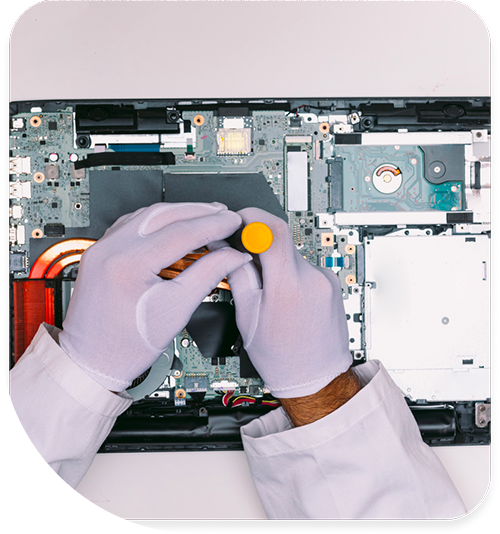
Professional Laptop Repair Services In The Fix in The Woodlands Mall
Laptop Screen Cracked or Not Charging in The Woodlands?
Laptops balance portability with performance, making them indispensable for students, professionals, and families across The Woodlands. Whether you're working remotely for energy companies headquartered in the Research Forest area, attending online classes, or managing household finances, laptop failures disrupt everything. Cracked screens, keyboard malfunctions, and battery issues demand swift resolution.
At Laptop Repair in The Woodlands, TX, we service all major laptop brands at our Woodlands Mall location. From budget Chromebooks to premium business ultrabooks, we handle hardware failures that interrupt productivity at 1201 Lake Woodlands Dr, The Woodlands, TX 77380. Our technicians understand the unique construction methods different manufacturers use and apply appropriate repair techniques.
Screen Replacement and Hinge Repair
Laptop screens fail from physical impacts, pressure on closed lids, or manufacturing defects. Cracks, dead pixels, backlight failure, and hinge damage are common issues. Screen replacement requires careful disassembly—bezels snap into place with hidden clips that break easily if pried incorrectly.
We source replacement screens matching specifications for resolution, brightness, and color accuracy. After installation, we test all brightness levels, verify proper backlight function, and check for dead pixels across the entire panel.
Hinge failures often accompany screen issues. Plastic hinge mounts crack from repeated opening and closing, especially in laptops with heavy screens. We reinforce damaged hinge mounts using epoxy and metal brackets, preventing future cracks. This is particularly important for laptops transported frequently around The Woodlands or to Houston for work commutes.
Battery Replacement and Power Management
Laptop batteries degrade over charge cycles. After 300-500 cycles, you'll notice shorter runtime, unexpected shutdowns, or charging to only partial capacity. Windows and macOS provide battery health metrics identifying when replacement is necessary.
We remove depleted batteries and install fresh cells meeting specifications. Some manufacturers glue batteries into chassis, requiring careful extraction to avoid puncturing cells. Fresh battery installations restore hours of unplugged operation—essential for working at coffee shops in Market Street or attending meetings at The Cynthia Woods Mitchell Pavilion.
Power management IC failures on the motherboard can prevent charging even with good batteries. We diagnose charging circuitry using multimeter testing and thermal imaging, identifying failed components requiring microsoldering repair.
Texas heat accelerates battery degradation. Leaving laptops in vehicles during The Woodlands' scorching summers—where dashboard temperatures exceed 160°F—dramatically shortens battery lifespan. We educate customers on proper laptop care in Texas's climate.
Keyboard and Trackpad Replacement
Spilled liquids, worn keycaps, and failed membrane layers make keyboards the most commonly replaced laptop component. We stock keyboards for popular models and can source parts for older systems.
Keyboard replacement difficulty varies by design. Some laptops allow keyboard removal by releasing a few clips, while others require complete disassembly including motherboard removal. We handle both designs without damaging surrounding components.
Trackpad failures present as intermittent cursor movement, unresponsive gestures, or phantom clicks. We replace failed trackpad assemblies and verify proper gesture recognition and sensitivity after installation. Multi-touch gestures, palm rejection, and precision pointing must all function correctly.
Storage Upgrades and Migration
Upgrading from mechanical hard drives to solid state drives delivers dramatic performance improvements. Boot times drop from minutes to seconds, and applications launch instantly. For laptops with sufficient RAM but slow performance, SSD upgrades provide the best value.
We clone existing drives to preserve Windows installations, applications, and data. After migration, we verify successful boot, test major applications, and confirm all data transferred correctly. This seamless transition means you won't need to reinstall software or reconfigure settings.
For laptops with failing drives showing bad sectors or imminent failure warnings, immediate backup and replacement prevents total data loss. We can often recover data from failing drives if addressed before complete failure.
Overheating and Cooling System Maintenance
Laptops pack components into tight spaces with limited airflow. Dust accumulation in cooling fans and heatsink fins causes overheating, leading to thermal throttling and unexpected shutdowns. The Woodlands' environment—with construction dust, pollen, and general Texas particulates—accelerates buildup.
We disassemble cooling systems, clean fans and heatsinks, and reapply thermal paste to CPUs and GPUs. Fresh paste improves thermal conductivity, reducing temperatures by 10-15°C under load.
After cleaning, we stress test laptops using CPU and GPU intensive applications while monitoring temperatures. Proper cooling allows processors to maintain boost clocks, improving performance in demanding tasks like video editing, 3D rendering, or engineering simulations.
RAM Upgrades and Memory Issues
Insufficient RAM causes slow performance when multitasking or using memory-intensive applications. Upgrading RAM improves responsiveness and allows more simultaneous applications.
We verify motherboard compatibility regarding maximum supported capacity, RAM speeds, and required configurations. Some laptops solder RAM directly to motherboards, preventing upgrades. We identify upgrade potential during diagnostics.
Failed RAM causes blue screens, random crashes, and application errors. We test memory using diagnostic software and replace failed modules with compatible replacements. Memory issues can mimic other problems, so proper diagnosis is essential.
Charging Port Repair and DC Jack Replacement
Laptop charging ports fail from repeated cable insertion, physical impacts, or power surges. Symptoms include intermittent charging, requiring cable wiggling to charge, or complete charging failure.
Port repair difficulty varies by design. Some laptops use modular DC jacks easily replaced, while others solder jacks directly to motherboards requiring microsoldering expertise. We handle both designs, restoring reliable charging.
We also diagnose issues where the charging port is intact but the motherboard's charging circuitry has failed. Component-level repair addresses these complex failures without requiring full motherboard replacement.
Liquid Damage Recovery
Spills on keyboards are common laptop killers. Liquid reaches internal components through keyboard openings, causing immediate shorts or delayed corrosion failures. If your laptop suffered liquid exposure in The Woodlands, TX 77380, power it off immediately and bring it to us.
We disassemble systems, use ultrasonic cleaning to remove residues, and inspect under magnification for damaged components. Early intervention significantly improves recovery chances. Attempting to power on contaminated systems accelerates corrosion and reduces recovery likelihood.
Common spill scenarios include coffee at morning meetings, water bottles in backpacks during Houston commutes, or drinks knocked over during late-night work sessions. Each liquid presents different challenges—sugary beverages are particularly corrosive.
Motherboard Failures and Logic Board Repair
When laptops won't power on despite good batteries and chargers, motherboard failure is likely. Common culprits include failed power management chips, damaged voltage regulators, or shorted components.
We perform board-level diagnostics using multimeters and thermal imaging to identify failures. Component-level repair through microsoldering can restore function without the enormous cost of motherboard replacement.
This granular approach is particularly valuable for business laptops containing irreplaceable work data or older models where replacement parts are scarce or expensive.
Wi-Fi and Bluetooth Module Replacement
Wireless connectivity issues often trace to failed network modules. These mini-PCIe or M.2 cards can be damaged by static discharge, power surges, or overheating.
We replace failed wireless modules with compatible units supporting current Wi-Fi standards. After replacement, we test connectivity, signal strength, and Bluetooth pairing across multiple devices. Strong Wi-Fi performance is essential for video conferencing and cloud-based work—critical for Woodlands professionals working remotely.
Windows and Operating System Issues
Not every laptop problem requires hardware repair. Corrupted system files, malware infections, or failed Windows updates cause symptoms resembling hardware failure.
We attempt software recovery before recommending hardware repair. Clean Windows installations, driver updates, and malware removal resolve many issues without parts replacement. We preserve user data whenever possible during software recovery procedures.
Screen Hinges and Structural Repairs
Broken hinges prevent laptops from staying open or closing properly. Hinge failures often crack plastic mounting points in the screen lid or bottom case.
We repair structural damage using epoxy, metal brackets, and replacement plastic components. After repair, hinges operate smoothly through their full range of motion. Proper hinge function is essential for laptop longevity and prevents screen damage from improper closure.
USB and Port Repair
Failed USB ports prevent external device connection and data transfer. We replace damaged ports and verify proper data transfer speeds and power delivery for charging peripherals.
Modern laptops use USB-C ports that handle charging, data, and video output simultaneously. These multi-function ports are particularly vulnerable to damage and require skilled microsoldering for replacement.
Protecting Laptops Long-Term
Laptop cases provide shock absorption during transport around The Woodlands. Hard-shell cases protect against impacts, while soft sleeves cushion against compression in bags during commutes.
Screen protectors prevent scratches from keyboard contact when closed. Keep vents clear of dust by cleaning monthly with compressed air. This simple maintenance dramatically extends laptop lifespan in Texas's dusty environment.
Visit The Fix Today
Your laptop deserves expert attention. Stop by our Woodlands Mall location and let our team diagnose what's preventing proper function. We provide honest assessments and cost-effective repairs at 1201 Lake Woodlands Dr, The Woodlands, TX 77380.
Common Questions About Laptop Services in The Woodlands
Q: Can you upgrade my laptop's processor?
A: Unlike desktop PCs, most modern laptops solder CPUs directly to motherboards, making upgrades impossible. Some older business laptops and gaming systems use socketed processors that allow upgrades, but compatibility is extremely limited. We assess upgrade potential during diagnostic evaluation, though RAM and storage upgrades typically provide better value for improving performance at lower cost.
Q: My laptop gets hot enough to burn my lap—is this normal?
A: While laptops generate heat, excessively hot bottom surfaces indicate inadequate cooling. This usually results from dust-clogged heatsinks or dried thermal paste. At our Woodlands location, we clean cooling systems and reapply thermal paste. Persistent overheating can damage internal components including the processor and motherboard, potentially causing permanent failure. Addressing cooling issues early prevents expensive damage.
Q: How long should a laptop battery last before needing replacement?
A: Laptop batteries typically retain 80% capacity after 300-500 charge cycles, roughly 2-3 years of daily use. Usage patterns affect lifespan—keeping batteries between 20-80% charge extends life compared to always charging to 100%. When runtime drops below acceptable levels or Windows reports battery service warnings, replacement is advisable. We test battery health during diagnostics and provide honest recommendations about whether replacement is necessary.
Other Locations Near By You
The Fix in Walmart Carrollton
1213 E Trinity Mls Rd, Carrollton, TX 75006, United States
The Fix in Walmart Lubbock
702 W Loop 289 Acc Rd, Lubbock, TX 79416, United States
The Fix in South Plains Mall
6002 Slide Rd, Lubbock, TX 79414
The Fix in Walmart North Richland Hills
6401 NE Loop 820, North Richland Hills, TX 76180, United States
The Fix in South Park Mall San Antonio
2310 SW Military Dr. Suite 118 San Antonio, TX 78224
The Fix in Walmart Odessa
2450 NW Loop 338 State Rte W, Odessa, TX 79763, United States
The Fix in Walmart La Porte
9025 Spencer Hwy, La Porte, TX 77571, United States
The Fix in Baybrook Mall
500 Baybrook Mall #1079, Friendswood, TX 77546, United States
The Fix in Walmart Humble
9235 N Sam Houston Pkwy E, Humble, TX 77396, United States
The Fix in Walmart Weatherford
1836 S Main St, Weatherford, TX 76086, United States
Your local repair experts for every device
From iPhones to gaming laptops, The Fix in The Woodlands, TX is your one-stop shop for device repair. Quick turnarounds, affordable prices, and local experts you can trust

Phone Cases
Protect your device in style! At The Fix in The Woodlands, TX, we offer a wide selection of durable phone cases for all major brands—sleek designs that keep your phone safe and looking great.

Nintendo Switch Repair
Cracked Nintendo Switch screen? We repair Switch devices in The Woodlands, TX quickly and affordably. Fast, easy, and always with high-quality parts.

MacBook Repair
For broken screens, battery replacements, or other issues, The Fix in The Woodlands, TX provides quick MacBook repairs with premium parts.

PlayStation Repair
Is your PlayStation giving you trouble? At The Fix in The Woodlands, TX, we handle PlayStation repairs with care and quality parts—no long waits, no hassle.

Google Repair
Need your Google Pixel fixed? At The Fix in The Woodlands, TX, we repair cracked screens, charging issues, and more—always using high-quality parts for lasting results.

Tablet Repair
Whether your tablet screen is cracked or the battery won’t hold a charge, The Fix in The Woodlands, TX provides fast, affordable tablet repairs with free diagnostics.

Computer Repair
Need PC or desktop service in The Woodlands, TX? We provide free diagnostics and affordable repairs, always with high-quality parts.

Game Console Repair
From Nintendo Switch® to PlayStation and Xbox, The Fix in The Woodlands, TX repairs all major game consoles. Fast service and dependable results.

iPad Repair
Need your iPad fixed? At The Fix in The Woodlands, TX, we repair cracked screens, charging issues, and more—always using high-quality parts for lasting results.

Cell Phone Repair
We repair all major phone brands in The Woodlands, TX. iPhone, Samsung, Google, and more—get your phone fixed fast.

iPhone Repair
Cracked screen? Battery draining too fast? Our team in The Woodlands, TX repairs iPhones with precision and high-quality parts to make your device feel new again.

Samsung Repair
Whether it’s a Galaxy screen replacement or a charging issue, The Fix in The Woodlands, TX offers fast and reliable Samsung repairs.

Xbox Repair
Xbox not working properly? Our team in The Woodlands, TX offers quick, reliable Xbox repairs with free diagnostics and high-quality replacement parts.


Trusted repair solution for mobile phones, tablets, gaming consoles, and computer systems. We provide fast, reliable, and affordable repair services to get your devices back in perfect working condition.
The Fix is an independent repair service provider and is not affiliated with, sponsored by, or endorsed by Apple Inc., Samsung Electronics, Google LLC, or any other device manufacturer. We use high-quality compatible replacement parts unless explicitly stated. All trademarks are property of their respective owners.


© Copyright The Fix Solutions All rights reserved 2026.
Design by Deepcoder