






PlayStation Repair in The Fix in The Mills at Jersey Gardens
Is your PlayStation not working properly? At The Fix in Elizabeth, NJ, we provide quick and reliable PlayStation repairs. From overheating consoles to controller issues, our technicians offer free diagnostics and use high-quality parts to get you back to gaming fast.

Professional PlayStation Repair Services
- HDMI Port Repair & Replacement
- Overheating & Fan Repair
- Controller & Stick Drift Repair
- Disc Drive Repair
- Power Supply Repair
- Software Troubleshooting & Updates
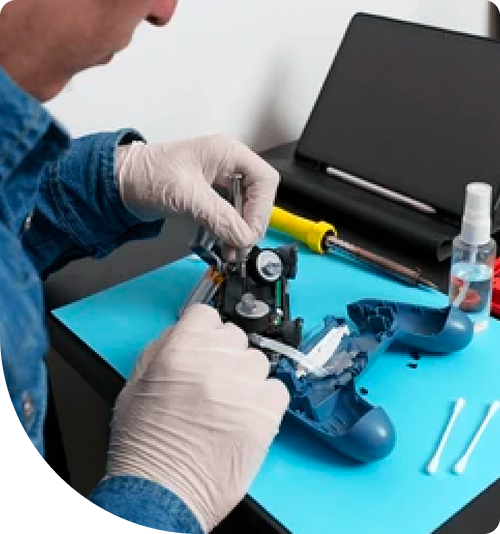
Professional PlayStation Repair Services In The Fix in The Mills at Jersey Gardens
The Myth of "Quick Hacks": The Real Science Behind PlayStation Repair in Elizabeth
In the vibrant gaming community of Elizabeth, from competitive players near Kean University to families frequenting The Mills at Jersey Gardens, the PlayStation is a centerpiece of entertainment. However, when these complex machines fail, misinformation often spreads faster than the glitches themselves. Internet forums are full of "quick hacks"—using toothpicks to hold cables, wrapping consoles in towels to fix overheating, or using vacuum cleaners on vents.
For residents in the 07201 area, distinguishing between a temporary patch and a permanent solution is critical. Modern consoles like the PS5 and PS4 Pro are sophisticated computers involving precise thermodynamics and micro-electronics. Professional PlayStation Repair in Elizabeth, NJ is not about finding a workaround; it is about understanding the comparative difference between a symptom and a root cause. This guide breaks down common myths and contrasts them with the engineering reality of hardware restoration.
Comparison 1: The "Loose" HDMI Port vs. Board Damage
The Myth: "My screen flickers or shows no signal. The port feels a bit loose, so I just need to prop the cable up at a specific angle to make it work."
The Engineering Reality: By propping up the cable, users are applying leverage to the internal solder joints.
- The Physical Port: The HDMI port is soldered to the motherboard by four anchor legs and nineteen microscopic data pins. "Wiggling" the cable might temporarily complete the circuit, but it is actively ripping the copper pads off the motherboard laminate.
- The Hidden Chip Failure: Often, the port is physically intact, but the HDMI Retimer IC (a control chip on the board) has failed due to an electrical surge or "hot swapping" cables.
- The Professional Fix: A true repair involves desoldering the damaged port using hot air at 400°C, cleaning the board, and installing a reinforced port with fresh leaded solder. If the Retimer chip is fried, replacing the port won't help; the chip itself must be replaced. This restores the video signal's integrity without relying on gravity or "sweet spots."
Comparison 2: Thermal Management – Paste vs. Liquid Metal
The Myth: "My console sounds like a jet engine. I just need to blow some compressed air into the vents to fix it."
The Engineering Reality: While dust is a factor, the primary cause of loud fan noise is the degradation of the thermal interface material (TIM).
- Standard Thermal Paste (PS4): This silicone-based compound bridges the microscopic gaps between the processor (APU) and the heatsink. Over 3-4 years, especially in the variable NJ climate, this paste dries into a chalky solid, losing its ability to transfer heat. The fan spins at 100% to compensate.
- Liquid Metal (PS5): The PS5 uses a conductive liquid metal alloy. It offers superior cooling but carries risks. If the console is dropped or stored vertically in high heat, the liquid can pool unevenly, creating "hot spots" on the processor die.
- The Professional Fix: For PS4s, we remove the dried paste and apply high-performance thermal compound. For PS5s, we check for liquid metal oxidation or pooling and redistribute/replenish it using specialized barriers to prevent short circuits. Compressed air alone cannot refresh these chemical compounds.
Comparison 3: Storage Failure – Hard Drive (HDD) vs. SSD
The Symptom: Textures in games take forever to load, the system menus lag, or the console gets stuck in a "Safe Mode" loop requesting an update file.
The Comparison:
- Mechanical HDD Failure: Most PS4s run on traditional spinning hard drives. These have moving needles that read data from spinning platters. Like a car tire, they wear out physically over time. A drop or simple old age causes "bad sectors" where data cannot be read.
- Solid State Drive (SSD) Upgrade: An SSD has no moving parts and uses flash memory (like a USB stick but faster).
- The Verdict: Replacing a failing mechanical drive with another mechanical drive is a temporary fix. Upgrading to an SSD eliminates the moving parts entirely, drastically improves load times, and renders the system more resistant to shock and vibration. It is the most cost-effective performance boost available.
The "Blue Light of Death" (BLOD): Reflow vs. Reballing
The Myth: "I can wrap my console in a towel to overheat it and fix the Blue Light of Death."
The Engineering Reality: The BLOD usually indicates a cracked solder joint under the main processor (APU), often caused by thermal expansion stress. The "towel trick" temporarily warps the board enough to touch the contact again, but it cooks the other components and provides a fix that lasts days at best.
- Reballing (The Real Fix): This is an advanced procedure where the APU is removed from the motherboard, all old solder is removed, and new solder spheres are attached before re-soldering the chip. This permanently restores the electrical connection between the processor and the board, addressing the root structural failure.
Expert Solutions at Jersey Gardens
At The Fix - Elizabeth, located inside The Mills at Jersey Gardens, we see the results of "internet hacks" daily. Our approach is based on diagnostics, not guesswork. We understand that in a busy area like Elizabeth, where power fluctuations and dust are common, consoles face specific environmental stressors. By addressing the root cause—whether it is a dried-out thermal compound or a failing hard drive—we ensure the repair lasts longer than a temporary patch.
Frequently Asked Questions
Q: Can you fix a controller that won't sync wirelessly? A: Yes. Sync issues are often caused by a failing Bluetooth/Wi-Fi module on the console's motherboard, or a disconnected internal antenna cable (common after a drop). If the controller works when plugged in via USB but disconnects when wireless, the issue is likely the internal module, which can be replaced.
Q: Is it safe to use a vacuum cleaner to clean my PlayStation vents? A: We advise against it. Vacuum cleaners generate significant static electricity (ESD). If a static discharge hits the motherboard through the vents, it can kill sensitive components instantly. Using canned air in short bursts or bringing it in for a professional internal cleaning is much safer.
Q: Why does my PS5 turn off randomly while playing PS5 games but not PS4 games? A: This is a classic sign of power supply unit (PSU) overheating or a clogged intake in the "liquid metal" cooling zone. PS5 games demand much more power and generate more heat. If the PSU vents are clogged with dust, the power supply overheats and cuts power to protect itself during high-demand moments. A deep cleaning usually resolves this.
Other Locations Near By You
The Fix in American Dream in East Rutherford
1 American Dream Wy, East Rutherford, NJ 07073
The Fix in Bridgewater Commons
400 Commons Way, Bridgewater Township, NJ 08807, United States
The Fix in Walmart Vineland
1070 W Landis Ave, Vineland, NJ 08360, United States
The Fix in Walmart Riverdale
48 NJ-23, Riverdale, NJ 07457
The Fix Kiosk in Bridgewater Commons
400 Commons Way Suite 7504, Bridgewater, NJ 08807, USA
The Fix in Deptford Mall
1750 Depford Center Road, Deptford, NJ
The Fix in Paramus Park
700 Paramus Park, Paramus, NJ 07652, United States
The Fix in Hoboken
131 Washington St, Hoboken NJ 07030
Your local repair experts for every device
From iPhones to gaming laptops, The Fix in Elizabeth, NJ is your one-stop shop for device repair. Quick turnarounds, affordable prices, and local experts you can trust

Phone Cases
Protect your device in style! At The Fix in Elizabeth, NJ, we offer a wide selection of durable phone cases for all major brands—sleek designs that keep your phone safe and looking great.

Nintendo Switch Repair
Cracked Nintendo Switch screen? We repair Switch devices in Elizabeth, NJ quickly and affordably. Fast, easy, and always with high-quality parts.

MacBook Repair
For broken screens, battery replacements, or other issues, The Fix in Elizabeth, NJ provides quick MacBook repairs with premium parts.

Google Repair
Need your Google Pixel fixed? At The Fix in Elizabeth, NJ, we repair cracked screens, charging issues, and more—always using high-quality parts for lasting results.

Tablet Repair
Whether your tablet screen is cracked or the battery won’t hold a charge, The Fix in Elizabeth, NJ provides fast, affordable tablet repairs with free diagnostics.

Computer Repair
Need PC or desktop service in Elizabeth, NJ? We provide free diagnostics and affordable repairs, always with high-quality parts.

Game Console Repair
From Nintendo Switch® to PlayStation and Xbox, The Fix in Elizabeth, NJ repairs all major game consoles. Fast service and dependable results.

Laptop Repair
Got a broken laptop? The Fix In Elizabeth, NJ, our team repairs most laptop brands and models using high-quality replacement parts.

iPad Repair
Need your iPad fixed? At The Fix in Elizabeth, NJ, we repair cracked screens, charging issues, and more—always using high-quality parts for lasting results.

Cell Phone Repair
We repair all major phone brands in Elizabeth, NJ. iPhone, Samsung, Google, and more—get your phone fixed fast.

iPhone Repair
Cracked screen? Battery draining too fast? Our team in Elizabeth, NJ repairs iPhones with precision and high-quality parts to make your device feel new again.

Samsung Repair
Whether it’s a Galaxy screen replacement or a charging issue, The Fix in Elizabeth, NJ offers fast and reliable Samsung repairs.

Xbox Repair
Xbox not working properly? Our team in Elizabeth, NJ offers quick, reliable Xbox repairs with free diagnostics and high-quality replacement parts.


Trusted repair solution for mobile phones, tablets, gaming consoles, and computer systems. We provide fast, reliable, and affordable repair services to get your devices back in perfect working condition.
The Fix is an independent repair service provider and is not affiliated with, sponsored by, or endorsed by Apple Inc., Samsung Electronics, Google LLC, or any other device manufacturer. We use high-quality compatible replacement parts unless explicitly stated. All trademarks are property of their respective owners.


© Copyright The Fix Solutions All rights reserved 2026.
Design by Deepcoder