






Xbox Repair in The Fix Kiosk in Bridgewater Commons
Is your Xbox giving you trouble? At The Fix in Bridgewater, NJ, we provide quick and reliable Xbox repairs. From HDMI port damage to overheating consoles, our technicians offer free diagnostics and use high-quality parts to get you back in the game fast.

Professional Xbox Repair Services
- HDMI Port Repair & Replacement
- Overheating & Fan Repair
- Controller & Stick Drift Repair
- Disc Drive Repair
- Power Supply Repair
- Software Troubleshooting & Updates
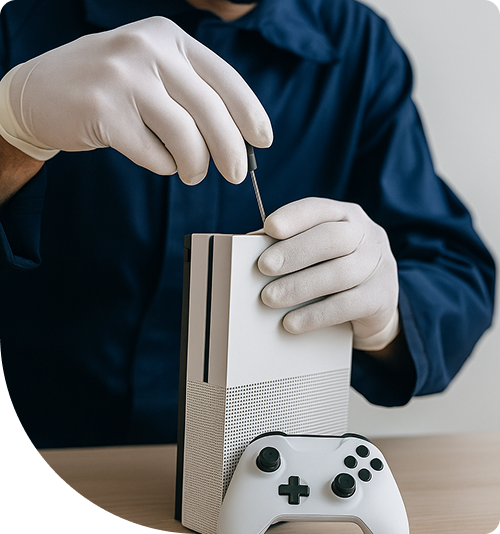
Professional Xbox Repair Services In The Fix Kiosk in Bridgewater Commons
Xbox Repair in Bridgewater, NJ: How Does the Invisible Heat Load Strain Power Management?
While gamers focus on rendering speeds and loading times, the console's internal power delivery system operates under immense, continuous stress. High-end gaming requires the console to pull massive amounts of electricity from the wall, step it down perfectly, and distribute it to the processor. In a clean environment, this process is seamless. But in a home dealing with the fine dust from winter heating systems, the components managing this power are pushed dangerously close to their thermal failure points, quietly degrading the system.
When an Xbox begins randomly shutting off or refuses to power up, where can you secure targeted Xbox Repair in Bridgewater, NJ to address the exhausted circuitry? The Fix provides thorough voltage diagnostics on a walk-in basis at their physical store. Technicians trace the power flow to identify the exact failed component in the same visit.
Where Does the Silent Wear Cycle Begin?
The silent wear cycle begins at the Power Management IC (PMIC) and its surrounding capacitors. The PMIC takes the raw voltage from the internal power supply and divides it cleanly for the logic board, the APU, and the memory banks. This voltage conversion process inherently generates heat. In Bridgewater, the dry winter air constantly carries ultra-fine furnace dust into homes, which gets sucked directly into the console's intake vents.
This environment creates PMIC thermal stress. The static-charged dust settles rapidly over the logic board, forming a highly effective, insulating blanket over the power management chips. Because the console cannot shed heat efficiently through this dust layer, the PMIC is forced to operate at sustained high temperatures. Heat directly increases electrical resistance inside the silicon chip. To maintain the correct voltage output against this rising resistance, the PMIC works harder, drawing more current and generating even more heat.
What Is the Mechanism of Electrical Collapse?
As the insulated PMIC cooks, the surrounding electrolytic capacitors suffer. These capacitors act as tiny batteries, smoothing out voltage spikes so the processor receives a perfectly clean power signal. The sustained heat trapped by the dust bakes these capacitors, causing their internal liquid electrolyte to slowly evaporate. As they dry out, they lose their ability to filter the power, allowing "dirty" voltage ripples to pass directly to the APU.
The console's firmware is designed to detect these dangerous voltage fluctuations. When a dried-out capacitor fails to smooth a power spike, the system instantly triggers an emergency shutdown to prevent the APU from being destroyed. A gamer will simply see their screen go black and the console turn off, assuming a software crash. In reality, the APU temperature was fine; the power delivery system just collapsed under thermal stress.
Repeated emergency power-offs heavily stress the console's internal storage drive. Shutting down abruptly during a background save or system update corrupts the file system. Eventually, the user will turn the console on, hear the chime, but only see a black screen or an error code, because the operating system data was scrambled during a power delivery collapse.
Why Does Timing Matter for Power Supply Issues?
Technicians can open the console, test the capacitors for high equivalent series resistance (ESR), and evaluate the PMIC output. Replacing a few exhausted capacitors with high-quality parts and performing a deep decontamination of the internal dust lowers the overall internal temperature, removing the thermal stress from the power delivery system before it fails permanently.
Intervening when the console first starts experiencing random shutdowns prevents catastrophic damage. For dependable Xbox Repair in Bridgewater, NJ, a complete power diagnostic ensures the root cause is resolved. The Fix physically verifies voltage rails and component health before any work begins. Gamers in the 08807 area can bring their malfunctioning systems in without an appointment to get their power delivery stabilized.
What Are the Field Notes from Bridgewater?
What should residents do first when their Xbox randomly shuts down during a game?
The first step is to check the console's intake vents for visible dust buildup. Ensure it is plugged directly into a wall outlet, as overloaded power strips can cause voltage drops. Do not immediately try to turn it back on, as repeated sudden power-offs corrupt the hard drive. A professional walk-in assessment will determine if fine dust has suffocated the power management chip.
How does indoor furnace dust specifically damage the Xbox power supply?
Fine dust gets pulled into the console and acts as an insulating blanket over the Power Management IC and its capacitors. Trapping the heat forces these components to run dangerously hot, increasing electrical resistance and drying out the capacitors until they fail to regulate the voltage flowing to the processor.
Where do Bridgewater residents take their Xbox for repair?
Residents visit The Fix at 400 Commons Way Suite 7504, Bridgewater, NJ 08807, inside their dedicated store at Bridgewater Commons. Walk-in service is available with no appointment required for power delivery diagnostics, capacitor replacement, and deep dust decontamination.
Other Locations Near By You
The Fix in Bridgewater Commons
400 Commons Way, Bridgewater Township, NJ 08807, United States
The Fix in American Dream in East Rutherford
1 American Dream Wy, East Rutherford, NJ 07073
The Fix in The Mills at Jersey Gardens
651 Kapkowski Rd Elizabeth, NJ 07201
The Fix in Walmart Vineland
1070 W Landis Ave, Vineland, NJ 08360, United States
The Fix in Walmart Riverdale
48 NJ-23, Riverdale, NJ 07457
The Fix in Deptford Mall
1750 Depford Center Road, Deptford, NJ
The Fix in Paramus Park
700 Paramus Park, Paramus, NJ 07652, United States
The Fix in Hoboken
131 Washington St, Hoboken NJ 07030
Your local repair experts for every device
From iPhones to gaming laptops, The Fix in Bridgewater, NJ is your one-stop shop for device repair. Quick turnarounds, affordable prices, and local experts you can trust

Phone Cases
Protect your device in style! At The Fix in Bridgewater, NJ, we offer a wide selection of durable phone cases for all major brands—sleek designs that keep your phone safe and looking great.

Nintendo Switch Repair
Cracked Nintendo Switch screen? We repair Switch devices in Bridgewater, NJ quickly and affordably. Fast, easy, and always with high-quality parts.

MacBook Repair
For broken screens, battery replacements, or other issues, The Fix in Bridgewater, NJ provides quick MacBook repairs with premium parts.

PlayStation Repair
Is your PlayStation giving you trouble? At The Fix in Bridgewater, NJ, we handle PlayStation repairs with care and quality parts—no long waits, no hassle.

Google Repair
Need your Google Pixel fixed? At The Fix in Bridgewater, NJ, we repair cracked screens, charging issues, and more—always using high-quality parts for lasting results.

Tablet Repair
Whether your tablet screen is cracked or the battery won’t hold a charge, The Fix in Bridgewater, NJ provides fast, affordable tablet repairs with free diagnostics.

Computer Repair
Need PC or desktop service in Bridgewater, NJ? We provide free diagnostics and affordable repairs, always with high-quality parts.

Game Console Repair
From Nintendo Switch® to PlayStation and Xbox, The Fix in Bridgewater, NJ repairs all major game consoles. Fast service and dependable results.

Laptop Repair
Got a broken laptop? The Fix In Bridgewater, NJ, our team repairs most laptop brands and models using high-quality replacement parts.

iPad Repair
Need your iPad fixed? At The Fix in Bridgewater, NJ, we repair cracked screens, charging issues, and more—always using high-quality parts for lasting results.

Cell Phone Repair
We repair all major phone brands in Bridgewater, NJ. iPhone, Samsung, Google, and more—get your phone fixed fast.

iPhone Repair
Cracked screen? Battery draining too fast? Our team in Bridgewater, NJ repairs iPhones with precision and high-quality parts to make your device feel new again.

Samsung Repair
Whether it’s a Galaxy screen replacement or a charging issue, The Fix in Bridgewater, NJ offers fast and reliable Samsung repairs.


Trusted repair solution for mobile phones, tablets, gaming consoles, and computer systems. We provide fast, reliable, and affordable repair services to get your devices back in perfect working condition.
The Fix is an independent repair service provider and is not affiliated with, sponsored by, or endorsed by Apple Inc., Samsung Electronics, Google LLC, or any other device manufacturer. We use high-quality compatible replacement parts unless explicitly stated. All trademarks are property of their respective owners.


© Copyright The Fix Solutions All rights reserved 2026.
Design by Deepcoder