






PlayStation Repair in The Fix in Galleria at Tyler
Is your PlayStation not working properly? At The Fix in Riverside, CA, we provide quick and reliable PlayStation repairs. From overheating consoles to controller issues, our technicians offer free diagnostics and use high-quality parts to get you back to gaming fast.

Professional PlayStation Repair Services
- HDMI Port Repair & Replacement
- Overheating & Fan Repair
- Controller & Stick Drift Repair
- Disc Drive Repair
- Power Supply Repair
- Software Troubleshooting & Updates
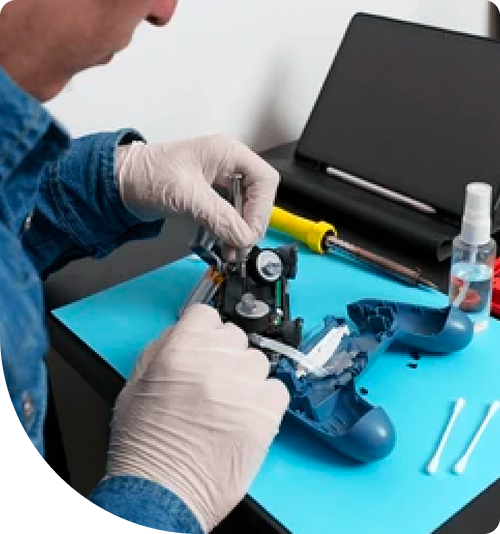
Professional PlayStation Repair Services In The Fix in Galleria at Tyler
PlayStation Won't Read Discs or Turn On in Riverside?
Gaming consoles are central to entertainment in countless Riverside homes. Whether you're playing the latest exclusive titles, streaming movies, or connecting with friends online, PlayStation systems deliver experiences that justify their premium price tags. But when hardware fails—blue light of death, overheating errors, or disc drive jams—your entertainment investment becomes useless.
When you need PlayStation Repair in Riverside, CA, our Galleria at Tyler location provides expert diagnostics and repairs. From PS4 issues to PS5 problems, we handle the technical challenges that interrupt your gaming sessions at 1299 Tyler St #1220, Riverside, CA 92503. Our technicians understand Sony's hardware architecture and use precision tools for board-level repairs.
Blue Light of Death and Power Supply Failures
The blue light of death—where the PS4 powers on showing a blue indicator but never reaches the home screen—frustrates countless users. This typically indicates the APU (Accelerated Processing Unit) isn't initializing properly. Causes range from corrupted system software to failed HDMI ports or damaged motherboard traces.
We begin diagnosis by testing the HDMI port with known-good cables and displays. If video output works, the issue is likely software-related and fixable through Safe Mode recovery. If no video appears, we examine the motherboard for damaged components using thermal imaging and multimeter testing.
PS5 power issues often trace to the internal power supply unit. The PS5 uses a high-wattage PSU that can fail from power surges or overheating. We test PSU voltage rails and replace faulty units with components that meet Sony's specifications.
Disc Drive Malfunctions and Laser Assembly Replacement
Disc read errors plague both PS4 and PS5 systems. The console fails to recognize discs, makes grinding noises, or displays "unrecognized disc" messages. The optical drive uses a laser assembly that reads data from Blu-ray discs. Over time, the laser's intensity weakens or the tracking mechanism becomes misaligned.
Replacing the laser involves disassembling the optical drive, removing the old laser assembly, and installing a calibrated replacement. The drive's logic board must recognize the new laser, which sometimes requires firmware updates or component pairing.
PS5 disc drives present unique challenges because Sony pairs them to the console's motherboard for security. Replacing a PS5 disc drive requires transferring the ROM chip from the old drive to the new one—a delicate microsoldering process.
Overheating and Cooling System Maintenance
PlayStation consoles generate substantial heat during gameplay. The PS4 and PS5 use vapor chamber cooling systems with large heatsinks and high-RPM fans. When dust clogs these systems—common in Riverside's desert climate—temperatures soar, causing the console to shut down mid-game to prevent damage.
We disassemble the cooling assembly, remove accumulated dust from heatsink fins and fan blades, and replace dried thermal paste on the APU. Thermal paste degrades over years of heat cycling, losing thermal conductivity. Fresh paste can reduce temperatures by 15-20°C under load.
After cleaning, we test the system under maximum load using demanding games. Proper cooling allows the CPU and GPU to maintain boost clock speeds, improving frame rates and reducing load times.
HDMI Port Damage and Video Output Problems
HDMI ports on PlayStation consoles are surprisingly fragile. Yanking cables out at angles, bumping the console while cables are connected, or using poor-quality cables can bend or break the internal pins. When pins fail, you'll see snow on screen, intermittent blackouts, or no video at all.
Port replacement requires microsoldering skills. We remove the damaged port using hot air and flux, clean the solder pads, and install a fresh port aligned perfectly with the case opening. After soldering, we test with multiple displays to verify stable video output at all supported resolutions.
Hard Drive Failures and Storage Upgrades
PlayStation hard drives fail like any mechanical storage device. Bad sectors develop, read/write heads fail, or the drive motor seizes. When your PS4 or PS5 displays "cannot start" errors or gets stuck in rebuild database loops, storage failure is likely.
We can replace failed hard drives with fresh units and reinstall system software. For PS4, this is straightforward—any standard 2.5" SATA drive works. PS5 uses a proprietary SSD that must meet Sony's speed specifications. We test replacement drives before installation to ensure they deliver the required read speeds.
Storage upgrades also improve performance. Replacing a PS4's mechanical hard drive with an SSD dramatically reduces load times. For PS5, installing an expanded M.2 SSD in the available slot provides additional capacity for larger game libraries.
Controller Issues and DualShock/DualSense Repairs
Worn analog sticks, sticky buttons, and drift issues affect both DualShock 4 and DualSense controllers. The analog stick modules use potentiometers that wear out over time, causing characters to move without input or preventing accurate aiming in shooters.
We replace worn analog stick modules with fresh components and calibrate them to eliminate dead zones. For sticky buttons, we disassemble controllers, clean contact pads with isopropyl alcohol, and replace damaged rubber membranes.
DualSense adaptive triggers present unique repair challenges. The complex mechanism that provides variable resistance can fail, causing triggers to feel mushy or become stuck. We stock replacement trigger assemblies and have the expertise to install them without damaging the haptic feedback motors.
Liquid Damage and Corrosion Repair
Spills near gaming setups happen more often than people admit. When liquid enters PlayStation consoles through ventilation openings, it can short circuit components or leave corrosive residues that cause delayed failures. If your console suffered liquid exposure in Riverside, CA 92503, do not power it on—this accelerates corrosion.
We use ultrasonic cleaning baths with specialized solutions to remove contaminants from motherboard traces and component pins. After cleaning, we inspect under magnification for corroded connections and replace damaged components. Early intervention significantly improves recovery chances.
Network Card and Wi-Fi Module Failures
When your PlayStation won't connect to Wi-Fi or experiences constant disconnections, the network card may have failed. These modules can be damaged by static discharge, power surges, or overheating. Wired Ethernet usually continues working when Wi-Fi fails, confirming the wireless module is faulty.
We replace failed network modules and test connectivity across multiple network configurations. For persistent issues after replacement, router settings or network congestion may be contributing factors we can help troubleshoot.
Why Professional Repair Beats DIY for Game Consoles
PlayStation consoles use security screws and hidden clips designed to discourage user repair. Online tutorials skip the failures—stripped screws, cracked plastic housing, torn ribbon cables. Sony uses non-standard fasteners requiring specific driver bits, and forcing things with improper tools causes permanent damage.
At 1299 Tyler St #1220, Riverside, CA, we have the correct tools, replacement parts, and experience to avoid these pitfalls. We also provide peace of mind with our work.
Protecting Your Console Long-Term
Position your PlayStation in open areas with adequate ventilation. Enclosed entertainment centers trap heat and accelerate component aging. Leave at least 4 inches of clearance on all sides for proper airflow.
Power down properly using the system menu rather than pulling the plug. Improper shutdowns can corrupt storage and damage system files. Use a UPS (uninterruptible power supply) if you experience frequent power fluctuations in Riverside—sudden voltage spikes damage power supply components.
Visit The Fix Today in Riverside
Don't let hardware issues keep you from your gaming library. Stop by our Galleria at Tyler location and let our team diagnose what's wrong with your PlayStation. We provide transparent pricing and honest recommendations at 1299 Tyler St #1220, Riverside, CA 92503.
Common Questions About PlayStation Repairs in Riverside
Q: Can you recover saved game data from a console that won't turn on?
A: Recovery depends on the specific failure. If the hard drive is intact but other components failed, we can extract the drive and retrieve data. However, PS4 and PS5 encrypt saves to the specific console, making data recovery impossible if the motherboard is damaged. PlayStation Plus cloud backup is the best protection against data loss from hardware failures.
Q: How long do PlayStation repairs typically take?
A: Simple repairs like disc drive cleaning or thermal paste replacement take 1-2 hours. Complex issues like HDMI port replacement or motherboard diagnostics may require 24-48 hours. We provide time estimates after initial diagnosis at our Riverside location and contact you before proceeding with any repair work.
Q: My PS5 shows a CE-108255-1 error code—what does this mean?
A: This error indicates corrupted system software or database issues. We start with software solutions like rebuilding the database or reinstalling system software. If errors persist after software recovery, the SSD may be failing and require replacement. Our diagnostic process at 1299 Tyler St #1220, Riverside, CA identifies whether the issue is software or hardware-related.
Other Locations Near By You
The Fix in Plaza Bonita
3030 Plaza Bonita Rd Ste 2075 National City, CA 91950
The Fix in Walmart Dinuba
770 W El Monte Way, Dinuba, CA 93618, United States
The Fix in Walmart Livermore
2700 Las Positas Rd, Livermore, CA 94551, United States
The Fix in Walmart Palm Springs
5601 Ramon Rd, Palm Springs, CA 92264, United States
The Fix in Westfield Culver City
6000 Sepulveda Blvd #2351, Culver City, CA 90230
The Fix in Walmart Lakewood
2770 E Carson St, Lakewood, CA 90712, United States
The Fix in Walmart Redding
1515 Dana Dr, Redding, CA 96003, United States
The Fix in Walmart Vista
1800 University Dr, Vista, CA 92083, United States
The Fix in Walmart Hesperia
13401 Main St inside Hesperia Walmart Hesperia 92345-9123 California
The Fix in Visalia Mall
2025 S. Mooney blvd., SPC# 1545, Visalia, CA 93277
Your local repair experts for every device
From iPhones to gaming laptops, The Fix in Riverside, CA is your one-stop shop for device repair. Quick turnarounds, affordable prices, and local experts you can trust

Phone Cases
Protect your device in style! At The Fix in Riverside, CA, we offer a wide selection of durable phone cases for all major brands—sleek designs that keep your phone safe and looking great.

Nintendo Switch Repair
Cracked Nintendo Switch screen? We repair Switch devices in Riverside, CA quickly and affordably. Fast, easy, and always with high-quality parts.

MacBook Repair
For broken screens, battery replacements, or other issues, The Fix in Riverside, CA provides quick MacBook repairs with premium parts.

Google Repair
Need your Google Pixel fixed? At The Fix in Riverside, CA, we repair cracked screens, charging issues, and more—always using high-quality parts for lasting results.

Tablet Repair
Whether your tablet screen is cracked or the battery won’t hold a charge, The Fix in Riverside, CA provides fast, affordable tablet repairs with free diagnostics.

Computer Repair
Need PC or desktop service in Riverside, CA? We provide free diagnostics and affordable repairs, always with high-quality parts.

Game Console Repair
From Nintendo Switch® to PlayStation and Xbox, The Fix in Riverside, CA repairs all major game consoles. Fast service and dependable results.

Laptop Repair
Got a broken laptop? The Fix In Riverside, CA, our team repairs most laptop brands and models using high-quality replacement parts.

iPad Repair
Need your iPad fixed? At The Fix in Riverside, CA, we repair cracked screens, charging issues, and more—always using high-quality parts for lasting results.

Cell Phone Repair
We repair all major phone brands in Riverside, CA. iPhone, Samsung, Google, and more—get your phone fixed fast.

iPhone Repair
Cracked screen? Battery draining too fast? Our team in Riverside, CA repairs iPhones with precision and high-quality parts to make your device feel new again.

Samsung Repair
Whether it’s a Galaxy screen replacement or a charging issue, The Fix in Riverside, CA offers fast and reliable Samsung repairs.

Xbox Repair
Xbox not working properly? Our team in Riverside, CA offers quick, reliable Xbox repairs with free diagnostics and high-quality replacement parts.


Trusted repair solution for mobile phones, tablets, gaming consoles, and computer systems. We provide fast, reliable, and affordable repair services to get your devices back in perfect working condition.
The Fix is an independent repair service provider and is not affiliated with, sponsored by, or endorsed by Apple Inc., Samsung Electronics, Google LLC, or any other device manufacturer. We use high-quality compatible replacement parts unless explicitly stated. All trademarks are property of their respective owners.


© Copyright The Fix Solutions All rights reserved 2026.
Design by Deepcoder