






Xbox Repair in The Fix in Willowbrook Mall (Store)
Is your Xbox giving you trouble? At The Fix in Houston, TX, we provide quick and reliable Xbox repairs. From HDMI port damage to overheating consoles, our technicians offer free diagnostics and use high-quality parts to get you back in the game fast.

Professional Xbox Repair Services
- HDMI Port Repair & Replacement
- Overheating & Fan Repair
- Controller & Stick Drift Repair
- Disc Drive Repair
- Power Supply Repair
- Software Troubleshooting & Updates
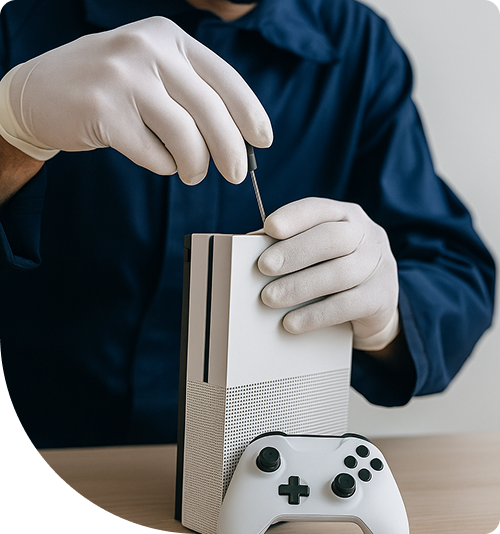
Professional Xbox Repair Services In The Fix in Willowbrook Mall (Store)
Retimer Logic and MOSFET Regulation: Precision Xbox Repair in Houston, TX
For the gaming communities in Klein and Spring, and the families residing near Tomball, the Xbox Series X and S are not merely toys; they are sophisticated x86-based computers optimized for graphical throughput. With architectures mirroring high-end gaming PCs, these consoles rely on precise voltage regulation and high-speed signal timing. When they fail, the issue is rarely as simple as a loose cable.
For gamers requiring Xbox Repair in Houston, TX, our dedicated storefront at 2000 Willowbrook Mall, Ste 1536, provides the laboratory environment necessary for board-level diagnostics. We look past the obvious symptoms to identify the microscopic electronic failures that prevent the system from booting or outputting 4K video.
The HDMI "Retimer" Chip Failure
The Technical Insight: A common scenario: The Xbox turns on (the logo light glows), but the TV displays "No Signal." You replace the HDMI port, but the screen remains black. The Store Reality: The HDMI port is just the physical connector. Behind it sits a specialized control chip known as the HDMI Retimer (NB7N625M or similar). This chip boosts and times the signal for 4K/120Hz output. Static electricity from carpeted floors or "hot-swapping" cables (plugging them in while the TV is on) can send a surge that bypasses the port and burns out this Retimer chip. In our store, we use hot-air rework stations to desolder the fried BGA chip and install a new one, restoring the video signal chain at the source.
12V Rail Short Circuits (The "Instant Off")
The Technical Insight: You press the power button. The Xbox chimes, lights up for one second, and then immediately shuts down. The Store Reality: This is the system's Over-Current Protection (OCP) kicking in. It detects a "Dead Short" on the main 12V Power Rail. Usually, a ceramic capacitor or a MOSFET (Metal-Oxide-Semiconductor Field-Effect Transistor) in the power regulation circuit has failed, dumping power to ground. We inject low voltage into the board and use thermal imaging cameras to spot the exact component glowing hot. By surgically replacing that single $2 capacitor, we save the console from being written off as "dead."
Southbridge Chipset and Controller Sync
The Technical Insight: The console boots fine, but it refuses to sync with any controller wirelessly. Pressing the sync button does nothing. Also, the USB ports might be unresponsive. The Store Reality: The Southbridge Chipset handles all Input/Output (I/O) communication (USB, Wi-Fi, Bluetooth). If this large BGA chip fails—often due to thermal stress or aging—the console's "brain" is cut off from its peripherals. We perform a complex BGA Rework, lifting the Southbridge chip, cleaning the motherboard pads, and soldering a new chipset. This restores the communication hub of the device.
Proprietary SSD and Partition Management
The Technical Insight: On Series X/S consoles, the "Green Screen of Death" or "E100/E101/E102" update errors often indicate storage failure. Unlike older generations, you cannot simply plug in any off-the-shelf NVMe drive. The Store Reality: The internal SSD uses a specific partition layout and proprietary security sector. If the drive fails, simply swapping it will result in a non-working console. We utilize advanced cloning hardware and partition management software to configure compatible Western Digital (SN530/550 series) drives to match the Xbox’s unique file structure, allowing the operating system to install and update correctly.
Optical Drive PCB Transplantation
The Technical Insight: The disc drive accepts a disc but makes a grinding noise, or reads DVDs but fails to recognize Game Discs (Blu-ray). The Store Reality: The laser lens (typically a dual-diode setup) wears out over time. However, you cannot just replace the entire metal drive unit because the drive's circuit board (PCB) is "married" to the motherboard via an encrypted key. We disassemble the drive mechanism and perform a PCB Transplant. We desolder the motor and sensor wires to move your original, paired circuit board onto a brand-new mechanical drive chassis. This retains the security pairing while giving you a fresh laser and roller system.
Thermal Paste Pump-Out and APU Cooling
The Technical Insight: The fan ramps up to maximum speed instantly, sounding like a vacuum cleaner, and the console shuts down during gameplay. The Store Reality: Microsoft uses a thick thermal compound at the factory. Over years of heating and cooling cycles, this paste suffers from "Pump-Out," where it is pushed to the edges of the processor, leaving the center bare. Cleaning the dust isn't enough. We remove the X-Clamp tensioner, clean the APU die, and apply high-performance, high-viscosity thermal paste (like Arctic MX-6 or equivalent). This restores efficient heat transfer from the silicon to the vapor chamber, keeping the console silent and cool.
Advanced Xbox Q&A
Q: Can I use an external hard drive for Series X|S games? A: You can use a standard USB hard drive to store Series X|S games, but you cannot play them from it. The transfer speed of USB 3.0 is too slow for the "Velocity Architecture" of next-gen games. To play them, you must move them to the internal SSD or buy the proprietary Expansion Card that slots into the back.
Q: Why is my Xbox stuck on the "Troubleshoot" screen after an update? A: This usually happens when the update process is interrupted (power loss) or the internal hard drive has developed bad sectors. We can attempt an "Offline System Update" (OSU) via USB. If that fails, it confirms the hard drive is physically damaged and requires replacement.
Q: Do you repair the Elite Series 2 controllers? A: Yes. The Elite Series 2 suffers from bumper (LB/RB) failure and stick drift. The bumpers use a tiny tactile switch that collapses. We desolder the broken switch and solder in a new, reinforced tactile switch. We also replace the analog stick modules to fix drift, which is much cheaper than buying a new $180 controller.
Other Locations Near By You
The Fix in Walmart Carrollton
1213 E Trinity Mls Rd, Carrollton, TX 75006, United States
The Fix in Walmart Lubbock
702 W Loop 289 Acc Rd, Lubbock, TX 79416, United States
The Fix in South Plains Mall
6002 Slide Rd, Lubbock, TX 79414
The Fix in Walmart North Richland Hills
6401 NE Loop 820, North Richland Hills, TX 76180, United States
The Fix in Walmart The Colony
4691 State Hwy 121, The Colony, TX 75056, United States
The Fix in South Park Mall San Antonio
2310 SW Military Dr. Suite 118 San Antonio, TX 78224
The Fix in Walmart Odessa
2450 NW Loop 338 State Rte W, Odessa, TX 79763, United States
The Fix in Walmart La Porte
9025 Spencer Hwy, La Porte, TX 77571, United States
The Fix in Baybrook Mall
500 Baybrook Mall #1079, Friendswood, TX 77546, United States
The Fix in Walmart Humble
9235 N Sam Houston Pkwy E, Humble, TX 77396, United States
Your local repair experts for every device
From iPhones to gaming laptops, The Fix in Houston, TX is your one-stop shop for device repair. Quick turnarounds, affordable prices, and local experts you can trust

Phone Cases
Protect your device in style! At The Fix in Houston, TX, we offer a wide selection of durable phone cases for all major brands—sleek designs that keep your phone safe and looking great.

Nintendo Switch Repair
Cracked Nintendo Switch screen? We repair Switch devices in Houston, TX quickly and affordably. Fast, easy, and always with high-quality parts.

MacBook Repair
For broken screens, battery replacements, or other issues, The Fix in Houston, TX provides quick MacBook repairs with premium parts.

PlayStation Repair
Is your PlayStation giving you trouble? At The Fix in Houston, TX, we handle PlayStation repairs with care and quality parts—no long waits, no hassle.

Google Repair
Need your Google Pixel fixed? At The Fix in Houston, TX, we repair cracked screens, charging issues, and more—always using high-quality parts for lasting results.

Tablet Repair
Whether your tablet screen is cracked or the battery won’t hold a charge, The Fix in Houston, TX provides fast, affordable tablet repairs with free diagnostics.

Computer Repair
Need PC or desktop service in Houston, TX? We provide free diagnostics and affordable repairs, always with high-quality parts.

Game Console Repair
From Nintendo Switch® to PlayStation and Xbox, The Fix in Houston, TX repairs all major game consoles. Fast service and dependable results.

Laptop Repair
Got a broken laptop? The Fix In Houston, TX, our team repairs most laptop brands and models using high-quality replacement parts.

iPad Repair
Need your iPad fixed? At The Fix in Houston, TX, we repair cracked screens, charging issues, and more—always using high-quality parts for lasting results.

Cell Phone Repair
We repair all major phone brands in Houston, TX. iPhone, Samsung, Google, and more—get your phone fixed fast.

iPhone Repair
Cracked screen? Battery draining too fast? Our team in Houston, TX repairs iPhones with precision and high-quality parts to make your device feel new again.

Samsung Repair
Whether it’s a Galaxy screen replacement or a charging issue, The Fix in Houston, TX offers fast and reliable Samsung repairs.


Trusted repair solution for mobile phones, tablets, gaming consoles, and computer systems. We provide fast, reliable, and affordable repair services to get your devices back in perfect working condition.
The Fix is an independent repair service provider and is not affiliated with, sponsored by, or endorsed by Apple Inc., Samsung Electronics, Google LLC, or any other device manufacturer. We use high-quality compatible replacement parts unless explicitly stated. All trademarks are property of their respective owners.


© Copyright The Fix Solutions All rights reserved 2026.
Design by Deepcoder