






Laptop Repair in The Fix in Willowbrook Mall (Store)
Broken laptop slowing you down? At The Fix in Houston, TX, we repair all major laptop brands and models. From cracked screens to battery issues, our technicians provide fast, affordable service with free diagnostics and high-quality parts.

Professional Laptop Repair Services
- Screen Repair & Replacement
- Battery Replacement
- Water Damage Repair
- Keyboard & Trackpad Repair
- Charging Port Repair
- Overheating & Fan Repair
- Hard Drive / SSD Replacement & Data Recovery
- Software Troubleshooting & Recovery
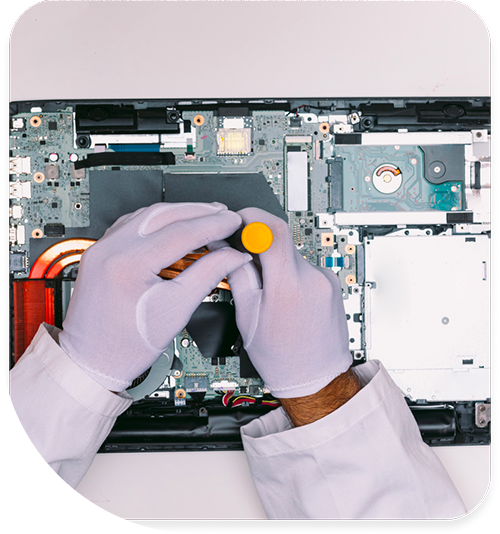
Professional Laptop Repair Services In The Fix in Willowbrook Mall (Store)
The Longevity Paradox: Separating Laptop Myths from Engineering Truths in Houston, TX
In the professional hubs surrounding Vintage Park and the home offices of the Cypress Creek community, a laptop is a long-term investment. Whether it is a Precision workstation for CAD design or a MacBook Pro for video editing, these machines are designed to last. However, misinformation often leads users to retire perfectly capable machines prematurely or, conversely, to throw money at upgrades that won't solve the underlying issue.
For residents seeking Laptop Repair in Houston, TX, navigating the technical landscape requires separating marketing fluff from hardware reality. At our dedicated store at 2000 Willowbrook Mall, Ste 1536, we focus on component-level diagnostics to reveal the true health of your machine, saving you from the "disposable tech" cycle.
Myth 1: "My computer is slow; I need to buy more RAM."
The Engineering Reality: The Storage Throughput Bottleneck
When a laptop feels sluggish—taking forever to boot or open Chrome—the instinct is to double the RAM (Random Access Memory). The Truth: Adding RAM to a system running on an old mechanical Hard Disk Drive (HDD) is like putting a spoiler on a tractor; it doesn't make the engine faster. The bottleneck is the read/write speed of the drive. A mechanical HDD reads at ~100MB/s. A modern SATA SSD reads at ~500MB/s, and an NVMe SSD reads at ~3500MB/s. Replacing the drive with an SSD is the single most effective performance upgrade. We only recommend RAM upgrades after the storage bottleneck has been resolved.
Myth 2: "Blue Screens of Death (BSOD) are caused by viruses."
The Engineering Reality: Hardware Instability and Driver Conflicts
Users often panic when they see a Blue Screen, assuming they have been hacked, and pay for expensive antivirus software. The Truth: A BSOD is the operating system's safety mechanism to prevent data corruption when hardware misbehaves. 90% of the time, it is caused by a failing stick of RAM (generating bit-flip errors), an overheating GPU, or a corrupt device driver. Antivirus software cannot fix a physically failing memory module. We use "MemTest86" and distinct hardware stress tests to identify the specific component causing the crash, rather than selling software snake oil.
Myth 3: "If the screen is black, my data is gone."
The Engineering Reality: The Backlight Circuit vs. The Logic Board
A user presses the power button. The fans spin, the keyboard lights up, but the screen is pitch black. They assume the motherboard is dead and the computer is trash. The Truth: Often, the computer is fully functional, but the Backlight Circuit has failed. If you shine a flashlight at the screen, you can often see a faint image of your desktop. The image is being drawn, but the LEDs that illuminate it aren't receiving power due to a blown fuse or a shorted LVDS cable. In our store, we can repair this specific circuit or replace the screen panel, leaving your data completely untouched.
Myth 4: "Universal 'One-Size-Fits-All' chargers are safe."
The Engineering Reality: Voltage Ripple and Center-Pin Identification
When an original charger breaks, many users buy a cheap "Universal" brick from a convenience store. The Truth: Laptops, especially from brands like Dell and HP, use a "Smart Pin" technology (the tiny needle in the center of the plug) to identify the wattage of the charger. Cheap universal chargers often lack this signal or provide "dirty power" with high voltage ripple. This confuses the laptop's charging circuit (PMIC), causing it to throttle the CPU speed to its lowest setting (0.8GHz) as a safety precaution.
Myth 5: "Gaming laptops cool themselves efficiently."
The Engineering Reality: Thermal Paste Pump-Out
Gamers often believe that because their laptop has massive vents and loud fans, it is immune to overheating. The Truth: Laptop thermal cycles (heating up rapidly and cooling down) cause a phenomenon called "Pump-Out Effect," where the thermal paste is physically pushed out from between the CPU and the heatsink. After 1-2 years, the chip is essentially bare. The fans spin at 100%, but they are blowing cold air because the heat isn't transferring from the chip to the radiator. Periodic repasting with high-viscosity thermal compound is mandatory maintenance for gaming laptops to prevent permanent silicon degradation.
Myth 6: "Factory Reset fixes all errors."
The Engineering Reality: Bad Sectors and Physical Media Damage
When a drive starts clicking or files disappear, users often try to "Wipe and Reset" Windows, hoping for a fresh start. The Truth: You cannot software patch a physical scratch on a disk platter or a worn-out NAND cell on an SSD. A Factory Reset involves massive amounts of writing to the drive. If the drive is already failing, this intense workload is often the final nail in the coffin, killing the drive completely and making data recovery impossible. Diagnostics should always precede any attempt to reset the software.
In-Store Technical Q&A
Q: Can you upgrade the graphics card (GPU) in my laptop? A: In 99% of modern laptops, no. The GPU is a BGA (Ball Grid Array) chip soldered directly to the motherboard, not a removable card like in a desktop. To get better graphics performance, you typically need a new machine. However, for some models with Thunderbolt 3/4 ports, we can help you set up an eGPU (External GPU) enclosure to boost performance for stationary use.
Q: Is it worth fixing a broken hinge if the screen still works? A: Absolutely, and immediately. The hinge acts as the structural anchor for the antenna cables and the delicate video cable. If the hinge is broken, every time you open the lid, you are grinding these cables against sharp metal. Ignoring a broken hinge inevitably leads to a severed video cable (black screen) or snapped Wi-Fi antennas, doubling the cost of the eventual repair.
Q: My laptop says "No Boot Device Found." Did I lose everything? A: Not necessarily. This message just means the BIOS cannot start Windows. It could be a corrupt Master Boot Record (MBR) or EFI partition, which are software fixes. Even if the drive has failed, we offer in-store data recovery services to extract files to an external drive before installing a new SSD and operating system.
Other Locations Near By You
The Fix in Walmart Carrollton
1213 E Trinity Mls Rd, Carrollton, TX 75006, United States
The Fix in Walmart Lubbock
702 W Loop 289 Acc Rd, Lubbock, TX 79416, United States
The Fix in South Plains Mall
6002 Slide Rd, Lubbock, TX 79414
The Fix in Walmart North Richland Hills
6401 NE Loop 820, North Richland Hills, TX 76180, United States
The Fix in South Park Mall San Antonio
2310 SW Military Dr. Suite 118 San Antonio, TX 78224
The Fix in Walmart Odessa
2450 NW Loop 338 State Rte W, Odessa, TX 79763, United States
The Fix in Walmart La Porte
9025 Spencer Hwy, La Porte, TX 77571, United States
The Fix in Baybrook Mall
500 Baybrook Mall #1079, Friendswood, TX 77546, United States
The Fix in Walmart Humble
9235 N Sam Houston Pkwy E, Humble, TX 77396, United States
The Fix in Walmart Weatherford
1836 S Main St, Weatherford, TX 76086, United States
Your local repair experts for every device
From iPhones to gaming laptops, The Fix in Houston, TX is your one-stop shop for device repair. Quick turnarounds, affordable prices, and local experts you can trust

Phone Cases
Protect your device in style! At The Fix in Houston, TX, we offer a wide selection of durable phone cases for all major brands—sleek designs that keep your phone safe and looking great.

Nintendo Switch Repair
Cracked Nintendo Switch screen? We repair Switch devices in Houston, TX quickly and affordably. Fast, easy, and always with high-quality parts.

MacBook Repair
For broken screens, battery replacements, or other issues, The Fix in Houston, TX provides quick MacBook repairs with premium parts.

PlayStation Repair
Is your PlayStation giving you trouble? At The Fix in Houston, TX, we handle PlayStation repairs with care and quality parts—no long waits, no hassle.

Google Repair
Need your Google Pixel fixed? At The Fix in Houston, TX, we repair cracked screens, charging issues, and more—always using high-quality parts for lasting results.

Tablet Repair
Whether your tablet screen is cracked or the battery won’t hold a charge, The Fix in Houston, TX provides fast, affordable tablet repairs with free diagnostics.

Computer Repair
Need PC or desktop service in Houston, TX? We provide free diagnostics and affordable repairs, always with high-quality parts.

Game Console Repair
From Nintendo Switch® to PlayStation and Xbox, The Fix in Houston, TX repairs all major game consoles. Fast service and dependable results.

iPad Repair
Need your iPad fixed? At The Fix in Houston, TX, we repair cracked screens, charging issues, and more—always using high-quality parts for lasting results.

Cell Phone Repair
We repair all major phone brands in Houston, TX. iPhone, Samsung, Google, and more—get your phone fixed fast.

iPhone Repair
Cracked screen? Battery draining too fast? Our team in Houston, TX repairs iPhones with precision and high-quality parts to make your device feel new again.

Samsung Repair
Whether it’s a Galaxy screen replacement or a charging issue, The Fix in Houston, TX offers fast and reliable Samsung repairs.

Xbox Repair
Xbox not working properly? Our team in Houston, TX offers quick, reliable Xbox repairs with free diagnostics and high-quality replacement parts.


Trusted repair solution for mobile phones, tablets, gaming consoles, and computer systems. We provide fast, reliable, and affordable repair services to get your devices back in perfect working condition.
The Fix is an independent repair service provider and is not affiliated with, sponsored by, or endorsed by Apple Inc., Samsung Electronics, Google LLC, or any other device manufacturer. We use high-quality compatible replacement parts unless explicitly stated. All trademarks are property of their respective owners.


© Copyright The Fix Solutions All rights reserved 2026.
Design by Deepcoder