






Laptop Repair in The Fix in Walmart Tulalip
Broken laptop slowing you down? At The Fix in Marysville, WA, we repair all major laptop brands and models. From cracked screens to battery issues, our technicians provide fast, affordable service with free diagnostics and high-quality parts.

Professional Laptop Repair Services
- Screen Repair & Replacement
- Battery Replacement
- Water Damage Repair
- Keyboard & Trackpad Repair
- Charging Port Repair
- Overheating & Fan Repair
- Hard Drive / SSD Replacement & Data Recovery
- Software Troubleshooting & Recovery
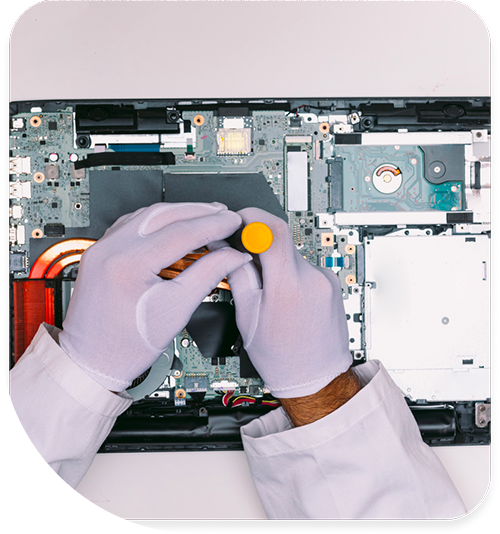
Professional Laptop Repair Services In The Fix in Walmart Tulalip
Laptop Repair in Marysville, WA: Troubleshooting the Symptoms You Can’t Ignore
We rely on our laptops for everything—from finishing homework at the Marysville Public Library to managing logistics for businesses near the Arlington Airport. Because these devices are portable, they are subjected to a life of vibration, impact, and fluctuating temperatures. Unlike a desktop that sits safely on a desk, a laptop is constantly fighting against physical wear.
At The Fix in Walmart Tulalip, we approach Laptop Repair in Marysville, WA with a diagnostic mindset. We know that a laptop rarely fails without giving you signs first. By recognizing these early symptoms, you can identify the underlying issue before it becomes a catastrophic failure. Here is a guide to what your computer is trying to tell you.
Symptom 1: The "Hinge Crunch"
The Observation: You open your laptop lid, and you hear a distinct popping or cracking sound near the spine. You might also notice the plastic bezel around the screen separating at the bottom corner.
The Diagnosis: This is structural failure, not just a cosmetic annoyance. Modern laptops often screw metal hinges into plastic mounts. Over time, the plastic weakens, and the metal anchors rip out. The Solution: Ignoring this inevitably leads to a severed display cable or a cracked screen. We disassemble the lid and replace the back cover assembly or use specialized structural epoxy to rebuild the anchor points, restoring the smooth friction required to hold the screen upright. The Prevention: Always open your laptop from the center of the lid, not the corner. Opening from the corner creates uneven leverage that twists the hinge mechanism.
Symptom 2: The "Positional Charging"
The Observation: Your laptop only charges if you hold the power cord at a specific, awkward angle. If you let go, it switches back to battery power.
The Diagnosis: This indicates a failure of the DC Jack (the charging port). Inside the port, the center pin may have detached, or the solder joints connecting the port to the motherboard have cracked due to stress. The Solution: This is a fire hazard due to electrical arcing. We perform a microsoldering repair to remove the damaged port and install a fresh, reinforced unit. This restores a solid electrical connection without the need for "wiggling." The Prevention: Avoid pulling the charging cord tight. Leave a "service loop" (slack) near the plug so that if you move the laptop, the tension pulls on the cord, not the internal port.
Symptom 3: The "Hot Keyboard"
The Observation: The palm rest feels uncomfortably warm, and the fan is spinning loudly even when you are just browsing the web or checking email.
The Diagnosis: Your cooling system is compromised. In the 98271 area, pet hair and household dust are the usual suspects. They form a "carpet" over the internal radiator (heatsink), trapping heat inside the chassis. The Solution: We open the device, remove the blockage, and crucially, replace the dried-out thermal paste on the processor. This lowers operating temperatures significantly, protecting the CPU from heat-induced throttling. The Prevention: Use your laptop on hard surfaces. Using it on a bed or blanket suffocates the intake vents, sucking fabric lint directly into the cooling fan.
Symptom 4: Sticky or Unresponsive Keys
The Observation: You type a sentence, but the "E" key requires a hard press to register, or the spacebar feels mushy.
The Diagnosis: This is often caused by debris (crumbs, sticky residue) under the scissor-switch mechanism or the degradation of the silicone membrane dome. The Solution: For individual keys, we can sometimes clean the mechanism. However, on modern ultra-thin laptops, the keyboard is a single riveted unit. If the membrane is torn, we replace the entire keyboard assembly to restore the tactile "click" response. The Prevention: Consider a thin silicone keyboard cover if you eat or drink near your device.
Q&A: Common Troubleshooting Queries
My screen is black but the power light is on. What is it? This is often a "No POST" (Power On Self Test) error. Connect your laptop to an external monitor or TV via HDMI. If the image appears on the TV, your laptop's LCD screen or video cable is broken. If no image appears on the TV, the issue is likely the motherboard or RAM.
I spilled coffee on my laptop. What do I do? Turn it off immediately. Do not put it in rice (rice dust damages components). Invert the laptop (keyboard facing down) on a towel and bring it to us ASAP. The sugar in coffee is corrosive; we need to chemically clean the board before the corrosion eats the copper traces.
Why does my battery only last 30 minutes? Lithium-ion batteries are consumable. After 300-500 charge cycles, they lose chemical capacity. We can read the "cycle count" from the battery's firmware to confirm if it needs replacement.
Conclusion
A laptop is a complex integration of mechanical hinges, thermal systems, and sensitive electronics. Ignoring a cracking hinge or a hot fan usually leads to more expensive repairs down the road. If your device is showing any of these symptoms, bring it to 8924 Quil Ceda Blvd, Marysville, WA 98271 inside Walmart. We will diagnose the root cause and provide the practical fix you need to get back to work.
Other Locations Near By You
The Fix in Walmart Poulsbo
21200 Olhava Way NW, Poulsbo, WA 98370, United States
The Fix in Kitsap Mall WA
10315 Silverdale Way NW Silverdale 98383 WA
Your local repair experts for every device
From iPhones to gaming laptops, The Fix in Marysville, WA is your one-stop shop for device repair. Quick turnarounds, affordable prices, and local experts you can trust

Phone Cases
Protect your device in style! At The Fix in Marysville, WA, we offer a wide selection of durable phone cases for all major brands—sleek designs that keep your phone safe and looking great.

Nintendo Switch Repair
Cracked Nintendo Switch screen? We repair Switch devices in Marysville, WA quickly and affordably. Fast, easy, and always with high-quality parts.

MacBook Repair
For broken screens, battery replacements, or other issues, The Fix in Marysville, WA provides quick MacBook repairs with premium parts.

PlayStation Repair
Is your PlayStation giving you trouble? At The Fix in Marysville, WA, we handle PlayStation repairs with care and quality parts—no long waits, no hassle.

Google Repair
Need your Google Pixel fixed? At The Fix in Marysville, WA, we repair cracked screens, charging issues, and more—always using high-quality parts for lasting results.

Tablet Repair
Whether your tablet screen is cracked or the battery won’t hold a charge, The Fix in Marysville, WA provides fast, affordable tablet repairs with free diagnostics.

Computer Repair
Need PC or desktop service in Marysville, WA? We provide free diagnostics and affordable repairs, always with high-quality parts.

Game Console Repair
From Nintendo Switch® to PlayStation and Xbox, The Fix in Marysville, WA repairs all major game consoles. Fast service and dependable results.

iPad Repair
Need your iPad fixed? At The Fix in Marysville, WA, we repair cracked screens, charging issues, and more—always using high-quality parts for lasting results.

Cell Phone Repair
We repair all major phone brands in Marysville, WA. iPhone, Samsung, Google, and more—get your phone fixed fast.

iPhone Repair
Cracked screen? Battery draining too fast? Our team in Marysville, WA repairs iPhones with precision and high-quality parts to make your device feel new again.

Samsung Repair
Whether it’s a Galaxy screen replacement or a charging issue, The Fix in Marysville, WA offers fast and reliable Samsung repairs.

Xbox Repair
Xbox not working properly? Our team in Marysville, WA offers quick, reliable Xbox repairs with free diagnostics and high-quality replacement parts.


Trusted repair solution for mobile phones, tablets, gaming consoles, and computer systems. We provide fast, reliable, and affordable repair services to get your devices back in perfect working condition.
The Fix is an independent repair service provider and is not affiliated with, sponsored by, or endorsed by Apple Inc., Samsung Electronics, Google LLC, or any other device manufacturer. We use high-quality compatible replacement parts unless explicitly stated. All trademarks are property of their respective owners.


© Copyright The Fix Solutions All rights reserved 2026.
Design by Deepcoder