






Xbox Repair in The Fix in Walmart Tulalip
Is your Xbox giving you trouble? At The Fix in Marysville, WA, we provide quick and reliable Xbox repairs. From HDMI port damage to overheating consoles, our technicians offer free diagnostics and use high-quality parts to get you back in the game fast.

Professional Xbox Repair Services
- HDMI Port Repair & Replacement
- Overheating & Fan Repair
- Controller & Stick Drift Repair
- Disc Drive Repair
- Power Supply Repair
- Software Troubleshooting & Updates
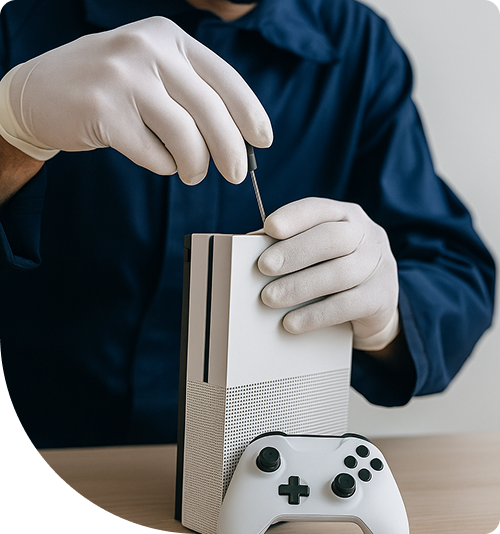
Professional Xbox Repair Services In The Fix in Walmart Tulalip
Xbox Repair in Marysville, WA: Separating Hardware Myths from Engineering Reality
When an Xbox Series X or One fails, the internet is quick to offer "hacks" and "quick fixes." Forums are filled with advice ranging from wrapping the console in towels to drilling holes in the case for better airflow. But for gamers in the 98271 zip code, relying on these myths often transforms a minor repairable fault into a permanent motherboard failure.
At The Fix in Walmart Tulalip, we approach Xbox Repair in Marysville, WA with a strict analytical framework. We don't guess; we test. By comparing popular misconceptions against the electrical and mechanical realities of the console, we can guide you toward the solution that offers the best long-term value for your setup. Let’s debunk the most dangerous myths circulating in the gaming community.
Myth 1: "The Green Screen of Death is Just a Software Glitch"
The Scenario: Your console boots up, hangs on the green Xbox logo, and eventually throws an E102 or E105 error code. The Myth: "I just need to factory reset the console or update the offline system files, and it will be fine." The Engineering Reality: While a factory reset might temporarily bypass the error, E102 is almost statistically assures to be a physical failure of the internal Hard Disk Drive (HDD). The Xbox OS constantly writes cache data to the drive. Over time, mechanical sectors on the platter fail.
- The Trade-Off: You can try a reset (Free), which usually results in the error returning within weeks, often resulting in lost save data.
- The Solution: We replace the mechanical HDD with a high-speed Solid State Drive (SSD). This not only resolves the error permanently but drastically reduces load times for games like Starfield or Forza, offering a tangible performance upgrade over the stock configuration.
Myth 2: "No Video Signal Means a Broken HDMI Port"
The Scenario: The console turns on (white light), but the TV says "No Signal." The Myth: "The HDMI port is loose. I just need to wiggle it or prop it up." The Engineering Reality: We analyze the physical port first. If the pins look perfect, the issue is likely the HDMI Retimer Chip (specifically the TDP158 on One X or the equivalent on Series consoles). This chip acts as a signal booster between the APU and the port. It is notoriously sensitive to "hot plugging" (plugging in the HDMI cable while the TV or console is on).
- The Comparison: Replacing the port (if damaged) is a structural repair. Replacing the Retimer chip is a logic board repair requiring microsoldering.
- The Verdict: Wiggling the cable when the chip is dead does nothing but potentially damage the physical port, doubling the repair cost. A proper diagnosis distinguishes between a mechanical break and an electronic short.
Myth 3: "I Can Just Swap the Disc Drive from Another Xbox"
The Scenario: Your disc drive stops reading games or makes a grinding noise. The Myth: "I’ll buy a cheap broken Xbox on eBay, take the drive out, and put it in mine." The Engineering Reality: Microsoft implements a strict "handshake" protocol between the motherboard and the optical drive board. They are cryptographically paired. If you simply swap the drives, the console will play DVDs but will refuse to play game discs.
- The Workaround: To install a new drive, we must physically remove the logic board (PCB) from your old broken drive and solder it into the new drive mechanism.
- The Analysis: This is a complex procedure. Unless you are comfortable soldering delicate ribbon cable connectors, a "simple swap" will render your physical game library useless.
Myth 4: "It’s Overheating because the Fan is Weak"
The Scenario: The console sounds like a jet engine and shuts down during gameplay. The Myth: "I need to buy an aftermarket external cooling fan to blow more air in." The Engineering Reality: External intercooler fans often disrupt the engineered airflow path designed by Microsoft, creating turbulence that traps heat rather than extracting it. The root cause is rarely the fan speed; it is the thermal compound.
- The Status Quo: The factory thermal paste dries out into a chalky substance after 2-3 years, losing its ability to transfer heat to the vapor chamber.
- The Upgrade: We remove the old paste and apply premium, high-conductivity thermal interface material. This lowers the core temperature by 10-15 degrees Celsius, allowing the stock fan to run quietly and efficiently without gimmicky add-ons.
Q&A: Analyzing Repair Value
Is it worth fixing an Xbox One S vs upgrading to a Series S? It depends on your library. If you have a massive collection of physical discs, repairing the One S (which has a disc drive) is valuable because the Series S is digital-only. However, if the repair cost approaches 50% of the cost of a used Series S, we will honestly advise you to upgrade.
Why does my controller drift even after cleaning? Cleaning only removes external dust. "Stick drift" is caused by the internal wear of the graphite tracks inside the potentiometer. The comparison here is cleaning a worn-out tire vs. replacing it. We replace the entire joystick module for a "like-new" dead zone response.
My Xbox won't turn on after a storm. Is it the power cord? Rarely. The Xbox has internal surge protection circuitry. Usually, a capacitor inside the internal Power Supply Unit (PSU) or a MOSFET on the mainboard 12V rail has sacrificed itself to save the processor. We can test the rails to see if it's a PSU swap or a board repair.
Conclusion
In the world of electronics, assumptions are expensive. Treating a hard drive failure like a software glitch or a chip failure like a loose cable leads to frustration and wasted time. At The Fix, we rely on schematics and multimeters, not myths. Bring your console to 8924 Quil Ceda Blvd, Marysville, WA 98271 inside Walmart. We will provide a transparent comparison of your repair options, ensuring you make the decision that makes the most sense for your gaming budget.
Other Locations Near By You
The Fix in Walmart Poulsbo
21200 Olhava Way NW, Poulsbo, WA 98370, United States
The Fix in Kitsap Mall WA
10315 Silverdale Way NW Silverdale 98383 WA
Your local repair experts for every device
From iPhones to gaming laptops, The Fix in Marysville, WA is your one-stop shop for device repair. Quick turnarounds, affordable prices, and local experts you can trust

Phone Cases
Protect your device in style! At The Fix in Marysville, WA, we offer a wide selection of durable phone cases for all major brands—sleek designs that keep your phone safe and looking great.

Nintendo Switch Repair
Cracked Nintendo Switch screen? We repair Switch devices in Marysville, WA quickly and affordably. Fast, easy, and always with high-quality parts.

MacBook Repair
For broken screens, battery replacements, or other issues, The Fix in Marysville, WA provides quick MacBook repairs with premium parts.

PlayStation Repair
Is your PlayStation giving you trouble? At The Fix in Marysville, WA, we handle PlayStation repairs with care and quality parts—no long waits, no hassle.

Google Repair
Need your Google Pixel fixed? At The Fix in Marysville, WA, we repair cracked screens, charging issues, and more—always using high-quality parts for lasting results.

Tablet Repair
Whether your tablet screen is cracked or the battery won’t hold a charge, The Fix in Marysville, WA provides fast, affordable tablet repairs with free diagnostics.

Computer Repair
Need PC or desktop service in Marysville, WA? We provide free diagnostics and affordable repairs, always with high-quality parts.

Game Console Repair
From Nintendo Switch® to PlayStation and Xbox, The Fix in Marysville, WA repairs all major game consoles. Fast service and dependable results.

Laptop Repair
Got a broken laptop? The Fix In Marysville, WA, our team repairs most laptop brands and models using high-quality replacement parts.

iPad Repair
Need your iPad fixed? At The Fix in Marysville, WA, we repair cracked screens, charging issues, and more—always using high-quality parts for lasting results.

Cell Phone Repair
We repair all major phone brands in Marysville, WA. iPhone, Samsung, Google, and more—get your phone fixed fast.

iPhone Repair
Cracked screen? Battery draining too fast? Our team in Marysville, WA repairs iPhones with precision and high-quality parts to make your device feel new again.

Samsung Repair
Whether it’s a Galaxy screen replacement or a charging issue, The Fix in Marysville, WA offers fast and reliable Samsung repairs.


Trusted repair solution for mobile phones, tablets, gaming consoles, and computer systems. We provide fast, reliable, and affordable repair services to get your devices back in perfect working condition.
The Fix is an independent repair service provider and is not affiliated with, sponsored by, or endorsed by Apple Inc., Samsung Electronics, Google LLC, or any other device manufacturer. We use high-quality compatible replacement parts unless explicitly stated. All trademarks are property of their respective owners.


© Copyright The Fix Solutions All rights reserved 2026.
Design by Deepcoder