






Tablet Repair in The Fix in Walmart The Colony
Cracked screen or charging issues slowing you down? At The Fix in The Colony, TX, we repair all major tablet brands, including Samsung, Lenovo, Huawei, and more. With free diagnostics and high-quality parts, we make it easy to get your tablet working like new.

Professional Tablet Repair Services
- Screen Repair & Replacement
- Battery Replacement
- Water Damage Repair
- Charging Port Repair
- Camera Repair
- Speaker & Microphone Repair
- Software Troubleshooting & Recovery
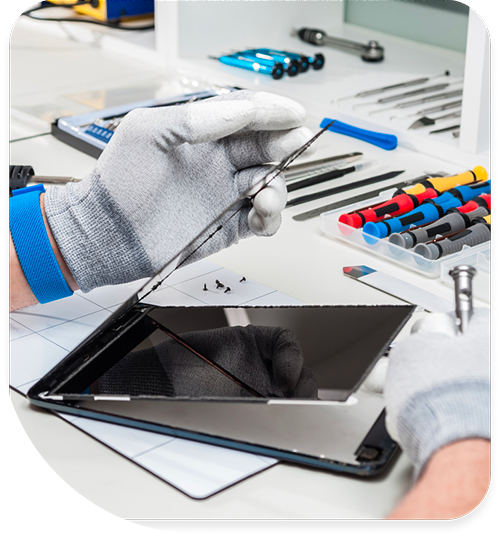
Professional Tablet Repair Services In The Fix in Walmart The Colony
Tablet Repair in The Colony, TX: Why Charging Port Failure Looks Like a Battery Problem
Tablets in Colony households serve as shared screens — kids using them for school on The Colony High School's learning platforms, parents streaming content on the couch, family members passing them across the living room for different purposes throughout the day. That shared-use pattern means the charging cable gets inserted and removed more times per week than a single-user device would accumulate, and the USB-C or Lightning port's contact springs experience that mechanical cycling continuously. When the port begins to fail, it looks exactly like a battery problem — the tablet won't charge, or charges inconsistently — which leads to the wrong repair.
Confirming whether the charging port or the battery is the actual failure saves Colony households from replacing the wrong component. tablet repair in The Colony, TX starts with that diagnosis rather than assuming the cause before the component is tested.
The First Warning
USB-C and Lightning port contacts lose spring tension gradually from repeated cable insertions. Each connection compresses the internal contact springs slightly; each removal allows them to extend back. Over hundreds of cycles, the spring metal fatigues and the extension decreases — the contacts no longer grip the cable connector with the same tension they had when new. The first behavioral signal is a cable that needs to be held at a specific angle or positioned precisely to initiate charging. The tablet will charge at one orientation but not another, or begins charging when seated and stops when moved slightly. Colony families often interpret this as a cable problem and try multiple cables before recognizing that every cable behaves the same way.
Lewisville Lake's biological particulate — the fine mineral sand, dried algae, and organic debris that the lake's shore winds carry across the 75056 area — compacts into open tablet ports in bags and on surfaces near the waterfront. Colony families who use tablets outdoors near Memorial Park or during lake outings accumulate this biological particulate in USB-C ports faster than households that keep their tablets exclusively indoors. Compacted debris sits between the cable connector and the contact springs, preventing full electrical contact and producing the same angle-dependent charging behavior as worn contact springs. The distinction matters for diagnosis: debris compaction can be resolved with cleaning; worn springs require port replacement.
What Comes After
Charging inconsistency that goes unaddressed leads to battery behavior that looks like battery failure but is actually a consequence of incomplete charging cycles. A tablet that only reaches 70 or 80 percent charge before the cable disconnects — or that charges intermittently across a six-hour overnight period — is cycling the battery through a pattern that accelerates degradation. Lithium cells that don't complete full charge cycles develop capacity inconsistency — the battery management system loses accurate calibration of the actual usable capacity, and the displayed percentage becomes unreliable. Colony users who notice the battery reading dropping unpredictably are often seeing this calibration drift, not actual cell degradation.
Screen damage risk increases when a tablet is propped against a charging cable in a fixed position to maintain charging contact. Colony households who discover that the only way to keep the tablet charging is to prop the cable at a specific angle against a book or nightstand edge are applying consistent lateral force to the port. That force, applied for hours during overnight charging sessions, stresses the solder joints anchoring the port to the tablet's main board. Solder joint fatigue produces intermittent electrical connection rather than a clean break — the port may work fine one morning and refuse to charge the next, without any new impact or handling event.
Cracked screen damage from the tablet being knocked out of a propped charging position adds a third failure mode. A tablet positioned on its edge against a nightstand or propped against a pillow at an angle that maintains cable contact is structurally unstable. Colony households with children are particularly familiar with the overnight tablet-on-charger scenario that ends with the device on the floor at a corner angle. A port that requires this kind of propping arrangement is already in a failure stage that has introduced screen risk — the stable solution is addressing the port so the tablet can charge flat and safe.
The Breaking Point
A tablet that cannot reliably charge — regardless of whether the cause is debris, worn contacts, or failed solder joints — is a device in accelerating decline. Battery calibration drift produces unreliable charge readings. The battery itself begins to accumulate the degradation from incomplete cycles. Once the battery has degraded past reliable function, both the port and the battery require service in the same visit. Addressing the port at the first-sign stage — when the cable needs specific positioning but still charges — keeps the repair to a single component.
Port cleaning and port replacement are both handled at The Fix, with diagnosis confirming which is appropriate before any work begins. When Colony residents need tablet repair in The Colony, the technicians at 4691 State Hwy 121 test the charging circuit, the port contact function, and the battery capacity to determine which components are actually failing.
Field Notes from The Colony
My tablet charges fine with one cable but not another. Is that a port problem or a cable problem?
If the tablet charges with one cable but not another, and both cables are USB-C or both are Lightning, the cable itself is the likely variable — different cables have slightly different connector tolerances, and a port with early contact wear may respond to them differently. Try the working cable on another device to confirm it works normally. If multiple cables of the same type produce the same angle-dependent behavior, the port's contact springs are the common variable. The Fix tests the port function with a known-good cable before diagnosing worn contacts.
How does Lewisville Lake's biological debris affect tablet charging ports?
The fine mineral sand, dried algae, and organic particulate that Lewisville Lake's shore winds deposit across the 75056 area enters open USB-C ports in bags, backpacks, and on outdoor surfaces. This biological material compacts into the port gap over time and sits between the cable connector and the charging contacts, reducing or blocking electrical connection. Unlike typical pocket lint, lake-origin particulate is slightly mineral-dense and can resist partial cleaning attempts. The Fix uses precision tools to remove compacted debris from the full depth of the port before assessing whether the contact springs themselves need replacement.
Is it worth repairing a tablet's charging port or should I replace the device?
Port replacement is one of the most cost-effective tablet repairs because the port is a discrete, replaceable component and the fix fully restores charging function. For a tablet with a functional display, working battery, and otherwise intact hardware, port replacement extends useful life at a fraction of any replacement cost. The calculation changes if the battery has simultaneously degraded from incomplete charging cycles — but even combined port and battery service costs significantly less than a new iPad or Samsung tablet. The Fix at 4691 State Hwy 121, The Colony, TX 75056 assesses both components before recommending repair scope.
Other Locations Near By You
The Fix in Walmart Carrollton
1213 E Trinity Mls Rd, Carrollton, TX 75006, United States
The Fix in Walmart Lubbock
702 W Loop 289 Acc Rd, Lubbock, TX 79416, United States
The Fix in South Plains Mall
6002 Slide Rd, Lubbock, TX 79414
The Fix in Walmart North Richland Hills
6401 NE Loop 820, North Richland Hills, TX 76180, United States
The Fix in South Park Mall San Antonio
2310 SW Military Dr. Suite 118 San Antonio, TX 78224
The Fix in Walmart Odessa
2450 NW Loop 338 State Rte W, Odessa, TX 79763, United States
The Fix in Walmart La Porte
9025 Spencer Hwy, La Porte, TX 77571, United States
The Fix in Baybrook Mall
500 Baybrook Mall #1079, Friendswood, TX 77546, United States
The Fix in Walmart Humble
9235 N Sam Houston Pkwy E, Humble, TX 77396, United States
The Fix in Walmart Weatherford
1836 S Main St, Weatherford, TX 76086, United States
Your local repair experts for every device
From iPhones to gaming laptops, The Fix in The Colony, TX is your one-stop shop for device repair. Quick turnarounds, affordable prices, and local experts you can trust

Phone Cases
Protect your device in style! At The Fix in The Colony, TX, we offer a wide selection of durable phone cases for all major brands—sleek designs that keep your phone safe and looking great.

Nintendo Switch Repair
Cracked Nintendo Switch screen? We repair Switch devices in The Colony, TX quickly and affordably. Fast, easy, and always with high-quality parts.

MacBook Repair
For broken screens, battery replacements, or other issues, The Fix in The Colony, TX provides quick MacBook repairs with premium parts.

PlayStation Repair
Is your PlayStation giving you trouble? At The Fix in The Colony, TX, we handle PlayStation repairs with care and quality parts—no long waits, no hassle.

Google Repair
Need your Google Pixel fixed? At The Fix in The Colony, TX, we repair cracked screens, charging issues, and more—always using high-quality parts for lasting results.

Computer Repair
Need PC or desktop service in The Colony, TX? We provide free diagnostics and affordable repairs, always with high-quality parts.

Game Console Repair
From Nintendo Switch® to PlayStation and Xbox, The Fix in The Colony, TX repairs all major game consoles. Fast service and dependable results.

Laptop Repair
Got a broken laptop? The Fix In The Colony, TX, our team repairs most laptop brands and models using high-quality replacement parts.

iPad Repair
Need your iPad fixed? At The Fix in The Colony, TX, we repair cracked screens, charging issues, and more—always using high-quality parts for lasting results.

Cell Phone Repair
We repair all major phone brands in The Colony, TX. iPhone, Samsung, Google, and more—get your phone fixed fast.

iPhone Repair
Cracked screen? Battery draining too fast? Our team in The Colony, TX repairs iPhones with precision and high-quality parts to make your device feel new again.

Samsung Repair
Whether it’s a Galaxy screen replacement or a charging issue, The Fix in The Colony, TX offers fast and reliable Samsung repairs.

Xbox Repair
Xbox not working properly? Our team in The Colony, TX offers quick, reliable Xbox repairs with free diagnostics and high-quality replacement parts.


Trusted repair solution for mobile phones, tablets, gaming consoles, and computer systems. We provide fast, reliable, and affordable repair services to get your devices back in perfect working condition.
The Fix is an independent repair service provider and is not affiliated with, sponsored by, or endorsed by Apple Inc., Samsung Electronics, Google LLC, or any other device manufacturer. We use high-quality compatible replacement parts unless explicitly stated. All trademarks are property of their respective owners.


© Copyright The Fix Solutions All rights reserved 2026.
Design by Deepcoder