






iPhone Repair in The Fix in Walmart The Colony
Need iPhone repair in The Colony, TX? Our technicians provide quick fixes for screens, batteries, and more.

Professional iPhone Repair Services
- Battery Health Check & Replacement
- Water Damage Repair
- Face ID & Touch ID Repair
- Camera & Speaker Repair
- Screen Replacement
- iCloud Unlock Assistance
- iOS Troubleshooting & Recovery
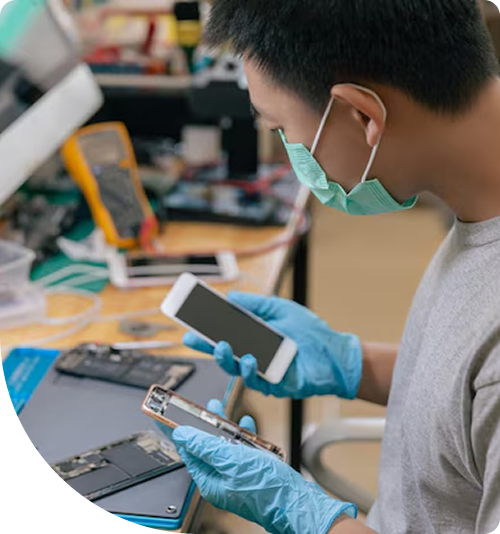
Professional iPhone Repair Services In The Fix in Walmart The Colony
iPhone Repair in The Colony, TX: What Battery Degradation Starts Before the Phone Feels Slow
The first sign is subtle — an iPhone that feels slightly less responsive during a camera session at Lewisville Lake, or a Face ID that takes a fraction of a second longer than it used to during the morning commute on SH-121. By the time most Colony residents notice the phone actually feeling slower, the battery health has already dropped well below the threshold where Apple's battery management system begins adjusting peak current draw to protect a degraded cell. The throttling has been happening for weeks before the performance change is obvious enough to register.
Battery degradation in an iPhone triggers a chain that runs through system performance, Face ID reliability, and ultimately the charging circuit — and catching it at the battery stage is what keeps iPhone repair in The Colony, TX within a straightforward battery replacement rather than a multi-component repair conversation.
The First Warning
iPhone battery capacity declines with charge cycle count, and the decline accelerates with heat. Colony residents who commute on SH-121 with their iPhone mounted on a windshield cradle in direct summer sun, or who leave the phone in a vehicle in the Grandscape parking lot during errands, are adding thermal battery stress to every charge cycle completed in those conditions. The PMIC monitors battery voltage under load, and when the cell can no longer deliver peak current reliably, iOS reduces the processor's maximum clock speed to prevent the voltage drops that cause unexpected shutdowns. The phone doesn't announce this adjustment; it simply runs the processor at a lower ceiling.
The OLED display on current iPhones responds to the thermal environment that a degrading battery creates. As the PMIC compensates for a weakened cell by managing power delivery more aggressively — generating additional heat in the process — the display's True Tone calibration, stored in the EEPROM of the display assembly, operates in conditions warmer than it was calibrated for. Colony users may notice subtle color consistency changes or a True Tone response that feels slightly different from the phone's early behavior. These are early, easily dismissed signals — the kind that get attributed to iOS updates rather than hardware degradation.
What Comes After
Face ID reliability becomes inconsistent as battery degradation advances. The Secure Enclave that manages biometric data and the Face ID sensor array both operate within a power envelope that assumes the battery is delivering current within designed parameters. As the cell degrades further and the PMIC's power management becomes more aggressive, the Face ID flood illuminator and dot projector draw power through a more variable supply. Colony residents who notice Face ID failing on the first attempt in conditions where it previously worked without hesitation — outdoors in Colony summer heat, in the early morning before the phone has warmed up — are seeing the power supply side of a biometric reliability problem.
The Tristar USB-C negotiation IC is the next component to show behavioral changes from sustained thermal stress. The Tristar manages charging authorization on the logic board and communicates with the charger to negotiate current delivery. Its solder joints are vulnerable to the thermal cycling stress that a degrading battery generates during charge sessions — heating the logic board as the PMIC works harder, then cooling between sessions. Colony users at this stage describe a charger that connects and shows the charging indicator briefly before the connection drops, or a phone that charges on one adapter but not another despite both being functional. This is solder joint behavior at the Tristar level, not a cable or adapter problem.
The coaxial antenna lines that govern cellular performance show degradation as a secondary thermal consequence. Antenna line connections are sensitive to the thermal expansion and contraction cycles that a degrading battery generates across the chassis during charge and discharge. Colony residents who notice their iPhone struggling to maintain LTE or 5G signal along the SH-421 corridor, or dropping to lower signal bars in areas where coverage was previously strong, may be experiencing antenna connection degradation that's downstream from months of battery thermal stress.
The Breaking Point
The threshold where iPhone battery degradation becomes a logic board conversation is when Tristar solder joint fatigue produces intermittent charging failure that doesn't resolve with cable or adapter changes. At that point, the repair requires board-level assessment alongside battery replacement. Bringing the iPhone in when battery health first drops below 80 percent — when iOS surfaces the battery service recommendation in Settings — keeps the repair to a battery replacement before the thermal cycling has had time to stress the Tristar joints to failure.
Battery replacement restores both cell capacity and processor performance by eliminating the throttling that the battery management system imposes on a degraded cell. When Colony residents need iPhone repair in The Colony, the technicians at 4691 State Hwy 121 handle battery replacement, screen repair, charging port service, and water damage assessment for all current and recent iPhone models.
Field Notes from The Colony
My iPhone battery reads 82 percent health. Is that worth replacing?
Apple's battery service recommendation appears at 80 percent health, and the reasoning is that below that threshold the cell's peak current delivery is inconsistent enough that iOS has typically been throttling processor performance for some time already. At 82 percent, some users notice no change and others notice the subtle performance reduction described above — it depends on use patterns and the specific cell's degradation profile. If your iPhone feels less responsive than it did a year ago, battery replacement at 82 percent health will restore the processor to its unthrottled performance and extend reliable daily range.
How does the SH-121 commute affect iPhone battery life compared to staying home?
The windshield cradle commute adds UV and solar heat exposure directly to the device during exactly the hours when the battery is being actively discharged for navigation and communication tasks. That combination — thermal load plus active discharge plus subsequent charge in a warm vehicle — produces more battery degradation per day than the same number of charge cycles completed indoors. Colony residents who commute daily on SH-121 with their iPhone in a windshield mount accumulate battery degradation faster than those who keep the phone in a bag or use a dash-mounted cradle in a shaded position.
Is it worth repairing an iPhone battery on a three-year-old phone?
Yes, in most cases. Apple supports iPhones with iOS updates for five to six years from release. A three-year-old iPhone with a degraded battery but functional Face ID, working camera, and intact charging port is a current, capable device — and battery replacement restores it to the performance profile it had when new. The Secure Enclave that manages Face ID is device-specific and carries data that a replacement phone would need to re-enroll from scratch. Battery replacement preserves that configuration while returning the processor to unthrottled performance.
Other Locations Near By You
The Fix in Walmart Carrollton
1213 E Trinity Mls Rd, Carrollton, TX 75006, United States
The Fix in Walmart Lubbock
702 W Loop 289 Acc Rd, Lubbock, TX 79416, United States
The Fix in South Plains Mall
6002 Slide Rd, Lubbock, TX 79414
The Fix in Walmart North Richland Hills
6401 NE Loop 820, North Richland Hills, TX 76180, United States
The Fix in South Park Mall San Antonio
2310 SW Military Dr. Suite 118 San Antonio, TX 78224
The Fix in Walmart Odessa
2450 NW Loop 338 State Rte W, Odessa, TX 79763, United States
The Fix in Walmart La Porte
9025 Spencer Hwy, La Porte, TX 77571, United States
The Fix in Baybrook Mall
500 Baybrook Mall #1079, Friendswood, TX 77546, United States
The Fix in Walmart Humble
9235 N Sam Houston Pkwy E, Humble, TX 77396, United States
The Fix in Walmart Weatherford
1836 S Main St, Weatherford, TX 76086, United States
Your local repair experts for every device
From iPhones to gaming laptops, The Fix in The Colony, TX is your one-stop shop for device repair. Quick turnarounds, affordable prices, and local experts you can trust

Phone Cases
Protect your device in style! At The Fix in The Colony, TX, we offer a wide selection of durable phone cases for all major brands—sleek designs that keep your phone safe and looking great.

Nintendo Switch Repair
Cracked Nintendo Switch screen? We repair Switch devices in The Colony, TX quickly and affordably. Fast, easy, and always with high-quality parts.

MacBook Repair
For broken screens, battery replacements, or other issues, The Fix in The Colony, TX provides quick MacBook repairs with premium parts.

PlayStation Repair
Is your PlayStation giving you trouble? At The Fix in The Colony, TX, we handle PlayStation repairs with care and quality parts—no long waits, no hassle.

Google Repair
Need your Google Pixel fixed? At The Fix in The Colony, TX, we repair cracked screens, charging issues, and more—always using high-quality parts for lasting results.

Tablet Repair
Whether your tablet screen is cracked or the battery won’t hold a charge, The Fix in The Colony, TX provides fast, affordable tablet repairs with free diagnostics.

Computer Repair
Need PC or desktop service in The Colony, TX? We provide free diagnostics and affordable repairs, always with high-quality parts.

Game Console Repair
From Nintendo Switch® to PlayStation and Xbox, The Fix in The Colony, TX repairs all major game consoles. Fast service and dependable results.

Laptop Repair
Got a broken laptop? The Fix In The Colony, TX, our team repairs most laptop brands and models using high-quality replacement parts.

iPad Repair
Need your iPad fixed? At The Fix in The Colony, TX, we repair cracked screens, charging issues, and more—always using high-quality parts for lasting results.

Cell Phone Repair
We repair all major phone brands in The Colony, TX. iPhone, Samsung, Google, and more—get your phone fixed fast.

Samsung Repair
Whether it’s a Galaxy screen replacement or a charging issue, The Fix in The Colony, TX offers fast and reliable Samsung repairs.

Xbox Repair
Xbox not working properly? Our team in The Colony, TX offers quick, reliable Xbox repairs with free diagnostics and high-quality replacement parts.


Trusted repair solution for mobile phones, tablets, gaming consoles, and computer systems. We provide fast, reliable, and affordable repair services to get your devices back in perfect working condition.
The Fix is an independent repair service provider and is not affiliated with, sponsored by, or endorsed by Apple Inc., Samsung Electronics, Google LLC, or any other device manufacturer. We use high-quality compatible replacement parts unless explicitly stated. All trademarks are property of their respective owners.


© Copyright The Fix Solutions All rights reserved 2026.
Design by Deepcoder