





The Fix in Walmart Midlothian
The Fix in Midlothian, VA provides expert repair services for phones, tablets, and other devices, along with a full range of mobile accessories. Whether you need a screen replacement, battery service, or charging port repair, our skilled technicians are here to help.
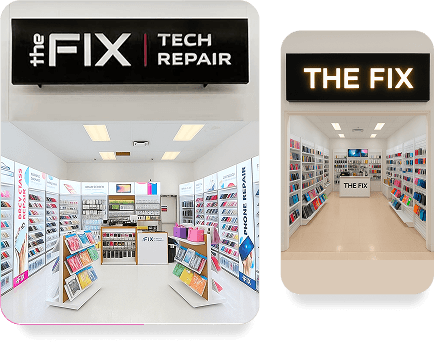
The Fix in Walmart Midlothian
12200 Chattanooga Plz, Midlothian, VA 23112, United States
+1 (804) 200-9628Store Hours:
Google Reviews:
Nicole Grant
Was very fast and very helpful
raiya r
very inexpensive and good service
Shange' Monica
Sam fixed my phone and it was a great price. The other places wanted to charge me double. Great service. Highly recommended!!
Alex Love
My phone was flickering lastnight and it was completly in operable. I would receive the notification but my screen was completly black. He finished my repairs less than 30 mins! I’m satisfied! No complaints and I’ll definitely be letting other ppl know!
Jeremy L
Sam helped me to fix my daughter ipad successfully. Great job will come again for sure for this location in Chattanoga Plaza Walmart, Midlothian. Very recommended store.
Mynor
Sam was a amazing guy very good communication needs a raise asp !!!!!! :)
Joe Sweet
Sam was very kind and very helpful with fixing my phone screen
Rodgers Williams
Best deals 👌🏽💯
Arieyana Jefferson
Fixed my phone within the hour he said it would be done I am very satisfied!!!!
Curtis Paige
Fixed my phone perfectly. Great business and customer service was perfect
Ashlei Layne
Aliyah
Jasmine Waller
Fast & Good Quality!
Ethan Carlson
I came in to get my phones charging port repaired. The employees name was Sam and he was very polite and got the job done in about 20 minutes which was perfect for me. Give this guy a raise and keep doing what you're doing.
Maurice Coleman
Quick and fast very knowledgeable. Reasonable price.
Sarah Labady
JJ Greene
Great service !
LightMechanic 7
Excellent work and fast. Great job!
Wet Mouth
Amazing
Junior Ramos
Really good service amazing service 10/10 save me a good price and a good experience
Jaelen Thompkins
Great experience very nice and was very satisfied
Eduardo Galindo
This man is the real deal. 20 mins. Everything worked perfectly. Thanks my brother
Luis Fidel
Great service with best price out of Midlothian, Sam the tech ‘ You are the best bro
Iana Robinson
Gianni Pizarro
Fixed my phone in 20 minutes it works fine
Ashley Hudson
Very helpful and fixed my case and screen which I thought was completely unfixable.
Makogno Ouattara
Kevin Kreger
Nathalia Escobar-Fretes
Devon Morrison
That fix my phone a few weeks ago the my PlayStation went out on me so I brought 2 PS5 TO get repaired great price and both working like I just brought it A1 place I'll be back again !
Safe Talk
Great service and best price out of the others places, 100% Recommend
N G
Awesome service!
Bianca Eke
Excellent service and work. Sam fixed my children’s phones and tablet. We had several challenges with getting their gadgets fixed through insurance. This service was so convenient and quick. Most of all his personality made all the difference. Positive attitude and very respectful.
Deanca Jordan
Great service !! Got iPhone screen replace didn’t take long at all was in and out in 15 mins
Abu Shahabuddin
Good price
Janea Crawford
Good people, fast service and good prices! Will be back if need be of any phone, accessories or fixes!
Lenzy Solomon
Very friendly! Awesome prices! I will come here from now on!
Martin Rodriguez
Great service great prices
Leo Croner
I walked in and was greeted by amazing service. My phone was finished an hour later with amazing work done to it. Highly recommended
Kansas Matyiko
Great work ! I won’t go anywhere else!
NAKILAH JOHNSON
OMG....Mr. Sha was so helpful with all my needs. I had been looking for someone to fix my cracked tablet for months. So convenient and affordable.
Stephanie Rosales
Great work! Definitely recommend!
Serena Chew
Owner is amazing. Does a wonderful job. Had no issues. Would 100% recommend.
Manuel Briscoe
Jeff Ngota
Wow the best technician around as i got a very excellent phone service
Abdur Chowdhury
Thank you for fixing my phone , you did very good job
A.D.M Mohibul Haque
Thank you so much for fixing my phone, you did a great job.
Willie Whitaker
Great customer service and Great turnaround time . I highly recommend
Travis Tucker
Great service
jimmy tillman
Great experience great job I will definitely tell my friends
Antoinette Jones
Brought my daughter’s iPhone here to get the screen fixed. Definitely would come back again. Thank you!
Chiqueta Shelton
Quick fast and easy repair to my phone! Thanks soo much great service
Kevin Watson
Great work! My phone was having problems charging. My phone was cleaned and how it works like new.
Damian Unachukwu
Good job. I have no complain. I will recommend customers to visit the fix at the Chattanooga Walmart on Hull Street Road. Midlothian. VA.
Tyron Gregory
Amazing timing,very cheap would recommend here to get ur phone fixed
Willie Brown
Thank you so much for fixing my phone Mr Sha you did great job, I recommend everyone to give him a try.
Glen Buckner
Fast, kind and accurately fixed my phone! Definitely recommend
DJ
Sha was a wonder to talk to and really helpful. The moment I walked in he inquired what I needed and found a case and a screen protected on my phone in seconds. Services were affordable and swift.
monoj das
Thank you The fix for great job, I recommend everyone please bring your phone for fix here.
Feroz Alam
Good service.
Jordan Tinker
My sister has been wanting to get her camera fixed forever. Her camera was all scratched up so photos came out foggy. He fixed the whole screen and she was very happy with the results. Very professional and nice on his part
Anastasia Fig.
The gentleman who helped me offered exemplary service and led me to exactly what I was looking for! Very happy with this new store!
B Q
I was certain my laptop was completely fried, ( and spend the morning researching a replacement), but within an hour, Halal called to let me know it had simply shorted out at the connection point between the charger and the laptop and that my power cable was damaged. I was genuinely impressed by how quickly and professionally he diagnosed the issue, and my laptop is now working perfectly! I highly recommend Halal at “The Fix”
Abigail Ortiz
Great place for fixing phone…..
Brandanlee Allen
He was awesome and super nice and fast with the repair and cut me a deal with repair and a new phone 10 out 10 would go back again
Lolkif Jr
Perfect place to fix you phone great prices.
Avis Jeter
Very friendly and professional. Excellent prices.
Monique Hicks
Great customer service, in a timely manner. DONT wait rush over
Walter Castillo
Awesome job quick and fast happy with the work and costumer service
James
Brenda West
Very nice and professional.
Terrance Carbury
Great job
ELO
Got screen replaced on iPhone. Very good price. Friendly professional staff. Would recommend this place over others.
Boyie Thompson
Best place for fixing phone people are so friendly they fix my phone perfectly I am so happy, Thanks The Fix Midlothian Walmart.
Sami Sami
This the good place he fix my phone in 10 minutes and it’s working very good .
Lina Shearin
A good place to fix the phone and accessories and the people are good friendly and highly recommend to come over and they are so accommodating what you need
Yassa Ibrahim
(Translated by Google) This shop is nice and cheap. I advise Arabs to come here. (Original) هذه المحل حلو ورخيص انصح العرب ياتو هونه
desha shahorin
Thank you The Fix
NEW WRLD ORDER
Best place in town highly recommend service
Delany
I dropped my phone in Walmart and couldn’t use the screen, so I ran over to this store. He took care of me immediately, I did my shopping, by the time I finished he was as well. He was so kind and upfront with price, as well if there were any issues afterwards I could come back. I recommend him immensely, great service for a great price!
Khaleya Lewis
Excellent customer service! When the initial fix didn’t hold, he handled it with grace, offered to make it right without hesitation, and was incredibly patient throughout the process. I left completely satisfied with the service.
Ra Ortiz
Very good, place for fixing phone in side of Walmart they did great Job .
Xavier Cisneros-Harrison
Great customer service! I was able to get my phone fixed for a very reasonable price and it didn’t take long at all. Would highly recommend to anyone needing cell phone maintenance or if you need accessories. Doesn’t hurt that you can do your shopping while you wait too.
Chris Adams
Great customer service and fast
Jayda Johnson
Phone was fixed in record time with amazing quality If your phone is in trouble i highly recommend their service
forex signal
I recently had my iPhone 12 screen fixed at The Fix located at 12200 Chattanooga Plaza in Midlothian, VA, and I couldn't be happier with the service! The staff was friendly, knowledgeable, and got the repair done quickly. My phone looks brand new again, and the screen works perfectly. Pricing was fair, and the turnaround time was faster than I expected. Highly recommend this place if you need any phone repairs done!
Shak T
Had a great experience at The Fix! Mr. Sha repaired my iPhone 13 Pro Max in just 15 minutes. Fast, efficient, and friendly service — highly recommended!
Joshua and Melissa Weber
Extremely fast fix for our iPhone 15 back glass at a fantastic price!
Sharon Taylor
Awesome 👍 does great work and fast. Good prices too. New screen, screen protector and case for $140. 💜❤️
Chris Tedder
Best service I’ve experienced fast and knowledgeable. Better than apple service tech. Highly recommended.
Karter Junius jefferson
Sha was awesome the iPad was fixed and he was very professional! I will come back
Myonni Alexander
Great service all around
William Funes
Well spoken guy and very professional. I recommend him for any iPhone accessories or fixes
Sebastian Alfonso
great experience,quick easy and good prices
maurina
very good place to get your phone fixed, reasonable price and the person who fixed my phone was extremely friendly. 10/10 definitely recommend.
Michael Carpenter
Great professional prompt service! My phone screen was cracked and I thought all was lost. Sha fixed my phone and also found a case to prevent this in future.
tay tay
Friendly, affordable & great costumer service
Altajah Britton
SHA WAS VERY HELPFUL, & GOOD COSTUMER SERVICE
Tallameca Blount
Came to get my iPhone fixed and he gave good excellent service and he even explained everything to me. He gave me a good price and was done in no time. If you need your phone fix please come here.
Mr.Maddox3rd&Mrs.
Very nice fixed quick and price was fair and good!
Thonyy Mercenario
(Translated by Google) Well, it's recommended, in time. (Original) Bueno, se recomienda, a tiempo
ashley hunter
Great work!
Adro Davis
Fantastic service
Lloyd Edmonds
I am in disbelief I walked in at 11:43 and my phone was fixed withing 2 minutes!! The tech was AMAZING and very courteous and attentive to my phone problem. I recommend this place for ALL your phone fixing needs!
Kenneth Lewis
Very helpful experience job thanks to The Fix
Isis Briscoe
He was very kind and the service was great and fast
Doug Wayne
Outstanding service! My phone came in pieces and left whole, couldn't ask for more!
Walmart Osl
I am very pleased with Sha's technical skills. I thought my phone was lost forever. I am recommending him to all my friends and family. No hidden cost.
Leonardo Fonsseca
Very helpful with our phones
nikki vanegdom
Was very helpful, and very kind, helped get my phone out fast for me to get to work
Jashawna Epps
great service and extremely fast
Curtis Faudreee
Brough my laptop in for a screen repair, prices were very reasonable and I got it back within a week.
Jennifer Edwards
I am very pleased with the service, it was fast and affordable. Great customer service.
Mia Jellison
Great prices, and fast service definitely recommend!!
Daniel Jamal
Phone was broken and finally fixed in 30 minutes!! Thank you :)
Moe Shalea
Sha is a great guy, very helpful. He fixed my phone in only 40 mins! As I needed for work that same day. Great attitude, respectful and very informative!
Jerry
Great guy really took care of me at the last minute really appreciate him
Shannon Taylor
Quickly fixed our broken iPad in less than 2 hours. Great customer service! Will come Back again.
steven gunderson
This store is run by good honest people. They gave me an estimate of time and cost and honored both. Definitely recommended!!;
debbie scarbrough
Very fast great work ! get your phone fixed while you shop at Walmart!
Kim Jones
Fantastic service!! My screen was replaced and it looks wonderful!! Great customer service as well!!
Milecha Boone
The service was great, phone looks brand new
Shaq Glizzy
Good place to get phone fixed✅
Pamela Cross
Great experience. Staff very professional
Patricia Cody
Sha did an excellent job fixing my phone. It’s like a brand new phone now. He was also very affordable!
Sabrina White
Very polite and helpful fixed camera on phone in no time.
Ted Jordan
Very professional excellent service highly recommend
Diocris Martinez
The service was good he find the part and my cell was fix in 1 hr
Shelbey Waite
Conviant, quick, friendly and reasonably priced.
Gasthon A.
My phone needed a last-minute repair due to it falling out of my pocket while I ran to my car in the Walmart parking lot, and they managed to fix my screen day of. Outstanding job. I would highly recommend this place to everyone.
Your local repair experts for every device
From iPhones to gaming laptops, The Fix in Midlothian, VA is your one-stop shop for device repair. Quick turnarounds, affordable prices, and local experts you can trust
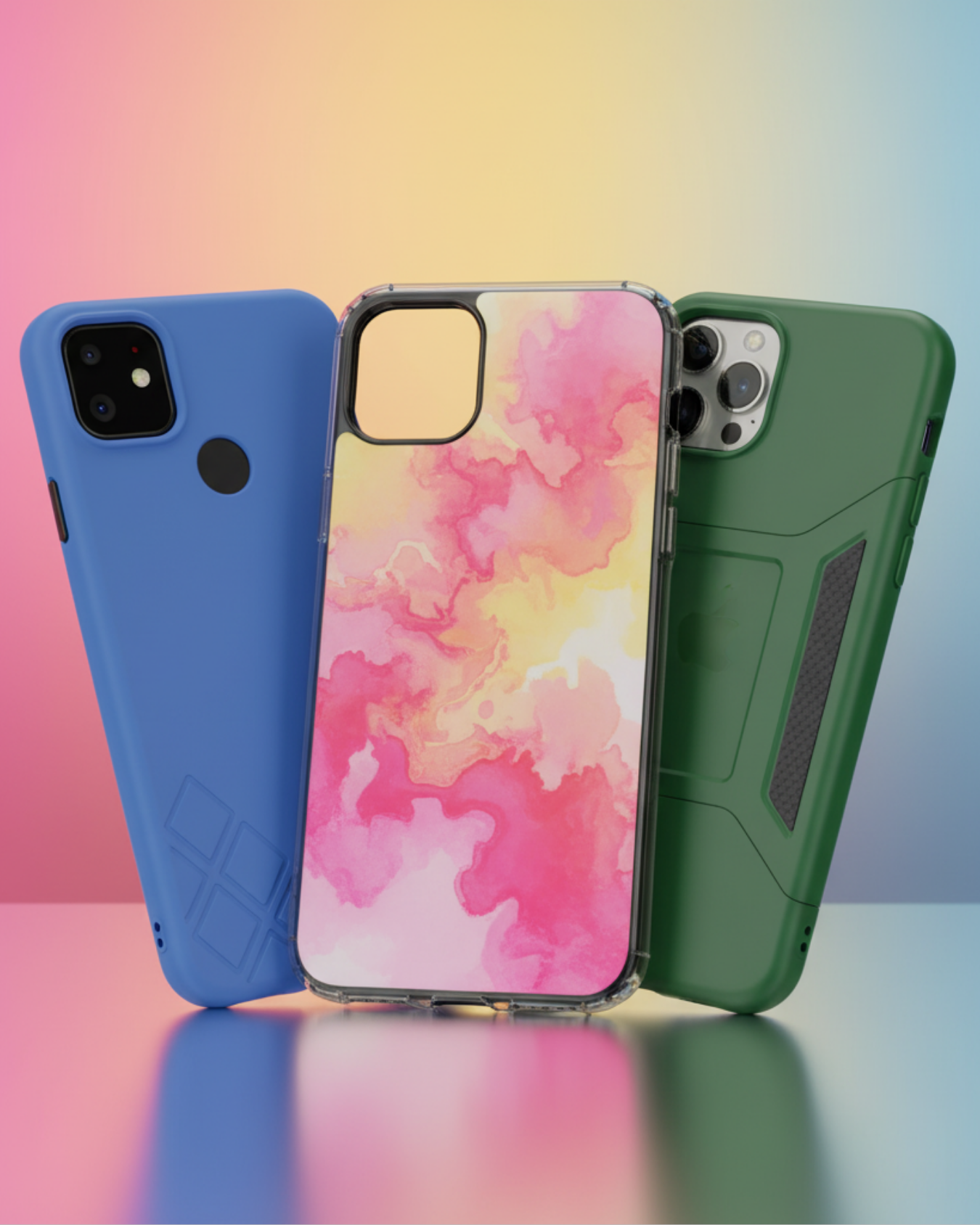
Phone Cases
Protect your device in style! At The Fix in Midlothian, VA, we offer a wide selection of durable phone cases for all major brands—sleek designs that keep your phone safe and looking great.

Nintendo Switch Repair
Cracked Nintendo Switch screen? We repair Switch devices in Midlothian, VA quickly and affordably. Fast, easy, and always with high-quality parts.

MacBook Repair
For broken screens, battery replacements, or other issues, The Fix in Midlothian, VA provides quick MacBook repairs with premium parts.

PlayStation Repair
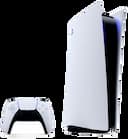
Is your PlayStation giving you trouble? At The Fix in Midlothian, VA, we handle PlayStation repairs with care and quality parts—no long waits, no hassle.
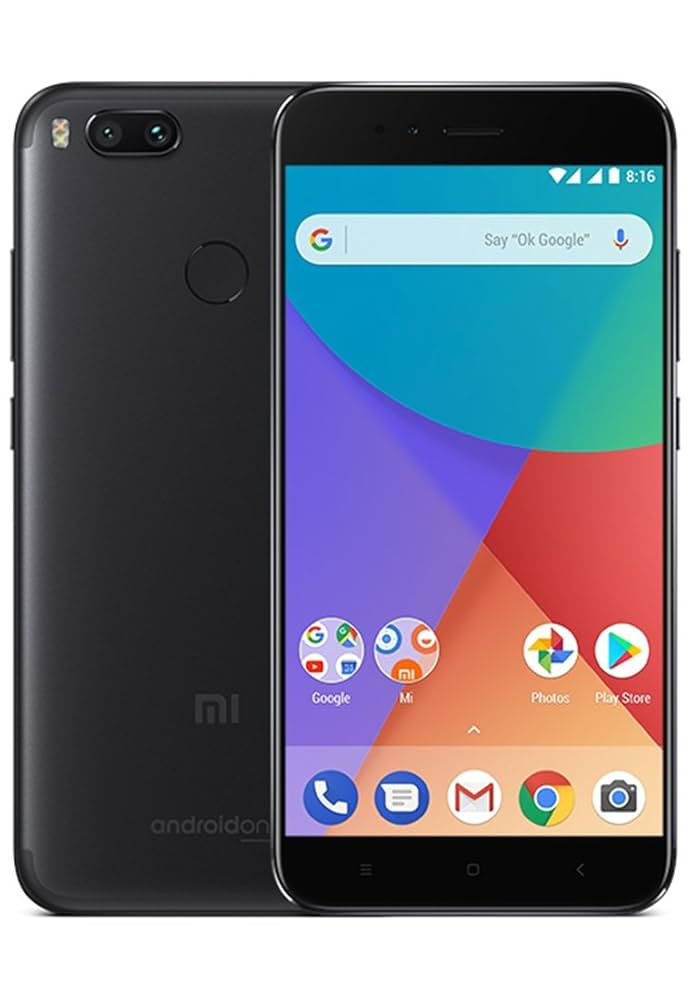
Google Repair
Need your Google Pixel fixed? At The Fix in Midlothian, VA, we repair cracked screens, charging issues, and more—always using high-quality parts for lasting results.

Tablet Repair
Whether your tablet screen is cracked or the battery won’t hold a charge, The Fix in Midlothian, VA provides fast, affordable tablet repairs with free diagnostics.

Computer Repair
Need PC or desktop service in Midlothian, VA? We provide free diagnostics and affordable repairs, always with high-quality parts.

Game Console Repair
From Nintendo Switch® to PlayStation and Xbox, The Fix in Midlothian, VA repairs all major game consoles. Fast service and dependable results.

Laptop Repair
Got a broken laptop? The Fix In Midlothian, VA, our team repairs most laptop brands and models using high-quality replacement parts.

iPad Repair
Need your iPad fixed? At The Fix in Midlothian, VA, we repair cracked screens, charging issues, and more—always using high-quality parts for lasting results.

Cell Phone Repair
We repair all major phone brands in Midlothian, VA. iPhone, Samsung, Google, and more—get your phone fixed fast.

iPhone Repair
Cracked screen? Battery draining too fast? Our team in Midlothian, VA repairs iPhones with precision and high-quality parts to make your device feel new again.

Samsung Repair
Whether it’s a Galaxy screen replacement or a charging issue, The Fix in Midlothian, VA offers fast and reliable Samsung repairs.

Xbox Repair
Xbox not working properly? Our team in Midlothian, VA offers quick, reliable Xbox repairs with free diagnostics and high-quality replacement parts.
Looking for phone repair inside Walmart in Midlothian, VA 23112?
The Fix is a dedicated repair store inside the Walmart Supercenter at 12200 Chattanooga Plaza, Midlothian, VA 23112, conveniently located so the repair runs alongside your regular Walmart errands. Hand over a phone with a cracked screen or a battery that no longer makes it through the day, and the work can go ahead while you are shopping. Many phone and tablet repairs are same-day, often taking less than 30 minutes.
Phones are the center of the work here. The same technicians also repair tablets, laptops, desktops and game consoles, and the store keeps cases, screen protectors and chargers on hand.
Why choose The Fix at the Midlothian Walmart?
The first thing you get is a diagnosis, and it is free. You find out what is actually wrong with the device before any money is discussed. Sometimes the answer is a new part, sometimes a port that only needs cleaning.
The second reason is range. Households in this part of Chesterfield County rarely run one brand. There is an iPhone for one person, a Samsung for another, a tablet that goes to school, a laptop for work and a console in the living room. The Fix works across all of them, from a current iPhone 17 to a Galaxy that has been in the family for years, so a single visit can cover more than one device and one explanation covers every fault.
What phone repairs does The Fix handle in Midlothian?
Screen repair covers everything from a cracked screen with one line through the corner to shattered glass across the whole panel. On an iPhone 17 or a Galaxy S25, the glass is bonded to an OLED panel, so a hard drop can also bring unresponsive touch or ghost touch, where the phone taps and scrolls on its own. Those symptoms usually trace back to the screen assembly, and replacing it is how they get fixed.
Back glass is a separate repair from the front. A shattered rear panel on a Galaxy S25 Ultra can be replaced without touching the screen.
Battery work starts from the symptom. A battery draining fast on an iPhone 13, a sudden shutdown at 20 percent on a Galaxy S23, or a swollen battery that makes the phone rock on a flat table all point to the same part. A swollen battery needs attention first. Stop charging it and bring it in, because the pressure inside keeps building.
Charging port repair covers phones that charge only at an angle, charge slowly, or stop charging altogether. On a Galaxy A15, debris in the port can be the whole problem, and a careful cleaning can bring the connection back. When the port itself is worn or loose, it gets replaced.
The smaller parts matter too. A cracked camera lens on an iPhone 15 Pro blurs every photo even when the camera behind it is fine. A muffled speaker or a weak microphone on a Google Pixel 9 turns every call into a repeat of the last sentence. Both are repairs, not reasons to replace the phone.
Foldables get their own attention. A Galaxy Z Fold with a stiff hinge or a crease that has started to show lines is worth bringing in, because the fold mechanism and the inner screen are separate parts.
Then there is the phone that will not power on. It gets a diagnosis before anything else, since the cause can be the battery, the charging circuit or water damage on the board. With liquid, speed matters, because corrosion keeps spreading on the board until the residue is cleaned off.
What other devices does The Fix repair in Midlothian?
Tablets get the same attention. An iPad Air with a battery that no longer lasts a full school day, an iPad mini with a charging port that has gone loose, a Galaxy Tab or an Amazon Fire with cracked glass: all of it is repaired here. Tablet screens are larger and more fragile than phone screens, and on many models the glass and the panel behind it are fused, so the model decides how the repair is done.
Laptops and desktops are part of the work as well. A MacBook Air with sticky keys after a spilled drink, a Windows laptop with a cracked screen or a failing battery, or a machine that has slowed to a crawl and needs more storage or memory can all come in. A spill on a laptop is handled the same way as liquid on a phone.
Game consoles round it out. A PlayStation 5 with no picture can point to a damaged HDMI port. An Xbox Series X that will not read discs may need disc drive work. A Nintendo Switch comes in with a cracked screen or joystick drift that sends the character walking on its own. Each of these is a single part, which is why a console that looks finished can still be repaired.
What parts and accessories does The Fix carry in Midlothian?
Parts are high-quality and matched to the device's exact model. A screen that sits slightly off in the frame starts to lift at the edges, and a battery that is not matched to the phone loses capacity early. Getting the part right is what helps a repair last.
On the accessory side, the store stocks cases, tempered glass screen protectors, charging cables and wall adapters for current iPhone, Samsung Galaxy and Google Pixel models, along with a range of older ones. A new screen is a good moment to add a protector, and a technician can fit it so it sits flat with no bubbles along the edge.
How does a repair work at The Fix in Midlothian?
A repair here moves through five stages, in this order.
- Stage 1: Drop-off. Bring the device to The Fix inside the Walmart Supercenter and describe when the fault shows up, not just what it does.
- Stage 2: Diagnosis. A technician checks the device, finds the cause and explains it.
- Stage 3: Quote. You see the price for the repair and decide whether to go ahead.
- Stage 4: Repair. Once you approve, the technician replaces or repairs the faulty part.
- Stage 5: Pickup. The repaired function is checked on the device, and it is ready for you to collect.
Where exactly is The Fix in Midlothian, VA 23112?
The Fix is inside the Walmart Supercenter at 12200 Chattanooga Plaza, Midlothian, VA 23112. The Supercenter is part of the Chesterfield Crossing shopping center on Hull Street Road (US-360), a short drive from the Route 288 interchange, so drivers on Route 288 exit onto Hull Street Road and reach the plaza within minutes.
If you know the area by its landmarks, it is easy to place. Clover Hill High School is about 1.5 miles northwest. Brandermill is a similar distance to the west, with the Swift Creek Reservoir about 2.5 miles out in the same direction and Woodlake around 3 miles away. Chesterfield Towne Center is about 5 miles north on Midlothian Turnpike, and Pocahontas State Park sits a similar distance to the southeast.
How do Chesterfield County summers affect phones and tablets?
Heat is the main thing. Central Virginia summers are hot and humid, and a phone left on a car seat in a sunny parking lot can reach temperatures that age a lithium battery far faster than normal use does. Repeat that over a few summers and the result is a battery that loses charge quickly or starts to swell.
Humidity adds a second layer. Moving from an air-conditioned house into a humid afternoon can leave a thin film of condensation on a cold phone, and on a device with a cracked screen or a gap in its seals, that moisture has a way in. The damage builds slowly.
What should you expect when you visit The Fix in Midlothian?
A short conversation, first of all. The technician will ask what happened and when the fault appears, so it helps to think about that before you arrive. A phone that fails only when it is warm, or a port that works with one cable but not another, is a useful clue.
Bring the charger if the problem is charging. So technician can check it as well.
Expect plain language: which part is at fault, what the options are, and whether the repair makes sense for an older device.
What else should you know about phone repair in Midlothian?
How much does it cost to repair a cracked Galaxy S24 screen at The Fix in Walmart Midlothian?
Your price depends on three things: which S24 model you have, the screen option you choose and whether the frame took damage in the drop. The S24 Ultra uses a larger panel than the base S24, and a bent frame adds work.
How long does it take to repair a cracked iPhone 14 screen at The Fix in Walmart Midlothian?
Many iPhone screen repairs are same-day, often taking less than 30 minutes once the part is ready. What changes the timing is whether the right iPhone 14 screen is in stock and whether the drop also affected the frame or the area around the front camera.
How much does it cost to repair an iPhone 11 battery at The Fix on Hull Street Road?
An iPhone 11 battery replacement sits at the lower end of phone repairs, and the final figure comes down to the part and the condition of the phone. If the old battery has swollen and pushed against the screen or the back, that damage adds to the job. For a phone that otherwise runs well, a new battery can give it a longer working life.
How much does it cost to repair a phone that fell into Swift Creek Reservoir?
Water damage has no fixed price, because it depends on what the lake water reached inside the phone. Fresh water is easier on a circuit board than salt water, but minerals and silt still leave residue behind. It comes down to how long the phone stayed on while wet, which parts show corrosion, and whether cleaning is enough or a part needs replacing. Power it off and leave it off until it reaches the store.
How much does it cost to repair a Google Pixel charging port at The Fix in Chesterfield Crossing?
A Pixel charging port quote depends on the cause. A port packed with pocket lint needs cleaning, while a worn or loose port needs a replacement part. The model matters as well, since the part and the amount of disassembly differ across the Pixel range.
How much does it cost to repair an iPad screen at The Fix near Clover Hill High School?
iPad screen pricing starts with the model. A base iPad and an iPad Pro are built differently: on some models the glass and the panel under it are separate parts, while on others they come as one fused assembly, and that difference drives the cost. A bent corner on the aluminum body can add to the job, since the new glass has to sit flat.
How much does it cost to repair a cracked camera lens at The Fix near Pocahontas State Park?
A cracked camera lens is often a smaller job than it looks, and the cost turns on how deep the damage goes. If only the glass cover over the camera broke, the repair is modest. If the impact also damaged the camera module behind it, that part is replaced too, and the quote reflects it.
How long does it take to repair iPhone back glass at The Fix in Walmart Midlothian?
iPhone back glass timing depends on the model more than anything else. On recent models such as the iPhone 15, the rear glass is designed to come off as its own part. On many older models it is bonded to the frame, which makes the job longer and more involved.
How long does it take to repair a Galaxy Z Flip screen at The Fix on Hull Street Road?
A Galaxy Z Flip screen repair takes longer than a flat phone, and the time depends mostly on which screen failed. The small cover screen on the outside is a simpler job. The folding inner screen needs more disassembly and a part made for that exact Flip generation, so stock plays a bigger role.
How long does it take to repair a MacBook at The Fix in Walmart Midlothian?
MacBook repair time depends on the fault, so the timeline comes after the diagnosis. A battery swap and a cracked screen are different jobs from a keyboard that stopped working after a spill, and some MacBook parts are ordered for the specific model year.
Can I walk in to The Fix inside the Chattanooga Plaza Walmart without an appointment?
You can walk in without an appointment for most repairs. For a less common model, ask at drop-off whether the part is on hand, so you know right away whether the repair starts that visit.
Will my photos stay on my phone during a screen repair at The Fix in Midlothian?
A screen repair works on the screen assembly and does not involve the phone's storage, so your photos are not part of the job. A fresh iCloud or Google backup the night before is still a sensible habit for any phone that already has damage.
Other Locations Near By You
The Fix in Walmart Williamsburg
731 E Rochambeau Dr, Williamsburg, VA 23188, United States
The Fix in Walmart Fredericksburg
10001 Southpoint Pkwy, Fredericksburg, VA 22407, United States
The Fix in Walmart Short Pump
11400 W Broad St Rd, Glen Allen, VA 23060
The Fix in Walmart Newport News
12401 Jefferson Ave, Newport News, VA 23602, United States
The Fix in Walmart Stafford
217 Garrisonville Rd Stafford, VA 22554
The Fix in Walmart Colonial Heights
671 Southpark Blvd, Colonial Heights, VA 23834, United States
The Fix in Greenbrier Mall
1401 Greenbrier Pkwy, Chesapeake, VA 23320
The Fix in Walmart Chester
12000 Iron Bridge Rd, Chester, VA 23831, United States
The Fix in Potomac Mills
2700 Potomac Mills Cir, Woodbridge, VA 22192, USA
The Fix in Walmart Richmond
2410 Sheila Ln, Richmond, VA 23225, United States


Trusted repair solution for mobile phones, tablets, gaming consoles, and computer systems. We provide fast, reliable, and affordable repair services to get your devices back in perfect working condition.
The Fix is an independent repair service provider and is not affiliated with, sponsored by, or endorsed by Apple Inc., Samsung Electronics, Google LLC, or any other device manufacturer. We use high-quality compatible replacement parts unless explicitly stated. All trademarks are property of their respective owners.


© Copyright The Fix Solutions All rights reserved 2026.
Design by Deepcoder