






Xbox Repair in The Fix in West County
Is your Xbox giving you trouble? At The Fix in Missouri, MO, we provide quick and reliable Xbox repairs. From HDMI port damage to overheating consoles, our technicians offer free diagnostics and use high-quality parts to get you back in the game fast.

Professional Xbox Repair Services
- HDMI Port Repair & Replacement
- Overheating & Fan Repair
- Controller & Stick Drift Repair
- Disc Drive Repair
- Power Supply Repair
- Software Troubleshooting & Updates
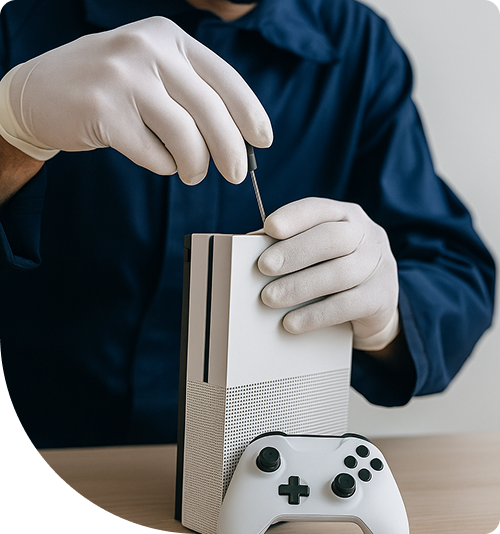
Professional Xbox Repair Services In The Fix in West County
Engineering Velocity: Technical Solutions for Xbox Hardware Failures
The Xbox Series X and Series S represent a significant leap in console architecture. Microsoft’s "Velocity Architecture" integrates custom NVMe SSDs, hardware-accelerated decompression, and a split-motherboard design to deliver performance previously reserved for high-end gaming PCs. However, this dense integration of high-speed components creates a unique thermal and electrical environment. When these systems fail—whether it is a "Black Screen of Death" or an E100 system error—the root cause is often found at the component level. For gamers in Des Peres facing downtime, securing professional Xbox Repair in Des Peres, MO, is the only way to address these complex hardware faults without compromising the system's integrity.
Unlike previous generations, the modern Xbox is built like a skyscraper, with a central cooling column and boards stacked on either side. Troubleshooting these units requires a deep understanding of this vertical airflow design and the proprietary signaling pathways used by the new standard of HDMI.
The HDMI Retimer Chip: The Silent Failure
A common scenario involves the console turning on (the power light chimes and glows white), but the TV displays "No Signal." While a broken HDMI port is a visible physical break, a more insidious issue is the failure of the HDMI Retimer Chip.
The Function The Retimer chip sits on the motherboard just behind the HDMI port. Its job is to take the video signal from the APU (processor), "clean" it of electrical noise, and boost it out to the TV at the high bandwidths required for 4K 120Hz gaming.
The Failure Mode Because this chip handles massive amounts of data, it generates significant heat. In Des Peres, MO, where ambient temperatures can fluctuate, thermal cycling can cause this chip to fail internally or desolder from the board.
- The Repair: Replacing a Retimer chip is a precision microsoldering task. We use hot air rework stations to remove the failed IC (Integrated Circuit), clean the board pads, and flow a new chip into place. This restores the video signal without needing to replace the entire expensive motherboard.
System Error E100/E101/E102: The Storage Crisis
The Xbox operating system relies heavily on the internal SSD. Unlike standard hard drives, these NVMe drives are paired to the motherboard via a security key.
The Partition Problem When an update fails or power is cut during a write cycle, the data partition on the SSD can become corrupted, leading to the dreaded "E" error codes during boot-up.
- E100: Typically indicates a hardware failure in the Blu-ray drive daughterboard, which pairs with the motherboard. If these get out of sync, the update fails.
- E101/E102: These point to file system corruption.
- The Offline Update: We utilize a specialized "Offline System Update" (OSU) diagnostic mode to manually rebuild the operating system partitions. In cases of physical drive failure, we can sometimes clone the security partition to a new drive, though the proprietary nature of the Xbox storage makes this one of the most technically challenging repairs in the industry.
The Split-Motherboard Design (Series X)
The Series X utilizes a unique "sandwich" design where two separate logic boards are connected by a massive interposer bridge. One board handles the heavy processing (APU), while the other handles I/O (Input/Output) like USB and Ethernet.
Interposer Disconnects A severe drop can cause the connection between these two boards to loosen. The symptoms are erratic: the console might turn on but not connect to Wi-Fi, or it might crash when launching a game. Diagnosing this requires separating the "sandwich" and inspecting the interposer pins under a microscope to identify and reflow cracked solder joints.
Controller Drift: The Potentiometer Weakness
Even the "Elite" series controllers use mechanical potentiometers (variable resistors) to track joystick movement. Inside the joystick module, a metal wiper rubs against a carbon track.
Physical Wear Over hundreds of hours of gameplay, the wiper scrapes carbon dust off the track. This dust changes the resistance readings, causing the controller to send a "move left" signal even when the stick is centered.
- The Component Fix: Spraying "contact cleaner" into the stick is a temporary solution that often washes the lubricating grease away, making the stick feel gritty. The permanent fix is desoldering the entire analog stick module from the controller's circuit board and installing a new unit with fresh carbon tracks and tension springs.
Power Supply Unit (PSU) Vulnerabilities
The internal power supply in the Xbox is a compact, high-efficiency unit designed to fit into the limited chassis space. However, it is sensitive to power surges.
The Surge Protection Gap Many users plug their consoles directly into wall outlets. West County is prone to seasonal storms that can send voltage spikes through the grid. If a surge hits, the MOV (Metal Oxide Varistor) inside the PSU sacrifices itself to save the motherboard.
- Diagnosis: If your Xbox is completely dead (no beep, no light), the PSU is the first suspect. We test the input and output rails. Replacing the internal PSU is a standard procedure that brings the console back to life immediately, provided the surge didn't jump past the safety fuse.
Thermal Maintenance: The Vapor Chamber
The Series X uses a vapor chamber heatsink—a sealed copper chamber containing a small amount of liquid that evaporates and condenses to move heat.
Dust Blockage The vertical cooling design relies on the large fan at the top pulling air from the bottom. This creates a "chimney effect." However, if the bottom intake vents are clogged with pet hair or dust, the chimney stops working. The vapor chamber becomes saturated with heat, and the fan ramps up to maximum volume.
- Deep Cleaning: We disassemble the chassis to access the vapor chamber directly, clearing the fins and ensuring the phase-change cooling system can operate efficiently. This not only quiets the console but extends the life of the silicon by keeping operating temperatures within the "green zone."
Technical FAQ
Can I upgrade the internal storage of my Xbox Series S? The internal SSD is soldered or securely proprietary on these units. While you cannot simply "swap" it for a larger off-the-shelf drive due to firmware pairing, you can use the dedicated Storage Expansion Card slot on the back. This slot connects directly to the CPU via PCIe lanes, offering the exact same speed as the internal drive.
Why does my Xbox turn off when I play specific games? This is a classic sign of thermal shutdown. Graphically demanding games (like Call of Duty or Halo) push the processor to peak wattage. If the thermal paste is dried out, the chip hits its thermal limit (usually around 100°C) instantly, and the system cuts power to prevent melting. It needs a thermal service immediately.
Is the HDMI port on the Series X different from the Xbox One? Yes. The Series X uses HDMI 2.1, which has higher bandwidth (48Gbps) compared to the HDMI 2.0 (18Gbps) on the Xbox One. The ports look the same physically, but the internal pinout and the traces on the motherboard are much more sensitive to interference. A repair on a Series X port requires stricter soldering tolerances to ensure 4K 120Hz works without flickering.
Other Locations Near By You
The Fix in Walmart Manchester
201 Highlands Blvd Dr, Manchester, MO 63011, United States
The Fix in Walmart Kansas City
8301 N Church Rd, Kansas City, MO 64158, United States
The Fix in Walmart Lee's Summit
1000 NE Sam Walton Ln, Lee's Summit, MO 64086, United States
The Fix in Walmart Lake St. Louis
6100 Ronald Reagan Dr, Lake St Louis, MO 63367, United States
The Fix in South County Center
18 S County Center Way, MO
The Fix in Walmart Raytown
10300 E State Rte 350, Raytown, MO 64138, United States
The Fix in Walmart St. Louis
3270 Telegraph Rd, St. Louis, MO 63125, United States
The Fix in St. Louis Galleria
1155 Galleria Pkwy #1081, St. Louis, MO 63117, United States
The Fix in Walmart Wentzville
1971 Wentzville Pkwy, Wentzville, MO 63385, United States
The Fix in Walmart Maplewood
1900 Maplewood Commons Dr, Maplewood, MO 63143, United States
Your local repair experts for every device
From iPhones to gaming laptops, The Fix in Missouri, MO is your one-stop shop for device repair. Quick turnarounds, affordable prices, and local experts you can trust

Phone Cases
Protect your device in style! At The Fix in Missouri, MO, we offer a wide selection of durable phone cases for all major brands—sleek designs that keep your phone safe and looking great.

Nintendo Switch Repair
Cracked Nintendo Switch screen? We repair Switch devices in Missouri, MO quickly and affordably. Fast, easy, and always with high-quality parts.

MacBook Repair
For broken screens, battery replacements, or other issues, The Fix in Missouri, MO provides quick MacBook repairs with premium parts.

PlayStation Repair
Is your PlayStation giving you trouble? At The Fix in Missouri, MO, we handle PlayStation repairs with care and quality parts—no long waits, no hassle.

Google Repair
Need your Google Pixel fixed? At The Fix in Missouri, MO, we repair cracked screens, charging issues, and more—always using high-quality parts for lasting results.

Tablet Repair
Whether your tablet screen is cracked or the battery won’t hold a charge, The Fix in Missouri, MO provides fast, affordable tablet repairs with free diagnostics.

Computer Repair
Need PC or desktop service in Missouri, MO? We provide free diagnostics and affordable repairs, always with high-quality parts.

Game Console Repair
From Nintendo Switch® to PlayStation and Xbox, The Fix in Missouri, MO repairs all major game consoles. Fast service and dependable results.

Laptop Repair
Got a broken laptop? The Fix In Missouri, MO, our team repairs most laptop brands and models using high-quality replacement parts.

iPad Repair
Need your iPad fixed? At The Fix in Missouri, MO, we repair cracked screens, charging issues, and more—always using high-quality parts for lasting results.

Cell Phone Repair
We repair all major phone brands in Missouri, MO. iPhone, Samsung, Google, and more—get your phone fixed fast.

iPhone Repair
Cracked screen? Battery draining too fast? Our team in Missouri, MO repairs iPhones with precision and high-quality parts to make your device feel new again.

Samsung Repair
Whether it’s a Galaxy screen replacement or a charging issue, The Fix in Missouri, MO offers fast and reliable Samsung repairs.


Trusted repair solution for mobile phones, tablets, gaming consoles, and computer systems. We provide fast, reliable, and affordable repair services to get your devices back in perfect working condition.
The Fix is an independent repair service provider and is not affiliated with, sponsored by, or endorsed by Apple Inc., Samsung Electronics, Google LLC, or any other device manufacturer. We use high-quality compatible replacement parts unless explicitly stated. All trademarks are property of their respective owners.


© Copyright The Fix Solutions All rights reserved 2026.
Design by Deepcoder