






Samsung Repair in The Fix in Walmart Short Pump
From cracked Galaxy screens to battery problems, The Fix in Glen Allen, VA provides fast Samsung repairs with free diagnostics and high-quality parts.

Professional Samsung Repair Services
- Battery Replacement
- Water Damage Repair
- Screen Repair & Replacement
- Camera Repair
- Charging Port Repair
- Speaker & Microphone Repair
- Software Troubleshooting & Recovery
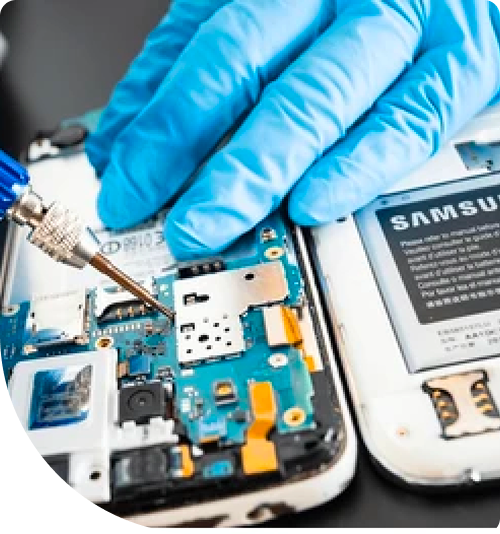
Professional Samsung Repair Services In The Fix in Walmart Short Pump
Samsung Phone Screen Unresponsive to Touch: The Smart Move in Glen Allen
Your Samsung phone's screen responds slowly to touches or doesn't respond at all in certain areas. Swiping feels imprecise. Some apps won't open because the screen isn't registering your taps. You're wondering if the screen is broken or if something else is happening.
Before you assume screen replacement is your only option, understand that unresponsive touch can have multiple causes, and some are far simpler than others. That's why getting a proper diagnosis from Samsung Repair in Glen Allen, VA should be your first step, not a last resort.
What Most People Get Wrong
The biggest assumption people make is that an unresponsive Samsung screen means the display is physically damaged. People remember dropping their phone or having it in their pocket near something sharp, and they assume that caused a touch sensor failure. However, unresponsive touch is often a software issue that has nothing to do with physical damage. Samsung phones can experience touch sensitivity glitches after updates or due to app conflicts.
The second misconception is that screen protectors cause this problem. While a damaged or poorly-applied screen protector can reduce touch sensitivity, most unresponsiveness happens on the phone's actual touch layer beneath the glass, not on the protector surface. Removing your screen protector and replacing it rarely solves the problem if the issue is actual touch sensor malfunction.
What Actually Matters
The touch sensor layer in a Samsung phone is a separate component from the display itself. It can malfunction independently of whether the display looks fine. Sometimes the touch sensor is merely miscalibrated and needs software adjustment. Other times the physical touch sensor has degraded due to age or moisture exposure. Getting the diagnosis right—whether it's software calibration, sensor degradation, or display failure—determines what the fix will be.
Software updates can actually cause touch issues. If your Samsung received a recent OS update and unresponsiveness started shortly after, the update might have introduced a calibration problem. Some owners fix this by clearing system cache or performing a system reset, though those are nuclear options. A simpler approach is to check if a newer update has rolled out that fixes the previous update's issues.
Moisture is also a factor. If your Samsung got exposed to humidity or water, the touch sensor might be failing due to corrosion. This requires internal inspection to diagnose. Sometimes the device can be dried and salvaged, and sometimes the sensor genuinely needs replacement. The point is that unresponsive touch has multiple possible root causes, each with a different fix.
What We Recommend
Start with software troubleshooting. Restart your Samsung phone completely. If that doesn't help, clear the system cache by booting into recovery mode and selecting "Clear Cache Partition." If the problem persists, check for pending software updates. These free steps solve about thirty percent of touch responsiveness issues we encounter in Glen Allen.
If software steps don't help, a proper diagnostic pinpoints whether the issue is software calibration, sensor failure, or display damage. The Fix can identify the exact problem and tell you whether repair or replacement makes sense for your specific situation. Most Samsung touch issues resolve under 30 minutes, and you'll have a clear understanding of what happened and why. Stop by The Fix in Walmart Short Pump to get your Samsung diagnosed by someone who understands these devices thoroughly.
Field Notes from Glen Allen
Should I repair or replace my Samsung phone with touch issues?
It depends on what's causing the unresponsiveness. If it's software, repair is immediate and affordable. If it's sensor failure, replacement is usually more cost-effective than a sensor repair. If it's display damage, replacement is also the typical path. A proper diagnostic tells you which scenario you're in.
How long does Samsung touch screen repair take at The Fix?
If it's software calibration, you're looking at under 15 minutes. If it's hardware replacement, under 30 minutes for most Samsung models. We'll know what you're dealing with after our initial diagnostic.
Where can I get my Samsung phone repaired near Short Pump and Glen Allen?
The Fix in Walmart Short Pump handles all Samsung models and specializes in touch responsiveness issues. Glen Allen residents depend on us because we get to the root of the problem and fix it properly. You're just minutes away from the store.
Other Locations Near By You
The Fix in Walmart Williamsburg
731 E Rochambeau Dr, Williamsburg, VA 23188, United States
The Fix in Walmart Fredericksburg
10001 Southpoint Pkwy, Fredericksburg, VA 22407, United States
The Fix in Walmart Midlothian
12200 Chattanooga Plz, Midlothian, VA 23112, United States
The Fix in Walmart Newport News
12401 Jefferson Ave, Newport News, VA 23602, United States
The Fix in Walmart Stafford
217 Garrisonville Rd Stafford, VA 22554
The Fix in Walmart Colonial Heights
671 Southpark Blvd, Colonial Heights, VA 23834, United States
The Fix in Greenbrier Mall
1401 Greenbrier Pkwy, Chesapeake, VA 23320
The Fix in Walmart Chester
12000 Iron Bridge Rd, Chester, VA 23831, United States
The Fix in Potomac Mills
2700 Potomac Mills Cir, Woodbridge, VA 22192, USA
The Fix in Walmart Richmond
2410 Sheila Ln, Richmond, VA 23225, United States
Your local repair experts for every device
From iPhones to gaming laptops, The Fix in Glen Allen, VA is your one-stop shop for device repair. Quick turnarounds, affordable prices, and local experts you can trust

Phone Cases
Protect your device in style! At The Fix in Glen Allen, VA, we offer a wide selection of durable phone cases for all major brands—sleek designs that keep your phone safe and looking great.

Nintendo Switch Repair
Cracked Nintendo Switch screen? We repair Switch devices in Glen Allen, VA quickly and affordably. Fast, easy, and always with high-quality parts.

MacBook Repair
For broken screens, battery replacements, or other issues, The Fix in Glen Allen, VA provides quick MacBook repairs with premium parts.

PlayStation Repair
Is your PlayStation giving you trouble? At The Fix in Glen Allen, VA, we handle PlayStation repairs with care and quality parts—no long waits, no hassle.

Google Repair
Need your Google Pixel fixed? At The Fix in Glen Allen, VA, we repair cracked screens, charging issues, and more—always using high-quality parts for lasting results.

Tablet Repair
Whether your tablet screen is cracked or the battery won’t hold a charge, The Fix in Glen Allen, VA provides fast, affordable tablet repairs with free diagnostics.

Computer Repair
Need PC or desktop service in Glen Allen, VA? We provide free diagnostics and affordable repairs, always with high-quality parts.

Game Console Repair
From Nintendo Switch® to PlayStation and Xbox, The Fix in Glen Allen, VA repairs all major game consoles. Fast service and dependable results.

Laptop Repair
Got a broken laptop? The Fix In Glen Allen, VA, our team repairs most laptop brands and models using high-quality replacement parts.

iPad Repair
Need your iPad fixed? At The Fix in Glen Allen, VA, we repair cracked screens, charging issues, and more—always using high-quality parts for lasting results.

Cell Phone Repair
We repair all major phone brands in Glen Allen, VA. iPhone, Samsung, Google, and more—get your phone fixed fast.

iPhone Repair
Cracked screen? Battery draining too fast? Our team in Glen Allen, VA repairs iPhones with precision and high-quality parts to make your device feel new again.

Xbox Repair
Xbox not working properly? Our team in Glen Allen, VA offers quick, reliable Xbox repairs with free diagnostics and high-quality replacement parts.


Trusted repair solution for mobile phones, tablets, gaming consoles, and computer systems. We provide fast, reliable, and affordable repair services to get your devices back in perfect working condition.
The Fix is an independent repair service provider and is not affiliated with, sponsored by, or endorsed by Apple Inc., Samsung Electronics, Google LLC, or any other device manufacturer. We use high-quality compatible replacement parts unless explicitly stated. All trademarks are property of their respective owners.


© Copyright The Fix Solutions All rights reserved 2026.
Design by Deepcoder