






Xbox Repair in The Fix in Northridge Fashion Center
Is your Xbox giving you trouble? At The Fix in Northridge, CA, we provide quick and reliable Xbox repairs. From HDMI port damage to overheating consoles, our technicians offer free diagnostics and use high-quality parts to get you back in the game fast.

Professional Xbox Repair Services
- HDMI Port Repair & Replacement
- Overheating & Fan Repair
- Controller & Stick Drift Repair
- Disc Drive Repair
- Power Supply Repair
- Software Troubleshooting & Updates
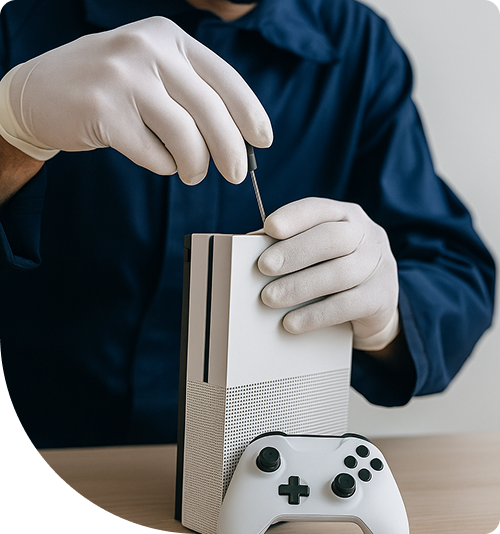
Professional Xbox Repair Services In The Fix in Northridge Fashion Center
System Error vs. Hardware Failure: Navigating Xbox Repair in Northridge
For gamers in Northridge, the Xbox is more than a console; it is a gateway to competitive esports, streaming entertainment, and social connection. Whether it is a CSUN student relaxing after finals with a Series X or a family in the 91324 area enjoying the weekend on an Xbox One, these machines are central to modern home entertainment. However, when the screen goes black or the system refuses to boot, the line between a simple glitch and a critical hardware failure often blurs.
Many users attempt to resolve these issues with "hard resets" or factory settings, assuming a software bug is to blame. While software can glitch, the reality of Xbox Repair in Northridge, CA often involves physical components reaching the end of their lifecycle. Understanding the difference between a system error and a hardware failure is key to making cost-effective repair decisions. This guide compares common symptoms to their underlying causes, helping you distinguish between a quick fix and a necessary professional intervention.
Comparison 1: The "Black Screen" – Port vs. Chip
The Symptom: The console turns on, the light is white, but the TV says "No Signal."
The Common Assumption: "I just need a new HDMI cable" or "The port is loose."
The Technical Reality:
- Physical Port Damage: If the HDMI port looks physically mangled—pins are bent or the plastic guide is missing—this is a straightforward physical repair. The port must be desoldered and replaced.
- The Retimer Chip (HDMI Control IC): Frequently, the port looks perfect. The issue lies deeper in the HDMI Retimer Chip (often a TDP158 or NB7N on newer boards). This chip manages the signal handshake between the console and the TV. It is highly susceptible to electrical surges (from lightning or hot-plugging cables).
- The Verdict: If a new cable doesn't work, "wiggling" the plug will only damage the physical port. A professional diagnostic distinguishes whether the fault is the physical connector or the control logic on the motherboard, requiring a precise BGA (Ball Grid Array) chip replacement.
Comparison 2: The "Green Screen of Death" – Software vs. Hard Drive
The Symptom: The console boots up but gets stuck on the green Xbox loading animation forever, or it boots straight into a troubleshooting menu (E101, E102, E105 errors).
The Common Assumption: "The update failed; I just need to download it again."
The Technical Reality:
- Corrupted OS: Sometimes, an interrupted update can corrupt the file system. An offline system update (OSU) via USB can fix this.
- Mechanical HDD Failure: In 90% of cases involving older Xbox One/S/X models, this is a sign of Hard Drive Failure. The mechanical drive inside has developed bad sectors and can no longer read the boot files. No amount of software updating will fix a physically failing drive.
- The Solution: The comparative advantage here is an upgrade. Replacing the spinning hard drive with a Solid State Drive (SSD) not only fixes the error but drastically reduces load times for games and textures. The system becomes faster than it was when it was new.
Comparison 3: Overheating – Dust vs. Thermal Compound
The Symptom: The fan is extremely loud, or the console shuts down during gameplay with a message stating it is improperly ventilated.
The Common Assumption: "I need to vacuum the vents."
The Technical Reality:
- Airflow Blockage: Northridge is a dusty environment. Dust accumulation on the heatsink fins does block airflow, and compressed air can help maintain it.
- Thermal Paste Degradation: The real culprit for shutdowns is often the Thermal Paste. This compound sits between the APU (Processor) and the heatsink. Over 3-4 years, factory paste turns into a hard, chalky substance that no longer transfers heat effectively. Even if the fan is clean, the heat stays trapped in the chip.
- The Professional Fix: Deep cleaning involves disassembling the entire chassis, removing the old paste with isopropyl alcohol, and applying a high-performance thermal compound (like MX-4 or equivalent) that can handle higher thermal loads without drying out.
Controller Drift: Potentiometer vs. Calibration
The Comparison: Your character walks left without you touching the stick. Is it dirty, or is it broken?
- Debris: Sometimes, dust inside the sensor causes "jitter." High-pressure air can temporarily resolve this.
- Wear and Tear: The analog stick mechanism uses carbon tracks (potentiometers). Friction wears these tracks down physically. Once the carbon layer is worn through, no amount of cleaning will fix it. The entire analog module must be desoldered from the controller's board and replaced with a new unit to restore "dead center" accuracy.
Expert Solutions at Northridge Fashion Center
At The Fix - Northridge (9301 Tampa Ave, Unit 205), we approach Xbox repair with an educational mindset. We don't just swap parts; we explain why the part failed. Whether it is a Series X needing a liquid metal adjustment or an older console needing a disc drive realignment, our goal is to extend the lifespan of your device.
We understand the local gaming ecosystem. We know that in the heat of the Valley, cooling systems work overtime. Our repairs are stress-tested to ensure they can handle long gaming sessions in our specific climate.
Frequently Asked Questions
Q: My Xbox turns on, then off immediately (the "ping" of death). Is it the power brick? A: On the original Xbox One, it is often the external power brick. However, on the Xbox One S, X, and Series consoles, the power supply is internal. This symptom usually indicates a motherboard short circuit (often a MOSFET failure) or a blown internal power supply unit. We can test the internal rails to identify the exact cause.
Q: Can a disc drive be swapped from another Xbox? A: Not directly. The logic board inside the disc drive is "paired" to the motherboard via a security key. If you simply swap the drive, it will not play games. We must perform a "board transplant," moving the original logic board into the new mechanical drive assembly to preserve functionality.
Q: Is it worth repairing an older Xbox One? A: It depends on the issue. If it requires a simple hard drive upgrade or an HDMI port fix, it is significantly cheaper than buying a new Series S or X. It also keeps a perfectly good console out of the landfill. However, for catastrophic motherboard failures on base models, we might advise an upgrade. We provide honest assessments based on current market values.
Other Locations Near By You
The Fix in Plaza Bonita
3030 Plaza Bonita Rd Ste 2075 National City, CA 91950
The Fix in Walmart Dinuba
770 W El Monte Way, Dinuba, CA 93618, United States
The Fix in Walmart Livermore
2700 Las Positas Rd, Livermore, CA 94551, United States
The Fix in Walmart Palm Springs
5601 Ramon Rd, Palm Springs, CA 92264, United States
The Fix in Westfield Culver City
6000 Sepulveda Blvd #2351, Culver City, CA 90230
The Fix in Walmart Lakewood
2770 E Carson St, Lakewood, CA 90712, United States
The Fix in Walmart Redding
1515 Dana Dr, Redding, CA 96003, United States
The Fix in Walmart Vista
1800 University Dr, Vista, CA 92083, United States
The Fix in Walmart Hesperia
13401 Main St inside Hesperia Walmart Hesperia 92345-9123 California
The Fix in Visalia Mall
2025 S. Mooney blvd., SPC# 1545, Visalia, CA 93277
Your local repair experts for every device
From iPhones to gaming laptops, The Fix in Northridge, CA is your one-stop shop for device repair. Quick turnarounds, affordable prices, and local experts you can trust

Phone Cases
Protect your device in style! At The Fix in Northridge, CA, we offer a wide selection of durable phone cases for all major brands—sleek designs that keep your phone safe and looking great.

Nintendo Switch Repair
Cracked Nintendo Switch screen? We repair Switch devices in Northridge, CA quickly and affordably. Fast, easy, and always with high-quality parts.

MacBook Repair
For broken screens, battery replacements, or other issues, The Fix in Northridge, CA provides quick MacBook repairs with premium parts.

PlayStation Repair
Is your PlayStation giving you trouble? At The Fix in Northridge, CA, we handle PlayStation repairs with care and quality parts—no long waits, no hassle.

Google Repair
Need your Google Pixel fixed? At The Fix in Northridge, CA, we repair cracked screens, charging issues, and more—always using high-quality parts for lasting results.

Tablet Repair
Whether your tablet screen is cracked or the battery won’t hold a charge, The Fix in Northridge, CA provides fast, affordable tablet repairs with free diagnostics.

Computer Repair
Need PC or desktop service in Northridge, CA? We provide free diagnostics and affordable repairs, always with high-quality parts.

Game Console Repair
From Nintendo Switch® to PlayStation and Xbox, The Fix in Northridge, CA repairs all major game consoles. Fast service and dependable results.

Laptop Repair
Got a broken laptop? The Fix In Northridge, CA, our team repairs most laptop brands and models using high-quality replacement parts.

iPad Repair
Need your iPad fixed? At The Fix in Northridge, CA, we repair cracked screens, charging issues, and more—always using high-quality parts for lasting results.

Cell Phone Repair
We repair all major phone brands in Northridge, CA. iPhone, Samsung, Google, and more—get your phone fixed fast.

iPhone Repair
Cracked screen? Battery draining too fast? Our team in Northridge, CA repairs iPhones with precision and high-quality parts to make your device feel new again.

Samsung Repair
Whether it’s a Galaxy screen replacement or a charging issue, The Fix in Northridge, CA offers fast and reliable Samsung repairs.


Trusted repair solution for mobile phones, tablets, gaming consoles, and computer systems. We provide fast, reliable, and affordable repair services to get your devices back in perfect working condition.
The Fix is an independent repair service provider and is not affiliated with, sponsored by, or endorsed by Apple Inc., Samsung Electronics, Google LLC, or any other device manufacturer. We use high-quality compatible replacement parts unless explicitly stated. All trademarks are property of their respective owners.


© Copyright The Fix Solutions All rights reserved 2026.
Design by Deepcoder