






Xbox Repair in The Fix in Walmart Grand Prairie
Is your Xbox giving you trouble? At The Fix in Grand Prairie, TX, we provide quick and reliable Xbox repairs. From HDMI port damage to overheating consoles, our technicians offer free diagnostics and use high-quality parts to get you back in the game fast.

Professional Xbox Repair Services
- HDMI Port Repair & Replacement
- Overheating & Fan Repair
- Controller & Stick Drift Repair
- Disc Drive Repair
- Power Supply Repair
- Software Troubleshooting & Updates
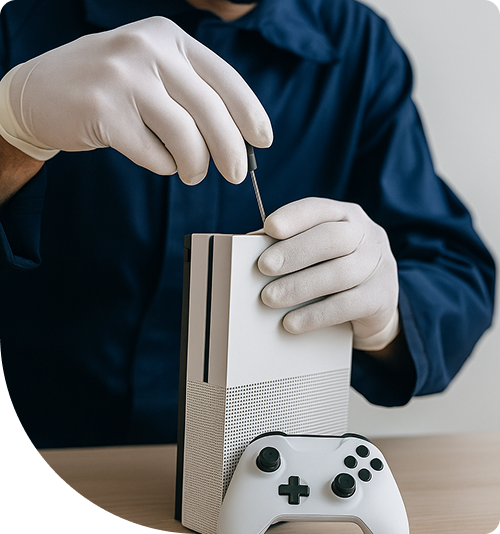
Professional Xbox Repair Services In The Fix in Walmart Grand Prairie
Analytical Debunking: Why "DIY Hacks" Destroy Xbox Consoles in Grand Prairie, TX (75052)
In Grand Prairie, we have a culture of self-reliance. Whether you are working in the industrial sectors near SH-161 or maintaining a home near Joe Pool Lake, the instinct is to fix things yourself. However, the Xbox Series X and S are not mechanical devices; they are precision-engineered thermal systems. Applying "internet hacks" or "old school" fixes to modern consoles often leads to catastrophic failure, especially in the 75052 zip code where environmental factors like humidity and heat exacerbate the damage.
At The Fix, located at 2650 S State Hwy 161 inside Walmart, we apply an analytical framework to Xbox Repair in Grand Prairie, TX. We don't rely on folklore; we rely on engineering data to debunk the myths that kill consoles.
Myth #1: "Intercoolers and External Fans Prevent Overheating"
The Myth: "My Xbox is hot, so I bought an external fan attachment that clips onto the vent to suck out more air." The Analysis: This is aerodynamically flawed.
- The Engineering: The Xbox internal fan is calibrated to create a specific static pressure. External fans often spin at different speeds, creating turbulence or a vacuum effect that actually impedes the airflow.
- The Local Reality: In Grand Prairie, the issue isn't lack of fan power; it's "Sticky Dust." The humidity from the lake mixes with dust to form a sludge on the heatsink.
- The Correction: Adding more fans to a clogged heatsink is useless. The system requires a disassembly and physical "Deep Clean" to scrub the radiator fins, restoring efficient heat transfer.
Myth #2: "If the Screen is Black, the HDMI Port is Loose"
The Myth: "I get 'No Signal' on my TV. I just need to wiggle the HDMI cord or tape it in a specific position." The Analysis: A "wobbly" connection is often a symptom of a deeper electrical failure.
- The Data: While physical port damage happens, a significant percentage of "No Signal" issues in DFW are caused by the HDMI Retimer Chip.
- The Local Reality: Grand Prairie experiences intense electrical storms. Lightning strikes can send surges through the cable lines, into your TV, and back into the Xbox via the HDMI cable. This fries the control chip on the motherboard.
- The Correction: Wiggling the cable can rip the copper pads off the motherboard, making the repair much more difficult. We perform board-level diagnostics to determine if the issue is the physical port or the Retimer chip, and repair accordingly using microsoldering.
Myth #3: "Toothpaste or Alcohol Fixes Stick Drift"
The Myth: "My controller drifts to the left. YouTube says to put rubbing alcohol or even toothpaste inside the joystick." The Analysis: This is chemically destructive.
- The Engineering: Stick drift is caused by the physical wear of carbon tracks inside the potentiometer.
- The Local Reality: High humidity accelerates the oxidation of these metal contacts. Adding liquid (alcohol) might temporarily clear debris, but it also washes away the factory lubricant, causing the plastic mechanism to grind itself to dust within weeks.
- The Correction: We do not patch drifting sticks. We replace the entire analog sensor module. For a permanent solution, we recommend upgrading to "Hall Effect" sensors, which use magnets instead of physical contacts and are immune to wear.
Myth #4: "The Disc Drive is Broken Because It Won't Read"
The Myth: "I put a disc in, and it says 'Unrecognized.' The drive is dead." The Analysis: The motor is likely fine; the optical pathway is obstructed.
- The Local Reality: The air in 75052 contains microscopic particulates and oils. Over time, a cloudy film creates a cataract over the laser lens.
- The Correction: Replacing the drive is unnecessary and complex due to motherboard pairing. We perform a chemical lens cleaning using specialized solvents to strip the oily film, restoring the laser's ability to focus without replacing expensive hardware.
Frequently Asked Questions (Q&A)
Q: Can I upgrade my Xbox Series S storage with a standard SSD? A: No. The internal architecture requires a specific NVMe drive speed and format. You cannot just plug in a PC drive. We can help you configure the official Expansion Card slot, which is the only way to play "Next-Gen" games from external storage.
Q: Why does my Xbox turn on, then immediately turn off? A: This is a power supply protection fault. The system detects a short circuit or overheating immediately upon boot and cuts power to prevent a fire. Do not keep trying to turn it on; bring it in for diagnostics.
Q: Is it safe to use a vacuum on the vents? A: NO. Vacuum cleaners generate static electricity. A static discharge near the sensitive ports can kill the motherboard. Always use ESD-safe compressed air or professional cleaning tools.
Logic Over Guesswork
Don't let myths dictate the lifespan of your console. Rely on engineering principles and proven repair methods. Visit The Fix inside Walmart Grand Prairie on SH-161 for a professional assessment based on facts.
Other Locations Near By You
The Fix in Walmart Carrollton
1213 E Trinity Mls Rd, Carrollton, TX 75006, United States
The Fix in Walmart Lubbock
702 W Loop 289 Acc Rd, Lubbock, TX 79416, United States
The Fix in South Plains Mall
6002 Slide Rd, Lubbock, TX 79414
The Fix in Walmart North Richland Hills
6401 NE Loop 820, North Richland Hills, TX 76180, United States
The Fix in South Park Mall San Antonio
2310 SW Military Dr. Suite 118 San Antonio, TX 78224
The Fix in Walmart Odessa
2450 NW Loop 338 State Rte W, Odessa, TX 79763, United States
The Fix in Walmart La Porte
9025 Spencer Hwy, La Porte, TX 77571, United States
The Fix in Baybrook Mall
500 Baybrook Mall #1079, Friendswood, TX 77546, United States
The Fix in Walmart Humble
9235 N Sam Houston Pkwy E, Humble, TX 77396, United States
The Fix in Walmart Weatherford
1836 S Main St, Weatherford, TX 76086, United States
Your local repair experts for every device
From iPhones to gaming laptops, The Fix in Grand Prairie, TX is your one-stop shop for device repair. Quick turnarounds, affordable prices, and local experts you can trust

Phone Cases
Protect your device in style! At The Fix in Grand Prairie, TX, we offer a wide selection of durable phone cases for all major brands—sleek designs that keep your phone safe and looking great.

Nintendo Switch Repair
Cracked Nintendo Switch screen? We repair Switch devices in Grand Prairie, TX quickly and affordably. Fast, easy, and always with high-quality parts.

MacBook Repair
For broken screens, battery replacements, or other issues, The Fix in Grand Prairie, TX provides quick MacBook repairs with premium parts.

PlayStation Repair
Is your PlayStation giving you trouble? At The Fix in Grand Prairie, TX, we handle PlayStation repairs with care and quality parts—no long waits, no hassle.

Google Repair
Need your Google Pixel fixed? At The Fix in Grand Prairie, TX, we repair cracked screens, charging issues, and more—always using high-quality parts for lasting results.

Tablet Repair
Whether your tablet screen is cracked or the battery won’t hold a charge, The Fix in Grand Prairie, TX provides fast, affordable tablet repairs with free diagnostics.

Computer Repair
Need PC or desktop service in Grand Prairie, TX? We provide free diagnostics and affordable repairs, always with high-quality parts.

Game Console Repair
From Nintendo Switch® to PlayStation and Xbox, The Fix in Grand Prairie, TX repairs all major game consoles. Fast service and dependable results.

Laptop Repair
Got a broken laptop? The Fix In Grand Prairie, TX, our team repairs most laptop brands and models using high-quality replacement parts.

iPad Repair
Need your iPad fixed? At The Fix in Grand Prairie, TX, we repair cracked screens, charging issues, and more—always using high-quality parts for lasting results.

Cell Phone Repair
We repair all major phone brands in Grand Prairie, TX. iPhone, Samsung, Google, and more—get your phone fixed fast.

iPhone Repair
Cracked screen? Battery draining too fast? Our team in Grand Prairie, TX repairs iPhones with precision and high-quality parts to make your device feel new again.

Samsung Repair
Whether it’s a Galaxy screen replacement or a charging issue, The Fix in Grand Prairie, TX offers fast and reliable Samsung repairs.


Trusted repair solution for mobile phones, tablets, gaming consoles, and computer systems. We provide fast, reliable, and affordable repair services to get your devices back in perfect working condition.
The Fix is an independent repair service provider and is not affiliated with, sponsored by, or endorsed by Apple Inc., Samsung Electronics, Google LLC, or any other device manufacturer. We use high-quality compatible replacement parts unless explicitly stated. All trademarks are property of their respective owners.


© Copyright The Fix Solutions All rights reserved 2026.
Design by Deepcoder