






PlayStation Repair in The Fix in Walmart Casselberry
Is your PlayStation not working properly? At The Fix in Casselberry, FL, we provide quick and reliable PlayStation repairs. From overheating consoles to controller issues, our technicians offer free diagnostics and use high-quality parts to get you back to gaming fast.

Professional PlayStation Repair Services
- HDMI Port Repair & Replacement
- Overheating & Fan Repair
- Controller & Stick Drift Repair
- Disc Drive Repair
- Power Supply Repair
- Software Troubleshooting & Updates
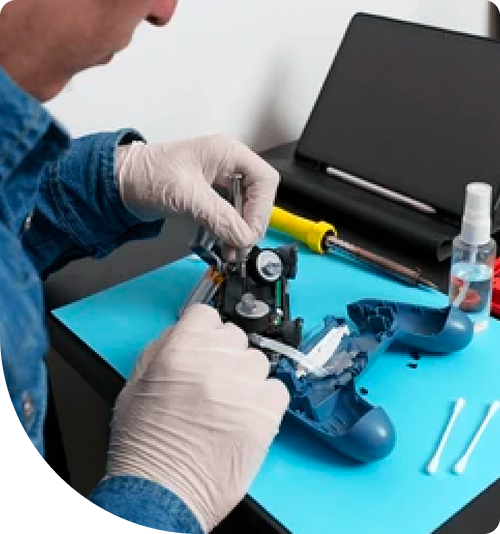
Professional PlayStation Repair Services In The Fix in Walmart Casselberry
The Timeline of Failure: Progressive PlayStation Repair in Casselberry, FL (32707)
Does your gaming console sound like it’s preparing for takeoff? If your PlayStation sounds louder than the traffic on the I-4 Corridor during rush hour, it is trying to tell you something. Gaming consoles rarely die instantly; they go through a predictable timeline of degradation. Recognizing the symptoms in the early stages can save you the cost of a replacement system.
At The Fix, located at 1239 State Road 436 Ste 101 inside Walmart, we specialize in interrupting this cycle of failure. We diagnose the root causes of PlayStation Repair in Casselberry, FL, solving the problem before it becomes a catastrophe. Here is the progressive timeline of console failure we see most often in the 32707 zip code.
Stage 1: The Audible Warning (Fan Noise)
The Symptom: You turn on your PS4 or PS5 to play a game, and within minutes, the fan ramps up to maximum speed. It creates a loud, droning noise that disrupts the quiet atmosphere of your home—perhaps even louder than the HVAC system fighting the Casselberry heat. The Underlying Cause: Airflow restriction. In Central Florida, we deal with a specific type of dust. The high humidity combines with household dust to create a sticky, cement-like layer on your console’s heatsink. This layer acts as insulation, trapping heat inside the Accelerated Processing Unit (APU). The Solution: At this stage, a deep internal cleaning is usually sufficient. We disassemble the unit, remove the "humidity cake" from the vents, and replace the dried-out thermal paste. Ignoring this stage leads directly to Stage 2.
Stage 2: The Visual Glitch (HDMI Instability)
The Symptom: While playing, your screen flickers black for a second, then returns. Or, you have to wiggle the HDMI cable at a specific angle to get a picture. The Underlying Cause: Physical port damage. We see this frequently with students moving consoles to and from dorms near the university area or families packing up electronics during hurricane warnings. The HDMI port is held to the motherboard by tiny anchor legs. Constant plugging and unplugging weakens these legs, causing the data pins to lift off the board. The Solution: This requires a port replacement. We use microsoldering techniques to remove the damaged port and install a new, reinforced HDMI unit. If you catch it now, the repair is standard. If you keep "wiggling" it, you risk ripping the copper pads off the motherboard, making repair much more difficult.
Stage 3: The Thermal Shutdown (Blue Light of Death)
The Symptom: You are deep into a session, perhaps waiting out a storm near Red Bug Lake Park, and the console beeps and shuts down completely. When you try to restart, you get a pulsing blue light, but no white light and no image. The Underlying Cause: APU solder fracture. Because the system was overheating (Stage 1) for so long, the repeated heating and cooling caused the motherboard to flex. eventually cracking the microscopic solder balls connecting the main processor to the board. This breaks the connection, leading to a "Blue Light of Death" (BLOD). The Solution: This is a critical failure. It often requires advanced board-level diagnostics or a reflow procedure to reconnect the processor. Prevention (cleaning at Stage 1) is far cheaper than the cure at Stage 3.
Stage 4: The Data Corruption (Drive Failure)
The Symptom: Games take forever to load, textures pop in late, or the system crashes to the dashboard with "Corrupted Data" errors. The Underlying Cause: Hard Drive (HDD) mechanical failure. The traditional spinning hard drives in older PlayStations are sensitive to vibration and heat. After years of spinning at 5400 RPM in a hot environment, the read/write heads begin to fail. The Solution: We replace the failing mechanical drive with a Solid State Drive (SSD). An SSD has no moving parts, runs cooler, and loads games significantly faster, effectively upgrading your console's performance while fixing the crash.
Frequently Asked Questions (Q&A)
Q: Why does my PS5 shut down only when playing PS5 games, not PS4 games? A: This is a classic symptom of liquid metal oxidization (on PS5s) or a clogged power supply vent. PS5 games draw more power and generate more heat. If the cooling system is compromised, the system trips its thermal safety switch during high-load tasks but runs fine during low-load tasks.
Q: Can you fix a controller that drifts without buying a new one? A: Yes. "Stick drift" is caused by wear on the potentiometer sensors inside the joystick. Instead of replacing the whole controller, we can solder in new, high-quality sensor modules to restore precise movement.
Q: How long does an HDMI port repair take? A: Because this involves precision soldering and microscope work, we typically require 24 to 48 hours to ensure the bond is secure and the video signal is stable. We prioritize quality over rushing the delicate soldering process.
Break the Cycle of Failure
Don't wait until your console hits Stage 3 or 4. If you hear the fans screaming or see the screen flickering, visit The Fix inside Walmart Casselberry. We can troubleshoot the issue and extend the life of your gaming system.
Other Locations Near By You
The Fix in Walmart Jacksonville
6767 103rd St, Jacksonville, FL 32210, United States
The Fix in Walmart West Melbourne
845 Palm Bay Rd NE, West Melbourne, FL 32904, United States
The Fix in Walmart Jacksonville
10251 Shops Ln, Jacksonville, FL 32258, United States
The Fix in Walmart Orlando
8990 Turkey Lake Rd, Orlando, FL 32819, United States
The Fix in Walmart Orlando
11250 E Colonial Dr, Orlando, FL 32817, United States
The Fix in Walmart Brandon
1208 E Brandon Blvd, Brandon, FL 33510, United States
The Fix in Walmart Zephyrhills
7631 Gall Blvd, Zephyrhills, FL 33541, United States
The Fix in Walmart Lake Worth
4545 Hypoluxo Rd, Lake Worth Beach, FL 33463, United States
The Fix in Walmart Stuart
4001 SE Federal Hwy, Stuart, FL 34997, United States
The Fix in Walmart Naples
5420 Juliet Blvd, Naples, FL 34109, United States
Your local repair experts for every device
From iPhones to gaming laptops, The Fix in Casselberry, FL is your one-stop shop for device repair. Quick turnarounds, affordable prices, and local experts you can trust

Phone Cases
Protect your device in style! At The Fix in Casselberry, FL, we offer a wide selection of durable phone cases for all major brands—sleek designs that keep your phone safe and looking great.

Nintendo Switch Repair
Cracked Nintendo Switch screen? We repair Switch devices in Casselberry, FL quickly and affordably. Fast, easy, and always with high-quality parts.

MacBook Repair
For broken screens, battery replacements, or other issues, The Fix in Casselberry, FL provides quick MacBook repairs with premium parts.

Google Repair
Need your Google Pixel fixed? At The Fix in Casselberry, FL, we repair cracked screens, charging issues, and more—always using high-quality parts for lasting results.

Tablet Repair
Whether your tablet screen is cracked or the battery won’t hold a charge, The Fix in Casselberry, FL provides fast, affordable tablet repairs with free diagnostics.

Computer Repair
Need PC or desktop service in Casselberry, FL? We provide free diagnostics and affordable repairs, always with high-quality parts.

Game Console Repair
From Nintendo Switch® to PlayStation and Xbox, The Fix in Casselberry, FL repairs all major game consoles. Fast service and dependable results.

Laptop Repair
Got a broken laptop? The Fix In Casselberry, FL, our team repairs most laptop brands and models using high-quality replacement parts.

iPad Repair
Need your iPad fixed? At The Fix in Casselberry, FL, we repair cracked screens, charging issues, and more—always using high-quality parts for lasting results.

Cell Phone Repair
We repair all major phone brands in Casselberry, FL. iPhone, Samsung, Google, and more—get your phone fixed fast.

iPhone Repair
Cracked screen? Battery draining too fast? Our team in Casselberry, FL repairs iPhones with precision and high-quality parts to make your device feel new again.

Samsung Repair
Whether it’s a Galaxy screen replacement or a charging issue, The Fix in Casselberry, FL offers fast and reliable Samsung repairs.

Xbox Repair
Xbox not working properly? Our team in Casselberry, FL offers quick, reliable Xbox repairs with free diagnostics and high-quality replacement parts.


Trusted repair solution for mobile phones, tablets, gaming consoles, and computer systems. We provide fast, reliable, and affordable repair services to get your devices back in perfect working condition.
The Fix is an independent repair service provider and is not affiliated with, sponsored by, or endorsed by Apple Inc., Samsung Electronics, Google LLC, or any other device manufacturer. We use high-quality compatible replacement parts unless explicitly stated. All trademarks are property of their respective owners.


© Copyright The Fix Solutions All rights reserved 2026.
Design by Deepcoder