






PlayStation Repair in The Fix in Town Center at Cobb
Is your PlayStation not working properly? At The Fix in Kennesaw, GA, we provide quick and reliable PlayStation repairs. From overheating consoles to controller issues, our technicians offer free diagnostics and use high-quality parts to get you back to gaming fast.

Professional PlayStation Repair Services
- HDMI Port Repair & Replacement
- Overheating & Fan Repair
- Controller & Stick Drift Repair
- Disc Drive Repair
- Power Supply Repair
- Software Troubleshooting & Updates
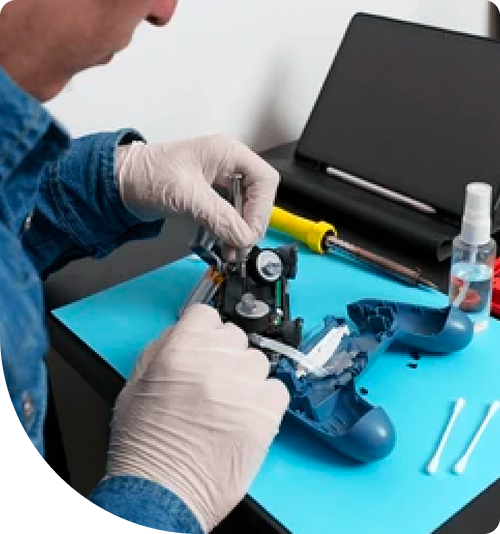
Professional PlayStation Repair Services In The Fix in Town Center at Cobb
The Reality of Console Hardware: Dispelling Common Myths About PlayStation Repair in Kennesaw, GA
In the vibrant community of Kennesaw, gaming is more than just a hobby; for the students at Kennesaw State University (KSU) and the families visiting Town Center at Cobb, it is a primary form of entertainment and connection. However, when high-performance consoles begin to falter—whether it is a sudden shutdown or a pixelated screen—the rumor mill often takes over. Dorm rooms and online forums are full of "quick hacks" that promise to fix complex hardware issues with household items.
For gamers seeking PlayStation Repair in Kennesaw, GA, separating technical reality from convenient fiction is the first step toward restoring a console's performance. At The FIX, located at 400 Ernest W Barrett Pkwy NW inside the Town Center at Cobb, the approach is grounded in hardware realities. Understanding the difference between a perceived software glitch and a physical component failure can save a device from permanent damage.
Myth 1: "If the screen flickers, I just need a new cable."
The Reality: The HDMI Port Structural Failure
A common misconception is that video signal loss is almost always the fault of a bad HDMI cable. Users often find that if they hold the cable at a specific, tight angle against the wall or the TV stand, the picture returns. This leads to the belief that the cable is simply loose or faulty. However, the reality is usually internal and mechanical.
The HDMI port on modern consoles is the primary point of physical stress. Every time the console is moved between a dorm and a parent's house, or packed for a trip, the port endures leverage. Over time, the microscopic metal legs that anchor the port to the motherboard fracture. When a user "wiggles" the cable to get a picture, they are physically forcing these broken metal legs to touch the motherboard pads temporarily.
Why it matters: Continuing to wiggle the cable does not fix the issue; it exacerbates it. This friction can rip the copper trace pads right off the motherboard laminate. Once these pads are torn, the repair evolves from a standard port replacement to a complex board reconstruction.
Myth 2: "Loud fans just mean the console is working hard."
The Reality: Thermal Saturation and Airflow Blockage
It is a running joke that high-performance consoles sound like a jet engine preparing for takeoff. Many users accept this as a normal operating volume for high-fidelity gaming. While fans should spin up during intense graphical sequences, a fan that runs at maximum RPM constantly—even in menus—is a sign of thermal failure, not effort.
The cooling system relies on a heat sink stack to dissipate energy. In the Kennesaw area, where spring pollen counts are notoriously high and dust is common, these fins act as a filter. They trap dust, pet dander, and fibers. Over time, a "felt" or carpet of dust forms between the fan and the heatsink, completely blocking airflow.
Furthermore, the thermal compound (paste or liquid metal) that transfers heat from the APU (Accelerated Processing Unit) to the cooler degrades. Professional maintenance involves not just blowing air (which simply pushes dust deeper), but disassembling the unit to physically remove blockages and re-apply high-grade thermal interface materials.
Myth 3: "Safe Mode loops are caused by a software virus."
The Reality: Hard Drive Mechanical Failure
When a console gets stuck in a "Safe Mode" loop, asking for an update file or claiming the database is corrupted, users often fear a software virus or a bad update. They may try to factory reset the device repeatedly, losing data in the process, only to find the error returns days later.
The technical reality is often a physical failure of the internal Hard Disk Drive (HDD). Traditional mechanical drives use spinning platters and a read/write head. These components are sensitive to vibration—such as a console being bumped on a desk. Once the drive develops "bad sectors"—physical areas on the disk that can no longer hold magnetic data—the operating system crashes when it attempts to read files stored in those sectors. No amount of software updating can fix a physically damaged disk. Replacing the failing mechanical drive with a Solid State Drive (SSD) resolves the error loop and significantly improves load times.
Myth 4: "Putting the console in rice fixes water damage."
The Reality: Corrosion Acceleration
This is perhaps the most pervasive and dangerous myth in electronics. If a liquid spill occurs near the console, putting it in a container of rice is effectively useless. Rice is a passive desiccant with low absorption rates for internal moisture hidden deep within a plastic chassis.
While the device sits in rice, the water evaporates, leaving behind salts and sugars that begin to corrode the copper circuits on the motherboard. This corrosion eats through traces and shorts out power management chips. The only effective response to liquid exposure is immediate power disconnection and professional ultrasonic cleaning to chemically remove the corrosive residues before they permanently destroy the board traces.
Myth 5: "Controller drift is just dirt."
The Reality: Potentiometer Sensor Degradation
When characters move on their own, many tutorials suggest using compressed air to "clean" the analog sticks. While this might temporarily dislodge a large crumb, it rarely fixes true drift. The issue lies in the wear of the carbon tracks inside the potentiometer sensors.
As the joystick is used, the wiper arm scrapes against the resistive track, wearing it down and creating conductive dust. This changes the resistance values the sensor reads, telling the console there is movement when the stick is centered. This is a physical wear-and-tear issue, similar to brake pads on a car. The permanent solution is replacing the analog sensor mechanism itself.
Educational Conclusion
Modern gaming consoles are sophisticated computers with specific environmental and mechanical needs. Ignoring the warning signs or relying on myths can turn a minor maintenance issue into a catastrophic failure. For Kennesaw gamers, understanding these distinctions ensures that their setup remains reliable for years to come.
Frequently Asked Questions
Q: Is it better to stand the console vertically or lay it flat? A: Historically, orientation mattered less, but with newer consoles using liquid metal thermal interfaces, there is a debate regarding gravity's effect on the liquid metal distribution when heated. While manufacturers state both orientations are safe, laying the console horizontal eliminates the risk of it being knocked over—a common cause of HDMI port damage and disc drive misalignment, especially in busy dorm rooms or family living areas.
Q: Why does my console turn off instantly when I try to start a game? A: This "instant shutdown" often points to a Power Supply Unit (PSU) issue or an APU overheat protection trigger. If the power supply vents are clogged, the PSU itself can overheat and cut power. Alternatively, if the thermal paste on the processor is completely dried out, the chip temperature spikes instantly upon load, triggering a thermal safety shutdown.
Other Locations Near By You
The Fix in Walmart Augusta
260 Bobby Jones Expy, Augusta, GA 30907, United States
The Fix in Walmart Dawsonville
98 Power Center Dr, Dawsonville, GA 30534
The Fix in Walmart Gainesville
400 Shallowford Rd inside Walmart Gainesville 30504 GA
The Fix in Walmart Toccoa
3886 GA-17, Eastanollee, GA 30538, United States
Your local repair experts for every device
From iPhones to gaming laptops, The Fix in Kennesaw, GA is your one-stop shop for device repair. Quick turnarounds, affordable prices, and local experts you can trust

Phone Cases
Protect your device in style! At The Fix in Kennesaw, GA, we offer a wide selection of durable phone cases for all major brands—sleek designs that keep your phone safe and looking great.

Nintendo Switch Repair
Cracked Nintendo Switch screen? We repair Switch devices in Kennesaw, GA quickly and affordably. Fast, easy, and always with high-quality parts.

MacBook Repair
For broken screens, battery replacements, or other issues, The Fix in Kennesaw, GA provides quick MacBook repairs with premium parts.

Google Repair
Need your Google Pixel fixed? At The Fix in Kennesaw, GA, we repair cracked screens, charging issues, and more—always using high-quality parts for lasting results.

Tablet Repair
Whether your tablet screen is cracked or the battery won’t hold a charge, The Fix in Kennesaw, GA provides fast, affordable tablet repairs with free diagnostics.

Computer Repair
Need PC or desktop service in Kennesaw, GA? We provide free diagnostics and affordable repairs, always with high-quality parts.

Game Console Repair
From Nintendo Switch® to PlayStation and Xbox, The Fix in Kennesaw, GA repairs all major game consoles. Fast service and dependable results.

Laptop Repair
Got a broken laptop? The Fix In Kennesaw, GA, our team repairs most laptop brands and models using high-quality replacement parts.

iPad Repair
Need your iPad fixed? At The Fix in Kennesaw, GA, we repair cracked screens, charging issues, and more—always using high-quality parts for lasting results.

Cell Phone Repair
We repair all major phone brands in Kennesaw, GA. iPhone, Samsung, Google, and more—get your phone fixed fast.

iPhone Repair
Cracked screen? Battery draining too fast? Our team in Kennesaw, GA repairs iPhones with precision and high-quality parts to make your device feel new again.

Samsung Repair
Whether it’s a Galaxy screen replacement or a charging issue, The Fix in Kennesaw, GA offers fast and reliable Samsung repairs.

Xbox Repair
Xbox not working properly? Our team in Kennesaw, GA offers quick, reliable Xbox repairs with free diagnostics and high-quality replacement parts.


Trusted repair solution for mobile phones, tablets, gaming consoles, and computer systems. We provide fast, reliable, and affordable repair services to get your devices back in perfect working condition.
The Fix is an independent repair service provider and is not affiliated with, sponsored by, or endorsed by Apple Inc., Samsung Electronics, Google LLC, or any other device manufacturer. We use high-quality compatible replacement parts unless explicitly stated. All trademarks are property of their respective owners.


© Copyright The Fix Solutions All rights reserved 2026.
Design by Deepcoder