






Laptop Repair in The Fix in Warwick Mall
Broken laptop slowing you down? At The Fix in Warwick, RI, we repair all major laptop brands and models. From cracked screens to battery issues, our technicians provide fast, affordable service with free diagnostics and high-quality parts.

Professional Laptop Repair Services
- Screen Repair & Replacement
- Battery Replacement
- Water Damage Repair
- Keyboard & Trackpad Repair
- Charging Port Repair
- Overheating & Fan Repair
- Hard Drive / SSD Replacement & Data Recovery
- Software Troubleshooting & Recovery
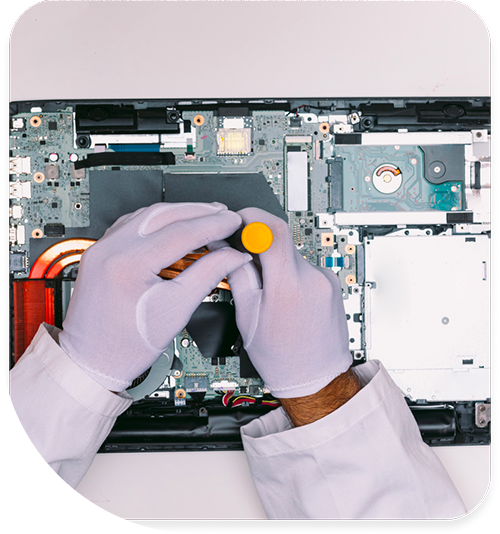
Professional Laptop Repair Services In The Fix in Warwick Mall
The 48-Hour Survival Window: Laptop Repair in Warwick, RI
The moment a liquid spill occurs, or a strange grinding noise begins, a silent clock starts ticking. For laptop owners, the difference between a simple component swap and a total system loss is often measured in hours, not days. In the 02886 zip code, where environmental humidity can accelerate internal damage, ignoring early warning signs is a gamble with your data. When you search for Laptop Repair in Warwick, RI, you are likely already in the danger zone.
At The Fix in Warwick Mall, we operate as a rapid-response unit for hardware critical failures. We have identified a specific timeline of destruction that occurs when minor symptoms are left unaddressed. Understanding these "Stage 1" warnings allows for intervention before "Stage 2" permanent failure sets in.
The Corrosion Clock: Liquid Exposure
The most common myth in technology is that if a device turns on after a spill, it "survived." This is false. When liquid enters a laptop keyboard, it migrates to the logic board. The minerals in the liquid, combined with the electrical current from the battery, trigger a process called galvanic corrosion.
This chemical reaction creates green, conductive rust that eats through copper traces and solder joints. In Warwick's humid coastal air, this process is accelerated. You have approximately 48 hours to open the device, disconnect the battery, and perform an ultrasonic chemical cleaning. After this window, the corrosion often hardens, bridging connection points and causing short circuits that can burn holes in the motherboard layers. If you spill, power down immediately—do not wait for it to "dry out."
Audible Warnings: The Fan Grind
A laptop should be felt, not heard. If your machine begins to emit a low-frequency buzzing or grinding noise, it is a sign of mechanical bearing failure in the cooling fan.
This is not a nuisance; it is a thermal threat. A failing fan cannot move sufficient air to cool the CPU and GPU. As a result, the heat remains trapped inside the chassis, soaking into surrounding components. Prolonged exposure to this excess heat can warp the motherboard and degrade the BGA (Ball Grid Array) solder joints under the graphics chip. Addressing a $30 fan issue today prevents a $300 logic board failure next month.
Structural Fatigue: The Hinge "Pop"
Modern laptops are designed with tighter tolerances than ever before. The hinges that connect the screen to the base are anchored into plastic or thin metal standoffs. We frequently see devices brought in from the busy retail areas around Bald Hill Road where the user heard a "pop" sound when opening the lid, but ignored it.
That sound was the anchor point snapping. Now, every time you open the laptop, the steel hinge is leveraging against the soft internal plastic frame and the delicate video cables. If left unrepaired, the loose hinge will eventually sever the video cable (causing a black screen) or crack the chassis completely, making the laptop impossible to close. Early reinforcement of the hinge mounts restores structural integrity before the damage spreads to the electronics.
The "Ghost" Battery Drain
If you shut your laptop down at 100% charge, but it won't turn on the next morning without a charger, your motherboard has a "parasitic draw."
This indicates that a capacitor or a power management chip (PMIC) has failed and is leaking electricity to the ground even when the system is off. This is dangerous because it can drain the lithium-ion battery below its critical voltage threshold. Once a battery drops below this safety voltage, its internal chemistry becomes unstable, and the safety circuit will permanently disable the cell to prevent fire. Ignoring a fast-draining battery often leads to the destruction of the battery itself.
Keyboard Input Lag and Sticky Keys
A key that feels "mushy" or requires hard pressure to register is often the first sign of accumulated debris or previous liquid ingress. Underneath the keycap is a delicate scissor-switch mechanism and a silicone membrane.
When sugar from a soda spill crystallizes, or when dust from the local environment packs into the mechanism, it prevents the switch from closing the circuit. More critically, if the stickiness is caused by liquid, that liquid is sitting directly on top of the keyboard controller circuit. It is only a matter of time before it seeps through to the logic board below. Replacing the keyboard assembly is a containment strategy to protect the vital components underneath.
Expert Q&A: Emergency Triage
Q: I spilled water on my laptop. Should I put it in rice? A: No. This is a dangerous myth. Rice does nothing to remove the liquid trapped inside the complex layers of a keyboard or motherboard. In fact, starch dust from the rice can enter the cooling vents and clog the fan, creating a second problem. The only solution is immediate power disconnection and professional chemical cleaning.
Q: My trackpad is bulging upward. Is this normal wear? A: Absolutely not. The trackpad sits directly on top of the battery in most laptops. If it is bulging or hard to click, the battery underneath has swollen due to gas buildup. This is a fire safety hazard. You must stop using the device and have the battery removed immediately.
Q: Can a cracked screen damage the rest of the laptop? A: Yes. A cracked LCD panel can "bleed" liquid crystal fluid, but more importantly, a cracked glass digitizer sheds microscopic shards. These shards can fall into the keyboard or hinge mechanism, causing mechanical jams. Additionally, the loss of structural rigidity in the lid puts more stress on the hinges, accelerating their failure.
Your local repair experts for every device
From iPhones to gaming laptops, The Fix in Warwick, RI is your one-stop shop for device repair. Quick turnarounds, affordable prices, and local experts you can trust

Phone Cases
Protect your device in style! At The Fix in Warwick, RI, we offer a wide selection of durable phone cases for all major brands—sleek designs that keep your phone safe and looking great.

Nintendo Switch Repair
Cracked Nintendo Switch screen? We repair Switch devices in Warwick, RI quickly and affordably. Fast, easy, and always with high-quality parts.

MacBook Repair
For broken screens, battery replacements, or other issues, The Fix in Warwick, RI provides quick MacBook repairs with premium parts.

PlayStation Repair
Is your PlayStation giving you trouble? At The Fix in Warwick, RI, we handle PlayStation repairs with care and quality parts—no long waits, no hassle.

Google Repair
Need your Google Pixel fixed? At The Fix in Warwick, RI, we repair cracked screens, charging issues, and more—always using high-quality parts for lasting results.

Tablet Repair
Whether your tablet screen is cracked or the battery won’t hold a charge, The Fix in Warwick, RI provides fast, affordable tablet repairs with free diagnostics.

Computer Repair
Need PC or desktop service in Warwick, RI? We provide free diagnostics and affordable repairs, always with high-quality parts.

Game Console Repair
From Nintendo Switch® to PlayStation and Xbox, The Fix in Warwick, RI repairs all major game consoles. Fast service and dependable results.

iPad Repair
Need your iPad fixed? At The Fix in Warwick, RI, we repair cracked screens, charging issues, and more—always using high-quality parts for lasting results.

Cell Phone Repair
We repair all major phone brands in Warwick, RI. iPhone, Samsung, Google, and more—get your phone fixed fast.

iPhone Repair
Cracked screen? Battery draining too fast? Our team in Warwick, RI repairs iPhones with precision and high-quality parts to make your device feel new again.

Samsung Repair
Whether it’s a Galaxy screen replacement or a charging issue, The Fix in Warwick, RI offers fast and reliable Samsung repairs.

Xbox Repair
Xbox not working properly? Our team in Warwick, RI offers quick, reliable Xbox repairs with free diagnostics and high-quality replacement parts.


Trusted repair solution for mobile phones, tablets, gaming consoles, and computer systems. We provide fast, reliable, and affordable repair services to get your devices back in perfect working condition.
The Fix is an independent repair service provider and is not affiliated with, sponsored by, or endorsed by Apple Inc., Samsung Electronics, Google LLC, or any other device manufacturer. We use high-quality compatible replacement parts unless explicitly stated. All trademarks are property of their respective owners.


© Copyright The Fix Solutions All rights reserved 2026.
Design by Deepcoder