






Samsung Galaxy Tab A Repair Services
Get fast, reliable, and professional Samsung Galaxy Tab A repair services at The Fix — your trusted destination for expert device care.
Common Repairs We Handle Daily


Keep Your Samsung Galaxy Tab A Running: Smart Samsung Galaxy Tab A Repair Prevention
Picture this: you've got an old Samsung Galaxy Tab A sitting in a drawer, on a shelf, or maybe still getting occasional use as a dedicated device. Whether it's the 2015 original with the 8-inch or 9.7-inch display, or one of the later iterations from 2016-2019, these budget-friendly tablets found their way into millions of homes. Samsung positioned them as affordable family tablets with decent specs—Snapdragon processors, LCD displays with acceptable resolution, expandable storage via microSD, and solid build quality for the price. They weren't flagship devices, but they handled streaming, browsing, and casual gaming adequately when new. Many became kids' tablets, kitchen recipe displays, or backup devices that refuse to die.
Now you're dealing with an aging Galaxy Tab A that's developed problems. Maybe the battery barely holds a charge, or the screen's cracked, or it won't charge properly. The tablet's old enough that software support ended years ago, but it still works for basic tasks when the hardware cooperates. You're wondering whether Samsung Galaxy Tab A repair makes sense for such an old budget device, or if it's finally time to let it go. Let's work through what actually goes wrong with these older tablets and when repair investment is justified versus when it's not.
Device Overview: Budget Tablets That Lasted
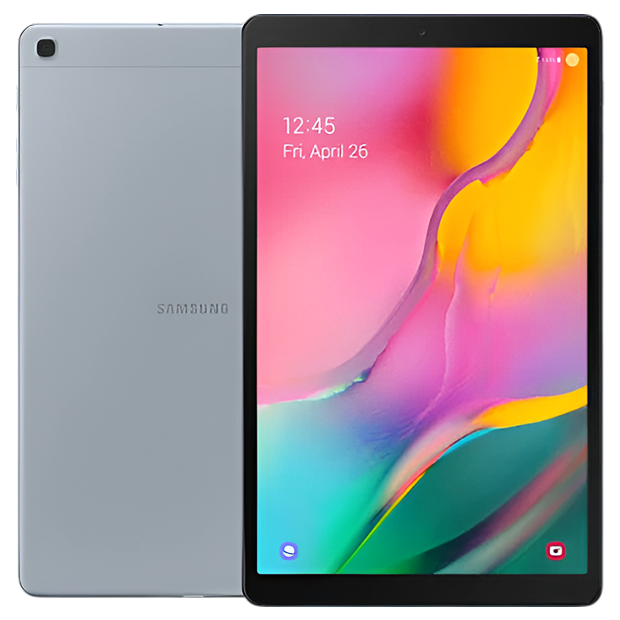
The Galaxy Tab A lineup spanned several years with various screen sizes and specs. The 2015 models offered 8-inch and 9.7-inch options with Snapdragon 410 processors and 1.5-2GB RAM. Later versions improved specs incrementally—better processors, more RAM, higher-resolution displays—but always maintained the budget positioning.
These weren't powerhouses even when new. They handled basic tasks—video streaming, web browsing, email, casual games—but struggled with demanding apps or heavy multitasking. That limitation becomes more obvious years later as software has evolved beyond what these processors can handle comfortably.
The LCD displays delivered acceptable image quality for the price point. Not stunning, not premium, just functional. Resolution varied by model—1024x768 on smaller screens, 1280x800 or 1920x1200 on larger ones. Adequate for content consumption without being impressive.
Battery capacities ranged from 4,000mAh to 6,000mAh depending on screen size and generation. When new, they provided decent runtime. Years of degradation later, many barely hold a charge or require constant connection to power.
The build quality was acceptable for budget devices. Plastic bodies on early models, some metal construction on later ones. Not premium materials, but functional and reasonably durable. The design aged quickly as Samsung moved to slimmer, more modern aesthetics in later generations.
Software support ended years ago for most Tab A models. The newest might still receive occasional security updates, but major Android version updates stopped long ago. This creates security vulnerabilities and app compatibility issues that repair can't solve.
Understanding Why All Smartphones Age
Let's talk about why your older Galaxy Tab A develops issues even if you've treated it carefully. Your tablet's battery is like a car engine losing efficiency with mileage. A new engine runs smoothly and efficiently, delivering full power with minimal wasted energy. After 150,000 miles, it burns more oil, loses compression, and doesn't deliver the performance it once did. The fundamental mechanics have degraded through cumulative use.
Your Tab A's battery has gone through hundreds or thousands of charge cycles over its life. If it's from 2015-2016, we're talking about 8-9 years and probably 1,500-2,500+ cycles. The lithium-ion cells have degraded dramatically—internal resistance is significantly higher, capacity has dropped to maybe 30-50% of design specification, and the battery management system struggles to report accurate remaining charge.
Display technology ages from cumulative operational hours. The LED backlight has logged thousands of hours, causing noticeable dimming and potentially uneven illumination. The LCD panel can develop stuck or dead pixels from age and thermal stress. The digitizer coating shows wear from millions of taps over years.
Charging ports experience mechanical wear that's unavoidable with age. Whether it's micro-USB on older models or USB-C on newer ones, years of daily insertion cycles degrade internal contacts. Port housings loosen from repeated stress. Debris accumulates over years of use.
Software obsolescence affects old Android devices severely. The Tab A models maxed out at various Android versions—maybe 5.1, 6.0, 7.1, or 9.0 depending on which generation you have. Modern apps often require Android 10 or newer. Websites expect browser capabilities these old tablets can't provide. No amount of Samsung Galaxy Tab A repair fixes fundamental software limitations.
Physical wear accumulates from years of use. The body shows scratches, dings, and discoloration. Buttons feel mushy from repeated presses. Internal components experience thermal cycling stress. Eight or nine years of daily use creates cumulative wear that eventually needs addressing.
Problem #1: Battery Completely Dead
The Issue
From working on these every day: battery failure is universal on 8-9 year old Galaxy Tab A tablets. We haven't seen one with functional battery capacity in years. Most either won't hold any charge, work only when plugged in, or shut down randomly at non-zero percentages.
You're experiencing one or more of these symptoms: the tablet only works when plugged into power, it shuts down immediately when unplugged, it charges endlessly without reaching 100%, or it won't turn on at all even after hours on the charger.
The battery has degraded beyond usability. After thousands of charge cycles, the cells can't hold adequate charge or deliver necessary current. Sometimes the battery's so degraded it prevents the tablet from booting even when plugged in because the power management system detects unsafe conditions.
The Solution
Battery replacement is technically possible on most Tab A models. The batteries are typically adhered inside with strong tape but aren't impossible to access. A skilled technician can open the device, disconnect the old battery, and install a fresh one.
However—and this is critical—finding quality replacement batteries for 8-9 year old budget tablets is challenging. Samsung stopped producing these batteries years ago. Available replacements are often old stock that's been degrading in warehouses, or they're questionable quality third-party batteries that might not deliver advertised capacity or meet safety standards.
The economic reality: investing in battery replacement for such an old budget tablet rarely makes financial sense unless it serves a specific purpose nothing else can fill. You're spending money on uncertain battery quality for a device with no software support and aged components beyond just the battery.
Problem #2: Cracked or Unresponsive Screen
The Issue
Screen damage takes multiple forms on old Tab A tablets. Physical cracks from drops create spiderweb patterns. Dead zones indicate digitizer failure where touch doesn't register. Complete touch failure means the screen displays but doesn't respond to any input.
The LCD display assembly includes glass, LCD panel, and digitizer. Depending on damage type, you might need just the glass and digitizer or the entire assembly including LCD. Diagnosis determines which.
After 8-9 years, we also see age-related screen issues. The display connector works loose, causing flickering or failure. The backlight dims unevenly or fails completely. The LCD develops stuck pixels or dead zones from cumulative use and thermal stress.
The Solution
Screen replacement for old Tab A models is complex economically. The display assembly costs represent significant expense relative to the tablet's current value (essentially zero). Parts availability is limited—most are salvaged from other broken tablets or questionable aftermarket alternatives.
The repair process requires heating adhesive, carefully separating components, disconnecting numerous cables, installing the replacement screen, and reassembling everything. It's time-intensive and requires precision.
Economic reality: screen replacement costs typically exceed what you could pay for a current-generation budget tablet with vastly better specs, current software support, and years of remaining useful life. Unless your Tab A has significant sentimental value or fills a specific niche, screen repair doesn't make financial sense.
Problem #3: Won't Charge or Charges Intermittently
The Issue
Charging problems manifest frustratingly. The tablet only charges when you hold the cable at specific angles. Charging works sometimes but not others with no pattern. The device doesn't recognize when you've plugged in power. Charging is incredibly slow—taking 12+ hours for partial charge.
The charging port (micro-USB or USB-C depending on model) is almost always the culprit. Years of insertion cycles have worn internal contacts. The port housing has loosened from the circuit board. Debris has packed into the port over years, preventing proper connection.
Sometimes the issue isn't the port but the charging cable or power adapter. Eight-year-old cables are likely degraded even if not visibly damaged. Power adapters fail too, delivering insufficient current.
The Solution
Start with professional port cleaning. This removes compacted debris without damaging contacts. We use specialized tools and techniques designed for delicate port work. This simple service solves many "broken" charging ports.
If cleaning doesn't work, test with multiple known-good cables and chargers. We keep verified-functional accessories specifically for diagnosis. This isolates whether the problem is your accessories or the tablet.
Port replacement requires micro-soldering for surface-mounted components. It's delicate work requiring specialized equipment. On an 8-9 year old budget tablet, port replacement costs rarely justify the investment given the device's age and value.
Problem #4: Performance Painfully Slow
The Issue
Your old Tab A crawls through basic tasks. Apps take 30+ seconds to launch. Web pages load incredibly slowly or fail entirely. Everything feels like it's moving through molasses. Switching between apps causes long delays.
This isn't single-cause—it's accumulated weight of years plus fundamental hardware limitations. The Snapdragon processor can't compete with current chips. The limited RAM struggles with modern apps. Storage is likely nearly full and possibly degraded.
Many current apps won't install on the old Android version your Tab A runs. Those that do install are often newer versions designed for much more powerful hardware. They run poorly or crash frequently. Websites expect modern browser capabilities your tablet can't provide.
The Solution
Software optimization helps marginally. Clear cache, uninstall unused apps, disable unnecessary background processes, factory reset for a fresh start. These steps free resources and eliminate accumulated cruft.
But there's no fix for fundamental hardware limitations. The Snapdragon 410 or similar processor is ten generations behind current chips. No software optimization makes it competitive. The 1.5-2GB RAM is fixed—you can't add more. Storage speed is limited by 2015 technology.
Realistic expectation: the Galaxy Tab A will never perform like even a budget current tablet. You can optimize within its constraints, but you're working with severe limitations. Accept what it can do and use it accordingly.
Problem #5: Software Hopelessly Outdated
The Issue
Your Tab A is stuck on Android 5.1, 6.0, 7.1, or maybe 9.0 depending on model. Samsung stopped official support years ago. Security patches ended long ago. Apps you want won't install because they require newer Android. The Play Store barely functions.
This creates multiple problems. Security vulnerabilities leave you exposed. App incompatibility means you can't use current services. Websites don't display or function properly. The tablet becomes increasingly isolated from current technology.
The Solution
Custom ROMs offer the only path to newer Android for some models. Enthusiast developers create unofficial builds for popular devices. Installation requires unlocking the bootloader, installing custom recovery, and flashing the ROM. It's technically involved and carries risks.
Even with custom ROMs, you're running newer software on ancient hardware. Performance won't match devices designed for that Android version. Some features won't work because the hardware lacks necessary capabilities.
Alternative solution: accept limitations and use the Tab A within its capabilities. Use it for basic tasks the old software and hardware handle—playing downloaded videos, displaying recipes, dedicated app that still supports the Android version, reading downloaded ebooks. Don't expect it to do everything current devices do.
When Repair Doesn't Make Sense
We'll always be honest about repair value. For 8-9 year old budget tablets, repair rarely makes financial or practical sense:
Multiple major issues: If you need battery, screen, and charging port all replaced, you're investing more than buying a current budget tablet with vastly better everything.
Severe software limitations: Even with all hardware working perfectly, the old Android version creates severe limitations repair can't address.
Parts availability and quality: Finding quality replacement parts for 8-9 year old devices is challenging. Available parts are often questionable quality or degraded from years of storage.
When Repair Might Make Sense
There are rare scenarios where Tab A repair could be justified:
Dedicated use case: If your Tab A fills a specific niche perfectly—exact right size for a custom mount, runs a specific old app you can't find elsewhere—targeted repair might make sense.
Sentimental value: If this tablet has personal significance you can't replace, emotional reasons can justify economic inefficiency.
Learning project: If you want to learn tablet repair, old Tab A units are low-risk practice. Parts are cheap if available, and if you break it further, you're not out much.
Already have parts: If you possess working replacement parts from another broken Tab A, installing them yourself could extend life at minimal cost.
Your Best Move
Don't trust your Samsung Galaxy Tab A to just anyone. The Fix has the experience, tools, and expertise to handle tablet repairs correctly. We'll diagnose your device for free, explain your options honestly, and do the work right the first time.
We'll be completely straight about repair value on your 8-9 year old budget tablet. If fixing it makes sense, we'll do quality work at fair pricing. If it doesn't—which is likely for most old Tab A units—we'll tell you honestly and explain why. You deserve technicians who respect both your device and your budget, and that's what The Fix delivers every time.


Trusted repair solution for mobile phones, tablets, gaming consoles, and computer systems. We provide fast, reliable, and affordable repair services to get your devices back in perfect working condition.
The Fix is an independent repair service provider and is not affiliated with, sponsored by, or endorsed by Apple Inc., Samsung Electronics, Google LLC, or any other device manufacturer. We use high-quality compatible replacement parts unless explicitly stated. All trademarks are property of their respective owners.


© Copyright The Fix Solutions All rights reserved 2026.
Design by Deepcoder