






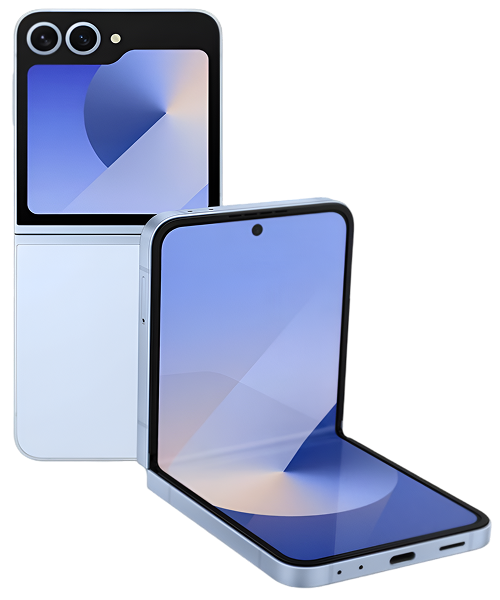
Samsung Galaxy Z Flip6 Repair Services
Get fast, reliable, and professional Samsung Galaxy Z Flip6 repair services at The Fix — your trusted destination for expert device care.
Common Repairs We Handle Daily


Maintain Your Samsung Galaxy Z Fold6: Samsung Galaxy Z Fold6 Repair Best Practices
Remember when foldable phones were just wild concepts in Samsung's labs? Now you're holding a Z Fold6—a phone that unfolds into a tablet, fits in your pocket, and makes everyone around you slightly jealous. But here's the reality check: that cutting-edge folding display, that complex hinge system, and those dual screens need more attention than your old candy-bar smartphone ever did.
Professional Samsung Galaxy Z Fold6 repair isn't about fixing things after they break—it's about maintaining this engineering marvel so it keeps working like the premium device it is. We're talking about prevention, smart habits, and knowing the warning signs before small issues become expensive problems. Your Z Fold6 represents a serious investment, and with the right care and occasional Samsung Galaxy Z Fold6 repair when needed, this device can last you years. Let's walk through everything you need to know to keep your foldable running flawlessly.
"Is This You?" Quick Assessment
Before we dive deep, let's figure out where you're at with your Z Fold6. Check any that apply:
Daily Use Patterns:
- [ ] You fold and unfold your phone 50+ times daily
- [ ] You use S Pen regularly on the inner display
- [ ] You keep your phone in pockets with keys or other items
- [ ] You frequently use the device outdoors or in dusty environments
- [ ] You often use your phone while it's charging
Current Concerns:
- [ ] The screen protector is starting to bubble or peel
- [ ] The hinge doesn't feel as smooth as it used to
- [ ] You notice the crease getting more pronounced
- [ ] Battery life has dropped noticeably
- [ ] You're worried about long-term durability
- [ ] The inner screen shows slight discoloration
Maintenance Habits:
- [ ] You've never cleaned the hinge area
- [ ] You're not sure if your screen protector needs replacement
- [ ] You fold your phone with maximum force
- [ ] You've never had the device professionally inspected
- [ ] You use a case that might stress the hinge
If you checked 3+ boxes in any category, keep reading—you'll find specific guidance for your situation.
Living With the Z Fold6
Samsung released the Z Fold6 in mid-2024, positioning it as their most refined book-style foldable yet. That 7.6-inch inner display is legitimately useful for productivity, the Snapdragon 8 Gen 3 delivers flagship performance, and Samsung finally nailed the weight distribution so it doesn't feel awkwardly front-heavy when folded.
But owning a Z Fold6 means you're living with two screens, a sophisticated hinge mechanism, and form factor that's still relatively new in consumer tech. The inner display uses Ultra Thin Glass (UTG) covered by a protective film that Samsung applies at the factory. The hinge contains dozens of precision-engineered parts working in concert. The outer screen handles daily tasks while the inner screen is your productivity powerhouse.
What makes the Z Fold6 special also makes it more maintenance-intensive. You're not just protecting one screen—you're protecting two. That hinge needs to stay clean and debris-free. The screen protector has a finite lifespan and will eventually need replacement. These aren't problems—they're just realities of owning cutting-edge foldable technology.
Troubleshooting Tree: Finding Your Issue
Let's diagnose what's happening with your Z Fold6 using a decision tree approach.
START HERE: What's Your Primary Concern?
Path A: Screen/Display Issues → Go to "Display Problems"
Path B: Hinge/Folding Mechanism → Go to "Hinge Issues"
Path C: Battery/Performance → Go to "Power Problems"
Path D: General Maintenance → Go to "Prevention Guide"
Display Problems
Q1: Is this about the screen protector or the actual display?
Screen Protector Issues:
- Bubbling near crease or edges
- Lifting at corners
- Visible wear lines
- Catches on your finger when swiping
Action: Screen protector replacement is normal maintenance. Factory protectors typically last 12-18 months with regular use. Don't attempt DIY removal—the inner display is delicate and requires professional handling.
Actual Display Issues:
- Lines across the screen
- Dead pixels or dark spots
- Touch unresponsive in areas
- Discoloration that's not from protector
Action: These require immediate professional assessment. Stop using S Pen if you see any display abnormalities—you don't want to make things worse.
Q2: Does the problem affect both screens or just one?
If it's the inner display only: This is your foldable screen showing age or damage. The crease area is most vulnerable. Professional Samsung Galaxy Z Fold6 repair can assess if it's wear (normal) or damage (fixable).
If it's the outer display only: Treat this like any smartphone screen issue—it's repairable, and the process is more straightforward than inner display work.
If it's both displays: You might be dealing with a software issue, internal connector problem, or device-wide failure. Professional diagnosis is essential here.
Hinge Issues
Q1: Describe the hinge behavior:
Option A: Hinge feels gritty or rough
- Likely cause: Debris infiltration
- Urgency: Medium—won't get better on its own
- Solution: Professional cleaning and inspection
Option B: Hinge is stiff or hard to open
- Likely cause: Lubrication degradation or debris
- Urgency: High—forcing it can cause damage
- Solution: Don't force it—bring it in for service
Option C: Hinge is too loose or floppy
- Likely cause: Mechanism wear or internal damage
- Urgency: High—device won't stay at angles properly
- Solution: Hinge mechanism repair or replacement
Option D: Hinge makes clicking or popping sounds
- Likely cause: Component misalignment or wear
- Urgency: Medium—monitor for worsening
- Solution: Professional inspection to prevent failure
Q2: Can you still fold and unfold normally?
YES, but with issues: Schedule maintenance soon. Hinge problems rarely improve on their own and typically worsen gradually.
NO, it's stuck or extremely difficult: Stop attempting to fold/unfold. Bring it to The Fix immediately—forcing the hinge can cause catastrophic damage.
Power Problems
Q1: What's the battery behavior?
Rapid drain pattern:
- Full charge to dead in 4-6 hours with minimal use
- Battery drops 10%+ per hour during standby
- Both screens active drain battery extremely fast
Action Steps:
- Check battery health in Device Care settings
- Identify power-hungry apps in battery usage
- If health is below 80%, consider replacement
- Test with 60Hz refresh on inner display
Inconsistent charging:
- Sometimes charges, sometimes doesn't
- Only charges at certain angles
- Wireless works but wired doesn't (or vice versa)
Action Steps:
- Inspect USB-C port for debris—clean carefully
- Test with multiple cables and chargers
- Check for moisture detection warnings
- If issue persists, port replacement may be needed
Overheating during normal use:
- Device gets hot during basic tasks
- Camera app triggers heat warnings
- Performance throttles after 15-20 minutes
Action Steps:
- Close all background apps and restart
- Avoid using while charging
- Remove case to allow heat dissipation
- Update to latest software
- If persistent, thermal system needs inspection
Q2: Is this a sudden change or gradual?
Sudden: Likely software-related or a specific triggering event. Try safe mode, clear cache partition, or factory reset (backup first).
Gradual: Normal degradation over time. Batteries, thermal paste, and components age. Professional assessment can determine if maintenance is due.
Why Electronics Don't Age Gracefully
Your Z Fold6 is basically a miniature computer that folds in half. Let's talk about what happens to electronics over time, using something everyone can relate to—a watch battery.
You know how a watch battery from the store lasts for years, but once it's in your watch and powering the mechanism day after day, it eventually dies? Same principle applies to your Z Fold6's battery. Every charge cycle—every time you go from empty to full—causes tiny chemical changes inside the battery cells. After hundreds of cycles, the battery physically can't hold as much charge as it used to. That's not a defect; that's chemistry.
Now think about the hinge. It's like the hinges on your glasses case—every time you open and close it, there's microscopic wear on the contact surfaces. Open and close your Z Fold6 fifty times a day, and you're looking at over 18,000 folds per year. Those precision components experience wear, and occasionally they need maintenance or replacement.
The inner display is the most fascinating part. Samsung uses Ultra Thin Glass that's incredibly thin—about half the thickness of a human hair in some layers. Every time you fold that display, you're bending glass. It's engineered to withstand hundreds of thousands of folds, but it's still subject to physics. Temperature changes affect the materials. The protective film on top experiences friction every time you swipe. The digitizer underneath has to maintain electrical connections despite constant flexing.
Your outer display follows different rules—it's more like a traditional smartphone screen. It can crack if you drop the device, scratch if keys rub against it, and develop dead pixels if it takes a hard impact. Two screens mean twice the surface area that can potentially develop problems.
The S Pen interaction adds another layer of complexity. That electromagnetic field the inner display generates to detect the S Pen's position? It requires precise calibration. The pressure-sensitive layers have to work in harmony with the flexible display underneath. When any component in that stack shifts or degrades, you might notice your S Pen acting weird—skipping, jumping, or not registering input correctly.
Software complexity plays a role too. Your Z Fold6 runs a modified version of Android that has to seamlessly handle app continuity between two different screen sizes, manage different refresh rates, coordinate between two batteries (yes, there are two), and optimize performance across wildly different use cases. Over months and years, cached data accumulates, app conflicts emerge, and system files can corrupt.
None of this means your Z Fold6 is fragile or doomed to fail. It just means that high-end foldable phones need more attention than simpler devices. Regular maintenance, smart usage habits, and timely professional care keep your device running optimally.
The Issues Everyone Deals With
Screen Protector Lifespan Reality
What you're seeing: That factory-applied screen protector is developing bubbles, usually starting near the crease or at the edges. Maybe it's lifting enough that you can catch your fingernail under it. Sometimes there are visible wear lines from repeated folding.
The pattern that emerges from repairs: Screen protector issues are the most common maintenance need on Z Fold6 devices. The protector typically lasts 12-18 months with normal use—longer if you're gentle, shorter if you fold aggressively or use your device in harsh environments. Heavy S Pen users often see faster wear. This is completely normal and expected. The protector is doing its job by taking the wear instead of your actual display.
Professional replacement involves carefully removing the old protector without damaging the delicate OLED underneath, thoroughly cleaning the display, and applying a new protector in a controlled environment. The new protector should be specifically designed for foldable displays—regular screen protectors won't cut it here.
The Crease Gets More Noticeable
What you're experiencing: That line down the middle of your inner display is becoming more prominent over time. You can feel it more when you swipe across. It's visible when light hits at certain angles. This freaks people out, but it's actually normal.
Why it's happening: Every single Z Fold6 has a crease—it's an inherent characteristic of current foldable display technology. Over thousands of folds, the crease becomes slightly more pronounced. The materials experience fatigue at the folding point. This doesn't mean your display is failing unless you see discoloration, dead pixels, or touch responsiveness issues in that area.
Samsung engineered the crease to be cosmetic rather than functional. If your crease is just visible and tactile but the display works perfectly, that's within normal wear parameters. If you're seeing weird colors, lines, or dead spots along the crease, that's when you need professional Samsung Galaxy Z Fold6 repair to assess potential display issues.
Battery Reality on Dual-Screen Devices
What you're noticing: Your battery doesn't last as long as it did when the device was new. Specifically, using that gorgeous inner display drains power fast. You're charging more often than you used to.
Real talk: The Z Fold6 has two batteries (one on each side of the hinge), but they're powering two displays, a powerful processor, 5G radios, and all your apps. That 7.6-inch inner display at 120Hz is beautiful but power-hungry. Normal battery degradation happens faster on foldables because of the thermal challenges and power demands.
After a year of daily use, seeing 85-90% of original battery capacity is normal. Below 80%? Replacement starts making sense, especially if you're a heavy user. The good news is that battery replacement on the Z Fold6, while more complex than traditional phones due to the dual-battery design, is totally doable by experienced technicians.
The Occasional Headaches
S Pen Acting Weird
What's happening: Your S Pen input feels off. Maybe there's lag between pen movement and on-screen response. Sometimes input doesn't register at all. The pen might randomly jump to wrong locations.
Investigation steps:
- Test with a different S Pen if possible—eliminate pen hardware issues
- Wipe down the display—oils and debris affect electromagnetic sensing
- Check for bulging battery (can press on display from behind and affect calibration)
- Test in safe mode to rule out app conflicts
- Check if screen protector is lifting near where you're experiencing issues
S Pen problems often trace back to display calibration issues, interference from cases or other electromagnetic sources, or screen protector problems. Software updates occasionally cause S Pen glitches too—check if your system is current.
Hinge Stiffness Changes
The situation: Your hinge doesn't feel quite right anymore. Maybe it's gotten stiffer, or perhaps it's looser than it used to be. It doesn't lock at angles as reliably as before.
What's likely: Hinge mechanisms on foldables are complex mechanical systems with multiple moving parts. Slight stiffness changes over the first 6-12 months are normal as parts settle in. If your hinge has gotten significantly stiffer or developed roughness, debris infiltration is the usual culprit. If it's gotten noticeably looser, that suggests wear or component degradation.
Don't ignore hinge changes. A hinge that's too stiff can tempt you to force it, potentially causing damage. A loose hinge affects the entire user experience and can worsen rapidly. Both situations benefit from professional inspection and maintenance before they become bigger problems.
Moisture Detection Won't Clear
The frustration: Your phone got slightly wet, and now you've got a persistent moisture detection warning. Your charging port won't work. You've dried everything, but the warning remains.
The solution path:
- Power off the device completely
- Keep ports facing down to allow gravity-assisted drainage
- Place in a warm (not hot), dry area for 24 hours
- Gently clean charging port with compressed air (from a distance)
- Don't try to charge for at least 12 hours after moisture exposure
If the warning persists after 48 hours in dry conditions, there might be internal moisture or a faulty moisture sensor. The Z Fold6's IP48 rating protects against splashes, but that hinge is a potential water entry point. Professional inspection can determine if you've got actual moisture inside or just a sensor glitch.
Rare But Scary Problems
Complete Display Failure
Worst-case scenario: Your inner display has lines across it, large dead zones, or has gone completely black. This is the nightmare situation for foldable owners because you know it's expensive.
Immediate actions:
- Back up your data immediately if the outer screen still works
- Stop folding the device if possible—keep it open
- Don't attempt any DIY fixes
- Document what happened before the failure
- Get professional diagnosis ASAP
Display failures are rare on the Z Fold6, but they happen. Sometimes it's accidental damage—something got between the screens when you folded it. Sometimes it's internal connector failure. Occasionally it's manufacturing defect. Professional Samsung Galaxy Z Fold6 repair shops can diagnose the cause and provide repair options. Even major display work costs substantially less than replacing the entire device.
Hinge Complete Failure
The crisis: Your Z Fold6 won't fold or unfold anymore. The hinge is either stuck closed, stuck open, or completely floppy with no resistance.
Emergency protocol:
- Stop attempting to force it—you'll cause more damage
- If stuck closed, you can still use the outer display
- If stuck open, protect the inner display from damage
- Transport carefully—don't let it flex or bend abnormally
- Seek professional repair immediately
Catastrophic hinge failure is uncommon but fixable. Whether it's broken springs, damaged cams, or seized components, experienced technicians can disassemble the hinge mechanism, identify failed parts, and rebuild it. This is specialized work that requires proper tools and expertise.
Warning Signs Checklist: When to Worry
Pay attention to these warning signs—catching problems early makes repairs easier and less expensive:
⚠️ Immediate Attention Required:
- [ ] Display showing lines, dead pixels, or large discolored areas
- [ ] Hinge won't move or requires excessive force
- [ ] Device won't charge at all despite trying multiple cables/chargers
- [ ] Inner display not responding to touch across large areas
- [ ] Device gets hot enough to be uncomfortable to hold during basic use
⚠️ Schedule Service Soon:
- [ ] Screen protector bubbling or lifting significantly
- [ ] Hinge feels noticeably different (rougher, clickier, or looser)
- [ ] Battery draining dramatically faster than normal
- [ ] Crease showing discoloration or dead pixels
- [ ] Charging port connection feeling loose or unreliable
⚠️ Monitor Closely:
- [ ] Slight hinge sound changes (minor clicking or popping)
- [ ] Battery lasting 20-30% less than when new
- [ ] Minor screen protector wear lines
- [ ] Occasional touch sensitivity quirks
- [ ] S Pen response slightly off in certain areas
✅ Normal Wear:
- [ ] Crease visible and tactile but display working perfectly
- [ ] Screen protector showing normal wear after 12+ months
- [ ] Battery at 85-90% health after a year of use
- [ ] Hinge slightly stiffer than new (if still opening smoothly)
- [ ] Minor cosmetic wear on frame or outer screen
Use this checklist every few months. Early intervention prevents small issues from becoming device-threatening problems.
Smart Care for Your Z Fold6
Daily Maintenance Routine
Morning check: Before you head out, take 30 seconds to brush any visible lint or dust away from the hinge area with a soft, dry cloth. Open and close your phone once to verify smooth operation. Wipe down both displays to remove overnight oils or dust.
Throughout the day: When you fold your phone, do a quick visual check—make sure nothing's on the inner display that could cause a pressure point when closed. No crumbs, no debris, nothing. Close it gently but firmly—no slamming. When opening, support both sides rather than peeling it open from one corner.
Evening routine: Give your charging port a quick inspection. Any visible lint? Carefully remove it with a wooden toothpick (never metal). Check your screen protector condition—any new bubbles or lifting? Note changes so you can track progression.
Weekly Deep Care
Hinge inspection: Every week, examine the hinge closely in good light. Use a soft-bristled brush (like a clean makeup brush) to gently sweep along the hinge channels, removing any accumulated dust or lint. Don't get aggressive—you're not scrubbing, just removing loose debris.
Display assessment: Check both screens for any new scratches, pressure marks, or developing issues. Test touch response across the entire inner display—swipe from edge to edge, corner to corner. Verify your S Pen (if you use one) responds correctly across the whole screen.
Case evaluation: If you use a case, remove it weekly to check that it's not putting pressure on the hinge or displays. Some cases can stress the hinge mechanism over time. Clean inside the case too—debris accumulates there.
Monthly Maintenance
Battery health check: Review your battery usage data. Are you seeing unusual drain patterns? Apps consuming excessive power? Battery health declining faster than expected? Note these trends.
Screen protector status: Closely inspect your screen protector's condition. Bubbling near edges? Lifting at corners? Visible wear lines? Document the state with photos so you can track progression month to month. Plan for replacement when lifting becomes significant.
Software updates: Keep your Z Fold6 updated with the latest Samsung software. Updates often include thermal management improvements, battery optimization, and display calibration refinements specifically for foldables.
Professional check-in: Consider an annual professional inspection. Even if nothing's wrong, having a technician examine your device's hinge mechanism, verify display health, and check battery condition gives you peace of mind and catches issues early.
Must-Do Prevention Tips
Case selection matters: Use a case designed specifically for the Z Fold6. Generic cases or cases designed for other devices can stress the hinge, interfere with folding, or trap heat. Quality foldable-specific cases protect without compromising function.
Temperature awareness: Avoid extreme temperatures—don't leave your Z Fold6 in hot cars (above 95°F damages batteries and adhesives), and don't use it in extreme cold (below 32°F can cause temporary display and battery issues). When moving between extreme temperatures, let the device acclimate before heavy use.
Pocket discipline: Keep your Z Fold6 in its own pocket—never share space with keys, coins, or other hard objects. Keys can scratch displays, coins can get lodged in the hinge, and pressure from other objects can damage the folded device. Front pockets are better than back pockets (less pressure when sitting).
Folding technique: Fold your phone with both hands when possible, supporting both halves. Don't peel it open from one corner. Don't fold it while holding just one side. Don't slam it shut. These habits reduce stress on the hinge mechanism and display.
Charging smarts: Avoid fast charging every single time—slower overnight charging is gentler on battery longevity. Don't use your phone heavily while it's fast charging (generates excessive heat). Unplug it once it hits 100% rather than leaving it on the charger all day.
S Pen care: If you use the S Pen, keep the tip clean and replace it when worn. A damaged tip can scratch your screen protector or, worse, damage the display underneath. Store your S Pen properly—don't let it roll around in bags or pockets where it can get damaged.
Should-Do Practices
Screen cleaning method: Use a microfiber cloth slightly dampened with water—never spray liquid directly on the display. Avoid alcohol-based cleaners on the inner display (they can damage the screen protector). Gentle circular motions, no pressure. Clean both displays weekly.
App management: Regularly review which apps have permission to run in the background. Uninstall apps you don't use—they consume resources and battery even when "closed." Clear app caches every few months to prevent bloat.
Storage optimization: Keep at least 10-15% of your storage free. Full storage slows performance and can cause apps to misbehave. Use cloud storage for photos and videos rather than filling your device.
Restart routine: Restart your Z Fold6 at least weekly. This clears temporary files, refreshes system processes, and often resolves minor glitches before they become problems.
Nice-to-Do Extras
Backup discipline: Set up automatic cloud backups for photos, contacts, and important data. Even better, do a complete device backup monthly. If something goes catastrophically wrong, you won't lose everything.
Accessory quality: Invest in quality charging cables and adapters. Cheap cables can damage your charging port or provide inconsistent power that stresses your battery. Use Samsung-approved accessories when possible.
Screen-off time: Your displays don't need to be on constantly. Use shorter screen timeout settings. Enable always-on display only if you really use it—it drains battery and ages the outer display faster.
Protective films: Consider a quality tempered glass protector for the outer display—it's your everyday screen and takes the most abuse. The inner display already has its factory protector; don't try to add another layer.
Your Foldable Deserves Expert Attention
The Z Fold6 represents Samsung's most advanced foldable technology, and with proper care, it can serve you reliably for years. Most issues you'll encounter—screen protector wear, hinge maintenance, battery optimization—are manageable with the right approach. Even serious problems like display issues or hinge failures are repairable by experienced technicians who understand foldable devices.
Don't wait for small problems to become expensive disasters. Drop by The Fix and we'll diagnose it for free. We'll inspect your hinge mechanism, check display health, assess battery condition, and give you honest guidance on what maintenance your Z Fold6 might need. Whether you need screen protector replacement, hinge servicing, or just peace of mind that everything's working as it should, we've got the expertise to keep your foldable folding beautifully.


Trusted repair solution for mobile phones, tablets, gaming consoles, and computer systems. We provide fast, reliable, and affordable repair services to get your devices back in perfect working condition.
The Fix is an independent repair service provider and is not affiliated with, sponsored by, or endorsed by Apple Inc., Samsung Electronics, Google LLC, or any other device manufacturer. We use high-quality compatible replacement parts unless explicitly stated. All trademarks are property of their respective owners.


© Copyright The Fix Solutions All rights reserved 2026.
Design by Deepcoder