





Galaxy S26+ Repair Services
At The Fix, we help with Samsung Galaxy S26+ screen, battery, charging, camera, and back glass problems. Tell us what is happening with your phone and visit your nearest location to discuss repair options and get a quote.
Common Repairs We Handle Daily


Samsung Galaxy S26+ Repair at The Fix
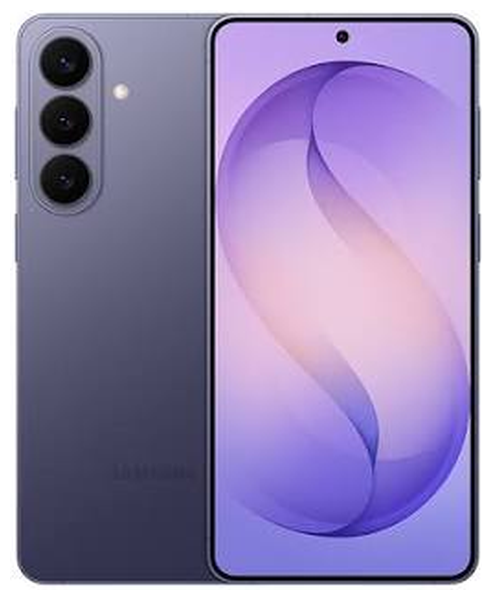
The Samsung Galaxy S26+ pairs a 6.7-inch Dynamic AMOLED 2X display with a QHD+ resolution and an adaptive refresh rate of up to 120 Hz. Its large screen, multi-camera system, and 4,900 mAh typical-capacity battery support everyday work, photos, and entertainment. A drop, worn battery, or charging problem can interrupt that experience. The right repair depends on the symptoms and the phone's condition.
At The Fix, we provide phone repair services for common problems such as damaged screens, battery issues, charging faults, camera problems, and cracked back glass. A symptom does not always identify a single failed part, so the next step is to discuss the problem and get a quote for the repair your Galaxy S26+ needs.
What Should You Do If Your Galaxy S26+ Screen Is Damaged?
A cracked screen can make a Galaxy S26+ harder to use, even when the phone still turns on. You may notice visible cracks, lines, dark patches, flickering, or touch input that no longer responds as expected. Damage can affect the glass, the display, or more than one layer. Appearance alone may not show how far the damage extends.
If the image is distorted or touch response is unreliable, screen repair may be appropriate. Avoid pressing hard on damaged glass or carrying the phone in a way that puts pressure on the affected area. Cracked glass may spread or cut your fingers.
Do not attempt to open the phone yourself. Visit your nearest The Fix location to discuss the symptoms and get a quote for Galaxy S26+ screen repair.
When Is It Time to Replace Your Galaxy S26+ Battery?
A battery may need attention when charge runs down much faster than it used to, the phone shuts off unexpectedly, or the device struggles to last through your usual routine. Software, signal strength, brightness, and demanding apps can also affect battery life, so fast drain alone does not prove battery failure.
The Galaxy S26+ has a 4,900 mAh typical battery capacity, according to Samsung's published specifications. Battery performance can change with age and use. If runtime has declined, battery replacement may be appropriate depending on the symptoms and condition.
Pay particular attention to physical changes. A back panel that begins to lift, a screen that separates from the frame, or unusual swelling may indicate a damaged battery. Stop charging the phone and do not press the case back into place. Keep it away from heat and arrange professional help. For battery replacement, contact your nearest The Fix location to discuss the problem and request a quote.
Why Won't Your Galaxy S26+ Charge Properly?
Charging trouble can have several causes. The cable or power adapter may be faulty, the outlet may not provide power, the USB-C connection may be damaged, or a software issue may affect charging behavior. Moisture or debris warnings can also prevent wired charging, but these symptoms do not automatically mean the port needs replacement.
If the phone or connector is wet, disconnect the cable and let the device dry naturally in a safe place. Do not insert objects into the port, apply heat, or connect a charger while moisture may be present. If you see corrosion, bent connector parts, or repeated charging interruptions, avoid forcing the cable into place.
Charging port repair may be suitable when the connector is damaged or the connection remains unreliable after basic checks with a known-working cable and adapter. If your Galaxy S26+ will not charge consistently, visit The Fix to discuss charging port repair and other possible causes.
What Can You Do About Camera or Back Glass Damage?
The Galaxy S26+ has a triple rear camera system with a 50 MP wide camera, a 12 MP ultra-wide camera, and a 10 MP telephoto camera, plus a 12 MP front camera. If photos suddenly look blurry, the camera will not focus, or an app shows an error when opening the camera, the cause may involve the camera hardware, software, or damage around the lens area.
A damaged camera cover can affect image quality and leave sharp edges. Camera repair may help when a camera component is faulty; the appropriate work depends on the symptoms.
A cracked back panel also deserves attention. Broken glass can leave sharp edges and may make the device more vulnerable to dust or moisture entering through damaged areas. Back glass replacement can address the broken panel, but it should not be taken as a promise that the phone will retain its factory water-resistance level after repair. If the camera or rear glass is damaged, The Fix can help you discuss the repair options and get a quote.
How Can The Fix Help With Your Galaxy S26+ Repair?
The Fix offers phone repair services for common hardware problems, including screen repair, battery replacement, charging port repair, camera repair, and back glass replacement. For example, a phone that will not charge may have a cable, adapter, port, or other power-related issue. A camera that produces blurry images may need a different solution from one that will not open.
When describing the problem, mention when it began and whether the phone was dropped or exposed to liquid. This context does not replace a device-specific diagnosis. The repair and quote depend on the fault identified and the work required.
Back up important information before repair if the phone is safe to use. Do not charge a swollen, unusually hot, or visibly unsafe device. If liquid has entered the phone, disconnect power and seek help. Visit your nearest The Fix location to discuss your Galaxy S26+ problem and get a quote for the repair it needs.
Frequently Asked Questions About Galaxy S26+ Repair
Can a cracked Galaxy S26+ screen be repaired?
Yes, screen repair is an option for a cracked Galaxy S26+, although the appropriate work depends on the extent of the damage. Cracks, display lines, dark areas, and touch problems can indicate different types of damage. Avoid pressing broken glass and ask The Fix for a quote.
How do I know if my Galaxy S26+ battery needs replacement?
Rapid drain, unexpected shutdowns, or reduced runtime can indicate a battery problem, though other factors may cause similar symptoms. Physical swelling is a safety concern. Stop charging a swollen phone and arrange professional help rather than trying to push the case closed.
Does a Galaxy S26+ that will not charge always need port repair?
No, charging failure does not always mean the USB-C port is damaged. A cable, adapter, power source, moisture warning, or another device fault may be responsible. Do not insert tools into the port or charge the phone while it may be wet. The cause should be identified before choosing a repair.
Will my Galaxy S26+ remain water-resistant after back glass repair?
That cannot be assumed. Samsung describes the Galaxy S26+ as IP68 under specified test conditions, but water and dust resistance can diminish over time and should not be presumed after repair. Keep the phone away from water after a cracked back panel or repair unless its condition has been specifically confirmed.
If your Samsung Galaxy S26+ has a damaged screen, battery trouble, charging issues, camera problems, or cracked back glass, The Fix can help you discuss the next step. Visit your nearest The Fix location to get a quote for the repair your device needs.


Trusted repair solution for mobile phones, tablets, gaming consoles, and computer systems. We provide fast, reliable, and affordable repair services to get your devices back in perfect working condition.
The Fix is an independent repair service provider and is not affiliated with, sponsored by, or endorsed by Apple Inc., Samsung Electronics, Google LLC, or any other device manufacturer. We use high-quality compatible replacement parts unless explicitly stated. All trademarks are property of their respective owners.


© Copyright The Fix Solutions All rights reserved 2026.