






PlayStation 5 Repair Services
Get fast, reliable, and professional PlayStation 5 repair services at The Fix — your trusted destination for expert device care.
Common Repairs We Handle Daily


Solve Your PlayStation 5 Problems: PlayStation 5 Repair Solutions
Why won't your PlayStation 5 display anything on your TV even though the console clearly powers on? Or why does your PS5 sound like a jet engine taking off whenever you play demanding games? Maybe you're dealing with the console randomly shutting down during gameplay, or the disc drive making terrible grinding noises before refusing to accept discs. Could be your DualSense controller has developed that infamous stick drift where characters move without input. Perhaps the HDMI port stopped working after you accidentally yanked the cable, or the console won't turn on at all despite being brand new just a few years ago.
Here's what changes the game: professional PlayStation 5 repair addresses these issues without voiding anything or requiring you to ship your console away for weeks. HDMI port damaged? Fixable. Overheating problems? Solvable. Won't power on? Usually repairable. Disc drive issues? We handle those. This guide covers what actually goes wrong with the PS5, why these problems happen despite it being a current-generation console, and how repair gets you back to gaming quickly and affordably.
What Makes the PlayStation 5 Tick
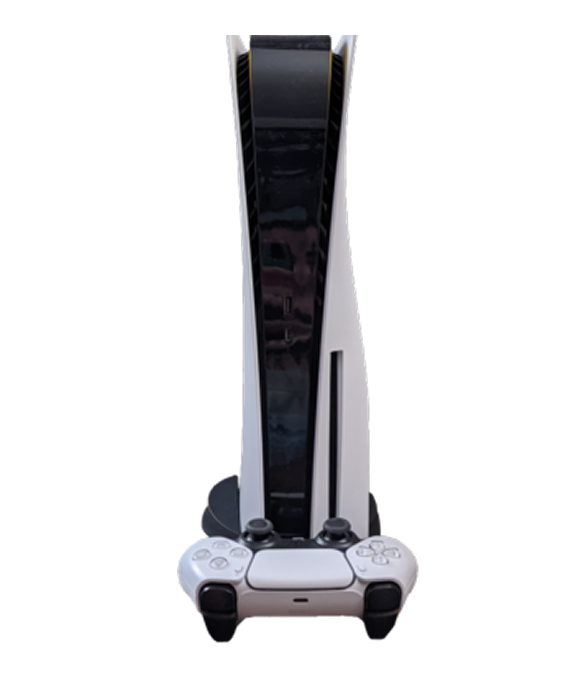
Sony launched the PlayStation 5 in November 2020, and it's been incredibly successful despite supply shortages and scalping issues. The hardware is impressive: custom AMD Zen 2 CPU with 8 cores, custom RDNA 2 GPU capable of ray tracing, ultra-fast 825GB SSD that eliminates load times, 16GB GDDR6 RAM, and support for 4K gaming at 60fps (or 120fps in some titles). The console comes in two versions—standard with disc drive, and Digital Edition without. The DualSense controller introduced haptic feedback and adaptive triggers that genuinely enhance gameplay. The cooling system uses a massive heatsink and powerful fan to manage the heat these components generate.
What makes the PS5 interesting from a repair perspective? Sony used modular construction where major components can be serviced individually. The HDMI port is replaceable (common failure point). The power supply is a separate unit that can be replaced. The disc drive is its own module. The cooling system is accessible for maintenance. The liquid metal thermal interface between the CPU and heatsink requires careful handling but is serviceable. Sony clearly designed this for manufacturing efficiency, which makes professional repair feasible—though the console's compact design means everything's tightly packed and requires proper technique.
Why Devices Don't Age Gracefully
Every PlayStation 5 eventually shows wear, and that's not Sony cutting corners—it's just physics meeting intensive gaming use. Here's what's actually happening inside your console over time.
Your cooling system is like a car engine losing efficiency with mileage. When it's new, everything runs cool and quiet. After thousands of hours of gaming and thermal cycling, thermal paste degrades, dust accumulates in the heatsink, and the fan bearings start wearing down. The PS5 generates serious heat—the custom AMD processor and GPU can pull 200+ watts during demanding games. That heat has to go somewhere. Over time, as thermal paste dries out, temperatures rise. The fan compensates by spinning faster and louder. Eventually, thermal protection kicks in and the console shuts down to prevent damage.
The HDMI port is simultaneously essential and fragile. Think about aquarium glass under constant pressure—it's designed to hold water, it does the job well, but hit it with force in the wrong spot and it cracks. Your PS5's HDMI port is similar. It's a complex connector with 19 pins mounted to the motherboard. It's designed for occasional cable changes, not daily plugging and unplugging. When cables are yanked accidentally (someone trips over the HDMI cable, the console gets moved while connected, kids pull on cables), the port experiences lateral stress it wasn't designed for. The metal shield around the port can bend. The pins inside can bend or break. The solder joints connecting the port to the motherboard can crack. One damaged pin means no video or audio.
The disc drive faces mechanical wear from constant use. Motors that spin discs at high speeds, the laser assembly that reads data, gears that move the laser across the disc, the mechanism that accepts and ejects discs—all these components wear over time. The PS5's disc drive is faster and more complex than previous generations, which means more things to potentially fail.
DualSense controller drift is its own issue. The analog sticks use potentiometers that measure stick position. After millions of movements, the internal contact pads wear down. Dust and debris accumulate inside. The spring tension changes. Eventually, the controller reports movement when you're not touching the stick—that's drift.
HDMI Port Isn't Working
You've got no video or audio output to your TV even though the PS5 clearly powers on. Maybe you get intermittent display that cuts in and out when you wiggle the HDMI cable. Could be the picture is distorted, flickering, or showing visual artifacts. Perhaps the HDMI cable won't stay firmly in the port—it feels loose or falls out easily. Some PS5 owners accidentally pulled the HDMI cable at an angle and now the port doesn't work at all.
Why this happens: The HDMI port on the PS5 is a complex 19-pin connector soldered to the motherboard. It's designed for stability, not frequent changes. When HDMI cables are yanked accidentally—someone trips over the cable, the console gets moved while connected, or kids playing nearby pull on cables—the port experiences lateral force it wasn't designed for. This bends the metal shield around the port, bends or breaks internal pins, or cracks the solder joints connecting the port to the motherboard. Even without obvious damage, poor-quality HDMI cables can stress the port with repeated insertions. The port can also fail from electrical issues—power surges through the HDMI cable (from TVs with faulty power supplies) can damage the port's circuitry.
What you can try:
- Test with a different HDMI cable—cheap cables cause intermittent connections more often than people realize
- Try a different HDMI input on your TV to rule out TV problems
- Check if the HDMI port looks physically damaged—bent metal shield, visible damage to pins inside
- Try a different TV or monitor to isolate whether it's the console or display
- Put the PS5 in safe mode and check video output settings—sometimes incorrect settings prevent display
- Don't force the cable if it won't insert smoothly—additional force causes more damage
From working on these every day: HDMI port problems on PlayStation 5 consoles are one of the most common repairs we perform. Physical port damage from yanked cables accounts for maybe 60% of cases. Bent or broken pins make up another 25%. Cracked solder joints from repeated stress represent the remaining 15%. When you bring HDMI issues to The Fix, we inspect the port under magnification for physical damage—bent shields, damaged pins, cracked solder. We test with known-good cables to verify it's the port. PlayStation 5 repair for HDMI ports involves carefully desoldering the damaged port using proper temperature-controlled equipment (it's got 19 pins plus shield connections), cleaning the circuit board pads, positioning a new port with precision alignment (critical for proper pin contact), soldering all connections cleanly, inspecting under magnification for quality, and testing extensively. We verify video output at various resolutions (1080p, 4K, HDR), test audio pass-through, confirm the cable seats firmly, and stress-test by connecting and disconnecting multiple times. The repair typically takes 90-120 minutes. It's motherboard-level work requiring skill, but it's completely feasible and costs much less than replacing the entire console.
The Console Overheats and Shuts Down
Your PS5 sounds incredibly loud during gameplay—the fan runs at full speed constantly. Or maybe the console shuts down randomly after 30-60 minutes of gaming, especially during graphically intensive games. Could be you see overheating warnings on screen before shutdowns. Perhaps the console feels extremely hot to touch on certain areas. Some PS5 owners notice performance drops or stuttering during extended play sessions before thermal shutdowns occur.
Why this happens: The PS5 generates serious heat—the custom AMD processor and GPU can pull 200+ watts during demanding games like Spider-Man, Horizon Forbidden West, or God of War Ragnarok. Sony designed an elaborate cooling system with a massive heatsink, liquid metal thermal interface, and powerful fan to handle this heat. But several things go wrong over time. Dust accumulates in the heatsink fins and fan blades, restricting airflow. The fan bearings wear out, reducing effectiveness or causing loud operation. The liquid metal thermal interface can degrade or migrate away from optimal positions (controversial issue—Sony claims it's stable, but we've seen cases where reapplication helps). Blocked vents from the console being in enclosed spaces prevent proper airflow. Thermal paste on secondary components (like the memory chips) can dry out. Sometimes it's environmental—using the console in hot rooms or stacking things on top blocks ventilation.
What you can try:
- Clean external vents with compressed air—blow from multiple angles to dislodge dust
- Ensure the console has clearance on all sides—don't use it in enclosed TV cabinets
- Make sure vents aren't blocked by walls, furniture, or stacked items
- Listen to the fan—grinding or clicking suggests bearing failure
- Check which games cause shutdowns—thermal issues show up most in demanding titles
- Note how long until shutdowns occur—consistent timing suggests thermal protection activating
- If you're comfortable, remove the side panels and clean visible dust (Sony designed panels to be user-removable)
Worried about liquid metal issues? Here's how we handle it: When you bring overheating problems to The Fix, we start with external inspection—we check vent blockage and listen to fan operation. We remove the side panels and inspect for dust buildup. We run thermal stress tests with monitoring equipment to measure actual temperatures. For dust-related overheating, we thoroughly clean the heatsink, fan blades, and internal air pathways using proper tools and compressed air. For fan bearing issues, we test fan operation and replace the fan if necessary. For thermal interface degradation, we carefully remove the cooling assembly (requires specialized tools and technique), inspect the liquid metal application on the CPU/GPU, clean if necessary, reapply liquid metal with precision (too much causes issues, too little doesn't cool properly), or replace with high-performance thermal paste if the customer prefers (slightly less effective than liquid metal but no migration concerns). We also replace thermal pads on secondary components. After reassembly, we run demanding games for extended periods while monitoring temperatures to verify proper cooling. PlayStation 5 repair for thermal issues typically takes 90-120 minutes including disassembly, cleaning, thermal interface work, reassembly, and extensive testing. Most overheating resolves completely with proper maintenance.
The Console Won't Turn On At All
You press the power button and nothing happens—no lights, no beep, no fan spinning. Maybe it turns on briefly, beeps, then immediately shuts off. Could be you hear the startup beep but nothing displays on screen (which might be the HDMI port, not power). Perhaps it worked fine last time you played, and now it's completely dead. Some PS5 owners experienced sudden power loss during gameplay and the console won't turn on since.
Why this happens: Power issues on PS5 consoles have several potential causes. The power supply unit (PSU) can fail—it's a complex component converting AC to multiple DC voltages the console needs. Components on the PSU can fail from power surges, age, or manufacturing defects (early PS5 units had some PSU reliability issues). The power button itself can fail—it's a capacitive touch sensor that can malfunction. The CMOS battery (small battery on the motherboard that maintains settings) can die, causing boot issues. Fuses on the motherboard can blow from power surges. The APU (combined CPU/GPU) can fail catastrophically, though this is rare. Sometimes it's not the console at all—it's the power cable, power outlet, or power strip that's faulty.
What you can try:
- Try a different power cable and power outlet to rule out power delivery issues
- Unplug everything from the console (HDMI, USB devices, power) and let it sit for 5 minutes, then reconnect just the power cable and try
- Listen carefully when you press power—any beeps, fan sounds, or disc drive noises indicate partial power
- Check if any lights come on at all, even briefly
- Try holding the power button for 10+ seconds to attempt a forced shutdown/restart cycle
- Don't repeatedly try to power it on if it's shutting down immediately—this can cause additional damage
What tools we use for this specific device: When you bring a non-powering PS5 to The Fix, we use specialized diagnostic equipment. Multimeters measure voltages at various test points on the motherboard—this identifies which voltage rails are working and which aren't. Power supply testers verify PSU output voltages under load. Thermal cameras identify components generating excessive heat, indicating shorts or failures. Oscilloscopes analyze power delivery quality for intermittent issues. We've got PS5-specific repair documentation with motherboard schematics, test point locations, and voltage specifications. We systematically test the power cable, power button, PSU output, motherboard voltage regulators, and finally the APU to isolate the failure. For PSU failures (most common), we replace the power supply unit—it's a modular component that unplugs from the motherboard. For blown fuses, we replace them after identifying why they blew. For failed voltage regulators, we replace the affected components (advanced board-level repair). For dead CMOS batteries, we replace the battery. PlayStation 5 repair for power issues typically takes 75-120 minutes depending on the failure. Most power problems are solvable—complete APU failure requiring motherboard replacement is rare.
The Disc Drive Doesn't Work Properly
Your PS5's disc drive makes terrible grinding or clicking noises when you insert discs. Or maybe it won't accept discs at all—they get pushed back out immediately. Could be it accepts discs but can't read them, giving error messages. Perhaps the drive worked fine initially but started making concerning noises over time. Some PS5 owners find discs get stuck and won't eject no matter what they try.
Why this happens: The PS5 disc drive is a complex electromechanical device—motors spin discs at high speeds, the laser assembly reads data, gears move components, sensors detect disc insertion. Multiple things can fail. The motor that spins discs can weaken or fail. The laser lens can get dirty or the laser itself can weaken over time. Gears in the mechanism can strip or crack. The disc insertion mechanism can jam or break. Dust accumulation interferes with operation. Sometimes poorly maintained discs (scratched, dirty, damaged) jam the mechanism. Physical impacts to the console while the disc is spinning can damage the drive. We've seen PS5s where the disc drive was never installed correctly during manufacturing—it's a modular component that clips in, and if it's not seated properly, it doesn't work right.
What you can try:
- Try multiple different discs—if only one disc fails, it's the disc not the drive
- Clean discs thoroughly before inserting them—dirt and fingerprints cause read errors
- Make sure you're inserting discs correctly (label side facing left when console is vertical)
- Don't force discs if they won't insert smoothly
- For stuck discs, try the manual eject screw near the disc slot (requires removing the side panel)
- Listen to what sounds the drive makes—grinding suggests mechanical issues, clicking suggests the laser assembly struggling
Why we do things in a certain order during disc drive repair: We start by testing the drive with multiple known-good discs to characterize the problem. We remove the side panels and inspect the drive externally for obvious issues. For PS5 disc drives, we carefully remove the drive assembly from the console (it's connected via cables and held with clips). We disassemble the drive to access internal components. We clean the laser lens and all mechanical components thoroughly. We lubricate moving parts. We test motor operation and bearing condition. We inspect gears for wear or damage. For weak lasers, we replace the laser assembly. For mechanical failures, we replace worn components. For severely damaged drives, we replace the entire drive mechanism (note: on PS5, disc drives are paired to motherboards with digital keys, so drive replacement requires additional steps to register the new drive—we handle this). PlayStation 5 repair for disc drives typically takes 90-120 minutes including drive removal, internal work, reinstallation, and testing with multiple discs to verify proper reading. We test both PS5 and PS4 discs since the console plays both.
DualSense Controller Has Stick Drift
Your character moves on their own in games even when you're not touching the analog stick. Or maybe you can't walk straight—the character veers left or right constantly. Could be menu cursors drift across the screen slowly. Perhaps calibration tests show the stick isn't centered even when released. Some DualSense owners find drift comes and goes—fine sometimes, terrible other times, temporarily improving before worsening again.
Why this happens: DualSense analog sticks use potentiometers similar to other PlayStation controllers but with tighter manufacturing tolerances. Inside each stick is a module with graphite-coated contact pads sliding across resistive elements as you move the stick. This physical contact creates wear—the graphite coating gradually wears away. Metal dust from wear accumulates inside, interfering with readings. The springs that center the stick lose tension over time. Sony improved durability compared to PS4 controllers, but drift still eventually affects all controllers with heavy use. Environmental factors like dust and humidity accelerate degradation.
What you can try:
- Update controller firmware—connect it to the PS5 via USB and check for updates
- Recalibrate by resetting the controller (small button on the back near the Sony logo)
- Try compressed air under the rubber skirt around each analog stick base
- Use electronic contact cleaner under the rubber skirt (spray, move stick around, let dry completely)
- Test drift in different games—sometimes it's game-specific deadzone issues rather than hardware
- Check if drift happens in the PS5's controller test menu (Settings > Accessories > Controllers)
How we protect your controller during repair: DualSense controller repair for stick drift involves carefully opening the controller shell (it uses clips and screws), disconnecting the battery, removing the old analog stick module (held with screws and connected via ribbon cable), installing a replacement stick module, reconnecting everything precisely, reassembling the shell, and testing extensively. We verify the new stick reads accurately across its full range of motion, centers properly when released, and doesn't develop drift during stress testing where we rapidly move the stick in all directions hundreds of times. Each controller repair takes 30-45 minutes. We use high-quality replacement analog stick modules—some manufacturers have improved the contact materials to resist wear longer than Sony's design. We also offer preventative maintenance where we replace both sticks before drift develops if you're experiencing early symptoms.
Audio Issues—No Sound or Distorted Audio
You're not getting any audio from your TV even though video displays fine. Or maybe audio cuts in and out intermittently. Could be audio is distorted, crackling, or has strange artifacts. Perhaps you only get audio from some sources but not others (like game audio works but streaming apps don't). Some PS5 owners get audio through the controller's headphone jack but not through HDMI to the TV.
Why this happens: PS5 audio issues usually relate to the HDMI connection since that's how audio reaches most TVs. Damaged HDMI ports don't just affect video—they affect audio too since HDMI carries both. Incorrect audio settings on the PS5 can prevent proper audio output. TV settings can be configured incorrectly. HDMI handshake issues between the PS5 and TV can cause audio problems even when video works. For audio through the controller, the 3.5mm headphone jack can fail from repeated insertions. The controller's internal audio circuitry can fail. Sometimes it's not the console at all—it's the TV, soundbar, or receiver that's faulty.
What you can try:
- Check PS5 audio output settings—verify it's set to HDMI output, not other options
- Try a different HDMI cable to rule out cable issues
- Test with a different TV or monitor to isolate the problem
- Check your TV's audio settings—make sure it's using HDMI audio input correctly
- For controller audio, test with different headphones to rule out headphone failure
- Try safe mode and reset audio settings to defaults
- If using a soundbar or receiver, test direct PS5-to-TV connection to bypass them
Testing procedures unique to this device: Audio problems require systematic troubleshooting. We test HDMI audio output with multiple TVs and monitors. We inspect the HDMI port for damage (audio and video share the same port). We verify audio settings in the PS5 menu. For controller audio issues, we test the headphone jack with multiple headphones, inspect the jack for physical damage, and test the controller's internal audio circuitry. We test audio formats (stereo, 5.1, 7.1) to see if specific formats fail. For HDMI port issues causing audio problems, the repair is the same as video HDMI issues—port replacement. For controller headphone jack issues, we replace the jack (it's on a small daughter board inside the controller). PlayStation 5 repair for audio issues varies depending on the cause—HDMI port replacement takes 90-120 minutes, controller headphone jack replacement takes 45-60 minutes, and many audio issues resolve with settings adjustments (free during diagnostics).
Keep Your PS5 Running Great for Years
Ventilation is critical. Keep the console in open spaces with clearance on all sides. Don't use it in enclosed TV cabinets without ventilation. Clean external vents monthly with compressed air. Remove the side panels quarterly and clean visible dust. Don't block vents with walls, furniture, or stacked items. Keep the room reasonably cool—gaming in hot rooms accelerates overheating.
HDMI cable care prevents port damage. Don't yank cables—disconnect carefully when needed. Use high-quality HDMI cables with proper strain relief. Route cables to minimize tension on the port. Don't move the console while HDMI is connected. Consider HDMI port savers (adapters that stay in the port, cable connects to adapter) to reduce direct port stress.
Disc drive maintenance. Keep discs clean before inserting them. Handle discs by edges only. Store discs in their cases. Don't use damaged discs. Don't move the console while discs are spinning. Use the eject button rather than pulling discs out manually.
Controller care prevents drift. Keep hands clean while gaming—oils degrade stick mechanisms faster. Don't eat while gaming—food particles get into the sticks. Store controllers in clean locations. Clean around analog stick bases monthly with compressed air. Don't slam sticks to their limits during gameplay—deliberate movements reduce wear.
Power protection. Use a quality surge protector—power surges are a leading cause of PSU failure. Don't plug/unplug the console frequently during power issues—repeated power cycling can cause additional damage. Use rest mode properly rather than repeatedly power cycling.
Software maintenance. Keep system software updated—Sony releases stability and performance improvements regularly. Delete games you don't play to free SSD space. Rebuild the database occasionally (safe mode option) to optimize performance. Don't force shutdowns unless necessary—use proper shutdown procedures.
Your Gaming Investment Deserves Expert Care
The PlayStation 5 represents a significant investment—$500 for the console, plus games, plus accessories, plus your digital library and save files. Most problems—HDMI port damage, overheating, power issues, disc drive failures, controller drift—are completely repairable. These consoles are built well, and with professional repair and proper maintenance, they'll deliver years of gaming.
Ready to fix your PlayStation 5? The Fix makes it easy. Walk in anytime for a free assessment—most repairs are same-day, and we'll keep you updated throughout the process. Your console deserves expert care, and that's exactly what we deliver. We understand these are current-generation systems that people depend on for entertainment, and we treat them with the care they deserve.


Trusted repair solution for mobile phones, tablets, gaming consoles, and computer systems. We provide fast, reliable, and affordable repair services to get your devices back in perfect working condition.
The Fix is an independent repair service provider and is not affiliated with, sponsored by, or endorsed by Apple Inc., Samsung Electronics, Google LLC, or any other device manufacturer. We use high-quality compatible replacement parts unless explicitly stated. All trademarks are property of their respective owners.


© Copyright The Fix Solutions All rights reserved 2026.
Design by Deepcoder