






Nintendo Wii Repair Services
Get fast, reliable, and professional Nintendo Wii repair services at The Fix — your trusted destination for expert device care.
Common Repairs We Handle Daily


Frustrated With Your Nintendo Wii? Your Nintendo Wii Repair Solution
Over 101 million Nintendo Wii consoles were sold worldwide between 2006 and its discontinuation, making it one of the best-selling gaming consoles in history. Millions of these units are still in use today—families keep them for Mario Kart tournaments, fitness enthusiasts still use Wii Fit, and retro gaming collectors appreciate the massive library of games. But here's what's happening now: you insert a disc and get the dreaded "unable to read disc" error, or the console won't turn on at all, or the Wii Remote sensor stops responding no matter where you point, or the disc drive makes terrible grinding noises before spitting out your game.
Most people assume a console from 2006 isn't worth fixing—it's too old, parts don't exist, nobody knows how to work on them anymore. That's completely wrong. Professional Nintendo Wii repair is not only possible but remarkably straightforward, and costs a tiny fraction of what you'd spend trying to replace this console with something that plays your existing Wii game library. Let's talk about what goes wrong, why these problems happen, and how repair keeps your beloved Wii running for years to come.
Why People Love (and Hate) the Wii
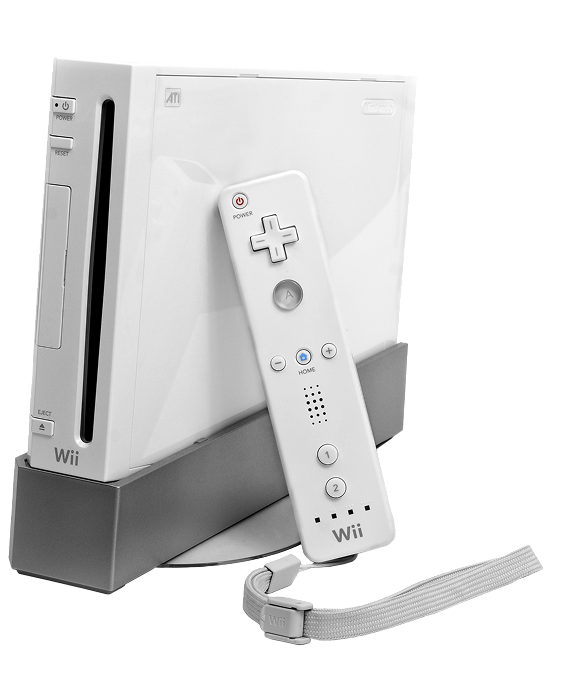
Nintendo launched the Wii in November 2006, and it changed gaming forever. The motion controls via Wii Remote were revolutionary—suddenly grandparents were bowling, kids were playing tennis, and families were actually moving while gaming. The console itself is simple—an IBM PowerPC processor, 512MB storage, GameCube backward compatibility, and that iconic disc drive that accepts both Wii and GameCube discs. The game library is massive: Mario, Zelda, Metroid, countless party games, fitness titles, and thousands of other games.
What's notable about the Wii from a repair perspective? Nintendo built this thing like a tank—the internal components are robust and relatively simple compared to modern consoles. The disc drive is mechanical but serviceable. The power supply is internal and repairable. The motherboard uses modular components that can be replaced individually. There's room inside to work without specialized micro-tools. Nintendo clearly designed this for mass manufacturing, which accidentally made it repair-friendly. The main challenge is age—these consoles are 15-20 years old, so components that were never meant to last this long are failing from natural wear.
Why Every [DEVICE] Eventually Shows Wear
Every Nintendo Wii eventually needs attention, and that's not Nintendo cutting corners—it's just materials meeting 15+ years of use. Here's what's physically happening inside your console over time.
Think about running shoes losing cushioning after many miles. When they were new, every step felt supported and comfortable. After hundreds of miles, the foam compresses permanently and they don't absorb impact anymore. That's similar to what happens with the Wii's internal components. The disc drive laser lens is like those shoe cushions—after thousands of hours reading discs, the laser diode weakens and can't focus properly anymore. It's optical physics meeting component aging.
The disc drive mechanism itself faces constant mechanical wear. Picture a house key worn smooth after years of daily use—the metal slowly wears away from repeated insertions into the lock until one day it barely turns anymore. Your Wii's disc drive has gears, motors, and moving parts that experience similar wear. Every time you insert a disc, motors spin, gears engage, the laser assembly moves along rails—after thousands of disc insertions over 15 years, things wear out. Gears strip, motors weaken, rails need lubrication, optical assemblies drift out of alignment.
The power supply components age even when the Wii's just sitting on a shelf. Capacitors are the usual culprits—these electronic components store and regulate electrical charge, but their internal chemistry degrades over years. After 15-20 years, capacitors can bulge, leak, or fail entirely. When they fail, the Wii won't power on properly or shuts down randomly. The power supply is robust, but nothing lasts forever.
The sensor bar isn't actually a sensor—it's just infrared LEDs that the Wii Remote's camera tracks. Those LEDs can fail from power surges, age, or physical damage. The wire connecting the sensor bar to the console can develop breaks from years of being moved, coiled, and uncoiled.
The Disc Drive Won't Read Games Anymore
You insert a Wii or GameCube disc and get "unable to read disc" errors immediately, or maybe the console tries to read for a minute before failing. Could be it reads some discs but not others—newer games work fine, older discs fail. Perhaps you hear grinding or clicking noises from the disc drive before it gives up. Some Wii owners find the drive won't even accept discs anymore—they insert a game and it immediately ejects.
Why this happens: The disc drive has multiple potential failure points. The laser lens that reads discs weakens over time—it's an optical component with a finite lifespan, and after thousands of hours reading discs, the laser diode just can't produce enough focused light anymore. The laser assembly rides on rails that need lubrication—after years, the grease dries out and the assembly can't move smoothly to read different parts of the disc. The motor that spins the disc can weaken or fail. Gears in the mechanism can strip or crack. The rubber drive belt (in some Wii models) can stretch or break. Dust accumulation on the laser lens prevents proper reading. Sometimes it's not the drive at all—it's the disc itself that's scratched or dirty beyond reading.
What you can try:
- Clean your discs thoroughly with a microfiber cloth, wiping from center outward in straight lines (never circular motion)
- Try multiple different discs—if only one disc fails, it's the disc not the drive
- Use a lens cleaning disc designed for game consoles (available at most electronics stores)
- Check if the console makes any sounds when you insert a disc—silence suggests motor failure, grinding suggests mechanical issues
- Blow compressed air into the disc slot to remove dust (don't use canned air held upside down—the propellant can damage components)
The pattern that emerges from repairs: Disc drive problems on Nintendo Wii consoles fall into three main categories. Dirty or weak lasers account for maybe 40% of cases—cleaning or laser replacement solves this. Mechanical failures (stripped gears, worn belts, failed motors) make up another 40%. The remaining 20% are alignment issues where the laser assembly drifted out of position. When you bring disc reading issues to The Fix, we open the console, remove the disc drive assembly, inspect it under proper lighting, test the laser power with specialized equipment, check all mechanical components for wear, clean thoroughly, lubricate moving parts, and determine if cleaning solves it or if component replacement is necessary. Nintendo Wii repair for disc drives involves replacing the laser assembly (common), replacing drive motors or gears (less common), or in severe cases, replacing the entire disc drive mechanism. Replacement drives are readily available since Nintendo sold millions of these consoles. Drive repairs typically take 60-90 minutes including disassembly, component work, reassembly, and testing with multiple discs to verify proper reading.
The Console Won't Turn On At All
You press the power button and nothing happens—no lights, no sounds, no fan spinning. Maybe it turns on briefly, shows the Wii logo, then immediately shuts off. Could be the power light comes on but nothing displays on your TV. Perhaps it worked fine last time you used it months ago, and now it's completely dead. Some Wii owners hear the disc drive make sounds but never see anything on screen.
Why this happens: Power issues on 15+ year old consoles usually trace back to failed capacitors in the power supply. Capacitors are electronic components that smooth out electrical voltage, and they have finite lifespans. After years of heat cycles and age, they bulge, leak electrolyte, or fail completely. Failed capacitors prevent the power supply from delivering stable voltage to the console. The power supply itself can fail—components on the power board can burn out from power surges or just age. Sometimes it's not the power supply at all—it's the power button failing (it's a mechanical switch that wears out), the power port where the AC adapter connects developing bad connections, or in rare cases, actual motherboard component failure. We've seen Wiis that won't power on simply because someone used the wrong AC adapter that didn't provide proper voltage.
What you can try:
- Check that you're using a proper Wii power adapter—generic adapters can cause power issues
- Try a different power outlet to rule out outlet problems
- Unplug everything from the Wii (including sensor bar, component cables) and try powering on with just the power cable connected
- Listen carefully when you press power—any sounds, fan spinning, disc drive noises indicate partial power
- Check if the power light comes on at all, even briefly
- Let the console sit unplugged for 30 minutes, then try again—sometimes this clears temporary issues
What our tech does first when examining power issues: We test the AC adapter output with a multimeter to verify it's providing proper voltage (12V for most Wii models). We open the console and visually inspect the power supply board for obvious failures—bulging capacitors, burn marks, cracked solder joints. We use a multimeter to test voltages at various test points on the motherboard. We check the power button for continuity. We inspect the power port for damaged pins or bad solder connections. We test the fan to see if it attempts to spin. Based on these tests, we can usually isolate whether it's the power supply, power button, or motherboard that's failed.
For failed power supply capacitors (the most common cause), we replace all the aging capacitors on the power board with high-quality components rated for longer lifespans. For power button failures, we replace the button assembly. For power port issues, we resolder the connection or replace the port. Nintendo Wii repair for power issues typically takes 60-90 minutes depending on what's failed. Most power problems are completely solvable—actual motherboard CPU or GPU failure is rare on these consoles.
The Wii Remote Sensor Bar Stopped Working
Your Wii Remote cursor won't appear on screen no matter where you point, or maybe it appears but jumps erratically and won't stay steady. Could be the cursor works fine near the TV but disappears when you step back. Perhaps the sensor bar worked perfectly for years and suddenly stopped entirely. Some Wii owners replaced the sensor bar with a new one, and that didn't fix the problem either.
Why this happens: First, let's clarify what the "sensor bar" actually does—it doesn't sense anything. It's just a strip with infrared LEDs on each end. The Wii Remote has an infrared camera that tracks those LEDs to calculate where you're pointing. When the sensor bar stops working, it's usually because the infrared LEDs burned out (they have finite lifespans), the wire connecting the sensor bar to the console developed breaks from years of being moved and coiled, or the sensor bar port on the Wii itself failed. Sometimes it's not the sensor bar at all—it's the Wii Remote's infrared camera that failed, or strong infrared interference from other sources (sunlight through windows, certain light bulbs, candles) confusing the Wii Remote's camera.
What you can try:
- Test if the sensor bar LEDs work—point a smartphone camera at the sensor bar ends while the Wii is on; you'll see the LEDs glowing purple/white on your phone screen if they work (human eyes can't see infrared, but phone cameras can)
- Close curtains and turn off other light sources to eliminate interference
- Make sure nothing's blocking the sensor bar or the Wii Remote's view of it
- Try syncing the Wii Remote again—press the red sync button on the Wii and inside the Wii Remote battery compartment
- Check the sensor bar connection to the Wii—unplug and replug it firmly
- Try standing at different distances from the TV—if it works close but not far away, the LEDs are weak
Key decision points during diagnosis: We test the sensor bar LEDs with infrared-sensitive equipment to verify they're emitting properly. We test the sensor bar cable for breaks using continuity testing. We inspect the sensor bar port on the Wii for damage. We test with a known-good sensor bar to isolate whether it's the bar or the console. We test the Wii Remote's infrared camera by pointing it at other infrared sources (like TV remote controls) to verify the camera works.
For failed sensor bar LEDs, replacement sensor bars are cheap and readily available. For broken sensor bar cables, we can replace the cable or repair breaks. For failed sensor bar ports on the Wii, we resolder the connection or replace the port. For Wii Remote camera failures, we can replace the infrared camera module inside the remote. Nintendo Wii repair for sensor bar issues ranges from simple sensor bar replacement (15 minutes) to Wii Remote camera replacement (45 minutes) depending on what's actually failed.
GameCube Compatibility Doesn't Work Anymore
You've got GameCube controller ports and memory card slots on your Wii, but they don't work anymore. You plug in a GameCube controller and the Wii doesn't recognize it. Or maybe the memory card slot won't read your GameCube memory cards. Could be you can play Wii games fine but GameCube games won't boot. Some Wii owners find only some GameCube ports work while others are dead.
Why this happens: Not all Wii models have GameCube compatibility—later models removed it entirely to cut costs. For models that do have it, the GameCube controller ports and memory card slots are separate components connected to the motherboard. After 15+ years, these ports can fail from corrosion (especially if the console was stored in humid environments), physical damage from forcing controllers in incorrectly, or solder joints cracking on the motherboard. The GameCube mode requires specific software on the Wii—if someone modified the console's firmware, GameCube compatibility might've been broken. Power issues can affect GameCube mode differently than Wii mode.
What you can try:
- Verify your Wii model actually has GameCube compatibility—check for controller ports on top and memory card slots on the side; if you don't see them, your model doesn't support GameCube
- Clean the GameCube controller port contacts with compressed air and a soft brush
- Try multiple different GameCube controllers to rule out controller failure
- Check if the ports look physically damaged or corroded
- Test with different GameCube games—sometimes it's game-specific issues
- Make sure you're booting GameCube games correctly (they require the GameCube controller to navigate)
Quality checks throughout repair: When we repair GameCube port issues on Nintendo Wii consoles, we inspect the ports for physical damage and corrosion. We test electrical continuity from the ports to the motherboard. For corrosion, we clean contacts with proper solutions. For failed solder joints, we resolder the port connections. For physical port damage, we replace the port assemblies. We test with multiple GameCube controllers and games to verify full functionality. Nintendo Wii repair for GameCube compatibility issues typically takes 45-75 minutes depending on whether it's cleaning, resoldering, or port replacement.
Audio or Video Output Problems
You've got no picture on your TV even though the Wii powers on, or maybe the picture is there but extremely distorted or rolling. Could be you get video but no audio, or audio but no video. Perhaps the video quality is terrible—fuzzy, dim, or wrong colors. Some Wii owners get intermittent video that cuts in and out randomly.
Why this happens: The Wii outputs video via component cables, composite cables, or HDMI adapters. Cable problems are the most common cause—after years of being coiled and uncoiled, the wires inside develop breaks. The connectors get corroded or bent. The video output port on the Wii itself can develop bad solder connections. The video encoder chip on the motherboard can fail (rare but possible). Sometimes it's not the Wii at all—it's the TV input that's failed, or HDMI adapters that are faulty, or incorrect video settings on the Wii.
What you can try:
- Test the video cables with another device if possible to verify they work
- Try a different TV input and different cables—eliminate cable/TV issues first
- Check the video output port on the Wii for bent pins or visible damage
- Go into Wii settings and verify video output is set correctly for your cable type
- Wiggle the cable at the Wii end while it's running—if the picture changes, it's a bad connection
- If using HDMI adapters, try direct component or composite cables to isolate adapter issues
Final validation steps: For video output problems, we test the Wii with known-good cables and multiple TVs to isolate the issue. We inspect the video output port on the Wii for damage. We test the solder connections on the video port. For failed video encoder chips, we replace the chip (advanced repair requiring specialized equipment). Most video problems end up being cable or adapter issues rather than the console itself. When it is the console, it's usually the video port needing resoldering. Nintendo Wii repair for video output issues ranges from simple cable replacement (which we can provide) to video port resoldering (45-60 minutes) to video encoder chip replacement (90-120 minutes for advanced repairs).
The Fan Runs Constantly and It Overheats
Your Wii's fan runs at full speed constantly, making way more noise than it used to. Or maybe the console shuts down randomly after 30-60 minutes of gameplay, especially during graphically intensive games. Could be the vents are blowing incredibly hot air. Perhaps the top of the console gets uncomfortably hot to touch. Some Wii owners notice performance degradation during extended play sessions.
Why this happens: The Wii generates heat during operation—the processor, GPU, and other components produce thermal energy. The internal fan is supposed to cool everything by pulling air through the case. After 15+ years, dust accumulates inside blocking airflow. The fan itself can wear out—bearings go bad, causing loud operation or complete failure. The thermal paste between the processor and heatsink dries out, reducing heat transfer efficiency. Failing capacitors on the power supply can cause voltage irregularities that increase heat generation. Sometimes blocked external vents (from the console being in an enclosed cabinet or pushed against walls) prevent proper airflow.
What you can try:
- Clean the external vents with compressed air—blow from multiple angles to dislodge dust
- Make sure the Wii has at least 6 inches of clearance on all sides for proper airflow
- Don't use the console in enclosed cabinets or with the vents blocked
- Listen to the fan—grinding or clicking noises suggest bearing failure
- Feel the air coming from the vents—it should be warm but not scorching hot
- Pay attention to when shutdowns occur—consistent timing suggests thermal protection kicking in
What happens during thermal repairs: We open the console and inspect for dust buildup—we've seen Wiis so clogged with dust they could barely breathe. We thoroughly clean the heatsink fins, fan blades, and internal air pathways. We test the fan operation and bearing condition. We remove the heatsink, clean off old thermal paste completely, and apply fresh high-quality thermal paste to the processor. We check that the heatsink mounts properly with good contact pressure. We test power supply voltages under load. After reassembly, we run the console for extended periods while monitoring temperatures to verify proper cooling. Nintendo Wii repair for thermal issues typically takes 60-90 minutes including thorough cleaning, thermal paste replacement, and testing. Most overheating problems resolve completely with proper cleaning and maintenance.
Keep Your Wii Running Great
Disc care prevents drive issues. Handle discs by the edges only—fingerprints and oils degrade the plastic over time. Store discs in their cases when not in use. Clean discs regularly with microfiber cloths before inserting them. Never use damaged or cracked discs—they can jam the drive.
Ventilation matters. Keep the Wii in open spaces with good airflow. Don't stack things on top of it. Clean external vents monthly with compressed air. Keep it away from heat sources like radiators or other electronics that generate heat.
Sensor bar care. Don't bend or coil the sensor bar cable tightly—gentle curves only. Keep the sensor bar ends clean. Position it properly—centered above or below your TV with nothing blocking it. Avoid placing it near strong infrared sources like windows with direct sunlight.
Power protection. Use a surge protector to protect against power spikes. Don't plug and unplug the console frequently—leave it connected but turn it off when not in use. Use the proper Wii power adapter only.
General care. Dust the console regularly with a microfiber cloth. Keep liquids away from it. Don't move the console while discs are spinning. Turn it off properly rather than just unplugging it. If storing for extended periods, keep it in a cool, dry location.
Controller care. Replace Wii Remote batteries before they leak—corroded battery contacts cause connection issues. Don't drop controllers. Keep the Wii Remote sensor clean (the clear end). Remove the batteries if storing controllers for months.
Your Classic Console Can Work Like New
The Nintendo Wii might be nearly 20 years old, but it's still an incredible gaming console with a library that modern systems can't replicate. Most problems—failed disc drives, power supply issues, sensor bar failures, overheating—are completely repairable. These consoles were built to last, and with professional maintenance, they'll keep entertaining families for years to come.
Bring your Nintendo Wii to The Fix and let our experienced techs take a look. We've seen every problem these consoles develop, we know exactly how to fix them, and we'll treat your device like it's our own. Free diagnostic, honest pricing, quality work. Your gaming memories are stored on this console—let's keep them accessible.


Trusted repair solution for mobile phones, tablets, gaming consoles, and computer systems. We provide fast, reliable, and affordable repair services to get your devices back in perfect working condition.
The Fix is an independent repair service provider and is not affiliated with, sponsored by, or endorsed by Apple Inc., Samsung Electronics, Google LLC, or any other device manufacturer. We use high-quality compatible replacement parts unless explicitly stated. All trademarks are property of their respective owners.


© Copyright The Fix Solutions All rights reserved 2026.
Design by Deepcoder