






iPhone SE Repair Services
Get fast, reliable, and professional iPhone SE repair services at The Fix — your trusted destination for expert device care.
Common Repairs We Handle Daily


iPhone SE Repair vs Replace: Why Fixing Makes Financial Sense
Introduction
Here's a surprising number: nearly 25% of iPhone SE (first generation) owners were still using their devices daily in 2023, seven years after launch. That's not because people can't afford to upgrade—it's because the SE hits a sweet spot. That 4-inch screen is perfect for one-handed use, the build quality's solid, and honestly, for basic daily tasks, the phone still works great. But if your SE's showing its age with battery drain, a cracked screen, or Touch ID acting up, you're probably weighing whether iPhone SE repair makes sense or if it's finally time to move on.
Here's what's worth knowing: your iPhone SE launched in March 2016, making it nearly nine years old in 2025. But unlike the ancient iPhone 5 series, the SE runs iOS 15—that's way more recent support. The A9 chip (same as iPhone 6s) handles everyday tasks smoothly. The compact size is genuinely appealing in an era of massive phones. And repair parts are affordable and widely available since millions were sold.
iPhone SE repair often makes strong financial sense when you calculate the numbers. Quality repairs cost a fraction of even budget replacement phones, you keep a device you know and understand, and you're being smart about not consuming electronics unnecessarily. In this guide, we'll walk through what commonly fails on the SE, what repairs deliver the best value, and help you make an informed decision about whether fixing your SE beats buying new. Let's look at the economics and practicality.
The iPhone SE: Small Size, Big Value
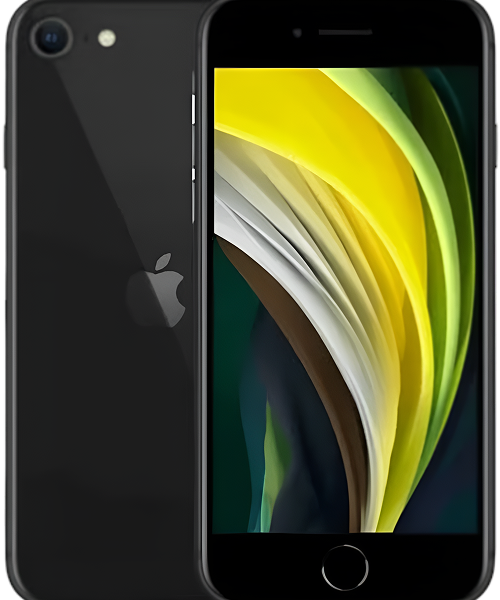
The original iPhone SE launched in March 2016 as Apple's throwback to the beloved 4-inch form factor. While everyone else was making phones bigger, Apple put iPhone 6s internals (A9 chip, 2GB RAM, 12MP camera) into an iPhone 5s body. You got flagship performance in a compact, affordable package. That matte metal finish felt premium, Touch ID was fast and reliable, and the size was genuinely comfortable for one-handed use.
Nearly nine years later, the SE holds up remarkably well for its age. iOS 15 support means you can run most current apps—that's huge compared to the iOS 10-limited iPhone 5 series. The 2GB of RAM makes a real difference for multitasking. The A9 chip still handles everyday tasks without major lag. The 12MP camera takes solid photos for daily use. And that compact size? Still feels great compared to today's giant phones.
The 1,624 mAh battery was modest even in 2016, but the small screen and efficient A9 meant decent battery life when new. At nine years old, the battery's definitely tired, but replacement brings it back to reliable performance. The build quality's proven durable—these phones have survived drops and daily use that would've destroyed lesser devices.
What makes the SE worth maintaining? It's paid off, parts are affordable, repairs are straightforward, and iOS 15 support means it's actually still functional for modern use. For someone who wants a small phone that does calls, texts, email, social media, maps, photos, and basic apps without costing a fortune, the SE absolutely delivers. It's not a flagship experience, but it's a solid, dependable device that still serves real needs.
Most Common Problems: Early Warning Signs
Your Battery Doesn't Last Like It Used To
What you're noticing: You used to make it through the whole day easily. Now you're hitting 20% by mid-afternoon. The phone feels warm more often during normal use. You're constantly looking for outlets or you've just accepted carrying a charging cable everywhere.
Why this happens first: After nine years and roughly 3,000 charge cycles, your battery's capacity has dropped significantly. The iPhone SE shipped with a 1,624 mAh battery—already small by modern standards. At nine years old with 70% health or lower, you're effectively running on about 1,140 mAh or less. Modern budget phones have 3,000+ mAh, so you're working with a third of that.
The Battery Management System also loses calibration accuracy after thousands of cycles, so the percentage reading isn't even reliable anymore.
What you can try right now:
- Check Battery Health. Settings > Battery > Battery Health. If Maximum Capacity shows below 80%, your battery's worn out. Below 75%? That's definitely why you're seeing problems.
- Identify power hogs. Settings > Battery shows which apps drain the most. See something you barely use at the top? Delete it or disable Background App Refresh (Settings > General > Background App Refresh).
- Enable Low Power Mode proactively. Don't wait for 20%—turn it on in the morning (Settings > Battery > Low Power Mode). This can add several hours to your daily runtime.
- Restart your phone. Hold Sleep/Wake + Home until you see the Apple logo. Sometimes processes get stuck draining power.
The value proposition: Battery replacement is one of the best-value repairs you can do. Parts are affordable for the SE, labor's straightforward, and the result dramatically improves daily usability. A fresh battery brings the SE back to reliable all-day performance for light to moderate use.
Even with a new battery, you're working with 1,624 mAh—modest by 2025 standards. But for the SE's 4-inch screen and efficient A9 chip, that's enough for full-day basic use. Battery replacement typically extends the phone's viable life by 1-2 years, making it an excellent investment if everything else works well.
What we see every day: Battery issues are by far the most common reason SE owners come in. The good news? Battery replacement success rate is essentially 100%, and customer satisfaction is extremely high. People are genuinely surprised how much better the phone feels with a fresh battery. It's affordable, makes a massive difference, and if battery's your only issue, it's absolutely worth doing. iPhone SE repair for battery is probably the single best value proposition in smartphone repair.
Touch ID Getting Less Reliable
What you're noticing: Touch ID used to work perfectly. Now it fails more often, requiring multiple attempts or making you type your passcode. You've tried re-registering your fingerprints but it hasn't helped much. It's getting frustrating.
Why this develops over time: The Touch ID sensor uses a sapphire crystal cover over capacitive sensor rings. After nine years and hundreds of thousands of presses, micro-scratches accumulate on the sapphire (yes, even sapphire scratches eventually), oils and debris build up in those scratches, and the capacitive sensor itself loses sensitivity from age.
Sometimes it's not the sensor—it's the cable connecting it to the logic board that's gotten loose or corroded.
What you can try right now:
- Clean the sensor thoroughly. Use isopropyl alcohol (70%+ concentration) on a microfiber cloth. Clean the home button surface meticulously. Let it dry completely. Oils and microscopic debris seriously affect accuracy.
- Re-register fingerprints properly. Delete all existing fingerprints (Settings > Touch ID & Passcode), then add them fresh. Make sure both your finger and sensor are completely clean and dry. Register your primary thumb twice—this improves recognition rates.
- Include different angles. When registering, press the button from various angles like you actually use it—not just perfectly centered.
The critical Touch ID limitation: If cleaning and re-registration don't help, the sensor's likely worn or damaged. Here's the important part: the Touch ID sensor is cryptographically paired to your specific logic board for security. If we replace the home button, it'll work as a button (clicks take you home), but Touch ID is permanently lost. Apple designed it this way to prevent fraud—there's no bypass.
If the button's physically broken, you're choosing between a working button without Touch ID or a broken button with non-functional Touch ID. Most people choose the working button since typing a passcode is better than a non-functional button.
The honest assessment: Touch ID issues on the SE usually fall into two camps: sensor degradation from age (where it works sometimes but not reliably) or complete failure (where it doesn't work at all). The first is the frustrating middle ground—it's not quite dead but not dependable. The second requires accepting Touch ID loss if you want button functionality.
If Touch ID's your only problem and you can live with typing your passcode, replacement makes sense. If you're also dealing with battery death, cracked screen, and other issues, you need to calculate total investment. We're always upfront about the Touch ID limitation before doing any work—no surprises after the fact.
Apps Loading Slowly and Everything Feels Sluggish
What you're noticing: Apps that used to open instantly now hang on white screens. Typing lags—letters appear a second after you press keys. Switching between apps takes forever. The camera sometimes freezes when you launch it. Everything just feels slower than you remember.
Why performance degrades: iOS 15 on an A9 chip with 2GB RAM is genuinely at the edge of capability, especially after nine years of accumulated app data, cached files, and system overhead. More importantly, if your storage is over 90% full, iOS constantly has to shuffle data around just to function, which kills performance.
What you can try right now:
- Check storage immediately. Settings > General > iPhone Storage. If you're using 90%+ of your capacity (especially on 16GB or 32GB models), that's strangling performance. Delete unused apps, clear Safari cache (Settings > Safari > Clear History and Website Data), enable iCloud Photos with "Optimize iPhone Storage."
- Disable Background App Refresh for apps that don't need constant updates (Settings > General > Background App Refresh). This frees up RAM and reduces system load.
- Turn on Reduce Motion. Settings > General > Accessibility > Reduce Motion. Makes animations simpler, but the phone feels noticeably snappier on aging hardware.
- Restart weekly minimum. Hold Sleep/Wake + Home until Apple logo appears. Clears memory and stops background processes that accumulate and slow things down.
The reality check: Slowness on the SE is almost always storage-related, not hardware failure. We see people with 28 out of 32GB used wondering why their phone's crawling—iOS needs breathing room to operate efficiently.
There's no iPhone SE repair that makes the A9 chip faster or adds more RAM. But optimizing storage and settings can make a dramatic difference in perceived performance. Delete aggressively, use cloud storage, clear caches regularly.
That said, the SE won't handle demanding modern apps smoothly—it's nine-year-old hardware. Set realistic expectations about what it can do. For everyday tasks, it's perfectly fine. For resource-intensive apps, it struggles.
Things Are Getting Serious
Screen Cracked and Touch Getting Weird
What you're experiencing: You've got a cracked screen you've been "living with" for a while, and now touch is becoming unreliable in certain areas. Dead zones where taps don't register. Ghost touches happening without you pressing anything. Or the crack's spreading from temperature changes.
Why this matters: The iPhone SE screen has multiple layers—glass, LCD panel, and digitizer for touch. Cracks in the glass can propagate into the digitizer layer over time, especially from the phone flexing in pockets or from thermal expansion/contraction.
What you should do:
- Test touch everywhere. Open Notes and scribble all over the screen. Identify where touch doesn't work. If dead zones are small and stable, you've got some time. If they're growing daily, don't wait—it'll only get worse.
- Apply a screen protector temporarily. Tempered glass can prevent crack propagation while you're deciding about repair. It also contains glass shards if the damage is bad.
- Plan for repair within 4-6 weeks. Small cracks turn into big cracks surprisingly fast, especially with temperature swings. We've seen hairline cracks spread across the entire display after a phone was left in a cold car overnight.
The value equation: Screen replacement for the SE is cost-effective compared to the phone's utility. Parts are affordable (LCD technology, not expensive OLED), labor's straightforward, and the result is a fully functional display.
If screen's your only issue, replacement makes strong financial sense—you're extending the phone's life by 1-2 years for reasonable investment. If you're dealing with screen plus battery plus Touch ID failure, you need to calculate total investment versus device age.
From the repair bench: Screen damage on the SE is extremely common because the phone's been around so long and has been dropped countless times. Screen replacement is one of our most frequent SE repairs, and it's cost-effective when that's the main issue. We always test Touch ID before and after screen work to ensure we haven't damaged the delicate cable. When done properly, screen replacement fully restores functionality and makes the phone feel new again.
Charging Cable Only Works at Specific Angles
What you're experiencing: Your charging cable only works when positioned just right. You've tried multiple cables—they all do the same thing. Sometimes it charges, sometimes it doesn't. You've basically given up on wired charging if you have a wireless pad.
Why this develops: After nine years of daily plugging and unplugging, your Lightning port has accumulated compressed pocket lint AND the connector pins have worn from use. The securing clip can also weaken, making cables feel loose.
What you should do:
- Clean the port carefully. Power off your phone completely. Use a wooden toothpick (never metal—you could damage pins) and gently scrape the bottom and sides of the Lightning port. You'll probably be amazed at how much compressed lint comes out—we're talking years of accumulated pocket debris.
- Try certified cables. Use an Apple-certified cable if you've been using third-party ones. Some cheap cables have thicker connector housings that don't seat properly in worn ports.
- Check for corrosion. Shine a flashlight into the port. See green or white crusty material on the pins? That's corrosion from liquid exposure. Light corrosion can be cleaned with isopropyl alcohol on a soft brush.
The repair value: If cleaning doesn't fix it, the Lightning port needs replacement. The port, speaker, and microphone are all on one flex cable that replaces as a unit. This is affordable and straightforward.
Don't ignore charging issues—inconsistent power delivery can eventually damage charging circuits on the logic board, which is way more expensive to fix. Port issues are easy to address early but can cascade into bigger problems if neglected.
What really happens: About 85% of "broken charging port" complaints resolve with thorough cleaning. We spend several minutes removing lint that owners didn't know was packed in there. For genuinely damaged ports, replacement is straightforward and affordable. This is one of those repairs that's annoying to deal with but easy and cost-effective to fix, making it excellent value if you're keeping the phone.
Critical Failure Mode
Phone Won't Turn On or Stuck in Boot Loop
What you're experiencing: Your phone won't power on at all, even after charging overnight. Or it shows the Apple logo, goes black, shows the logo again—endless loop. You can't get into the phone to use it or access your data.
Why this is critical: Complete power failure or boot loops usually indicate either catastrophic battery failure, corrupted iOS, or logic board issues. If the battery's completely dead (zero capacity), the phone can't power on even when plugged in because there's no buffer power to run the boot process.
What you need to do immediately:
- Force restart. Hold Sleep/Wake + Home together for at least 15 seconds. Keep holding even if nothing happens. Sometimes this breaks the loop.
- Connect to iTunes/Finder. Plug into a computer, open iTunes (Windows) or Finder (Mac). If it recognizes the phone in recovery mode, you can restore iOS. This fixes software corruption.
- Try DFU mode restore. Connect to computer. Hold Sleep/Wake + Home for 8 seconds. Release Sleep/Wake but keep holding Home for 10 more seconds. iTunes/Finder should detect the phone in DFU mode. Restore iOS—this is a deeper restore that fixes stubborn issues.
- Let it charge for 3+ hours uninterrupted. If the battery's completely dead, it needs extended charging before showing any life signs.
The diagnostic reality: Boot loops from software corruption are fixable with iOS restore—no physical repair needed. Boot loops from hardware failure require diagnostics to identify failing components.
Complete power failure is often battery-related—battery replacement brings the phone back to life. If battery replacement doesn't fix it, then it's charging circuit or logic board issues, which are more complex.
Based on the devices we see: Boot loop and power failure issues scare people because the phone's unusable. The good news? About 40% are software-related—iOS restore fixes them at no repair cost. Another 40% are battery-related—battery replacement brings the phone back. The final 20% involve logic board issues requiring board-level diagnostics and potentially repair if economically sensible for a nine-year-old device.
We always start with software troubleshooting (free) and battery testing before assuming catastrophic failure. Often it's simpler than people fear, and iPhone SE repair gets the phone working again affordably.
💰 Repair Value Comparison: SE vs Replacement Options
Let's look at the actual economics of repair versus replacement:
Scenario 1: Battery Only
What you get: Restored all-day battery life, 1-2 years extended lifespan
Value assessment: Excellent investment—dramatically improves usability
Compare to: Even budget replacement phones cost significantly more
Recommendation: Absolutely worth it if everything else works
Scenario 2: Screen Replacement Only
What you get: Fully functional display and touch, restored aesthetics
Value assessment: Strong value—extends phone life 1-2 years
Compare to: Replacement phone costs several times more
Recommendation: Makes sense if you're keeping the phone another year+
Scenario 3: Battery + Screen
What you get: Essentially refreshed phone that feels new
Value assessment: Good investment if everything else works
Compare to: Still costs less than even budget replacement
Recommendation: Worthwhile if you like the SE's compact size
Scenario 4: Multiple Issues (Battery + Screen + Touch ID + Port)
What you get: Functional phone but significant cumulative investment
Value assessment: Questionable—total investment adds up
Compare to: Approaching cost of used iPhone 8 or SE 2nd gen
Recommendation: Honest assessment needed about total value
The Key Question to Ask Yourself:
How long will you realistically use this phone after repairs?
- 1-2 years: Repairs up to moderate investment make sense
- 6-12 months: Only minimal repairs are justified
- Less than 6 months: Probably not worth any repairs
Calculate cost per month of use:
- Battery replacement giving you 18 more months = very affordable per month
- Multiple repairs giving you 6 months = expensive per month
Why SE Repair Often Wins:
Financial Benefits:
- Repairs cost fraction of replacement
- No new phone financing or monthly payments
- Keep using familiar device—no learning curve
- No need to replace accessories or cases
Practical Benefits:
- Keep your data, settings, and apps exactly as they are
- No time wasted setting up new phone
- Maintain that perfect 4-inch size (if that matters to you)
- No commitment to larger phones or complicated new features
Environmental Benefits:
- Prevent functional electronics from becoming e-waste
- Reduce demand for new device manufacturing
- Lower carbon footprint from extending device life
- Smart stewardship of technology resources
When Replacement Makes More Sense:
- Multiple major failures requiring extensive repairs
- Need features SE can't provide (better camera, larger screen, etc.)
- iOS 15 limitations are affecting your daily use
- Phone's been through multiple repair cycles already
- You genuinely want a newer device with modern capabilities
What to Expect When You Bring Your iPhone SE In
We treat the SE with respect because it's one of the better value propositions in legacy iPhone repair.
Free Diagnostic and Value Assessment
We'll test battery health, check all functionality, inspect for damage, and identify exactly what's wrong. Then we do something important: we'll calculate repair investment and help you determine if it makes financial sense based on how you actually use the phone and how long you plan to keep it.
An SE with just battery issues? Easy decision—repair's worth it. Battery plus screen plus Touch ID? We'll discuss total investment and whether that makes sense versus alternatives.
Quality Components for Legacy Devices
When we do iPhone SE repair, we use tested quality parts. Battery replacements get reliable cells with proper management systems. Screen replacements maintain full touch functionality. We don't use bottom-tier parts just because it's an older phone.
Honest Performance Expectations
We're upfront: even perfectly repaired, your SE won't match modern flagships. It handles everyday tasks well—calls, texts, email, social media, maps, photos. Don't expect smooth gaming, professional photography, or the latest demanding apps. It's nine-year-old hardware running iOS 15.
Setting realistic expectations prevents disappointment after repair.
The Financial Conversation
We'll help you think through the economics. Sometimes repair's obviously smart. Sometimes it's borderline—we'll help you calculate value based on your specific situation. You'll never feel pressured either way.
Your iPhone SE: The Smart Money Move
Your iPhone SE is nine years old, but it's got something going for it that older iPhones don't: iOS 15 support means it's still genuinely functional for modern use. The compact size is appealing in an era of giant phones. The build quality's proven durable. And repair costs are affordable.
iPhone SE repair often makes strong financial sense when you do the math. Battery replacement, screen work, even multiple repairs can cost less than even budget replacement options. You keep a device you know, maintain that perfect 4-inch size, and avoid unnecessary consumption.
The key is being realistic about what repairs you need and how long you'll use the phone afterward. Single issues like battery or screen? Repair's usually the smart move. Multiple major failures? Calculate total investment and evaluate honestly.
Come by The Fix for a free diagnostic and honest discussion. We'll identify what's wrong, explain repair options, calculate costs, and help you make an informed decision about whether iPhone SE repair makes sense for your situation. The SE is one of our favorite devices to work on because repairs genuinely deliver value—people get years more use from affordable fixes. Let's see if that's the case for your phone.


Trusted repair solution for mobile phones, tablets, gaming consoles, and computer systems. We provide fast, reliable, and affordable repair services to get your devices back in perfect working condition.
The Fix is an independent repair service provider and is not affiliated with, sponsored by, or endorsed by Apple Inc., Samsung Electronics, Google LLC, or any other device manufacturer. We use high-quality compatible replacement parts unless explicitly stated. All trademarks are property of their respective owners.


© Copyright The Fix Solutions All rights reserved 2026.
Design by Deepcoder