






iPhone 5c Repair Services
Get fast, reliable, and professional iPhone 5c repair services at The Fix — your trusted destination for expert device care.
Common Repairs We Handle Daily


What's Wrong With Your iPhone 5c? Complete iPhone 5c Repair Help
Introduction
Remember when your iPhone 5c was the colorful, fun iPhone everyone loved? That plastic back in blue, green, yellow, pink, or white felt fresh compared to the serious aluminum flagships. It was affordable, cheerful, and genuinely well-built with that polycarbonate shell. Fast forward to 2025, and your 5c probably doesn't feel quite as delightful. The battery's exhausted, that power button everyone complained about has probably failed, and you're wondering if keeping this twelve-year-old phone makes any sense at all.
Here's the situation: your iPhone 5c launched in September 2013, making it twelve years old in 2025. It's essentially an iPhone 5 in a plastic shell—same A6 chip, same internals, same limitations. It maxed out at iOS 10.3.4, which is the same dead end as the iPhone 5. Most apps won't run. Security updates stopped years ago. That 1,510 mAh battery was already small in 2013—at twelve years old, it's essentially non-functional.
The question we need to address honestly: does iPhone 5c repair make any sense in 2025? Sometimes it might—if repairs are truly minimal and your needs are incredibly basic. More often, you're pouring money into a device that can't do what you actually need. In this guide, we'll walk through what typically fails, what's fixable, and help you make a realistic decision about whether iPhone 5c repair makes sense or if it's time to accept this colorful companion has reached the end of its useful life. Let's be straight about what you're dealing with.
The iPhone 5c: The Colorful Budget Option That Aged Poorly
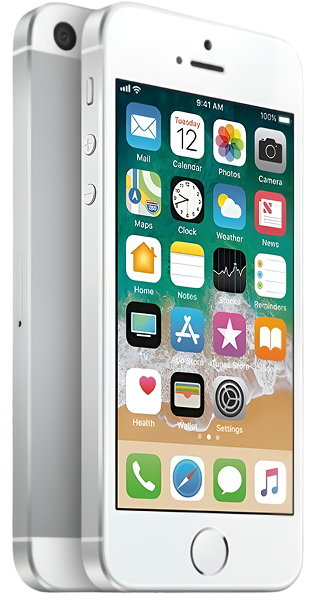
When the iPhone 5c launched in September 2013 alongside the premium iPhone 5s, Apple positioned it as the "affordable" option. You got iPhone 5 internals (A6 chip, 8MP camera, 4-inch Retina display) in a polycarbonate plastic shell that came in five colors. It felt solid in hand, lighter than aluminum phones, and that glossy finish looked great when new.
Twelve years later, the 5c hasn't aged as well as people hoped. That plastic shell might be more durable against dents than aluminum, but it scratches easier and the glossy finish dulls over time. More critically, sharing iPhone 5 internals means it shares the iPhone 5's limitations: iOS 10.3.4 maximum, 1GB RAM that struggles with anything, A6 chip that can barely render modern websites.
The 1,510 mAh battery was modest even in 2013. At twelve years old with 4,000+ charge cycles, it's probably at 40% capacity or lower—that's roughly 600 mAh of usable charge. For context, that's less than some smartwatches have.
But here's why some people still have them: that 4-inch size is genuinely comfortable for one-handed use. The plastic build has survived drops that would've destroyed aluminum phones. And for the absolute basics—voice calls, SMS texts, alarm clock, offline music player—it technically still functions.
The reality is harsh though: the iPhone 5c can't run modern apps, can't access most services securely, and struggles with basic tasks. Before investing in repairs, you need to honestly assess whether it can actually serve your real needs or if you're trying to extend the life of something that's fundamentally obsolete.
How to Keep Your iPhone 5c Running (If You're Determined)
If you've decided the 5c still serves your minimal needs, here's how to squeeze the most out of what's left. Prevention's your best strategy when working with twelve-year-old hardware.
Battery Management is Everything
Your battery's the weakest link at this age. Maximize what's left:
Enable Low Power Mode permanently. Settings > Battery > Low Power Mode. Turn it on when you wake up, not when you hit 20%. This reduces background activity and screen brightness, extending runtime significantly.
Charge before it hits 20%. Deep discharges stress aging batteries. Keep it topped up throughout the day instead of waiting for low battery warnings.
Avoid heat religiously. Heat kills batteries. Never leave your 5c in hot cars, direct sunlight, or charge it in hot environments. If it feels warm, unplug immediately and let it cool.
Accept limited runtime. Even with perfect care, a twelve-year-old 1,510 mAh battery can't deliver all-day performance. Plan your usage around 2-3 hours of actual screen time maximum.
Storage Management is Critical
The 8GB, 16GB, or 32GB storage on your 5c isn't much. Keep it functional:
Keep storage under 80% full. When storage maxes out, iOS 10 slows to a crawl. Delete everything unnecessary—photos, unused apps, old message threads, Safari data.
Clear Safari cache monthly. Settings > Safari > Clear History and Website Data. This frees up space and improves browser performance.
Disable app updates. Most apps don't support iOS 10 anymore anyway. Turning off automatic updates (Settings > iTunes & App Store) prevents failed update attempts that consume storage.
Use streaming, not downloading. Don't store music locally if you can stream it. Don't download videos. Maximize cloud storage to minimize local storage needs.
Port and Button Maintenance
Physical components need regular care:
Clean the Lightning port every few weeks. Power off the phone. Use a wooden toothpick and gently scrape the bottom and sides of the port. Years of pocket lint compress into a dense mass that prevents proper cable connection.
Test the power button gently. The iPhone 5c has the same power button defect as the iPhone 5—the cable breaks over time. If it's getting unresponsive, enable AssistiveTouch immediately (Settings > General > Accessibility > AssistiveTouch) as a backup before it fails completely.
Don't press buttons aggressively. After twelve years, mechanisms are fragile. Gentle, deliberate presses extend remaining life.
Physical Protection Now Matters More
The 5c might have a plastic body, but it's still fragile after twelve years:
Get a protective case. That plastic shell might resist dents, but the screen's still glass and will shatter. A case with raised edges protects the screen when laying face-down.
Use a screen protector. Tempered glass absorbs impacts and prevents the scratches that accumulate over years.
Be more careful generally. The phone's twelve years old—components are fatigued, adhesives are degraded, everything's more fragile than when new.
Software Optimization for Ancient Hardware
iOS 10 on an A6 chip is genuinely at its limits. Optimize what you can:
Disable Background App Refresh entirely. Settings > General > Background App Refresh (OFF). You don't need apps updating in the background on a phone this old.
Turn on Reduce Motion. Settings > General > Accessibility > Reduce Motion (ON). Simplifies animations and makes the interface feel slightly snappier.
Restart weekly minimum. Hold Sleep/Wake + Home until you see the Apple logo. Clears memory and stops sluggish processes.
Close unused apps manually. Double-press Home and swipe up on apps you're not using. Don't let them accumulate in memory.
Accept extreme limitations. You can't install most apps. You can't update iOS. Modern websites barely work. Set realistic expectations about what this phone can actually do in 2025.
Why Twelve-Year-Old Devices Struggle This Much
Understanding the technical realities helps you make informed decisions about repair versus replacement.
iOS 10.3.4 is a Dead End
Your iPhone 5c runs iOS 10.3.4—the absolute final version released in 2019. That's six years without any updates. Security vulnerabilities discovered since 2019 will never be patched. Apps requiring iOS 11+ (which is most apps now) won't install. Services that updated their minimum requirements won't work.
This isn't something you can repair. The A6 chip and 1GB RAM physically can't run iOS 11 or newer. Apple ended support because the hardware couldn't handle it. No amount of money makes the 5c run modern iOS.
What this means practically:
- Can't install most apps from App Store
- Banking apps likely won't work (security requirements)
- Social media apps are ancient versions or won't install
- Modern websites render poorly or not at all
- No Apple Pay, no iCloud features added after 2016
- Every month, more services drop iOS 10 support
Battery Chemistry After 4,000+ Cycles
If you've charged daily since 2013, you've put the battery through roughly 4,400 cycles. Lithium-ion batteries are designed for about 500 cycles before dropping to 80% capacity.
At 4,400 cycles, the battery's capacity is probably 35-45% of its design spec. The 1,510 mAh battery is effectively functioning as a 530-680 mAh battery. That's pathetic by any standard—most wireless earbuds have more capacity.
The lithium-cobalt oxide cathode has degraded from repeated charge cycles. The graphite anode has formed solid electrolyte interface layers that reduce efficiency. The separator membrane has developed micro-tears. This is irreversible chemistry—you can replace the battery, but you can't make the twelve-year-old battery work like new.
The Plastic Shell Hasn't Protected Electronics
While the polycarbonate back resists dents better than aluminum, it doesn't protect against:
- Thermal cycling damage (hot/cold temperature swings over twelve years)
- Humidity causing internal corrosion
- Dust and debris infiltrating through worn seals
- General electronic component aging from twelve years of use
The plastic might look okay externally, but inside, solder joints have micro-cracks, connectors have corrosion, cables have stress fractures. Physical appearance doesn't reflect internal aging.
The Power Button Design Flaw Strikes Again
Just like the iPhone 5 and 5s, the 5c has a power button cable that fails predictably. The cable flexes with every button press. After tens of thousands of presses over twelve years, the internal wiring breaks.
Eventually the button becomes unresponsive or gets stuck. This is a known defect Apple acknowledged with repair programs years ago (all expired now). If your power button still works, it's probably on borrowed time.
The Power Button Problem
What's happening: Your power button (sleep/wake on top edge) doesn't respond when you press it, or it's physically stuck and won't click. You can't lock the screen, wake the phone, or access the power-off menu normally.
Why this is so common: Design flaw. The power button cable was poorly designed—it flexes with every press, and over twelve years and tens of thousands of presses, the internal wiring fatigues and breaks. This affects a huge percentage of iPhone 5c devices eventually.
What you can try:
- Enable AssistiveTouch immediately. Settings > General > Accessibility > AssistiveTouch (ON). This creates a virtual button on screen that handles lock/wake and power menu access. It's not elegant, but it's functional.
- Use Auto-Lock aggressively. Settings > Display & Brightness > Auto-Lock. Set to 30 seconds. The phone locks itself quickly, reducing your reliance on the power button.
- Test the button carefully. Press firmly but gently. Does it feel mechanically stuck or just electronically unresponsive?
The repair reality:
Power button repair requires replacing the power button cable assembly. Parts are cheap for the 5c, and labor's straightforward. If this is literally your only issue and everything else works, repair might make sense—it restores basic phone functionality affordably.
But let's be honest: if you're also dealing with a dead battery, aging screen, and the phone can't run apps you need anyway, investing in power button repair on a twelve-year-old device with iOS 10 as its ceiling doesn't make sense.
The reality from our repair bench: Power button failure is the most common repair request we get for the 5c. It's that common because of the design flaw. The repair works and is affordable. But we have to have the conversation: is fixing this button going to make the phone actually useful for what you need? If you're using it as an alarm clock or offline music player, maybe. If you need it for actual phone functionality with modern apps, no amount of button repair helps the fundamental obsolescence problem.
The Battery Situation
What's happening: Your phone dies within an hour or two of unplugging. It shuts down randomly even showing charge remaining. You're basically keeping it plugged in constantly because it can't hold any charge.
Why it's this bad: Twelve years and 4,000+ charge cycles have destroyed the battery's capacity. You're probably running on 35-45% of the 1,510 mAh design capacity—that's 530-680 mAh effectively. That's less capacity than some smartwatches.
What you can try:
- Recalibrate the battery meter. Let it die completely, then charge uninterrupted to 100% and keep charging 2 more hours. This won't restore capacity but might improve percentage accuracy.
- Enable Low Power Mode permanently. Turn it on first thing in the morning, not reactively at 20%. This extends runtime by reducing background processes.
- Close all background apps. Double-press Home, swipe up on everything. Don't let apps run in the background draining power.
The repair math:
Battery replacement for the iPhone 5c is cheap—parts cost almost nothing because the phone's ancient. Labor's straightforward. You'd get a fresh 1,510 mAh battery installed.
But here's the honest assessment: even with a brand new battery, 1,510 mAh is tiny by 2025 standards. You'll get maybe 3-4 hours of actual use time. That's not all-day performance—that's barely-functional performance.
Tech Myth Debunked:
Myth: "If I replace the battery, my iPhone 5c will run like new again."
Reality: No, it won't. You'll get better battery life than the exhausted battery you have now, but you're still working with 2013-era capacity (1,510 mAh vs. modern phones' 3,000-5,000 mAh). More importantly, battery replacement doesn't fix iOS 10 obsolescence, the A6 chip's slowness, the 1GB RAM limitation, or any of the fundamental issues that make the 5c struggle in 2025. A new battery makes the phone hold a charge—it doesn't make it modern or capable of running current apps. Set realistic expectations about what battery replacement actually accomplishes.
What we've seen in the repair shop: We do iPhone 5c battery replacements occasionally, mostly for people using them as backup devices or alarm clocks. The batteries are cheap and installation's easy. But we're always upfront: you're getting 2013 battery capacity. People sometimes expect their phone to feel "like new" after battery replacement and are disappointed when it still can't run modern apps or last a full work day. Battery replacement helps, but it doesn't solve obsolescence.
The Screen Saga
What's happening: Your screen's cracked, maybe badly. Touch might be getting spotty in certain areas. Or the screen's intact but noticeably dimmer than it used to be even at max brightness.
Why screens fail after this long: The iPhone 5c screen is glass bonded to LCD panel and digitizer. After twelve years, the adhesive degrades, the LCD backlight dims, and cracks propagate from thermal cycling and mechanical stress.
What you can try:
- Apply a screen protector if cracked. Tempered glass can prevent crack spreading and contain glass shards while you decide about repair.
- Test touch thoroughly. Open Notes and scribble everywhere. Identify dead zones. If touch works despite cracks, you've got time. If dead zones are growing, it's getting worse.
- Increase brightness manually. Settings > Display & Brightness. Max it out. If it's still dim, the LCD backlight's genuinely aged.
The repair assessment:
Screen replacement for the iPhone 5c is affordable—parts are cheap, labor's straightforward. If screen damage is your only problem, replacement might make sense.
But if you're dealing with screen damage plus dead battery plus power button failure plus the phone can't run apps you actually need, you're investing in multiple repairs on a device that's fundamentally obsolete.
After repairing thousands of these: Screen replacement on the 5c is one of the more common repairs we still see. The parts are dirt cheap since the phone's been around forever. Installation's simple. We do it when people specifically need their 5c functional for some reason—maybe they're traveling to a country where smartphone theft is common and they want a cheap backup, maybe they're giving it to a kid to learn responsibility. But we always discuss whether the investment makes sense given the device's limitations. Often, getting a used iPhone 7 or 8 for similar total investment makes more sense—you get years of remaining iOS support and actual app compatibility.
What to Expect When You Bring Your iPhone 5c In
We approach the iPhone 5c as a twelve-year-old device that requires brutally honest assessment.
Free Diagnostic Plus Reality Check
We'll test battery performance, button functionality, screen condition, charging port, everything. Then we have the conversation: does repairing a twelve-year-old phone that maxed out at iOS 10 actually make sense for what you need?
Sometimes yes—if it's a single cheap repair and you genuinely only need voice calls and texts. More often, the answer's complicated. We'll help you think through whether the investment is actually smart.
Clear Cost-Benefit Analysis
We'll calculate what repairs you need, explain what each costs (parts are cheap, labor's affordable), and then discuss whether that total investment makes sense given:
- The phone can't run modern apps
- iOS 10 has no security updates for six years
- The hardware's genuinely ancient
- Alternative options (used newer iPhones) might cost similar total
You'll get honest guidance about whether iPhone 5c repair serves your actual needs or if you're better off accepting this device has reached end of life.
Quality Work on Ancient Hardware
If you decide repair makes sense, we use quality components. Battery replacements get reliable cells. Screen replacements are done carefully. Power button repairs use proper parts.
But we're clear about what you're getting: a twelve-year-old phone with 2013 capabilities and iOS 10 forever. Repairs make it physically functional—they don't make it modern.
The Alternative Discussion
We'll openly discuss whether getting a used iPhone 7 (iOS 15 support, app compatibility, years of remaining life) or even a budget Android for similar investment makes more sense than repairing the 5c.
We're not trying to talk you out of repairs. We're trying to help you make the actually smart decision for your needs and budget.
Your iPhone 5c: The Hard Truth
Your iPhone 5c is twelve years old with iOS 10.3.4 as its absolute ceiling. Security updates stopped in 2019. Most apps won't run. The hardware's genuinely ancient. It struggles with basic tasks.
iPhone 5c repair can make it physically functional—we can replace batteries, fix buttons, swap screens. But we can't give you iOS updates, modern app support, or security patches. We can't make it less obsolete.
If you need a device for literally nothing except voice calls and SMS texts, and you're comfortable with zero app functionality, then minimal repairs might make sense for a few more months.
If you need anything beyond that—apps, secure internet access, modern services—you need a newer device. No amount of iPhone 5c repair fixes twelve years of technological advancement that passed this device by.
Come by The Fix for a free diagnostic and honest conversation. We'll assess what's broken, explain what we can fix, and more importantly, have a real discussion about whether fixing it makes sense or if it's time to move on. We handle iPhone 5c devices occasionally, and we're always straight about limitations. Sometimes repair's worth it. Usually, it's time to accept the colorful 5c has served its purpose and reached the end of its viable life. Either way, you'll get honest guidance—no pressure, just reality about what makes sense for your situation.


Trusted repair solution for mobile phones, tablets, gaming consoles, and computer systems. We provide fast, reliable, and affordable repair services to get your devices back in perfect working condition.
The Fix is an independent repair service provider and is not affiliated with, sponsored by, or endorsed by Apple Inc., Samsung Electronics, Google LLC, or any other device manufacturer. We use high-quality compatible replacement parts unless explicitly stated. All trademarks are property of their respective owners.


© Copyright The Fix Solutions All rights reserved 2026.
Design by Deepcoder