





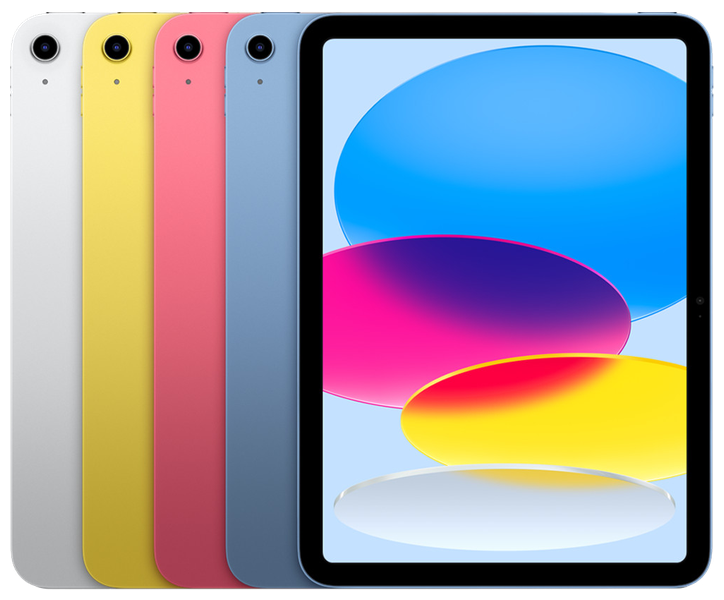
iPad (A16, 11th Generation) Repair Services
At The Fix, we help with iPad A16 screen damage, battery problems, USB-C charging issues, and front or rear camera faults. Visit your nearest location to discuss the repair and get a quote.
Common Repairs We Handle Daily


iPad A16 Repair at The Fix
The iPad (A16), also known as the 11th-generation iPad, has an 11-inch-class Liquid Retina display, an A16 chip, and a USB-C port. Its 12MP rear camera and landscape 12MP Center Stage front camera support photos, video, and calls. Damage to the display, battery, charging connection, or either camera can make everyday tasks harder.
At The Fix, we offer repair services for common tablet problems, including screen repair, battery replacement, charging port repair, and camera repair. The right solution depends on the symptoms and the fault affecting your iPad. Read about the options below, then visit your nearest The Fix location to get a quote.
What should you do if your iPad A16 screen is damaged?
A cracked screen, areas that no longer respond to touch, flickering, or lines across the display can make an iPad difficult to use. The iPad A16 has a 2360-by-1640-pixel LED-backlit IPS display with Multi-Touch support, True Tone, and a fingerprint-resistant coating. Damage may affect the glass, touch response, or the displayed image, and those symptoms do not always point to the same fault.
iPad A16 screen repair can address display damage that interferes with viewing or touch input. If the glass is broken, avoid running your fingers over sharp edges and do not press on damaged areas. If the screen is lifting, the device is hot, or you notice swelling, stop using it and seek professional help rather than trying to open it yourself.
When might your iPad A16 need a battery replacement?
A battery that drains quickly, loses charge while idle, or causes unexpected shutdowns can interrupt work and entertainment. Apple lists a built-in 28.93-watt-hour rechargeable lithium-polymer battery for this model. That published capacity describes the design, not the present condition of an individual iPad.
Battery replacement may be appropriate when battery wear is responsible for the symptoms. Charging behavior can also be affected by software, the power adapter, the cable, or another hardware fault, so fast drain alone does not confirm a failed battery. If the battery appears swollen or the case or display begins to separate, stop charging and using the iPad and arrange professional service.
Why is your iPad A16 not charging properly?
The USB-C port on the iPad A16 supports charging, DisplayPort output, and USB 2.0 data transfer. If charging starts and stops, the cable does not connect securely, or the iPad does not recognize accessories, the cause may be the cable, power adapter, port, or another component.
The Fix offers charging port repair for charging and connection problems. Do not insert metal objects or liquids into the port, and do not force a cable that will not fit. If the iPad or connector overheats, or liquid has entered the device, disconnect power if it is safe to do so and stop charging until the device can be examined. A charging symptom should not be treated as proof that the port itself has failed.
What can cause iPad A16 camera problems?
The rear camera is a 12MP wide camera with an ƒ/1.8 aperture and autofocus. The front camera is a landscape-oriented 12MP Center Stage camera with an ƒ/2.4 aperture. If photos look blurred, focus does not work as expected, video appears abnormal, or a camera fails to open, the issue may involve the camera hardware or another part of the device.
The Fix offers camera repair for front- and rear-camera problems. Because the two cameras serve different purposes and occupy different positions, describe which camera is affected and what happens when you use it. A cracked camera cover or impact damage may also affect image quality. Avoid pressing on damaged camera glass, and get a quote for the repair your iPad needs.
How can The Fix help with your iPad A16 repair?
The Fix provides repair services for common iPad problems, including screen damage, battery issues, charging connections, and camera faults. The symptoms help narrow down the possible causes, but the repair required and final quote depend on the fault affecting your device.
Many common repairs can take about 30 minutes or less, although timing varies by repair and a more precise estimate depends on the issue. Back up your iPad before service if it is safe and practical to do so. A hardware repair cannot ensure that all data will remain intact.
Frequently Asked Questions About iPad A16 Repair
Can The Fix repair a cracked iPad A16 screen?
Yes, The Fix offers screen repair for iPads with cracked glass or display problems. The repair needed depends on the damage and whether touch input or image output is also affected.
How do I know whether my iPad A16 needs a new battery?
Rapid battery drain, unexpected shutdowns, or difficulty holding a charge can indicate a battery problem, but they can also have other causes. A quote can be provided once the fault and appropriate repair are determined.
Can the iPad A16 USB-C charging port be repaired?
The Fix offers charging port repair for charging and connection problems. Charging failure can also come from a cable, adapter, or another component, so the symptom alone does not confirm a damaged port.
Should I keep using my iPad A16 after liquid exposure?
No, stop using and charging the iPad after liquid exposure and seek professional advice. Do not use heat or insert objects into the port, because either action can cause further damage.
Need help with an iPad A16 screen, battery, USB-C port, or camera problem? Visit your nearest The Fix location to discuss the repair and get a quote.


Trusted repair solution for mobile phones, tablets, gaming consoles, and computer systems. We provide fast, reliable, and affordable repair services to get your devices back in perfect working condition.
The Fix is an independent repair service provider and is not affiliated with, sponsored by, or endorsed by Apple Inc., Samsung Electronics, Google LLC, or any other device manufacturer. We use high-quality compatible replacement parts unless explicitly stated. All trademarks are property of their respective owners.


© Copyright The Fix Solutions All rights reserved 2026.