






Acer Computer Repair Services
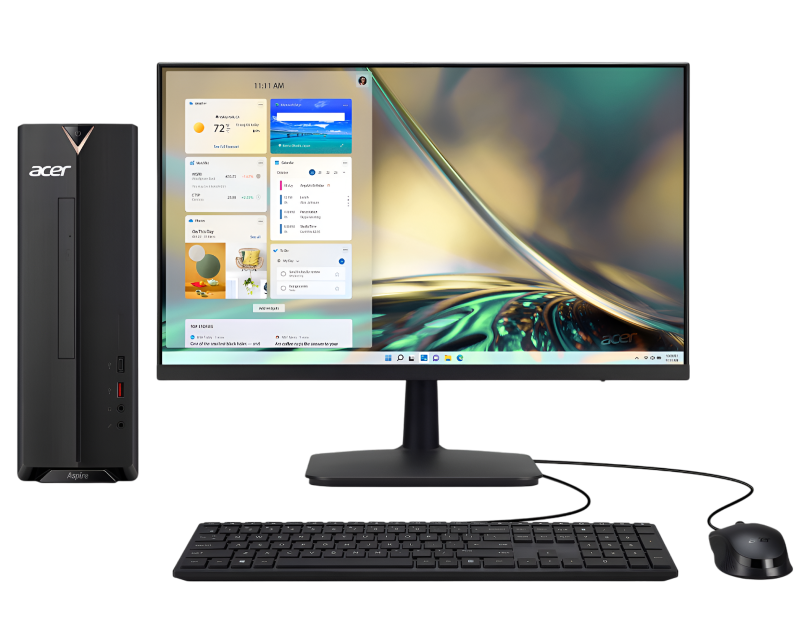
Get fast, reliable, and professional Acer Computer repair services at The Fix — your trusted destination for expert device care.
Common Repairs We Handle Daily


An Expert Analysis of Acer Computer Repair: Causes & Solutions
Acer ships approximately 20 million laptops globally each year, making them one of the most common brands we see at repair shops. The data's interesting: roughly 30% of Acer laptops between 2-4 years old require at least one hardware repair or component replacement. That's not a design flaw—it's the statistical reality of daily use across millions of devices. Most of these repairs fall into predictable categories: battery degradation, cooling system failures, storage drive issues, and screen damage.
If your Acer Aspire won't hold a charge anymore, your Swift overheats constantly, or your Nitro gaming laptop's screen cracked from seemingly minimal pressure, you're experiencing problems we diagnose and fix regularly at The Fix. These aren't mysterious failures—they're well-understood issues with proven solutions. Professional Acer Computer repair addresses root causes efficiently and gets your laptop back to reliable operation. Let's analyze exactly what goes wrong with Acer laptops and how we fix them.
The Acer Laptop Story
Acer's been building laptops for decades, focusing on delivering good specs at competitive prices. Their lineup covers everything from budget-conscious Aspire series targeting students and home users, to slim Swift ultrabooks for professionals, to powerful Nitro and Predator gaming laptops. What's consistent across Acer's range is their value proposition—you generally get solid hardware without paying premium prices.
The Aspire line offers reliable computing for everyday tasks. Swift laptops compete with other ultrabooks, emphasizing portability and battery life. Nitro and Predator series target gamers with powerful GPUs and high-refresh displays. ConceptD serves creative professionals needing color-accurate screens and workstation-class performance. Each has different priorities, but they all share common failure modes as they age.
Here's what matters for understanding repairs: Acer laptops are typically serviceable. Many models allow battery replacement, RAM upgrades, and storage swaps without specialized tools. This repairability means that when components fail, fixing them is usually straightforward if you've got the right expertise and quality parts. Acer designed these to be maintained and repaired, not thrown away when something breaks.
What Causes Tech to Break Down
Every Acer laptop ages over time, and understanding the underlying causes helps you recognize when professional service is needed versus when something's just showing normal wear.
Think about the difference between your smartphone screen and a car windshield. Both are glass, both serve similar protective functions, but they're engineered differently. A car windshield is laminated safety glass—multiple layers designed to withstand impacts, temperature extremes, and constant vibration. Your phone screen prioritizes thinness and touch sensitivity over maximum strength. It's more vulnerable to drops and pressure because of those design priorities. Acer laptop screens, especially on thin Swift models and large-screen Nitro gaming laptops, make similar tradeoffs. The gorgeous, lightweight displays are more vulnerable to pressure and flexing than thick, heavy screens would be. This isn't poor quality—it's the inevitable compromise between portability, display quality, and durability.
Consider a filing system in an office used by multiple people over years. Initially, everything's organized logically—documents filed properly, easy to find what you need. Over time, people file things in slightly wrong places, papers get misfiled, the system becomes cluttered. Eventually, finding specific documents takes forever because the organization has degraded. Your Acer's storage drive experiences similar degradation. Hard drives fragment (if you still have one), temporary files accumulate, system logs grow, registry entries multiply, and performance degrades even though the hardware hasn't failed. SSDs face different issues—wear leveling algorithms track which cells have been written most, but eventually write cycles exhaust healthy cells and performance drops.
Inside your Acer, the processor generates substantial heat with every operation. That heat causes microscopic expansion of circuits and solder joints. When you shut down, everything cools and contracts. This thermal cycling happens thousands of times over a laptop's life. Solder joints experience stress. Thermal paste hardens and cracks. Adhesives weaken. Nothing fails catastrophically, but cumulative stress accumulates.
Battery chemistry degrades with every charge cycle. Lithium-ion cells lose capacity as internal structures change at the molecular level. Gaming laptops especially stress batteries—high power draw generates heat that accelerates degradation. After 300-500 cycles (12-24 months for daily users), you'll notice runtime dropping significantly.
Cooling systems rely on fans spinning at thousands of RPM, moving air across heatsinks to dissipate heat. Fans spin millions of revolutions. Bearings wear microscopically. Dust infiltrates despite intake filters, accumulating on blades and between cooling fins. Thermal paste between CPU/GPU and heatsink loses effectiveness. Heat transfer efficiency drops 20-30% over several years without maintenance.
This isn't about Acer cutting corners. These are well-engineered machines offering good value. But physics and chemistry don't care about price points—all components age under use. Understanding these processes helps you recognize when professional Acer Computer repair is needed.
Battery Won't Last Through Anything
What you're experiencing: Your Acer used to run 5-7 hours on a charge. Now you're scrambling for outlets after 90 minutes. The battery percentage becomes unreliable—showing 40% one moment, then dropping to 5% and shutting down the next. You're essentially using it as a tethered device instead of a portable laptop, which defeats the entire purpose.
Why this happens: Acer laptop batteries use lithium-ion technology rated for 300-500 charge cycles before significant capacity loss. Daily charging means hitting that threshold in 1-2 years. Each cycle causes microscopic chemical changes in the cells. Heat accelerates degradation—laptops used on soft surfaces that block cooling age batteries faster. Eventually the cells can't store enough energy to be useful. Some batteries develop swelling from gas buildup inside—this is hazardous and requires immediate replacement.
What you can try:
- Check battery health using Windows battery report: Open Command Prompt (Admin) and run powercfg /batteryreport. This generates an HTML report showing design capacity versus current capacity.
- Calibrate the battery: Charge to 100%, use until automatic shutdown, then charge uninterrupted back to 100%.
- Check for physical swelling: If the bottom case bulges or trackpad feels raised, stop using immediately—swollen batteries are dangerous.
- Update BIOS: Sometimes Acer releases battery management improvements through BIOS updates.
- Reduce power consumption temporarily: Battery saver mode, lower brightness, close unnecessary apps.
Here's what we've learned from the repair bench: Battery replacement is the most common Acer repair we perform, and the transformation is immediate. People adapt gradually to dying batteries—they stay near outlets, carry chargers everywhere, plan activities around available power. They forget what normal battery life feels like. After professional battery replacement with a tested, quality component that meets Acer's specifications, they get actual portability back. Full-day battery life returns. The laptop becomes genuinely mobile again. We see relief on customers' faces when they realize they can work wirelessly again without anxiety about battery percentage.
Overheating and Aggressive Throttling
What you're experiencing: Your Acer sounds like a jet engine. The fan runs at maximum speed constantly, even during basic tasks like web browsing. The case gets uncomfortably hot—you can't actually use it on your lap. Performance tanks during anything intensive because the system throttles aggressively to prevent damage. Sometimes it shuts down completely to protect components.
Why this happens: Acer laptops have cooling systems designed for specific thermal loads. Over time, several factors compromise them. Dust is the primary culprit—it accumulates in fans and clogs narrow cooling fins. Thermal paste between CPU/GPU and heatsink dries out and loses effectiveness. Fans wear—bearings degrade and blades accumulate debris. Using the laptop on soft surfaces blocks vents. Demanding modern software generates more heat than the aging cooling system can handle efficiently.
What you can try:
- Check Task Manager (Ctrl+Shift+Esc) for processes using high CPU—sometimes runaway background tasks generate unnecessary heat.
- Use your Acer on hard, flat surfaces only. Beds and couches block ventilation holes on the bottom.
- Clean external vents with compressed air: Hold can upright, use short bursts, blow dust out (don't spin fans backward).
- Close unused programs and browser tabs—each generates some heat.
- Update BIOS and drivers: Sometimes thermal management improvements come through updates.
What we tell customers who come in: Acer laptops, especially models 2-3 years old without maintenance, predictably overheat. When we open them for service, the cooling fins are typically packed solid with dust and lint. Airflow is maybe 20-30% of design specification. Thermal paste is dried, cracked, and failing to transfer heat. We disassemble carefully, clean fans and heatsinks thoroughly using compressed air and proper tools, replace thermal paste with quality compound, verify fan operation, and reassemble precisely. Temperature drops are significant—20-35°C reductions under load. Your Acer runs quietly, stays cool, and delivers full performance without throttling. The fans only spin up when genuinely needed, not screaming constantly. For gaming laptops especially, proper thermal maintenance transforms usability.
Performance Degraded to Crawling Speed
What you're experiencing: Your Acer has become painfully slow. Boot takes 5+ minutes when it used to be under a minute. Apps hang when launching. Simple tasks like opening folders lag noticeably. You've tried cleaning up files and closing programs, but it's still crawling. You're spending more time staring at loading indicators than actually working.
Why this happens: Performance degradation usually involves multiple compounding factors. Storage drives near capacity struggle—Windows needs at least 10-15% free space for temporary files and virtual memory. Hard drives fragment over time (if you still have one). Drives approaching failure exhibit severe slowdowns before dying. Too many startup programs consume RAM and CPU. Malware or bloatware runs in background. Overheating causes throttling. Insufficient RAM for modern Windows versions forces constant disk swapping.
What you can try:
- Open Task Manager and check what's using CPU, memory, and disk. Sort by usage to identify culprits.
- Disable unnecessary startup programs: Task Manager → Startup tab → disable what you don't need launching automatically.
- Free up disk space: You need at least 10-15% free. Delete large files, uninstall unused programs, clear temporary files.
- Run Windows Defender or your preferred antivirus to check for malware.
- Check temperatures using HWMonitor—high temps cause performance throttling.
- If you have an HDD, defragment it using Windows' Optimize Drives tool (not needed for SSDs).
After repairing these daily: Performance issues are rarely just one thing—they're usually several problems piling up. We'll typically find a nearly full hard drive, 25+ programs launching at startup, gigabytes of temporary files and cache, dust choking the cooling system, and maybe drive failure warnings in SMART data. Addressing everything comprehensively makes dramatic differences. Sometimes strategic hardware upgrades transform the experience—upgrading RAM from 4GB to 8GB or 16GB, or replacing a slow, failing hard drive with a fast SSD. We've seen Acer laptops that were frustratingly slow for months suddenly feel fast and responsive after comprehensive service. Boot times drop from minutes to seconds. Apps launch instantly. The transformation is remarkable.
Screen Cracked or Display Not Working
What you're experiencing: Your Acer's screen has a crack spreading across it. Maybe it started small from closing the lid with something on the keyboard, or from pressure in a bag. Now there are spider-web cracks, parts of the display don't show images correctly, or the touchscreen (if equipped) doesn't respond in damaged areas. Or maybe the screen works but flickers at certain angles, or it's completely black despite the laptop running.
Why this happens: Acer laptop screens vary by model—some are more robust, others prioritize thinness over maximum strength. Pressure on the lid when closed cracks displays. Objects left on the keyboard before closing cause damage. Drops or impacts break screens. The display cable running through the hinge can get damaged from repeated opening and closing. Backlight failures make screens dim or completely black. Sometimes it's the inverter board or display controller rather than the panel itself.
What you can try:
- Connect to an external monitor. If that works perfectly, you've isolated the problem to the internal display system.
- Shine a flashlight at the screen when it appears black—if you see a faint image, it's backlight failure, not the LCD panel.
- Gently move the screen through its full range while watching for when issues occur. Angle-dependent problems usually indicate cable damage.
A common pattern is: Acer screen replacements are among our most common laptop repairs. The work requires precision—we disassemble the display bezel carefully (many use plastic clips that snap), disconnect the damaged panel, install a new one with proper connections, and reassemble. For cracked screens, the entire panel needs replacement. For backlight failures, sometimes we can replace just backlight components depending on the model. For flickering issues, often it's the display cable needing replacement rather than the screen itself. Properly done, your replacement screen looks and functions like the old times. We test thoroughly—no dead pixels, even brightness, correct colors, reliable operation at all angles. Customers are always relieved to have their display back without cracks, lines, or flickering.
Keyboard Keys Failing or Sticking
What you're experiencing: Certain keys on your Acer don't register when pressed. You have to hit them multiple times to get a response. Other keys stick—press once and get double or triple letters. Maybe the entire keyboard stopped working after a spill. You're resorting to an external keyboard just to get work done, which defeats the portability advantage.
Why this happens: Acer keyboards experience several failure modes. Spills are devastating—liquid seeps under keys and corrodes connections rapidly. Dust and debris accumulation causes mechanical issues. The ribbon cable connecting the keyboard to the motherboard can get damaged or work loose. Key switches wear out from heavy typing, especially commonly-used keys like spacebar and Enter. Sometimes it's a driver issue rather than hardware failure, though that's less common.
What you can try:
- Test with external USB keyboard—if it works perfectly, you've confirmed it's the internal keyboard hardware.
- For single stuck keys, try removing the keycap carefully and cleaning underneath with compressed air or isopropyl alcohol on a cotton swab.
- Update keyboard drivers: Device Manager → Keyboards → update driver.
- Boot into BIOS (F2 during startup)—if the keyboard works there but not in Windows, it's a software issue.
- For spill damage, turn off immediately, disconnect power, remove battery if possible, and bring it for professional cleaning ASAP—corrosion sets in quickly.
Based on the devices we see: Acer keyboard replacements are generally straightforward compared to some manufacturers. Many Acer models have keyboards secured with screws and a ribbon cable connection—removal and replacement follows standard procedures. For recent spills caught early, sometimes professional cleaning saves the keyboard. But chronic problems or heavy spill damage usually require replacement. The good news is that new keyboards give you fresh, responsive keys. Every keystroke registers reliably. Typing becomes effortless again, which matters tremendously since you interact with that keyboard constantly during use. We keep common Acer keyboard models in stock or can source them quickly, so turnaround is usually same-day or next-day.
Storage Drive Failing or Completely Full
What you're experiencing: You're getting constant "low disk space" warnings even after deleting files. Your Acer makes clicking or grinding noises (if you have a hard drive). Files are corrupting or disappearing. Operations that should be instant take forever. Windows is warning you about disk problems or showing SMART errors. Sometimes the drive isn't recognized at all and the laptop won't boot.
Why this happens: Storage drives have finite lifespans. Hard drives have mechanical parts that wear out from constant spinning and movement. SSDs have write cycle limits on memory cells—after enough writes, cells fail. Both can develop bad sectors, firmware bugs, or complete component failures. Sudden power losses corrupt file systems. Physical shocks from drops damage drives. Heat accelerates degradation. When drives start failing, they exhibit warning signs—slowdowns, errors, strange noises—before complete failure.
What you can try:
- BACK UP IMMEDIATELY if you're experiencing these symptoms. Drive failure can be sudden and complete.
- Check drive health using CrystalDiskInfo or similar tools to read SMART data and see health status.
- Run Windows' Error Checking: File Explorer → right-click drive → Properties → Tools → Check.
- Free up space if you're getting "full" warnings: Windows Disk Cleanup, uninstall unused programs, move files to external storage.
- If you hear clicking or grinding from a hard drive, stop using it immediately—continued operation can make data recovery impossible.
The reality from our repair experience: Storage drive failures show warning signs for weeks before complete failure. If you're experiencing unexplained slowdowns, random errors, SMART warnings, or strange noises, don't wait. We can clone failing drives to new ones, preserving all your data and giving you a fresh, reliable drive. Often we upgrade to larger capacity or faster SSD technology during replacement. The cloning process is block-by-block with verification, so your Acer boots after repair exactly as it was—same programs, same files, same settings—just faster and more reliable. Many times we've recovered data from drives that seemed completely dead, so even if your laptop won't boot, there's often hope for data recovery. But the earlier you catch problems, the higher the success rate.
What Tools We Use for Acer Repair
Behind-the-scenes at The Fix, we use specialized equipment and procedures for Acer laptop repairs. These aren't casual fixes with generic tools—we're using professional-grade equipment because proper repairs demand it.
Our workbenches have anti-static mats and wrist straps because laptop motherboards are sensitive to static discharge. One zap can damage circuits permanently. We use proper screwdrivers—Phillips and Torx in various sizes that Acer uses throughout their models. We have plastic spudgers and pry tools that won't scratch cases or damage plastic clips. For display work, we use specialized opening tools and heat guns to soften adhesive where needed.
We maintain quality thermal paste—not generic stuff but compounds rated for the temperatures laptop processors generate. Our battery replacements use proper mounting and adhesive to ensure secure installation. We have professional drive cloning stations that create exact copies while verifying data integrity throughout the process.
For diagnostics, we use specialized software to read SMART data from drives, check battery health at the cell level, monitor temperatures under load, and test RAM thoroughly. We have thermal cameras that identify hot spots indicating cooling problems. We use multimeters to test voltage rails on motherboards when diagnosing power issues.
We follow proper disassembly procedures specific to each Acer model. Every model's slightly different—different screw types, different clip locations, different cable routing. We reference service manuals and our documentation to ensure correct procedures. Laptops don't respond well to guesswork.
Quality checks happen throughout. After cleaning cooling systems, we stress-test and verify thermal performance. After battery replacement, we verify proper charging and calibration. After keyboard replacement, we test every single key multiple times. After display work, we check for dead pixels, even illumination, and color accuracy. We don't just fix the specific problem—we verify the entire system operates correctly.
This level of care matters because Acer laptops, while generally affordable, still represent significant investments. They deserve professional repair with proper tools, tested components, and expertise that comes from working on these devices regularly.
Prevention Tips Worth Following
Smart maintenance extends your Acer's lifespan and prevents repair needs:
Battery care: Don't leave plugged in at 100% constantly. Let it discharge to 20-30% occasionally. Calibrate every few months. Monitor health regularly. Avoid extreme temperatures.
Thermal management: Use on hard, flat surfaces. Clean vents monthly with compressed air. Plan for professional cooling maintenance every 18-24 months. Monitor temperatures. Update BIOS and drivers.
Storage care: Keep under 75% full for optimal performance. Back up religiously using external drives or cloud services. Monitor SMART health. Avoid sudden power losses.
Display protection: Clean with microfiber cloth and appropriate cleaners. Close carefully, ensuring nothing's on keyboard. Don't apply pressure to the lid. Use screen protector if touchscreen-equipped.
Keyboard/trackpad: Don't eat over keyboard. Clean regularly. Type with normal pressure, not excessive force. Act fast on spills—shut down immediately, drain liquid, get professional cleaning ASAP.
Software hygiene: Keep Windows updated. Manage startup programs. Run antivirus scans. Uninstall bloatware. Restart regularly.
Watch for warning signs: Performance degrading, battery life decreasing, fan noise increasing, strange sounds, keyboard feel changing, screen flickering. Catch problems early for simpler, less expensive fixes.
Professional Repair Brings Your Acer Back to Life
Most Acer Computer repair needs are totally fixable with professional expertise and quality parts. That dying battery? Replacement restores full-day runtime for a fraction of a new laptop's cost. Performance issues? Cleaning, optimization, and strategic upgrades transform the experience. Overheating? Proper maintenance brings temperatures back to normal. Broken screen? Replacement looks factory-fresh. Keyboard problems? New assembly means reliable typing again. These repairs extend your Acer's useful life for years.
Drop by The Fix for a free diagnostic. We'll run comprehensive tests on your Acer Computer, identify exactly what's happening, and give you honest recommendations. No pressure, no upselling—just straightforward guidance from technicians who work on these devices every day.


Trusted repair solution for mobile phones, tablets, gaming consoles, and computer systems. We provide fast, reliable, and affordable repair services to get your devices back in perfect working condition.
The Fix is an independent repair service provider and is not affiliated with, sponsored by, or endorsed by Apple Inc., Samsung Electronics, Google LLC, or any other device manufacturer. We use high-quality compatible replacement parts unless explicitly stated. All trademarks are property of their respective owners.


© Copyright The Fix Solutions All rights reserved 2026.
Design by Deepcoder